OpenScene
OpenScene is a local-first desktop video editor with an agent that can operate the timeline, generate voice and video, and export through the user’s FFmpeg i…
What OpenScene is
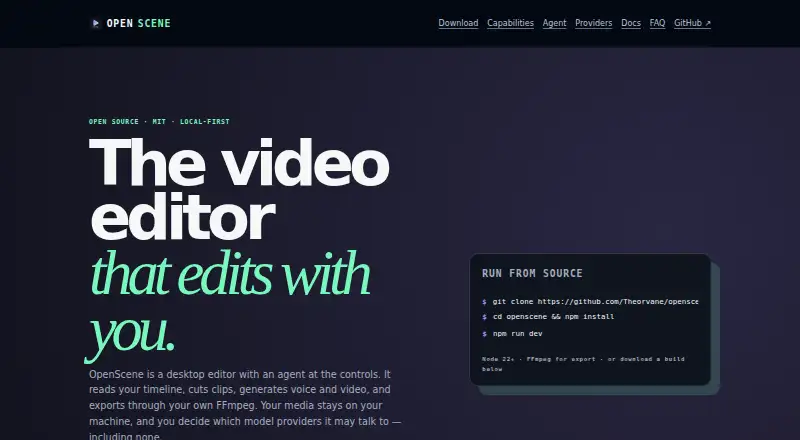
OpenScene is a local-first desktop video editor with an agent that can operate the timeline, generate voice and video, and export through the user’s FFmpeg installation. Its editing workspace supports video and audio tracks, trimming, splitting, moving, duplicating, keyframes, transitions, per-track mixing, undo, and redo. The chat agent uses the same editing operations as the interface and asks for approval before changing a project or starting a job. It can sample video frames and send timestamped images to a model to answer questions about a clip. Voice and video generation studios are part of the workspace, and completed jobs can be imported into the open project as assets. OpenScene lists around 150 providers and several thousand models, and supports a local Ollama engine. It is free and open source under the MIT License for macOS, Windows, Linux, iOS, and Android. The maker says it has no account, telemetry, analytics, or crash reporting; footage stays in the project folder unless sent to a connected provider at the user’s request. FFmpeg must be installed separately for export.
Good
- Free and open source under the MIT License.
- Timeline includes keyframes, transitions, undo, and redo.
- Agent asks approval before project changes or jobs.
- Supports a local Ollama engine.
- No account, telemetry, analytics, or crash reporting.
Watch out
- FFmpeg must be installed separately for export.
- Connected providers may receive footage at the user's request.
- Model providers may bill users directly.
Who it suits
OpenScene suits editors who want timeline editing alongside an agent and voice or video generation tools. Its local-first project folders and support for a local Ollama engine may suit users who want local options for their workflow.
Verdict
OpenScene combines conventional timeline controls with an approval-based editing agent and generation workspace. Export depends on separately installed FFmpeg, and connected model providers may bill directly.
Plans and prices
From OpenScene's own pricing page, checked 11 Oct 2026.
| Plan | Price | What it gives you |
|---|---|---|
| Free | Free | Model providers may bill you directly if connected |
The facts
Each one read from OpenScene's own pages, with the date it was checked.
What it does
- Agent
- The chat agent uses the same editing operations as the interface, and asks approval before writing to a project or starting a job.checked 11 Oct 2026
- Automatic captions
- Yeschecked 21 Sep 2026
- Credentials
- Provider keys are stored in main-process safe storage and do not reach the interface.checked 11 Oct 2026
- Editing
- The timeline supports video and audio tracks, trimming, splitting, moving, duplicating, keyframes, transitions, per-track mixing, undo, and redo.checked 11 Oct 2026
- Export requirement
- FFmpeg must be installed separately for export; OpenScene uses the FFmpeg on the user's machine rather than bundling its own.checked 11 Oct 2026
- Footage analysis
- The agent can sample video frames and send them to a model as timestamped images to answer questions about a clip.checked 11 Oct 2026
- Generation
- Voice and video generation studios are part of the workspace, and completed jobs can be imported into the open project as assets.checked 11 Oct 2026
- Integrations
- The maker names ElevenLabs and OpenAI for speech, and Google Veo and OpenAI Sora for video generation.checked 11 Oct 2026
- License
- OpenScene is free and open source under the MIT License.checked 11 Oct 2026
- Models
- The product lists around 150 providers and several thousand models, and also supports a local Ollama engine.checked 11 Oct 2026
- Privacy
- The maker says OpenScene has no account, telemetry, analytics, or crash reporting, and footage stays in the project folder unless the user asks an agent to send it to a connected provider.checked 11 Oct 2026
- Product
- OpenScene is a local-first desktop video editor with an agent that can operate the timeline, generate voice and video, and export through the user's FFmpeg.checked 11 Oct 2026
- Projects
- Each project is a user-selected folder where media, chat history, and generated results are stored; removing a project from the list does not delete its folder.checked 11 Oct 2026
Money
- Free plan
- Yeschecked 21 Sep 2026
The company
- Maker
- The maker identifies itself as Theorvane, an independent software studio based in Seoul and online.checked 11 Oct 2026
Where it runs
- Platforms
- Packaged builds are available for macOS, Windows, and Linux; macOS builds are signed and notarized, while Windows builds are unsigned and trigger a SmartScreen warning on first run.checked 11 Oct 2026
- Supported platforms
- macOS,Windows,Linux,iOS,Androidchecked 21 Sep 2026
Alternatives to OpenScene
- 1

CyberLink PowerDirector
Free planAndroidiOSmacOSWindows9.0From $59.99 a year - 2

Captions
Free planAndroidiOSWebAPI9.0From $4.99 a month - 3
Vizard
Free planAndroidiOSWebAPI8.9From $29 a month - 4

InVideo AI
Free planAndroidiOSWebAPI8.9From $4 a month - 5
FlexClip
Free planAndroidiOSWebWindows8.8From $143.88 a year - 6

Simplified
Free planAndroidiOSWebAPI8.8From $19 a month