
OpenProject
OpenProject is web-based project management software for classic, agile, or hybrid projects.
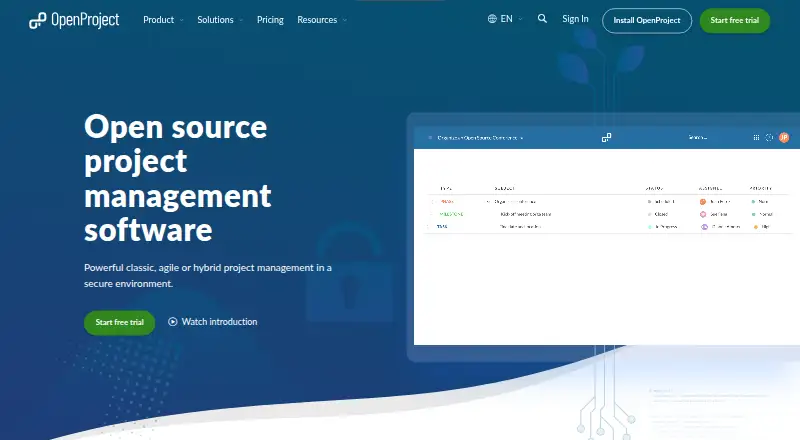
What OpenProject is
OpenProject is web-based project management software for classic, agile, or hybrid projects. It supports project plans and timelines using Gantt charts, alongside agile boards for organizing work and tracking progress with Scrum and Kanban. The Community edition includes work packages, meetings, calendars, time tracking, and a project overview. Organizations can install it on their own infrastructure or use hosted Enterprise Cloud. Self-managed installation options include DEB or RPM packages, Docker, Kubernetes, and Helm charts. Listed integrations include Nextcloud, OneDrive, SharePoint, GitHub, GitLab, and XWiki; community-built options include Excel synchronization and Slack notifications. Security features include two-factor authentication, LDAP sync, salted bcrypt password storage, and role-based access controls. OpenProject is published under the GNU GPL v3. Its Community plan is free.
Good
- Gantt charts support project plans and timelines.
- Agile boards cover Scrum and Kanban.
- Community includes time tracking and calendars.
- Offers self-managed and hosted options.
- Security features include two-factor authentication and role controls.
Watch out
- Basic has a 25-user minimum.
- Professional has a 25-user minimum.
- Premium has a 100-user minimum.
Who it suits
OpenProject suits teams coordinating traditional, agile, or mixed-method projects that need planning, work tracking, and collaboration. Its self-managed option may appeal to organizations seeking on-premises deployment and data control.
Verdict
OpenProject combines project planning, agile boards, and collaboration in a web-based tool with both self-managed and hosted options. The free Community plan has no minimum users; paid plans start at €5.95 a month billed per user per month, with a 25-user Basic minimum.
Plans and prices
From OpenProject's own pricing page, checked 2 Oct 2026.
| Plan | Price | What it gives you |
|---|---|---|
| Community | Free | No minimum users · Community features · Community support |
| Basic | €5.95 a month | 25 minimum users · Basic Enterprise add-ons · Email support · per user per month |
| Professional | €10.95 a month | 25 minimum users · Professional Enterprise add-ons · Phone support · per user per month |
| Premium | €15.95 a month | 100 minimum users · Premium Enterprise add-ons · Remote hands · Installation and upgrade assistance · per user per month |
| Corporate | Priced on request | 250 minimum users · Corporate Enterprise add-ons · Dedicated support engineer · Onboarding training · On request |
The facts
Each one read from OpenProject's own pages, with the date it was checked.
What it does
- Agile
- Its agile boards support team organization and progress tracking for Scrum and Kanban methods.checked 2 Oct 2026
- Audience
- The maker targets organizations that value data sovereignty, open source, and collaboration, including security-sensitive organizations.checked 2 Oct 2026
- Automation rules
- Yeschecked 20 Sep 2026
- Cloud protection
- The maker says its cloud data is encrypted in transit with TLS/HTTPS and at rest with AES-256, with continuous backups.checked 2 Oct 2026
- Collaboration
- The Community edition includes a project overview, work packages, Gantt charts, agile boards, meetings, calendars, and time tracking.checked 2 Oct 2026
- Community integrations
- Community-built integrations include Excel synchronization, Slack notifications, a Thunderbird add-on, and time-tracking plugins.checked 2 Oct 2026
- Guest access
- Yeschecked 20 Sep 2026
- Hosting
- OpenProject offers self-managed on-premises installation and a hosted Enterprise Cloud option.checked 2 Oct 2026
- Installation
- Self-managed installation options include DEB or RPM packages, Docker, Kubernetes, and Helm charts.checked 2 Oct 2026
- Integrations
- The maker lists integrations for Nextcloud, OneDrive, SharePoint, GitHub, GitLab, and XWiki.checked 2 Oct 2026
- License
- OpenProject is published under the GNU GPL v3.checked 2 Oct 2026
- Native integrations
- 6checked 20 Sep 2026
- Privacy
- OpenProject says it meets GDPR and German BDSG requirements and offers on-premises deployment behind an organization’s firewall.checked 2 Oct 2026
- Purpose
- OpenProject is web-based project management software for classic, agile, or hybrid projects.checked 2 Oct 2026
- Security
- The security page describes two-factor authentication, LDAP sync, salted bcrypt password storage, and role-based access controls.checked 2 Oct 2026
- Support
- Paid support ranges from email support on Basic to phone support on Professional and remote hands plus installation and upgrade assistance on Premium.checked 2 Oct 2026
- Time tracking
- Yeschecked 20 Sep 2026
Money
- Free plan
- Yeschecked 20 Sep 2026
- Planning
- It supports project plans and timelines with Gantt charts.checked 2 Oct 2026
The company
- Headquarters
- Berlin, Germanychecked 28 Sep 2026
The full review of OpenProject
Overview
OpenProject is web-based software for coordinating classic, agile, and hybrid projects. It is best suited to organizations that need project schedules alongside Scrum or Kanban workflows, particularly those that prioritize control over where their data resides. Its broad free Community edition and self-managed deployment are compelling; paid plans’ seat minimums make them a poor fit for many small teams.
Key features
Project plans and Gantt charts put work on a timeline, while agile boards help teams organize and track progress using Scrum or Kanban. The Community edition also includes work packages, meetings, calendars, time tracking, and a project overview. That makes the free option a substantial coordination tool, not just a route to try the interface.
Native integrations include Nextcloud, OneDrive, SharePoint, GitHub, GitLab, and XWiki. Community-built integrations add Excel synchronization, Slack notifications, a Thunderbird add-on, and time-tracking plugins. This covers a useful mix of collaboration and development tools, though teams should make sure the supported connections match their workflows.
Organizations can choose Enterprise Cloud or run OpenProject on premises. Self-managed installation options include DEB and RPM packages, Docker, Kubernetes, and Helm charts, offering technical teams flexibility in how they deploy it. Security provisions include two-factor authentication, LDAP sync, salted bcrypt password storage, and role-based access controls. For cloud customers, OpenProject says data is encrypted in transit with TLS/HTTPS and at rest with AES-256, with continuous backups. Its GDPR and German BDSG commitments, along with on-premises deployment behind an organization’s firewall, will matter most to teams with data-sovereignty requirements.
Pricing
The freemium model gives teams a useful starting point, but the paid plans have significant minimums. Community costs nothing, has no minimum users, and includes Community features and Community support. It is the strongest fit for organizations able to manage the software themselves or work within the Community edition’s scope.
Basic costs €5.95 a month, billed per user per month, with a 25-user minimum. It adds Basic Enterprise add-ons and email support. Professional costs €10.95 a month, also billed per user per month with a 25-user minimum; it includes Professional Enterprise add-ons and phone support. Premium costs €15.95 a month, billed per user per month, with a 100-user minimum, Premium Enterprise add-ons, remote hands, and installation and upgrade assistance. Those support steps make the tiers progressively more appropriate for larger organizations seeking help operating the service, but the minimums raise the entry cost well beyond the per-user price alone. Corporate has custom pricing and a 250-user minimum.
A 14-day trial is available. The Community option avoids a seat threshold, while the paid tiers’ minimums are the key pricing constraint for smaller groups.
Platforms
OpenProject supports web access, API, Linux, and self-hosted deployment. Its installation choices make it especially relevant to organizations with technical teams and infrastructure they want to use or control.
Who it's for
OpenProject suits organizations coordinating projects across timeline-based and agile methods, especially those that value open source, collaboration, and data sovereignty. Its GNU GPL v3 license and on-premises option will appeal to teams that want deployment control. Small teams that need paid support or Enterprise add-ons should weigh the 25-user minimum carefully; Premium and Corporate target substantially larger deployments.
Pros and cons
- Pro: The Community edition includes Gantt charts, agile boards, work packages, meetings, calendars, and time tracking at no cost, making it useful beyond basic task tracking.
- Pro: On-premises and hosted deployment options give organizations a choice about where to run the software.
- Pro: Basic, Professional, and Premium offer a clear progression from email support to phone support and operational assistance.
- Con: Basic and Professional require 25 users, while Premium requires 100 and Corporate 250, limiting the paid tiers’ fit for small teams.
- Con: Teams relying on a specialized workflow may need to verify that the listed native or community-built integrations cover it.
Alternatives
For a different project-management fit, compare Project Management Software, or browse Agile Project Management Software, IT Project Management Software, Game Project Management Software, Issue Tracking Software, and Work Management Software.
YouTrack is worth considering for teams seeking a freemium option with a free cloud plan for up to 10 users and 30 GB storage. Linear may suit teams that prefer a free plan with unlimited members, two teams, and 250 issues. Yodiz offers a free Starter plan for three users and unlimited projects, while Kanban Tool has a free plan capped at two users and two boards, with no file attachments.
Zoho Sprints has a free plan for three users, three projects, and 500 MB storage. iceScrum is another freemium, open-source option with self-hosted and web platforms. Plane offers a free plan for 12 users. Acunote is another freemium option for web users.
Verdict
Choose OpenProject if your organization needs classic and agile project coordination in one tool and values open-source software, deployment choice, and data sovereignty. The Community edition’s broad feature set is its strongest reason to start here. Look elsewhere if you need paid features for a small team: the minimums of 25 users or more make the commercial plans hard to justify at that scale.
Alternatives to OpenProject
- 1

Jira
Free planAndroidiOSWebAPI8.4Free plan - 2
Zoho Sprints
Free planAndroidiOSWebAPI8.2From $1 a month - 3

YouTrack
Free planAndroidiOSWebWindows7.4From $5.40 a month - 4

Hygger
AndroidiOSWebAPI7.3From $9 a month - 5

Taiga
Free planWebAPISelf-hosted7.2From €5 a month - 6
P4 Plan (formerly Hansoft)
Free planWebWindowsLinux7.1Free plan