
One Rec
One Rec is a desktop app for recording, editing, and exporting screen videos on Linux, macOS, and Windows.
What One Rec is
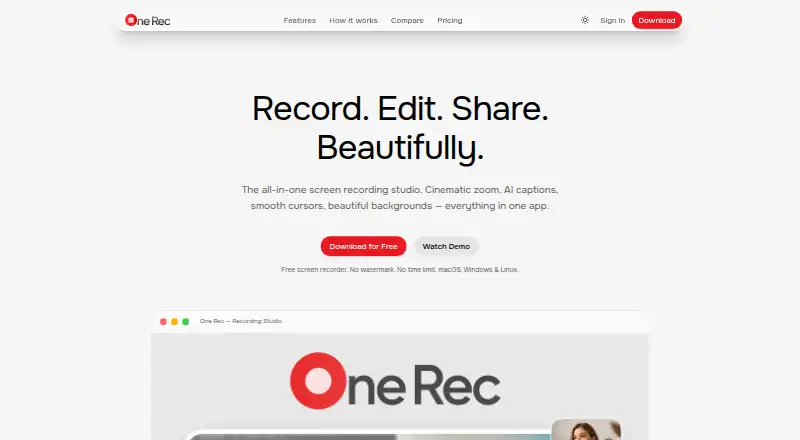
One Rec is a desktop app for recording, editing, and exporting screen videos on Linux, macOS, and Windows. It captures a screen, window, or selected region, then provides a multi-track timeline for editing. Editing options include cinematic auto-zoom, cursor effects, and backgrounds. Captions use local OpenAI Whisper speech recognition, with support for 17+ languages. Recordings, audio, webcam footage, and edits are stored locally unless you choose to share a video. Export formats include MP4, WebM, GIF, APNG, .onerec, and ProRes, with custom bitrate and resolution controls. The app also lists streaming to Twitch, YouTube Live, Restream, and custom RTMP destinations, plus syncing through Dropbox, Google Drive, and iCloud. Social sharing options include YouTube, X, and LinkedIn. The Free plan is free, billed Forever, and includes unlimited recordings, 720p export, three shared videos, 2 GB/month sharing bandwidth, and a One Rec logo on exports. Creator is $9 a month; Pro is $19 a month; Team is $15 a month, with a listed yearly rate of $12/mo per seat.
Good
- Available on Linux, macOS, and Windows.
- Captures screens, windows, or selected regions.
- Local Whisper captions support 17+ languages.
- Offers multiple export formats and streaming destinations.
Watch out
- Free exports are limited to 720p.
- Free exports include a One Rec logo.
- Free plan limits sharing to three videos.
- Free sharing bandwidth is 2 GB/month.
Who it suits
The app suits desktop users who need to record and edit screen video, with plan descriptions aimed at content creators, professionals, and teams or studios. Its local storage approach may also suit people who want recordings and edits kept on their device unless shared.
Verdict
One Rec combines screen capture, timeline editing, captioning, and several export and sharing options in a desktop app. The Free plan covers unlimited recordings, while its export branding and sharing limits are worth noting.
Plans and prices
From One Rec's own pricing page, checked 7 Oct 2026.
| Plan | Price | What it gives you |
|---|---|---|
| Free | Free | Unlimited recordings · 720p export · 3 shared videos · 2 GB/mo sharing bandwidth · One Rec logo on exports · Forever |
| Creator | $9 a month | 1080p export · No watermark · 50 shared videos · 20 GB/mo sharing bandwidth · 50 AI generations/day · Billed monthly |
| Team | $15 a month | Everything in Pro · Team management dashboard · Email or link invitations · Centralized team billing · Billed monthly; page also lists $12/mo per seat billed yearly |
| Pro | $19 a month | 4K UHD export · 200 shared videos · 100 GB/mo sharing bandwidth · Unlimited AI generations · Billed monthly |
The facts
Each one read from One Rec's own pages, with the date it was checked.
What it does
- AI captions
- The app uses local OpenAI Whisper speech recognition for captions, and its AI feature page says captions support 17+ languages.checked 7 Oct 2026
- Export
- The integrations page lists MP4, WebM, GIF, and lossless ProRes export, with custom bitrate and resolution controls.checked 7 Oct 2026
- Integrations
- The integrations page lists Dropbox, Google Drive, and iCloud for file syncing, plus YouTube, X, and LinkedIn for social sharing.checked 7 Oct 2026
- Intended users
- The pricing page describes Creator as for content creators, Pro as for professionals, and Team as for teams and studios.checked 7 Oct 2026
- Local processing
- The privacy policy says recordings, audio, webcam footage, and edits are stored locally unless the user chooses to share a video.checked 7 Oct 2026
- Privacy and analytics
- The privacy policy says One Rec uses EU-hosted PostHog analytics for feature usage and crash diagnostics, and says it does not sell personal data.checked 7 Oct 2026
- Product
- One Rec is a desktop screen recording app with a built-in editor for recording, editing, and exporting videos.checked 7 Oct 2026
- Recording and editing
- Features include screen, window, and region capture, a multi-track timeline editor, cinematic auto-zoom, smooth cursor effects, and backgrounds.checked 7 Oct 2026
- Security
- The privacy policy states that passwords are hashed, desktop authentication tokens are encrypted, and data in transit uses HTTPS/TLS.checked 7 Oct 2026
- Sharing limits
- The Free plan includes 3 shared videos with 7-day links and 2 GB/month sharing bandwidth.checked 7 Oct 2026
- Streaming
- The integrations page lists streaming to Twitch, YouTube Live, custom RTMP destinations, and Restream.checked 7 Oct 2026
- Support
- The support page provides documentation, bug reporting, feature requests, a help center, and contact support.checked 7 Oct 2026
The company
- Founded
- 2025checked 28 Sep 2026
Alternatives to One Rec
- 1

Cap
Free planOpen sourceWebAPIExtensionLinux8.3From $29 a year - 2

Claap
Free planAndroidiOSWebAPI8.2From €32 a month - 3
ScreenApp AI Meeting Notes
Free planAndroidiOSWebAPI8.2From $19 a month - 4

Kommodo
Free planAndroidiOSWebAPI8.1From $9 a month - 5

Loom
Free planAndroidiOSWebmacOS8.1From $18 a month - 6
Visla AI Video Agent
Free planAndroidiOSWebAPI8.1Free plan