OmniSVG
OmniSVG creates scalable SVG graphics from natural-language descriptions and converts PNG, JPG, BMP and WebP images into editable SVG.
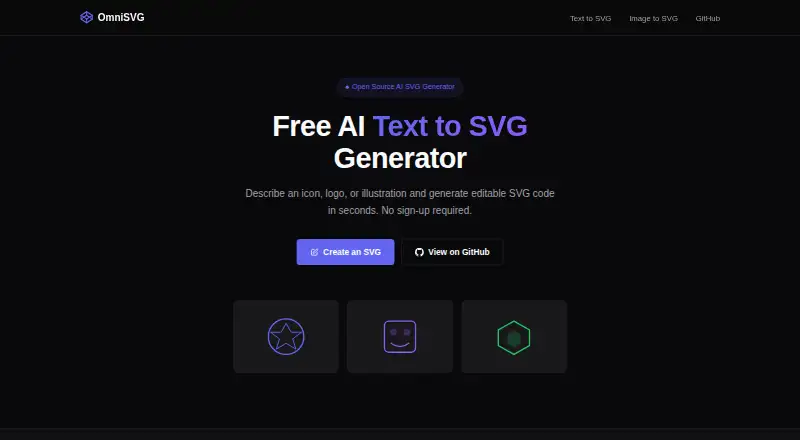
What OmniSVG is
OmniSVG creates scalable SVG graphics from natural-language descriptions and converts PNG, JPG, BMP and WebP images into editable SVG. Image uploads are limited to 5 MB. Generated graphics can be previewed, downloaded or copied as code for editing in an SVG-compatible tool. Its free demo requires no account, shows the remaining daily generations in the browser and allows five generations per day. The research project also supports character-reference SVG generation. Its model combines a pretrained Qwen-VL vision-language model with an SVG tokenizer, and the project introduces MMSVG-2M, a dataset containing two million annotated SVG assets. The code is licensed under Apache License 2.0. The repository offers local Gradio deployment instructions using Python 3.10, Cairo and CUDA 12.1-tested dependencies, and lists model downloads from 7.69 GB to 17.2 GB. Reported inference memory use is 17 GB for OmniSVG1.1_4B and 26 GB for OmniSVG1.1_8B. The project also lists a community-contributed ComfyUI plugin.
Good
- Creates SVG graphics from text descriptions.
- Converts four listed image formats to editable SVG.
- Free demo requires no account.
- Generated SVGs can be downloaded or copied as code.
- Code is licensed under Apache License 2.0.
Watch out
- Five free generations are allowed per day.
- Image uploads are limited to 5 MB.
- Listed model downloads range up to 17.2 GB.
- Local setup lists Python, Cairo and CUDA dependencies.
Who it suits
OmniSVG may suit web developers, UI/UX designers, content creators, and people making print or merchandise graphics. Its local deployment option is relevant to users considering the listed model downloads and dependencies.
Verdict
OmniSVG offers both text-to-vector generation and image conversion, with editable SVG output. The daily generation and upload limits matter for the free demo, while local use involves substantial listed model files and dependencies.
Plans and prices
From OmniSVG's own pricing page, checked 30 Sep 2026.
| Plan | Price | What it gives you |
|---|---|---|
| Free | Free | 5 free generations per day · image uploads up to 5 MB · Free demo; no account required |
The facts
Each one read from OmniSVG's own pages, with the date it was checked.
What it does
- Community integration
- The repository lists a community-contributed ComfyUI OmniSVG plugin.checked 30 Sep 2026
- Dataset
- The project introduces MMSVG-2M, a multimodal dataset containing two million richly annotated SVG assets.checked 30 Sep 2026
- Editing and export
- Generated SVGs can be previewed, downloaded, or copied as code for editing in an SVG-compatible tool.checked 30 Sep 2026
- Generation modalities
- The research project supports Text-to-SVG, Image-to-SVG, and Character-Reference SVG generation.checked 30 Sep 2026
- Image conversion
- The image converter accepts PNG, JPG, BMP, and WebP files up to 5 MB and outputs editable SVG.checked 30 Sep 2026
- License
- The OmniSVG code is licensed under Apache License 2.0.checked 30 Sep 2026
- Local deployment
- The repository provides local Gradio deployment and installation instructions using Python 3.10, Cairo, and CUDA 12.1-tested dependencies.checked 30 Sep 2026
- Model architecture
- OmniSVG uses a pretrained Qwen-VL vision-language model together with an SVG tokenizer.checked 30 Sep 2026
- Model downloads
- The repository lists OmniSVG1.1_8B at 17.2 GB, OmniSVG1.1_4B at 7.69 GB, and OmniSVG-3B at 8.49 GB.checked 30 Sep 2026
- No account
- The free demo does not require an account and displays the remaining daily generations in the browser.checked 30 Sep 2026
- Online demo
- The repository links to an online Hugging Face Spaces demo.checked 30 Sep 2026
- Performance limit
- The repository reports 26 GB GPU memory usage for OmniSVG1.1_8B inference and 17 GB for OmniSVG1.1_4B.checked 30 Sep 2026
- Project affiliations
- The project lists Fudan University and StepFun as the authors’ affiliations.checked 30 Sep 2026
- Text generation
- OmniSVG converts natural-language descriptions into clean, scalable SVG graphics.checked 30 Sep 2026
- Use cases
- The site lists web developers, UI/UX designers, content creators, and print or merchandise users as target audiences.checked 30 Sep 2026
The full review of OmniSVG
OmniSVG suits designers and developers who want to generate or convert graphics into editable SVG, especially those comfortable working with vector code or running a local model. Its no-account demo makes occasional use straightforward, but the daily cap and hardware demands make it a poor fit for high-volume production.
Overview
OmniSVG turns natural-language descriptions into scalable vector graphics and converts raster images into editable SVG. You can preview results, download them, or copy the SVG code into a compatible editor. The converter accepts PNG, JPG, BMP, and WebP files up to 5 MB, a useful range for small assets but a firm ceiling for larger source images.
The free browser demo requires no account and shows how many generations remain that day. That makes it easy to try without a signup, though five generations per day is restrictive if you need to iterate on multiple designs or convert a batch of images.
Key features
Text, image, and character-reference generation
The project supports Text-to-SVG, Image-to-SVG, and Character-Reference SVG generation. Text prompts can produce new vector graphics, while image conversion offers a route from supported raster files to editable output. Character-reference generation broadens the project beyond those two workflows, though the browser demo's stated daily allowance limits how much experimentation is practical.
Editable SVG and local deployment
Downloadable SVG and copyable code give users a way to continue editing outside OmniSVG rather than treating the result as a finished bitmap. For users who want to run the project locally, the repository provides Gradio deployment instructions based on Python 3.10, Cairo, and dependencies tested with CUDA 12.1. That flexibility comes with substantial setup and compute requirements: the listed model files range from 7.69 GB to 17.2 GB, and reported GPU memory use reaches 26 GB for OmniSVG1.1_8B and 17 GB for OmniSVG1.1_4B.
The research project combines a pretrained Qwen-VL vision-language model with an SVG tokenizer and introduces MMSVG-2M, a dataset of two million annotated SVG assets. Those foundations explain the project's focus on vector generation, but they do not remove the practical limits of the demo or the resources needed for local inference. The code is licensed under Apache License 2.0, and a community-contributed ComfyUI plugin is also listed.
Pricing
Free — free. The free demo includes five generations per day, image uploads up to 5 MB, and requires no account. There is no paid tier to compare: occasional users can try the core workflows without committing, while anyone who needs more daily volume will need to consider another tool or a local setup.
Platforms
OmniSVG is available on the web, with Linux and macOS listed alongside self-hosted use. The local route is aimed at users prepared to install Python, Cairo, and CUDA-tested dependencies and manage large model files; the browser demo is the more practical option for a quick trial.
Who it's for
Web developers, UI/UX designers, content creators, and people making print or merchandise assets are the project's stated audiences. It is most compelling for someone who needs editable SVG from a prompt or a small raster image and can finish the work in a separate SVG-compatible tool. It is less suitable for users who need generous daily output, larger image uploads, or a turnkey local installation on modest hardware.
Pros and cons
- Pros: Text generation and raster conversion both produce editable SVG, giving users two ways to start from a graphic idea.
- Pros: No-account browser access and five free daily generations let occasional users try the workflow without signup.
- Pros: Self-hosted deployment and Apache 2.0 code licensing offer a local route for technically equipped users.
- Cons: Five daily generations and a 5 MB upload limit constrain repeated iteration and larger source images.
- Cons: Model downloads up to 17.2 GB and reported GPU memory needs up to 26 GB put local use beyond many everyday computers.
- Cons: SVG output still needs refinement in a compatible editor when the result is not ready to use as-is.
Alternatives
For a broader shortlist, browse AI Vector Generators.
- AnnoMotion is another freemium option, with web, Windows, and API platforms.
- Wix Logo Maker is worth considering when you need logo creation across web, Android, and iOS rather than general SVG generation.
- CleanVector offers web and API access, with a free plan that includes 10 credits a month and one permanent SVG download.
- Modulify AI Logo Maker is a web option for logo-focused work, with one free logo generation per day and a watermarked preview.
- SmartSVG may suit users who want a weekly credit allowance: its free plan gives 30 credits per week, including AI generation and SVG conversion.
- SVG.new is an alternative for vectorization, offering three free vectorizations per day and a built-in vector editor.
- SVGtoCode is another web-based option.
- PlusVector offers web and API access, with a free plan capped at five credits per month.
Verdict
Choose OmniSVG if you want no-account access to both prompt-based SVG generation and small-image conversion, or can run its models locally on suitable hardware. Its strongest reason to choose is editable vector output across those workflows; its clearest reason to look elsewhere is the combination of a five-generation daily cap and substantial local compute demands.
Getting started
- Open https://omnisvg.net/ or use the online Hugging Face Spaces demo.
- Enter a natural-language description or upload a PNG, JPG, BMP, or WebP image up to 5 MB.
- Use the free demo’s daily generation allowance; no account is required.
- Preview the result, then download it or copy its code for an SVG-compatible editor.
- For local deployment, follow the repository instructions using Python 3.10, Cairo, and the listed CUDA 12.1-tested dependencies.
Limits worth knowing
The Free demo provides five generations per day and accepts image uploads up to 5 MB. Local inference is reported to use 17 GB of GPU memory for OmniSVG1.1_4B and 26 GB for OmniSVG1.1_8B.
Questions
Is OmniSVG free, and does it require an account?
The listed plan is Free, with five generations per day. The online demo does not require an account and shows the remaining daily generations in the browser.
Which image formats can it convert?
The converter accepts PNG, JPG, BMP, and WebP images up to 5 MB and outputs editable SVG.
What can I do with a generated SVG?
You can preview or download it, or copy the code for editing in an SVG-compatible tool.
Can OmniSVG run locally?
The repository provides local Gradio deployment and installation instructions using Python 3.10, Cairo, and CUDA 12.1-tested dependencies.
Is the code open source, and what license does it use?
The code is licensed under Apache License 2.0.
What generation methods does the research project support?
It supports Text-to-SVG, Image-to-SVG, and Character-Reference SVG generation.
Alternatives to OmniSVG
- 1
Recraft
Free planAndroidiOSWebAPI8.2Free plan - 2

Wix Logo Maker
Free planAndroidiOSWebAPI8.2Free plan - 3
Clearly Logo Maker
Free planWebAPImacOSWindows7.8From $29 a month - 4

DaVinci AI Photo Restoration
AndroidiOSWeb7.7From $39.99 a month - 5

AnnoMotion
Free planWebAPIWindows7.6From £4.50 a month - 6

LOGO.com
Free planWebAPI7.6Free plan