Octoclip
Octoclip is a clipboard workspace for copying content on one device and pasting it on another, across iPhone, Android, Windows, and macOS.
What Octoclip is
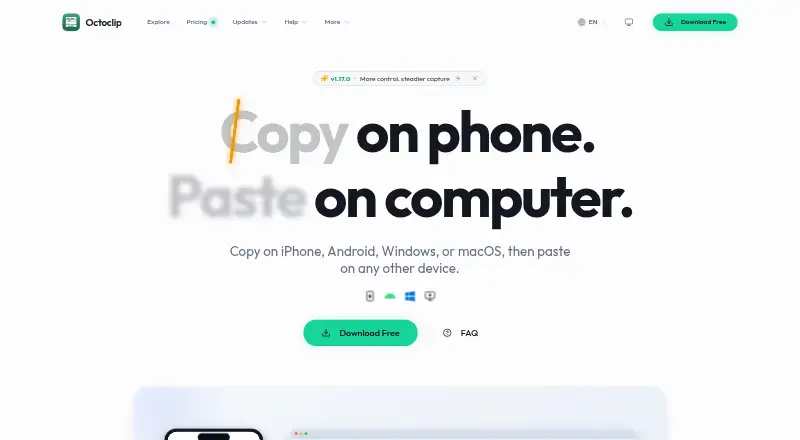
Octoclip is a clipboard workspace for copying content on one device and pasting it on another, across iPhone, Android, Windows, and macOS. It automatically saves recent items to Clip History for search and reuse. Quick Input, shortcuts, aliases, pins, collections, and filters help retrieve clips. Nearby Sync transfers clips between paired devices on the same local or Tailscale network; Cloud Sync supports different networks through user-configured WebDAV or S3 storage. Clipboard content is primarily stored locally, and Octoclip says it does not use its own cloud storage to store or analyze that content. With a Cloud Sync master password, clips are encrypted on-device before upload, but sync index metadata remains unencrypted in storage. The free plan includes cross-device copy/paste, Nearby Sync, Clip History and quick search, Quick Input and alias preview, and Cloud Sync experience. Standard costs $19.99, paid once for two devices; Plus costs $39.99, paid once for up to five. Paid licenses include one year of updates.
Good
- Free plan includes cross-device copy and paste.
- Searchable history with quick retrieval tools.
- Nearby Sync works on local or Tailscale networks.
- Cloud Sync supports user-configured WebDAV or S3.
- Paid features continue working after update coverage ends.
Watch out
- Cloud sync index metadata remains unencrypted in storage.
- Paid licenses include one year of updates.
- Current build has no public plugin entry point or API.
Who it suits
Octoclip suits people who want to retrieve and transfer copied content across supported devices. Its Nearby Sync fits devices on a shared local or Tailscale network, while Cloud Sync is for users configuring WebDAV or S3 storage.
Verdict
Octoclip combines clipboard history with local-network and configurable cloud sync options. Consider the metadata encryption limit and the device caps on one-time paid licenses before choosing a plan.
Plans and prices
From Octoclip's own pricing page, checked 1 Oct 2026.
| Plan | Price | What it gives you |
|---|---|---|
| Free | Free | cross-device copy/paste · Nearby Sync · Clip History and quick search · Quick Input and alias preview · Cloud Sync experience |
| Standard License | $19.99, paid once | 2 licensed devices · all paid features · transfer activations · 1 year of updates · one-time |
| Plus License | $39.99, paid once | up to 5 licensed devices · all paid features · transfer activations · 1 year of updates · one-time |
The facts
Each one read from Octoclip's own pages, with the date it was checked.
Where it runs
- Android distribution limits
- The direct-download Android build includes SMS capture and screenshot OCR sources that are unavailable in the Google Play build.checked 1 Oct 2026
What it does
- Clipboard history
- The app automatically saves recently copied content in Clip History for later search and reuse.checked 1 Oct 2026
- Cloud Sync
- Cloud Sync uses WebDAV or S3 storage configured by the user for devices on different networks.checked 1 Oct 2026
- Encryption boundary
- With a Cloud Sync master password, clip content is encrypted on-device before upload, while sync index metadata remains unencrypted in storage.checked 1 Oct 2026
- Local-first privacy
- Clipboard content is primarily stored locally, and Octoclip says it does not use Octoclip-owned cloud storage to store or analyze clipboard content.checked 1 Oct 2026
- Nearby Sync
- Nearby Sync transfers clips directly between paired devices on the same local network or Tailscale network.checked 1 Oct 2026
- Paid license updates
- Paid licenses include one year of updates, while unlocked features continue working permanently after that period.checked 1 Oct 2026
- Plugins and API
- Plugins and workflow automation are planned, and the current build has no public plugin entry point or API.checked 1 Oct 2026
- Quick reuse
- Quick Input, shortcuts, aliases, pins, collections, search, and filters help users retrieve and paste saved clips quickly.checked 1 Oct 2026
- Refund policy
- The pricing page says purchasers can contact support within 7 days for a full refund.checked 1 Oct 2026
- Support
- Users can get help through the community forum or by emailing [email protected].checked 1 Oct 2026
- Supported systems
- Official installation requirements cover Windows 10 (1803) or newer, macOS 10.15 or newer, Android 8 or newer, and iOS/iPadOS 15 or newer.checked 1 Oct 2026
- What it does
- Octoclip is a universal clipboard workspace that lets users copy on iPhone, Android, Windows, or macOS and paste on another device.checked 1 Oct 2026
The full review of Octoclip
Octoclip is a universal clipboard workspace for people who move between phones and computers and need both searchable history and cross-device pasting. It is best suited to multi-device workflows where local-network transfer or personally configured storage is preferable to a vendor cloud. The one-time licenses are straightforward, but storage metadata and device limits should shape the buying decision.
Overview
Octoclip lets you copy on iPhone, Android, Windows, or macOS and paste on another supported device. It automatically keeps recent copies in Clip History, turning the clipboard into a searchable archive rather than a short-lived handoff. That is useful for recurring text, links, snippets, and formatted content, while single-device users may gain little beyond a conventional clipboard history tool.
Its sync design gives you two distinct routes. Nearby Sync sends clips directly between paired devices on the same local network or Tailscale network. Cloud Sync reaches devices on different networks through WebDAV or S3 storage that you configure yourself. The latter is flexible, but it requires you to provide and manage compatible storage rather than relying on an Octoclip-hosted cloud.
Key features
History and reuse
Clip History supports later search and reuse of copied material. Quick Input, shortcuts, aliases, pins, collections, and filters provide multiple ways to locate a saved clip and paste it quickly. Snippets and rich-text support make the workspace more suitable for repeated replies, templates, and formatted content than a plain text-only history. These controls favor people who regularly retrieve the same information; they are more machinery than occasional copy-and-paste needs require.
Sync and privacy
Nearby Sync is the practical choice when devices share a local or Tailscale connection, because clips move directly between paired devices. Cloud Sync extends that reach across separate networks through your WebDAV or S3 account. Clipboard content is primarily stored locally, and Octoclip says it does not use its own cloud storage to store or analyze that content.
A Cloud Sync master password encrypts clip content on the device before upload. The sync index metadata remains unencrypted in storage, so this is not an end-to-end privacy boundary for every piece of synchronization data. Users with strict metadata requirements should account for that limitation before choosing Cloud Sync.
Extensions and support
Plugins and workflow automation are planned, but the current build has no public plugin entry point or API. Support is provided through the community forum or [email protected]. Android distribution also differs by channel: the direct-download build includes SMS capture and screenshot OCR sources that are unavailable in the Google Play build.
Pricing
The Free plan costs nothing and includes cross-device copy and paste, Nearby Sync, Clip History with quick search, Quick Input with alias preview, and the Cloud Sync experience. It is a credible starting point for users who can work within the free feature set and do not need a larger licensed-device allowance.
The Standard License costs $19.99, paid once, billed one-time, for two licensed devices. It adds all paid features, activation transfers, and one year of updates. Unlocked features continue working permanently after that update period, making this the sensible paid tier for a phone-and-computer setup.
The Plus License costs $39.99, paid once, billed one-time, and covers up to five licensed devices with the same paid features, activation transfers, and one year of updates. It fits households or users who maintain several computers and mobile devices; paying double the Standard price is difficult to justify if you need only two seats. Purchasers can contact support within seven days for a full refund.
Platforms
Official requirements cover Windows 10 version 1803 or newer, macOS 10.15 or newer, Android 8 or newer, and iOS/iPadOS 15 or newer. Octoclip therefore suits mixed Apple, Android, and desktop setups, subject to the Android build differences between direct download and Google Play.
Who it's for
Choose Octoclip if you routinely switch among supported phones and computers, revisit copied material, and want either direct local-network transfer or control over WebDAV/S3 storage. The Free plan is appropriate for trying that workflow, Standard for two devices, and Plus for up to five. Look elsewhere if you require encrypted sync metadata, a public automation API today, or a service that supplies cloud storage without setup.
Pros and cons
- Pros: Cross-device copy and paste spans Windows, macOS, iOS/iPadOS, and Android.
- Pros: Nearby Sync supports direct local or Tailscale transfers, while Cloud Sync works with user-configured WebDAV or S3 storage.
- Pros: Search, aliases, pins, collections, filters, snippets, and rich text support efficient reuse.
- Pros: One-time paid licenses keep unlocked features working permanently after one year of updates.
- Cons: Cloud Sync leaves index metadata unencrypted in storage even when clip content is encrypted before upload.
- Cons: Standard covers only two devices and Plus five, so larger fleets need another approach.
- Cons: There is no public plugin entry point or API yet.
- Cons: The richer Android SMS and screenshot-OCR sources require the direct-download build rather than Google Play.
Alternatives
For a broader shortlist, see Clipboard Manager Software.
- Pasteable is the better fit if you want a free trial and support across Android, iOS, Linux, macOS, web, and Windows.
- Relic suits readers who prioritize open-source apps, sync server, encryption code, and self-host stack.
- ClipboardFusion is an alternative if a 19.00 USD one-time Pro Standard lifetime license and future versions appeal.
- Clipman is the straightforward free, open-source choice with an optional self-hosted server.
- Buddi is free budgeting software rather than a direct clipboard alternative.
- OmniClip is free across Android, browser extension, iOS, and web, with storage limits potentially applying.
- Clipy is the macOS-only open-source option for macOS 13 Ventura or later.
- CopyPaste is free and open source on macOS and Windows, with no premium tiers, subscriptions, or paywalls.
Verdict
Octoclip is a strong choice for multi-device users who want searchable clipboard history and a choice between direct local sync and storage they control. Its one-time Standard and Plus licenses avoid subscriptions and retain paid features after updates end. Look elsewhere when unencrypted sync metadata, limited licensed-device counts, or the absence of a current public API conflicts with your priorities.
Alternatives to Octoclip
- 1

Relic
Free planOpen sourceAndroidiOSWebAPI9.3From $5 a month - 2
Clipman
Free planOpen sourceAndroidiOSAPILinux9.2$1.99 one-time - 3
Pasteable
Free planAndroidiOSWebLinux8.3From $60 a year - 4

ClipboardFusion
Free planAndroidiOSWebExtension8.3$19 one-time - 5
OmniClip
Free planAndroidiOSWebExtension8.1Free plan - 6
Pastin
Free planiOSmacOS8.0From $29.99 a year