ngspice
ngspice is a free, open-source simulator for electric and electronic circuits.
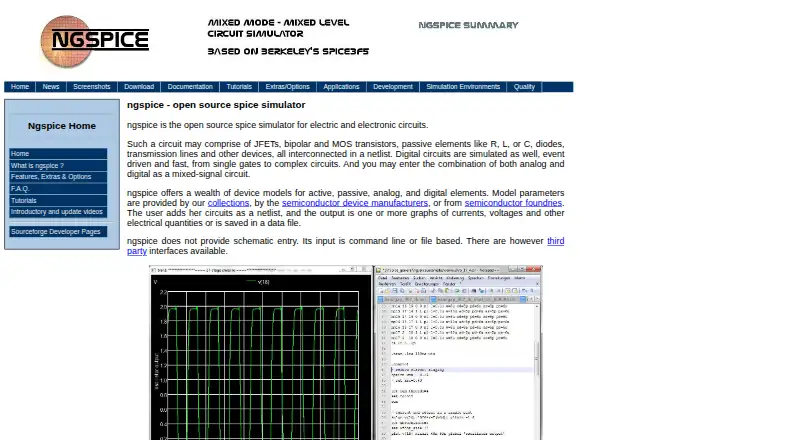
What ngspice is
ngspice is a free, open-source simulator for electric and electronic circuits. It simulates analog, digital, and mixed-signal designs described in netlists, using models for active, passive, analog, and digital elements. Model parameters can come from collections, manufacturers, or foundries, and SPICE compatibility supports PSPICE or LTSPICE device parameters and netlists for discrete circuits. Mixed-signal co-simulation works with Verilog blocks compiled using Verilator and, since ngspice-44, VHDL blocks using GHDL. Its OSDI/OpenVAF interface integrates Verilog-A compact device models without programming on the ngspice side. It can also be compiled as a shared library or DLL for control by another application. Listed integrations include KiCad, Autodesk Fusion, and Python interfaces such as PySpice. One important constraint is that ngspice does not provide schematic entry: input is command-line or file-based. The stable download page offers source archives and Windows binaries; Linux users are directed to their distributor or to compile from source, and the project's own macOS release is currently unavailable there. Support includes forums, mailing lists, documentation, an FAQ, and a bug tracker.
Good
- Free and open source
- Supports analog, digital, and mixed-signal simulation
- Can use PSPICE or LTSPICE models and netlists
- Can compile as a shared library or DLL
Watch out
- No schematic entry is provided
- Input is command-line or file-based
- Project's own macOS release is currently unavailable on its stable download page
Who it suits
It suits circuit designers or developers who work with netlists and need analog, digital, or mixed-signal simulation. It may also fit users integrating a simulator with another application or Python interface.
Verdict
ngspice offers broad simulation and integration options for users comfortable with netlist-based input. Its lack of schematic entry makes it a poor fit if you need to draw circuits in the simulator itself.
Plans and prices
From ngspice's own pricing page, checked 7 Oct 2026.
| Plan | Price | What it gives you |
|---|---|---|
| ngspice | Free | Circuit simulator; command-line or file-based input; no schematic entry · Free |
The facts
Each one read from ngspice's own pages, with the date it was checked.
What it does
- Circuit types
- It simulates analog, digital, and mixed-signal circuits described in netlists.checked 7 Oct 2026
- Compatibility
- It is SPICE-compatible and can use PSPICE or LTSPICE device model parameters and netlists for discrete circuits.checked 7 Oct 2026
- Downloads
- The stable download page offers source archives and Windows binaries, while noting that Linux users should use their distributor or compile from source and that its own macOS release is currently unavailable there.checked 7 Oct 2026
- Input limitation
- ngspice does not provide schematic entry; its input is command-line or file-based.checked 7 Oct 2026
- Mixed-signal integration
- It supports mixed-signal co-simulation with Verilog blocks compiled using Verilator and, since ngspice-44, VHDL blocks using GHDL.checked 7 Oct 2026
- Model integration
- The OSDI/OpenVAF interface integrates Verilog-A compact device models without requiring programming on the ngspice side.checked 7 Oct 2026
- Models
- It provides device models for active, passive, analog, and digital elements, and can use model parameters from collections, manufacturers, and foundries.checked 7 Oct 2026
- Programming
- ngspice can be compiled as a shared library or DLL for control by a calling application.checked 7 Oct 2026
- Purpose
- ngspice is an open-source simulator for electric and electronic circuits.checked 7 Oct 2026
- Support
- The project offers mailing lists, discussion forums, a bug tracker, an FAQ, and documentation.checked 7 Oct 2026
- Third-party integrations
- The project lists integrations with KiCad, Autodesk Fusion, and Python interfaces including PySpice.checked 7 Oct 2026
Money
- Free plan
- Yeschecked 21 Sep 2026
Where it runs
- Platforms
- The source compiles on Linux, Windows, Mac, BSD, and Solaris; the download page also points macOS users to Homebrew.checked 7 Oct 2026
The full review of ngspice
Overview
ngspice is an open-source SPICE simulator for electric and electronic circuits, aimed at users who describe designs in netlists and files instead of drawing them. It suits engineers, educators, developers, and technically confident hobbyists who need analog, digital, or mixed-signal analysis without a license fee. Its broad model and integration support is the main reason to choose it; the absence of schematic entry is the key reason to choose something else.
Key features
The simulator handles analog, digital, and mixed-signal circuits represented as netlists. Its device coverage includes active, passive, analog, and digital elements, and it can use model parameters from collections, manufacturers, and foundries. Compatibility with PSPICE and LTSPICE device-model parameters and discrete-circuit netlists is valuable when a team already has SPICE files or established model libraries. It reduces the need to rebuild existing inputs, but still requires users to understand and maintain those textual descriptions.
Mixed-signal work can combine Verilog blocks compiled with Verilator and, since ngspice-44, VHDL blocks through GHDL. The OSDI/OpenVAF interface adds Verilog-A compact device models without requiring programming on the ngspice side. Those facilities make ngspice relevant to workflows that cross hardware-description and compact-model formats, although they do not turn it into a visual schematic editor.
For software developers, ngspice can be compiled as a shared library or DLL and controlled by a calling application. Listed integrations include KiCad, Autodesk Fusion, and Python interfaces such as PySpice. These options let ngspice serve as a simulation engine inside a broader design or automation workflow rather than only as a standalone command-line program.
The decisive limitation is input. There is no schematic capture: circuits are entered through command-line or file-based methods. That is efficient for reproducible, scriptable work and awkward for anyone who expects to place symbols and wire a circuit inside the simulator.
Pricing
ngspice has one free plan at free, billed Free. It includes the circuit simulator with command-line or file-based input and explicitly provides no schematic entry. There are no paid tiers, seat charges, quotas, or renewal terms stated for this plan, so it is a straightforward fit for individuals, classrooms, and teams that can work within a netlist-first process.
Platforms
ngspice supports Linux, macOS, self-hosted deployments, and Windows. The stable download page provides source archives and Windows binaries. Linux users are directed to their distributor or to compiling from source, while the project's own macOS release is currently unavailable on that page. Support resources include mailing lists, discussion forums, a bug tracker, an FAQ, and documentation.
Who it's for
Choose ngspice if you need advanced electrical simulation, SPICE-compatible models, or mixed-signal co-simulation and are comfortable editing netlists or integrating a simulation library into another application. It is particularly suitable when PSPICE or LTSPICE materials, Verilog, VHDL, or Verilog-A models already belong to the workflow. Look elsewhere if schematic capture is a requirement, if circuit entry must be graphical, or if your users are not prepared to manage command-line and file-based inputs.
Pros and cons
- Pro: Free and open source, with no paid tier standing between a user and the simulator.
- Pro: Analog, digital, and mixed-signal simulation plus active, passive, and logic device models cover varied circuit-analysis needs.
- Pro: PSPICE and LTSPICE parameter and netlist compatibility can preserve existing discrete-circuit work.
- Pro: Verilator, GHDL, OSDI/OpenVAF, shared-library, and DLL options support advanced integration and automation.
- Con: No schematic entry means every design must be supplied through command-line or file-based input.
- Con: Linux installation may require a distributor package or source compilation, and the project's own macOS release is not provided on the stable download page.
Alternatives
For broader physics simulation, OpenFOAM is a free, open-source option on Linux, macOS, self-hosted, and Windows; choose it when fluid and general computational-physics work matters more than SPICE circuit analysis.
OpenSim is another free, open-source platform for API, Linux, macOS, and Windows, with downloads requiring a SimTK account; it is the better direction when its platform focus matches your project instead of electrical netlists.
SimFlow offers a free tier and free trial across Linux, macOS, web, and Windows; choose it when you want a freemium, cross-platform simulation product rather than ngspice's command-line-first model.
Xcos is freely distributed with Scilab on Linux, macOS, and Windows, making it a reasonable choice when a Scilab-based environment is preferable.
Open Source Physics is free across Android, iOS, Linux, macOS, web, and Windows; pick it when broad device access is more important than ngspice's SPICE compatibility.
FeenoX is free, GPLv3+, and targets GNU/Linux without a graphical interface; it suits users seeking an API-oriented open-source solver rather than an electrical SPICE engine.
COMSOL Multiphysics is a paid product with a free trial and broad desktop, web, API, and self-hosted platform coverage; choose it when a commercial multiphysics environment and quotation-based licensing fit the project.
GNU FisicaLab is free software under GNU GPL version 3 or later for Linux and Windows, and is an alternative for users whose needs align with that application.
Verdict
ngspice is the right choice for technically confident users who want a free, SPICE-compatible engine with strong model reuse, mixed-signal support, and application-integration options. Its netlist-first workflow is also its defining constraint: choose another tool if drawing schematics inside the simulator is central to your work.
Alternatives to ngspice
- 1

SimFlow
Free planWebLinuxmacOSWindows8.2From €8,000 a year - 2

COMSOL Multiphysics
WebAPILinuxmacOS7.7 - 3
FeenoX
Free planWebAPILinuxSelf-hosted7.5Free plan - 4
myPhysicsLab
Free planWebLinuxmacOSSelf-hosted7.5Free plan - 5

OpenFOAM
Free planLinuxmacOSSelf-hostedWindows7.3Free plan - 6
MPTRAC
Free planWebLinuxSelf-hosted7.2Free plan