Neural Designer
Neural Designer is a data science and machine learning platform for creating, training, and deploying neural network models through a visual, no-code workflow.
What Neural Designer is
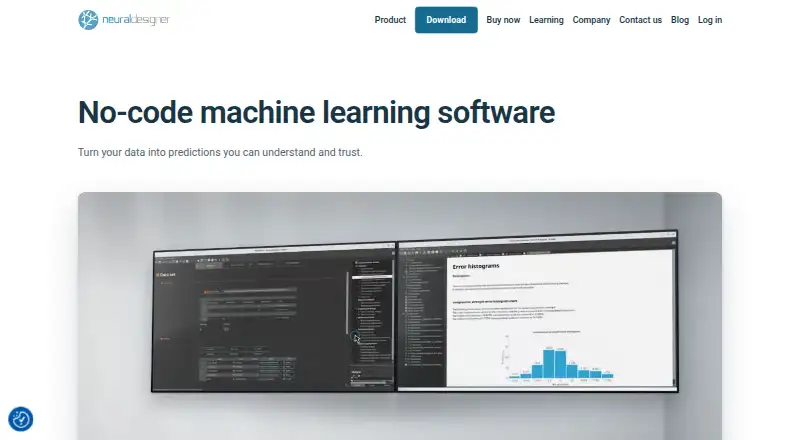
Neural Designer is a data science and machine learning platform for creating, training, and deploying neural network models through a visual, no-code workflow. It supports approximation, classification, forecasting, anomaly detection, image classification, and text classification. Projects can use CSV, DAT, TXT, Excel, and OpenOffice files, with visualizations for assessing input importance and exploring models. The software uses C++ with multicore CPU processing and NVIDIA GPU acceleration through CUDA, cuBLAS, and cuDNN. Models can be exported to C, Python, JavaScript, or PHP; portable deployment packages are available for image and text classification. Neural Designer can run on AWS, and Python exports can be brought into Microsoft Power BI through Python visuals. It runs on Linux, macOS, and Windows, but is available only in English. The company offers tutorials, guides, FAQs, examples, and premium technical support by email, phone, or video call.
Good
- Visual, no-code model building and training
- Supports forecasting and anomaly detection
- Exports models to C, Python, JavaScript, and PHP
- Runs on Linux, macOS, and Windows
Watch out
- Available only in English
- No free trial
Who it suits
It suits data science teams and researchers who want to build neural network models visually and export them for deployment. Its listed use cases span engineering, life sciences, health, and business.
Verdict
Neural Designer brings model building, evaluation, and deployment options into a visual workflow. Check that its English-only interface and listed paid pricing fit your needs.
Plans and prices
From Neural Designer's own pricing page, checked 5 Oct 2026.
| Plan | Price | What it gives you |
|---|---|---|
| Standard | $300 a month | 100,000 data rows · Windows, macOS, Linux · Multi-core parallelization · NVIDIA CUDA GPU · Standard support · $300.00 per user/month, billed monthly |
| Research | $300 a month | Unlimited data rows · Windows, macOS, Linux · Multi-core parallelization · NVIDIA CUDA GPU · Standard support · $300.00 per user/month, billed monthly |
| Teaching | $600 a month | Unlimited data rows · Windows, macOS, Linux · Multi-core parallelization · NVIDIA CUDA GPU · Standard support · $600.00 per module/month, billed monthly |
| Research | $2,495 a year | Unlimited data rows · Windows, macOS, Linux · Multi-core parallelization · NVIDIA CUDA GPU · Standard support · $2,495.00 per user per year, billed annually |
| Standard | $2,495 a year | 100,000 data rows · Windows, macOS, Linux · Multi-core parallelization · NVIDIA CUDA GPU · Standard support · $2,495.00 per user per year, billed annually |
| Teaching | $4,995 a year | Unlimited data rows · Windows, macOS, Linux · Multi-core parallelization · NVIDIA CUDA GPU · Standard support · $4,995.00 per module per year, billed annually |
| Campus | Priced on request | Pricing depends on institution size · 100,000 data rows · Windows, macOS, Linux · Multi-core parallelization · NVIDIA CUDA GPU · Standard support |
The facts
Each one read from Neural Designer's own pages, with the date it was checked.
Where it runs
- Application types
- It supports approximation, classification, forecasting, anomaly detection, image classification, and text classification.checked 1 Oct 2026
What it does
- Cloud
- Neural Designer can run on Amazon Web Services (AWS).checked 1 Oct 2026
- Data formats
- Supported data files include CSV, DAT, TXT, Excel, and OpenOffice formats.checked 1 Oct 2026
- Explainability
- Neural Designer provides model input importance, sample input importance, and model exploration visualizations.checked 1 Oct 2026
- Industries
- The company presents use cases across engineering and technology, natural and life sciences, medicine and health sciences, and business and economic sciences.checked 1 Oct 2026
- Language
- Neural Designer is available only in English.checked 1 Oct 2026
- Model export
- Models can be exported to C, Python, JavaScript, and PHP, with portable deployment packages for image and text classification.checked 1 Oct 2026
- No-code workflow
- The platform provides a no-code interface for building and training neural networks visually.checked 1 Oct 2026
- Performance
- The software uses a C++ implementation, multicore CPU parallelization, and NVIDIA GPU acceleration with CUDA, cuBLAS, and cuDNN.checked 1 Oct 2026
- Power BI integration
- A Neural Designer model can be exported to Python and integrated into Microsoft Power BI using Python visuals.checked 1 Oct 2026
- Product
- Neural Designer is a data science and machine learning platform for building, training, and deploying neural network models.checked 1 Oct 2026
- Security and privacy
- Artelnics states that personal data is processed under the EU General Data Protection Regulation (GDPR) and that it guarantees confidentiality, integrity, and security of personal data.checked 1 Oct 2026
- Support
- Premium technical support is offered by email, phone, or video call, and the company provides tutorials, guides, FAQs, and examples.checked 1 Oct 2026
The company
- Founded
- 2014checked 28 Sep 2026
- Headquarters
- Villamayor, Salamanca, Spainchecked 28 Sep 2026
The full review of Neural Designer
Overview
Neural Designer is a neural-network platform for building, training, and deploying models through a visual, no-code workflow. It suits teams and practitioners who need neural-network workflows across forecasting, classification, or anomaly detection; its broad export options are a strength, while English-only availability may rule it out for some users.
Key features
Visual modeling and supported tasks
The no-code interface lets users build and train neural networks visually, which is useful for people who want to work with models without writing code for those steps. Supported applications include approximation, classification, forecasting, anomaly detection, image classification, and text classification. Model evaluation and automated machine learning are also supported, along with time-series modeling and batch and real-time deployment.
Data, interpretation, and performance
Neural Designer accepts CSV, DAT, TXT, Excel, and OpenOffice files. That range covers common tabular file workflows, but the platform's stated input formats do not establish support for every data source a team might use. Visualizations for model input importance, sample input importance, and model exploration help users examine what models have learned and how they behave.
The software uses a C++ implementation, multicore CPU parallelization, and NVIDIA GPU acceleration through CUDA, cuBLAS, and cuDNN. Those options make it relevant to users seeking to use parallel CPU or supported NVIDIA GPU processing; GPU acceleration depends on having compatible NVIDIA hardware.
Export, deployment, and support
Models can be exported to C, Python, JavaScript, and PHP, with portable deployment packages for image and text classification. Neural Designer can run on AWS, and Python exports can be incorporated into Microsoft Power BI through Python visuals. API access is supported. Premium technical support is offered by email, phone, or video call, alongside tutorials, guides, FAQs, and examples.
Pricing
Neural Designer has a free plan and no free trial. The stated paid starting price is 300/user/mo; the plan figures are also shown as yearly amounts, so check the applicable billing terms before choosing a paid option.
- Standard — $2.50 a year per user: includes 100,000 data rows, Windows, macOS, and Linux support, multicore parallelization, NVIDIA CUDA GPU support, and standard support. Its row cap makes it the more constrained paid option for datasets within that limit.
- Research — $2.50 a year per user: includes the same platform and compute features and standard support, but allows unlimited data rows. It fits research workflows that need to work beyond Standard's row ceiling.
- Teaching — $5 a year per module: includes unlimited data rows and the same listed platform, compute, and support features. Its module-based billing distinguishes it from the per-user Standard and Research plans.
- Campus — custom pricing: pricing depends on institution size. It includes 100,000 data rows, the three desktop operating systems, multicore parallelization, NVIDIA CUDA GPU support, and standard support.
The free plan is an option for users who want to begin without a paid commitment, but its limits are not described here. The listed paid plans include standard support; premium technical support is offered separately.
Platforms
Neural Designer is available for Windows, macOS, and Linux, and can run on AWS. It is available only in English, which is a practical drawback for users who need another interface language. Artelnics says personal data is processed under the EU GDPR and that it guarantees confidentiality, integrity, and security. The company is based in Villamayor, Salamanca, Spain, and was founded in 2014.
Who it's for
Neural Designer is a strong fit for users who want visual neural-network building paired with model evaluation, interpretation visualizations, and options to export models into code or deployment packages. Its stated use cases span engineering and technology, natural and life sciences, medicine and health sciences, and business and economic sciences. It is less suitable for anyone who needs a non-English interface, or for teams whose data, integration, or infrastructure needs fall outside the formats and platforms it supports.
Pros and cons
- Pros: Visual, no-code model building and training cover a broad set of neural-network tasks, including forecasting and anomaly detection.
- Pros: Input-importance and model-exploration visualizations provide ways to inspect models rather than treating them as opaque outputs.
- Pros: Exports to four programming languages, portable packages for image and text classification, AWS support, and Power BI integration give several routes toward deployment and reporting.
- Cons: The interface is English-only, limiting its fit for users who need another language.
- Cons: Standard and Campus plans cap data at 100,000 rows; users needing unlimited rows must consider Research or Teaching.
- Cons: The free plan's limits are not described, and the stated starting price differs in presentation from the unusually low yearly plan figures, so buyers should verify which billing terms apply.
Alternatives
For a wider category comparison, browse Predictive Analytics Software.
Choose FLAML if a free machine-learning option with Linux, macOS, Windows, API, or self-hosted platforms is a better fit. KNIME Analytics Platform is worth considering when free, open-source software is the priority. AutoGluon suits readers seeking a free, open-source Python library under the Apache 2.0 license. Weka is another free option for users who want its API and desktop platform support, including a stable release and a development release.
BigML may suit users who prefer a web-accessible freemium service with a free tier capped at 16 MB per dataset task, two parallel tasks, and one user. Orange Data Mining is a free alternative for readers who want software under the GNU GPL 3.0 or later. ZebraDesigner is a different kind of tool, focused on barcode label and tag design and printing. Siemens Building X is a separate option for readers looking at building applications or APIs.
Verdict
Choose Neural Designer if you need a visual neural-network workflow that spans model building, interpretation, evaluation, and several deployment paths. Its combination of no-code modeling and export choices is the clearest reason to pick it; look elsewhere if English-only software, row caps on Standard or Campus, or unclear alignment between the stated starting price and yearly plan figures is a concern.
Alternatives to Neural Designer
- 1
BigML
Free planWebAPImacOSSelf-hosted7.7From $10,000 a year - 2

KNIME Analytics Platform
Free planLinuxmacOSWindows7.1From $19 a month - 3

Obviously AI
Free planWebAPI7.1Free plan - 4
MLJAR Studio
Free planLinuxmacOSSelf-hostedWindows6.8From $20 a month - 5
JADBio
Free planWebAPISelf-hosted6.7Free plan - 6
Orange Data Mining
Free planLinuxmacOSWindows6.3Free plan