NetsCLI
NetsCLI is an open-source network scanner for discovering LAN devices, scanning TCP and UDP ports, querying DNS, and inspecting hosts.
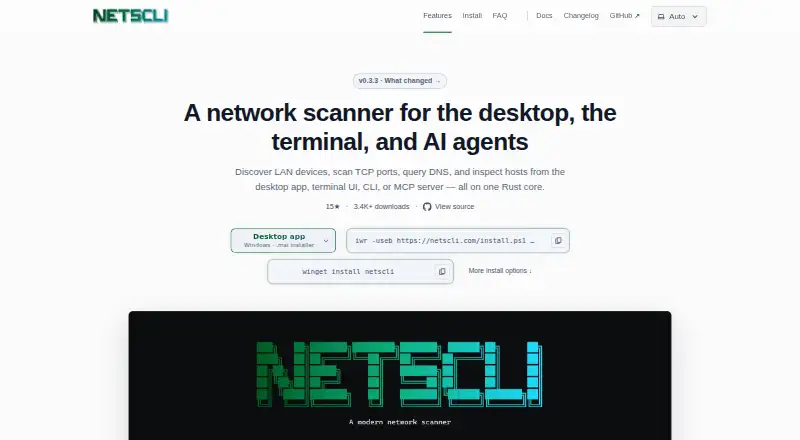
What NetsCLI is
NetsCLI is an open-source network scanner for discovering LAN devices, scanning TCP and UDP ports, querying DNS, and inspecting hosts. It runs on Linux, macOS, and Windows and offers a desktop app, terminal UI, command-line interface, and MCP server built on one Rust core. The desktop app supports multiple investigation tabs, sortable and filterable results, exports, and scan history. Network operations in the CLI can output JSON and YAML; list commands also support CSV and Markdown.
Discovery can add reverse DNS, ARP cache data, MAC addresses, and device makers when the operating system has that information. The stdio MCP server exposes structured tools for discovery, scanning, ping, DNS, ARP, host inspection, sweeps, interfaces, and mDNS discovery to compatible AI clients. NetsCLI is MIT-licensed and free for personal, open-source, and commercial use. Its maker says binaries and installers are checksummed and signed with Sigstore cosign. Packet capture is available only in separate downloads and requires libpcap on Linux or macOS, or Npcap on Windows.
Good
- Available on Linux, macOS, and Windows.
- Desktop app includes scan history and exports.
- CLI supports JSON, YAML, CSV, and Markdown.
- Free for commercial use under the MIT license.
Watch out
- Packet capture requires separate downloads and system dependencies.
- It does not provide remote administration.
- It lacks advanced service detection and OS fingerprinting.
Who it suits
NetsCLI may suit people who need repeatable network diagnostics or automation from a command line. Its MCP tools are intended for AI agents that need local network tools.
Verdict
NetsCLI combines desktop, terminal, command-line, and MCP access to local network tools. It is free under the MIT license, but lacks some advanced capabilities noted by its maker.
Plans and prices
From NetsCLI's own pricing page, checked 5 Oct 2026.
| Plan | Price | What it gives you |
|---|---|---|
| NetsCLI | Free | Free for personal, open-source, and commercial use · MIT-licensed |
The facts
Each one read from NetsCLI's own pages, with the date it was checked.
What it does
- AI integrations
- The stdio MCP server exposes structured local network tools for compatible AI clients, including Claude Code and Cursor.checked 5 Oct 2026
- CLI output
- Network operations support JSON and YAML output, while lists also support CSV and Markdown.checked 4 Oct 2026
- Desktop features
- The desktop app supports multiple investigation tabs, sortable and filterable results, exports, and scan history.checked 5 Oct 2026
- Download integrity
- The site says every binary and installer is checksummed and signed with Sigstore cosign, and links to download verification instructions.checked 4 Oct 2026
- Download verification
- The maker says every binary and installer is checksummed and signed with Sigstore cosign.checked 5 Oct 2026
- Feature limits
- The maker says NetsCLI does not provide remote administration and lacks advanced service detection, NSE scripts, and OS fingerprinting available in nmap.checked 5 Oct 2026
- Host discovery
- Discovery can add reverse DNS, ARP cache data, MAC addresses, and device makers when the operating system has that information.checked 5 Oct 2026
- Integrations
- The MCP server runs over stdio and exposes structured tools for network discovery, scanning, ping, DNS, ARP, host inspection, sweeps, interfaces, and mDNS discovery.checked 4 Oct 2026
- Network tools
- MCP tools include discovery, port scanning, ping, DNS, ARP, host inspection, network sweep, interface listing, and mDNS discovery.checked 5 Oct 2026
- Notable limits
- The site says NetsCLI does not provide remote administration and lacks advanced service detection, NSE scripts, and OS fingerprinting compared with nmap.checked 4 Oct 2026
- Open source
- NetsCLI is MIT-licensed, and its library and MCP server are published on crates.io for Rust projects.checked 5 Oct 2026
- Packet capture
- Packet capture is available only in separate packet-capture downloads and requires libpcap on Linux or macOS, or Npcap on Windows.checked 5 Oct 2026
- Packet capture requirement
- Packet capture is available only in separate packet-capture downloads and requires libpcap on Linux or macOS, or Npcap on Windows.checked 4 Oct 2026
- Purpose
- NetsCLI is an open-source Rust network scanner for discovering LAN hosts, scanning TCP and UDP ports, querying DNS, and inspecting hosts.checked 5 Oct 2026
- Structured output
- CLI network operations support JSON and YAML output, while list commands also support CSV and Markdown.checked 5 Oct 2026
- Ways to use it
- It offers a desktop app, terminal UI, command-line interface, and MCP server on one Rust core.checked 5 Oct 2026
- Who it is for
- The maker describes CLI use for repeatable diagnostics and automation and MCP use for AI agents that need local network tools.checked 5 Oct 2026
Where it runs
- Desktop app
- The desktop app supports multiple investigation tabs and lets users sort, filter, export, and review scan history.checked 4 Oct 2026
- Platforms
- The CLI and terminal UI are published for Windows, macOS, and Linux; the desktop app is available for those systems as well.checked 5 Oct 2026
Money
- License and cost
- NetsCLI is MIT-licensed and free for personal, open-source, and commercial use.checked 4 Oct 2026
The company
- Maker
- The site credits Felix Stubner as the maker.checked 4 Oct 2026
The full review of NetsCLI
NetsCLI is a free, open-source toolkit for examining devices and services on a local network. It suits technical users who want interactive desktop checks alongside scriptable or AI-assisted workflows. Its broad set of access modes is useful, but it falls short of nmap for advanced detection and does not offer remote administration.
Overview
Built around one Rust core, NetsCLI brings LAN discovery, TCP and UDP port scanning, DNS queries, and host inspection to a desktop app, terminal UI, command-line interface, and MCP server. That range makes it practical for users who move between exploratory checks and repeatable diagnostics. It is a focused local-network tool, not a full network-management suite.
Key features
Desktop investigations and structured output
The desktop app supports multiple investigation tabs, sortable and filterable results, exports, and scan history. These features help keep checks organized and make it easier to revisit results. For automation, network operations can emit JSON or YAML; list commands also support CSV and Markdown. The available export formats make results more reusable, though they do not compensate for the missing advanced detection capabilities.
Discovery and AI-client integration
Host discovery can enrich results with reverse DNS, ARP cache data, MAC addresses, and device makers when the operating system has that information. The stdio MCP server exposes structured tools for discovery, port scans, ping, DNS, ARP, host inspection, network sweeps, interface listing, and mDNS discovery. Compatible clients include Claude Code and Cursor, giving AI agents a way to use local network tools. This is a useful distinction for agent-oriented workflows; users who do not need an MCP client can rely on the other interfaces.
Open source and verification
NetsCLI is MIT-licensed, and its library and MCP server are published on crates.io for Rust projects. The maker says each binary and installer is checksummed and signed with Sigstore cosign, with download verification instructions provided. Packet capture requires separate packet-capture downloads and libpcap on Linux or macOS, or Npcap on Windows, so it is not part of the standard setup.
Pricing
NetsCLI costs nothing. The MIT license permits personal, open-source, and commercial use, with no paid tier or trial needed to use the software. That makes it a straightforward option for individuals and teams able to run a command-line tool or desktop app; there are no plan seat or quota terms to weigh.
Platforms
NetsCLI supports Linux, macOS, and Windows. Packet capture has an additional platform-specific dependency: libpcap on Linux or macOS, and Npcap on Windows. The packet-capture downloads are separate from the regular downloads.
Who it's for
NetsCLI is best for technical users who need local discovery, port checks, DNS queries, and host inspection across interactive and automated workflows. Its CLI suits repeatable diagnostics and automation; the desktop app is more appropriate for tabbed investigations and reviewing scan history. The MCP server is aimed at compatible AI clients that need structured access to local network tools. Choose another tool if remote administration, OS fingerprinting, NSE scripts, or more advanced service detection is central to the job.
Pros and cons
Pros
- Four interfaces share one core: users can choose desktop, terminal, CLI, or MCP access without changing the underlying toolkit.
- Useful structured output: JSON and YAML for network operations, plus CSV and Markdown for lists, support automation and sharing.
- Permissive, free license: MIT licensing allows personal, open-source, and commercial use.
- Download checks: Sigstore cosign signatures and checksums give users a way to verify binaries and installers.
Cons
- Not a remote administration tool: its scope is local network investigation, not remote management.
- Less advanced than nmap in key areas: it lacks advanced service detection, NSE scripts, and OS fingerprinting.
- Packet capture takes extra setup: it requires a separate download and an OS-specific packet-capture dependency.
Alternatives
Port Scanner Software is a broader category comparison if you want to weigh more tools before choosing.
- Naabu is another free, MIT-licensed option if you want a port-scanning tool across Linux, macOS, Windows, API, or self-hosted environments.
- Nmap is the better fit when advanced service detection, NSE scripts, or OS fingerprinting matter more than NetsCLI's multiple interfaces. Its free end-user license does not allow redistribution within commercial software or hardware products.
- RustScan is a free open-source port scanner if Android support or a self-hosted deployment is important.
- ScanSearch is worth considering for internet scanning through an API or web interface; its paid Internet Scanner plan starts at $0.30 a month, billed per kpps/month, with 100–10,000 kpps, unlimited results per scan, full CSV/JSON export, and a queue of up to 10 scans.
- Masscan is a free alternative under the GNU Affero General Public License v3 if that licensing model and its supported platforms suit your use.
- Unicornscan is another free option, distributed as GPL software with downloadable packages and source.
- Angry IP Scanner is a free, GPLv2 alternative for Linux, macOS, and Windows.
- Pentest-Tools Port Scanner offers a web and API option, with a free tier and a NetSec plan priced at $95 a month.
Verdict
Choose NetsCLI if you want a free, MIT-licensed local network toolkit that can move between desktop investigation, CLI automation, and compatible AI clients. Its strongest case is that breadth of access paired with practical structured output. Look elsewhere if your work depends on remote administration or the advanced service and OS detection features NetsCLI lacks.
Getting started
- Visit the NetsCLI website.
- Choose a download for Linux, macOS, or Windows.
- Use the desktop app, terminal UI, or command-line interface for network tasks.
- For packet capture, obtain a separate packet-capture download and install libpcap on Linux or macOS, or Npcap on Windows.
- For AI-client access, configure the stdio MCP server with a compatible client such as Claude Code or Cursor.
Questions
How much does NetsCLI cost?
NetsCLI is free for personal, open-source, and commercial use.
Which platforms does NetsCLI support?
It is available for Linux, macOS, and Windows.
Is NetsCLI open source?
Yes. NetsCLI is MIT-licensed, and its library and MCP server are published on crates.io.
What interfaces can I use?
NetsCLI provides a desktop app, terminal UI, command-line interface, and MCP server.
Does NetsCLI support packet capture?
Packet capture is available in separate downloads. It requires libpcap on Linux or macOS, or Npcap on Windows.
What are NetsCLI's stated feature limits?
It does not provide remote administration and lacks advanced service detection, NSE scripts, and OS fingerprinting available in nmap.
Alternatives to NetsCLI
- 1
Avidemux
Free planOpen sourceWebLinuxmacOSWindows7.3Free plan - 2
Masscan
Free planOpen sourceLinuxmacOSSelf-hostedWindows7.2Free plan - 3
Nmap
Free planLinuxmacOSSelf-hostedWindows7.0From $9,980 a month - 4
Naabu
Free planAPILinuxmacOSSelf-hosted6.8Free plan - 5

Pentest-Tools Port Scanner
Free planWebAPI6.8From $95 a month - 6

ScanSearch
Free planWebAPILinux6.8From $0.30 a month