Moving Picture Studio
Moving Picture Studio is a free, open-source program for creating stop-motion animation.
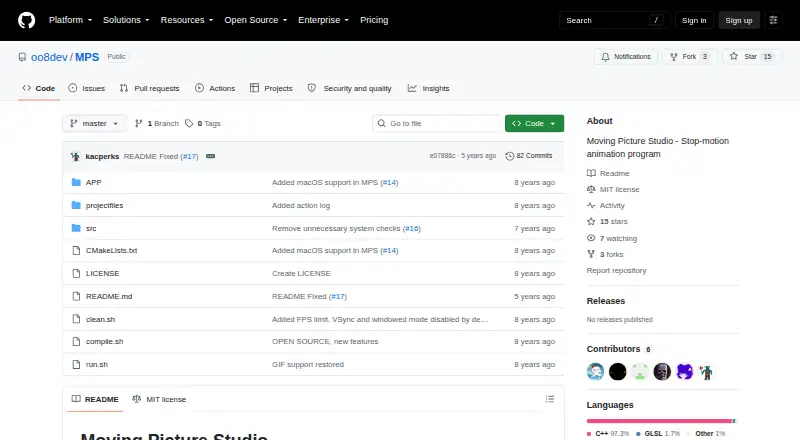
What Moving Picture Studio is
Moving Picture Studio is a free, open-source program for creating stop-motion animation. Its project workflow includes opening and saving projects, adding and removing frames, duplicating frames, and undoing or redoing changes. Completed drawing tools include pencil, line, spray, bucket fill, pipette, eraser, and rectangle; resizing is still marked as work in progress. For previewing animation, the program lists ghosting visibility and a viewport that can be zoomed and rotated dynamically. GIF export is listed as complete. Linux x64 and Windows x64 are the supported and tested platforms. The project says the application also works on ARM processors, including Raspberry Pi, while macOS x64 works but is unstable. Some areas, including layers, toolbox, color selector, ghosting options, and menu, are only partially done. Planned work includes animation import and playback, PNG strip export, copy and paste, brush and selection tools, and configurable key bindings. Tablet pressure support is described as a distant-future item pending the SDL library. The project is written in C++ and uses OpenGL 2.1/ES 2.0 and SDL; its repository includes an MIT license.
Good
- Free and open source.
- Supports frame creation, removal, and duplication.
- Includes ghosting visibility and a zoomable, rotatable viewport.
- GIF export is listed as complete.
- Works on ARM processors, including Raspberry Pi.
Watch out
- macOS x64 support is described as unstable.
- Resizing is still in progress.
- Animation playback and import are planned, not completed.
- Tablet pressure support is a distant-future item.
Who it suits
Moving Picture Studio may suit people seeking a free stop-motion tool for Linux or Windows and who can work with the features already completed. It may also interest ARM users, including Raspberry Pi users, though the project’s stated tested platforms are Linux x64 and Windows x64.
Verdict
Moving Picture Studio has core frame-editing, drawing, preview, and GIF export capabilities, with Linux and Windows x64 listed as tested. Check its partial and planned features against the animation workflow you need.
The facts
Each one read from Moving Picture Studio's own pages, with the date it was checked.
What it does
- Animation preview
- The project lists ghosting visibility and a zoomable, dynamically rotatable viewport among completed features.checked 4 Oct 2026
- ARM support
- The application also works on ARM processors, including Raspberry Pi.checked 11 Oct 2026
- Drawing tools
- Completed tools include pencil, line, spray, bucket fill, pipette, eraser, and rectangle; resize is marked as still in progress.checked 11 Oct 2026
- Export
- Export to GIF is listed as completed.checked 4 Oct 2026
- GIF export
- Export to GIF is listed as completed.checked 11 Oct 2026
- License
- The repository lists an MIT license.checked 11 Oct 2026
- Partial features
- Layer support, toolbox, color selector, ghosting options, and menu are listed as partially done.checked 11 Oct 2026
- Project workflow
- Completed features include opening and saving projects, creating and removing frames, duplicating frames, and undo and redo.checked 11 Oct 2026
- Purpose
- Moving Picture Studio is a stop-motion animation program.checked 11 Oct 2026
- Support
- The project asks users to report bugs and problems and says ideas are welcome.checked 11 Oct 2026
- Support and feedback
- The project asks users to report bugs and problems and welcomes ideas.checked 4 Oct 2026
- Tablet support
- Tablet pressure support is listed as a distant-future item, pending the SDL library.checked 4 Oct 2026
- Technology
- The application is written in C++ and based on OpenGL 2.1/ES 2.0 and SDL.checked 11 Oct 2026
- Viewport and ghosting
- The project lists zoomable and dynamically rotatable viewport features, and a shortcut to toggle ghosting visibility.checked 11 Oct 2026
Where it runs
- macOS status
- The project says macOS x64 works but is unstable.checked 11 Oct 2026
- macOS support
- The project says macOS x64 works but is unstable.checked 4 Oct 2026
- Supported platforms
- Linux x64 and Windows x64 are listed as supported and tested platforms.checked 4 Oct 2026
- Tested platforms
- Linux x64 and Windows x64 are listed as supported and tested platforms.checked 11 Oct 2026
Money
- Planned features
- Animation import, PNG strip export, animation playback, copy and paste, and configurable key bindings are listed as to do.checked 11 Oct 2026
Alternatives to Moving Picture Studio
- 1

Stop Motion Studio
Free planAndroidiOSmacOSWindows8.0$5.99 one-time - 2
Cloud Stop Motion
Free planAndroidiOSWebLinux7.9From $4 a year - 3

Dragonframe
AndroidiOSAPILinux7.7$195 one-time - 4
AnyMotion
Free planiOSmacOS7.5Free plan - 5
Koma Koma
Free planiOSmacOSWindows6.9Free plan - 6
I Can Animate
AndroidiOSmacOSWindows6.7£29.95 one-time