Mount-DiskImage
Mount-DiskImage is a free Windows PowerShell cmdlet that mounts an existing virtual hard disk or ISO so it appears as a normal disk.
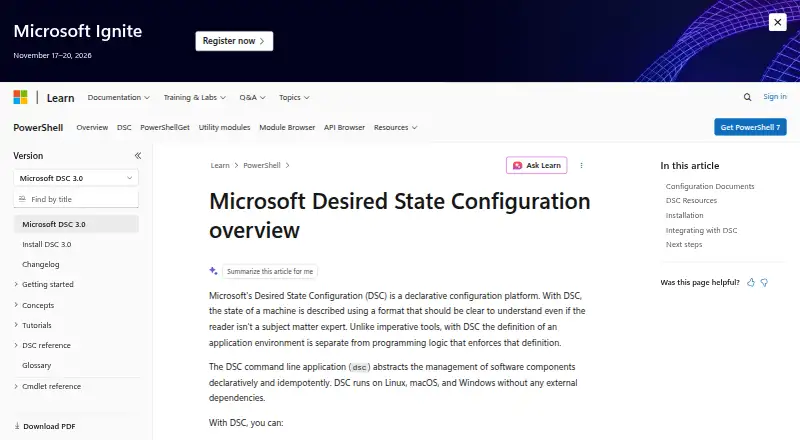
What Mount-DiskImage is
Mount-DiskImage is a free Windows PowerShell cmdlet that mounts an existing virtual hard disk or ISO so it appears as a normal disk. It requires the full path to the image file. The StorageType parameter accepts ISO, VHD, VHDX, VHDSet, or Unknown; when the type is omitted or Unknown, the file extension determines it. VHD images can be mounted read-only or read-write, while ISO images are always read-only. Mounting a VHD requires administrator privileges. ISO permissions depend on Windows version: the documentation says mounting an ISO does not require administrator privileges on Windows 8, while Windows Server 2012 permits only an administrator to mount or eject one. NoDriveLetter can prevent drive-letter assignment. CimSession directs the command to a remote computer; otherwise it uses the local session. AsJob runs long operations as a background job. The cmdlet returns no output by default, while PassThru returns an object representing the mounted image. For Hyper-V VHD creation and mounting, the guidance points to New-VHD and Mount-VHD or Disk Management. In failover clusters, Storage module commands operate across all cluster servers.
Good
- Mounts ISO, VHD, VHDX, and VHDSet images
- Supports read-write VHD mounting
- Can run against a remote computer
- Can run longer operations as background jobs
Watch out
- Requires the full image path
- VHD mounting requires administrator privileges
- ISO images are read-only
Who it suits
Mount-DiskImage suits Windows users who need to mount an existing ISO or virtual disk from PowerShell. It is also relevant when remote execution, background jobs, or suppressing drive-letter assignment are needed.
Verdict
Mount-DiskImage handles common image-mounting tasks through PowerShell, with options for remote sessions and background jobs. Note the VHD privilege requirement and the read-only behavior for ISO files.
The facts
Each one read from Mount-DiskImage's own pages, with the date it was checked.
What it does
- Access modes
- VHD files can be mounted read-only or read-write, while ISO files are mounted read-only regardless of the parameter value.checked 4 Oct 2026
- Background jobs
- The AsJob parameter runs the cmdlet as a background job for commands that take a long time to complete.checked 4 Oct 2026
- Cluster behavior
- When Storage module cmdlets are used in a failover cluster, they operate at cluster level across all servers in the cluster.checked 4 Oct 2026
- Drive letter
- The NoDriveLetter parameter specifies that no drive letter should be assigned after mounting.checked 4 Oct 2026
- Hyper-V guidance
- For creating and mounting a VHD on a computer running Hyper-V, the page points to New-VHD and Mount-VHD in the Hyper-V module, or to Disk Management.checked 4 Oct 2026
- Output
- The cmdlet produces no output by default; with PassThru it returns an object representing the mounted disk image.checked 4 Oct 2026
- Path requirement
- The cmdlet requires the full path of the VHD or ISO file.checked 4 Oct 2026
- Privileges
- Mounting a VHD requires administrator privileges; the page says ISO mounting does not require them on Windows 8, while Windows Server 2012 permits only an administrator to mount or eject an ISO.checked 4 Oct 2026
- Purpose
- Mount-DiskImage mounts a previously created virtual hard disk or ISO so it appears as a normal disk.checked 4 Oct 2026
- Remote execution
- The CimSession parameter runs the cmdlet in a remote session or on a remote computer; by default it uses the local computer session.checked 4 Oct 2026
- Supported image types
- The StorageType parameter accepts ISO, VHD, VHDX, VHDSet, or Unknown; when omitted or set to Unknown, the type is determined from the file extension.checked 4 Oct 2026
Where it runs
- Windows support
- The MSFT_DiskImage Mount method lists Windows 8 desktop apps as its minimum supported client and Windows Server 2012 desktop apps as its minimum supported server.checked 4 Oct 2026
Alternatives to Mount-DiskImage
- 1
DAEMON Tools Lite
Free planAndroidiOSmacOSWindows8.0$3 one-time - 2

RaiDrive
Free planLinuxWindows7.4Free plan - 3
Alcohol 52%
Free planWindows7.3$27 one-time - 4
libguestfs
Free planOpen sourceAPILinuxmacOSSelf-hosted7.3Free plan - 5
NetDrive
AndroidiOSmacOSWindows7.0From $29.90 a year - 6

ExpanDrive
Free planLinuxmacOSWindows6.8From $29 a month