Moment Search
Moment Search is a desktop app for finding video clips by describing what you want to see or hear.
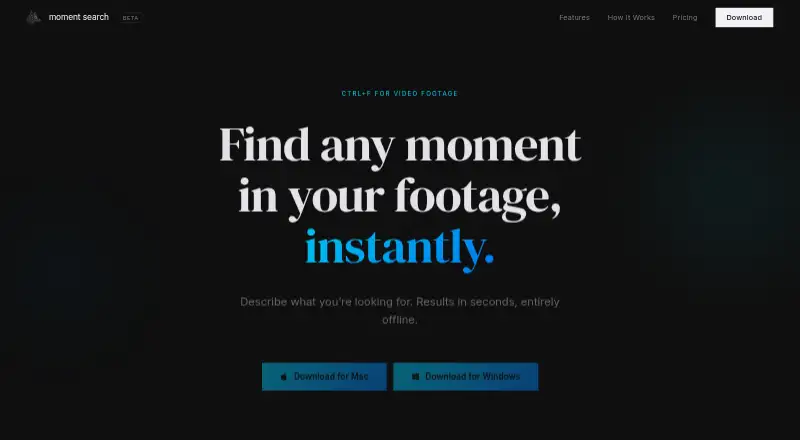
What Moment Search is
Moment Search is a desktop app for finding video clips by describing what you want to see or hear. Select a footage folder and it indexes visuals, audio, and dialogue locally. Plain English descriptions can locate visible content, while on-device transcription supports searches for spoken phrases, quotes, or conversation topics. Moment can show which drive contains a matching clip, even when the drive is unplugged. Found clips can be dragged into an editor, exported, or copied to the clipboard. The maker says footage stays on the user's machine, processing is local, and an internet connection is not required. The app names CLIP for vision, Whisper for transcription, and Qdrant for its vector index. It is available for macOS and Windows: the download listing specifies macOS 11 or later with Apple Silicon, or Windows 10 or later. No account is required to download. Moment is in active beta, and Pro is described as a beta lifetime license. Starter is free forever and covers one footage source and up to 25 indexed videos. Pro costs $249.00 USD once and includes unlimited sources and indexed videos, with future updates included.
Good
- Searches visuals and spoken dialogue.
- Indexes footage locally and does not require internet.
- Can identify matching clips on unplugged drives.
- Free Starter plan includes up to 25 indexed videos.
- No account is required to download.
Watch out
- Starter is limited to one footage source.
- Starter allows up to 25 indexed videos.
- macOS listing requires Apple Silicon and macOS 11 or later.
- Moment is in active beta.
Who it suits
Moment Search suits video editors and other users who need to locate clips using visual descriptions or dialogue. Its local processing may suit users who want footage to remain on their machine.
Verdict
Moment Search brings visual and dialogue search to a local desktop footage workflow. Starter has defined source and video limits, while Pro costs $249.00 USD once and is described as a beta lifetime license.
Plans and prices
From Moment Search's own pricing page, checked 8 Oct 2026.
| Plan | Price | What it gives you |
|---|---|---|
| Starter | Free | 1 footage source · Up to 25 indexed videos · Visual & speech search · Clip export & clipboard copy · On-device processing, no cloud · Free forever |
| Pro | $249, paid once | Unlimited footage sources · Unlimited indexed videos · Visual & speech search · Clip export & clipboard copy · On-device processing, no cloud · All future updates included · Priority feature requests · One-time payment · Price increases at v1 |
The facts
Each one read from Moment Search's own pages, with the date it was checked.
What it does
- Beta status
- The maker describes Moment as being in active beta and calls Pro a beta lifetime license.checked 8 Oct 2026
- Dialogue search
- Moment transcribes and indexes spoken words on-device so users can search for phrases, quotes, or conversation topics.checked 8 Oct 2026
- Download
- The maker says no account is required to download.checked 8 Oct 2026
- Editing workflow
- The site says users can drag a found clip into their editor and export clips or copy them to the clipboard.checked 8 Oct 2026
- Library indexing
- Users select a footage folder, and Moment indexes its visuals, audio, and dialogue locally.checked 8 Oct 2026
- Local models
- The site names CLIP for vision, Whisper for transcription, and Qdrant for the vector index.checked 8 Oct 2026
- Offline drives
- Moment can show which drive contains a matching clip, including libraries on drives that are unplugged.checked 8 Oct 2026
- Privacy
- The maker says footage stays on the user's machine, processing is local, and no internet connection is required.checked 8 Oct 2026
- Product
- Moment is a desktop app for finding moments in video footage by describing what you are looking for.checked 8 Oct 2026
- Visual search
- Users can search for clips with plain English descriptions of what they see.checked 8 Oct 2026
Where it runs
- Mac requirements
- The download listing specifies macOS 11 or later and Apple Silicon.checked 8 Oct 2026
- Windows requirements
- The download listing specifies Windows 10 or later.checked 8 Oct 2026
The full review of Moment Search
Moment Search is a macOS and Windows desktop app for finding moments in video using visual descriptions and spoken words. It suits editors and other people working with local footage libraries who want to search without sending footage to a cloud service. Its combination of visual and dialogue search is useful; the main trade-off is a free plan capped at one source and 25 videos, or a $249.00 USD one-time Pro purchase while the product is in active beta.
Overview
Choose a footage folder and Moment indexes its visuals, audio and dialogue locally. Searches can start with a plain-English description of what appears in a clip, or with a phrase, quote or conversation topic from its speech. That makes it useful when filenames and folder structures are not enough, and when the words spoken in a recording matter as much as its images.
Moment can show which drive holds a matching clip, even when that drive is unplugged. Once found, a clip can be dragged into an editor, exported or copied to the clipboard. The maker says processing happens on the device, requires no internet connection, and keeps footage on the user's machine. A download does not require an account.
Key features
Visual and dialogue search
Visual search gives editors a way to look for a scene by describing what they see rather than remembering a filename. Dialogue search transcribes and indexes spoken words on-device, opening a separate route to a moment through a quote or conversation topic. The two search modes address different kinds of memory and are more useful together than either would be alone.
Local indexing and editing handoff
Moment indexes a selected footage folder's visuals, audio and dialogue locally. It uses CLIP for vision, Whisper for transcription and Qdrant for the vector index. The offline-drive indicator is a practical touch for libraries spread across removable storage, though a matching clip on an unplugged drive still has to be connected before it can be used. Export, clipboard copy and drag-to-editor support keep retrieval connected to editing rather than ending at search results.
Pricing
Starter is free, billed Free forever. It includes one footage source and up to 25 indexed videos, with visual and speech search, clip export and clipboard copy, and on-device processing without cloud. That is enough to assess the workflow or search a small library, but the source and video caps rule it out for larger collections.
Pro costs $249, paid once as a one-time payment. It removes the footage-source and indexed-video limits and includes the same search and clip tools, on-device processing, all future updates and priority feature requests. The maker says the price increases at v1 and describes Pro as a beta lifetime license. There is no monthly renewal, but the upfront cost is significant for software still in active beta; Pro makes most sense for someone whose existing library exceeds Starter's limits and who accepts that beta status.
Platforms
Moment runs on macOS and Windows. The Mac download requires macOS 11 or later and Apple Silicon; the Windows download requires Windows 10 or later. Mac users on Intel hardware are outside the stated requirement, while Windows users need version 10 or later.
Who it's for
Moment is a strong fit for editors, filmmakers and other users with local video collections who need to find scenes by appearance or speech and move clips into an editing workflow. Its local processing and offline operation suit people who want footage to stay on their machine. Starter fits a small test collection; users with multiple sources or more than 25 videos need Pro to avoid its caps. It is less compelling for anyone who wants a mature, non-beta product or is not ready to pay $249.00 USD once for uncapped indexing.
Pros and cons
- Pro: Visual and speech search offer two distinct ways to locate a moment, including by spoken phrase or topic.
- Pro: Local, offline indexing keeps footage on the user's machine and does not require an internet connection.
- Pro: Drive-location cues, export, clipboard copy and drag-to-editor support connect searching with clip retrieval and editing.
- Con: Starter is limited to one footage source and 25 indexed videos, a low ceiling for growing libraries.
- Con: Pro's $249.00 USD one-time cost is a substantial upfront commitment for an active-beta app, even with future updates included.
- Con: The Mac download requires Apple Silicon, excluding Intel Macs.
Alternatives
AI Video Search Tools is a category list for comparing video-search options. Consider FrameQuery if you want a free plan across API, macOS, web and Windows: its Free tier offers metadata search and local, Drive or NAS sharing and backup, while face, voice and AI-tag search require indexed video and it includes no monthly indexing hours. VGG Image Annotator is a free option for Linux, macOS, web and Windows, released under a two-clause BSD license with no paid tiers or usage limits stated.
DISKO may suit users looking for screenwriting and shot-list tools alongside review links; its cloud plans include a free 2 GB tier and a Pro plan at a founders rate locked for an unspecified term. ViSearch is an API, self-hosted and web alternative with a free allowance of up to 20 minutes of video processing and a Basic rate of $0.09/min for full-text search and AI features. Cinestar offers a free MIT open-source core for Linux and macOS, with local AI services requiring Ollama.
MomentSearch is an option for API, Linux, macOS, self-hosted, web and Windows. Nomad Media is a paid option spanning API, Linux, macOS, web and Windows. QMedia is a free, MIT-licensed option for API, self-hosted and web use.
Verdict
Choose Moment Search if you manage local footage and want to find clips by both what they show and what people say, then move those clips into an editor without cloud processing. Its privacy-minded, offline workflow is the clearest reason to choose it. Look elsewhere if Starter's 25-video limit is too restrictive and a $249.00 USD beta lifetime license is too large a commitment.
Alternatives to Moment Search
- 1

Deepgrip
Free planWebAPILinuxmacOS7.7From $89 a month - 2

FrameQuery
Free planWebAPImacOSWindows7.7From $19 a month - 3
VGG Image Annotator
Free planOpen sourceWebLinuxmacOSSelf-hosted7.7Free plan - 4

DISKO
Free planWebmacOS7.4From $12 a month - 5

Twelve Labs
Free planWebAPI7.3From $29 a month - 6
ViSearch
Free planWebAPIExtensionSelf-hosted7.3$0.09 one-time