Minecraft Backup
Minecraft Backup is a free script for backing up world folders from Minecraft servers running on Linux.
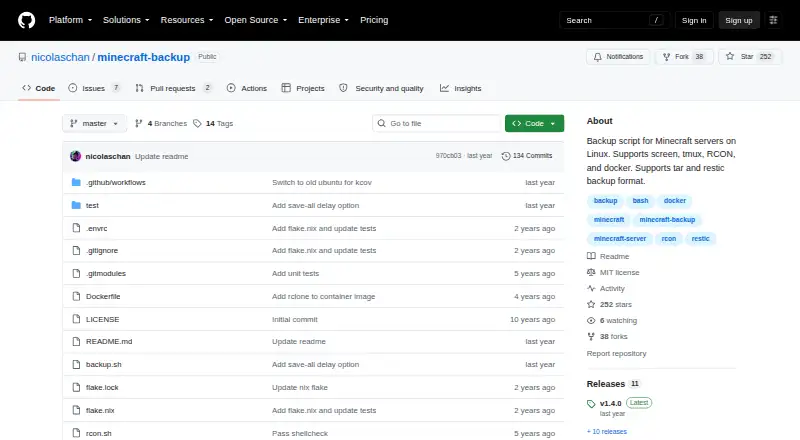
What Minecraft Backup is
Minecraft Backup is a free script for backing up world folders from Minecraft servers running on Linux. It can create tar backups or use the restic backend, and it supports servers managed with screen or tmux, RCON, or Docker RCON. It works with vanilla servers without plugins and can post backup status messages in Minecraft chat. Scheduling is possible with cron, and the README includes an hourly example. For old backups, users can choose no deletion, sequential deletion of the oldest backup, or a thinning policy. Thin retention keeps the latest 24 hourly and 30 daily backups, then uses remaining space for weekly backups. Installation requires tar and a compression program, with gzip as the default; RCON use also requires xxd. The project recommends RCON as the safest connection because it waits for the server to confirm saving is complete. One consistency risk is that player data can get out of sync with world data during a backup, potentially duplicating or losing items. The README also warns that a Minecraft bug can make a backup fail.
Good
- Free script for Linux Minecraft servers.
- Supports tar files and the restic backend.
- Works with vanilla servers without plugins.
- Supports cron scheduling and custom retention choices.
- Can display backup status in Minecraft chat.
Watch out
- Requires tar and a compression program.
- RCON use also requires xxd.
- Player and world data can become inconsistent during backups.
- A Minecraft bug can cause backups to fail.
Who it suits
It suits people running Linux Minecraft servers who want scheduled backups of world folders and control over older backup retention. Users who can use RCON may prefer that connection method for the save-completion check.
Verdict
Minecraft Backup provides configurable world-folder backups for Linux servers, including cron scheduling and several retention choices. Keep the consistency caveat in mind, and consider the project's RCON recommendation for safer backups.
Plans and prices
From Minecraft Backup's own pricing page, checked 3 Oct 2026.
| Plan | Price | What it gives you |
|---|---|---|
| Free | Free | Backup script for Minecraft servers on Linux |
The facts
Each one read from Minecraft Backup's own pages, with the date it was checked.
What it does
- Backup formats
- It supports tar files and the restic backup backend.checked 3 Oct 2026
- Chat status
- It can print backup status messages to Minecraft chat.checked 3 Oct 2026
- Consistency caveat
- Player data can become out of sync with world data during backups, which may duplicate or lose items.checked 2 Oct 2026
- Consistency limitation
- Player data can become out of sync with world data during backups, potentially duplicating or losing items; the README recommends RCON as the safest connection method.checked 3 Oct 2026
- Dependencies
- The system needs tar and the chosen compression tool; RCON usage also requires xxd.checked 2 Oct 2026
- Docker
- The README documents running the backup script in Docker and using it with the itzg/docker-minecraft-server container and RCON CLI.checked 3 Oct 2026
- Download
- The README instructs users to download backup.sh from the latest GitHub release.checked 2 Oct 2026
- License
- The repository identifies its license as the MIT License.checked 3 Oct 2026
- Maintainer
- The GitHub profile names the maintainer Nicolas Chan and lists San Francisco.checked 3 Oct 2026
- Minecraft limitation
- The README warns that Minecraft bug MC-217729 can cause the server to save the world after save-off and potentially make a backup fail.checked 3 Oct 2026
- Old backup deletion
- Its deletion options include thin retention, sequential deletion, or no deletion; thin keeps the last 24 hourly and 30 daily backups, then uses remaining space for weekly backups.checked 2 Oct 2026
- Purpose
- Minecraft Backup is a script for backing up Minecraft server worlds on Linux.checked 3 Oct 2026
- RCON recommendation
- The README recommends RCON for the safest backups because it waits for the server to confirm save completion.checked 2 Oct 2026
- Requirements
- Installation requires tar and the chosen compression program, with gzip as the default; RCON use also requires xxd.checked 3 Oct 2026
- Restore guidance
- Tar backups can be decompressed and extracted with tar, while restic backups can be restored with restic restore.checked 2 Oct 2026
- Retention
- It can thin old backups by keeping the last 24 hourly and 30 daily backups, then using remaining space for weekly backups, or delete the oldest backup sequentially.checked 3 Oct 2026
- Scheduling
- The README shows how to automate recurring backups with cron.checked 3 Oct 2026
- Server access
- It supports Minecraft servers running in screen or tmux, or with RCON enabled.checked 3 Oct 2026
- Server connections
- It supports servers managed with screen or tmux, as well as RCON and Docker RCON.checked 2 Oct 2026
- Vanilla servers
- The script works with vanilla Minecraft servers and requires no server plugins.checked 3 Oct 2026
- World backups
- The script creates backups of Minecraft world folders.checked 2 Oct 2026
The company
- Maker
- The GitHub profile identifies the repository owner as Nicolas Chan and lists San Francisco.checked 2 Oct 2026
The full review of Minecraft Backup
Minecraft Backup is a free Linux script for backing up Minecraft server worlds to local storage. It suits administrators who can manage a server and its scheduled jobs; its flexible archive and retention choices are useful, but consistency risks mean it is not a set-and-forget safeguard.
Overview
The script backs up world folders from vanilla Minecraft servers without requiring plugins. It can connect to servers managed with screen or tmux, or use RCON, including Docker RCON. That range suits self-hosted setups, though it assumes comfort with Linux server administration rather than offering a graphical workflow.
Backups can use tar or the restic backend, and the README describes restoring tar archives with tar and restic backups with restic restore. Backups are local and cover worlds only, so this is a focused tool rather than a broader server backup system. It can also send status messages to Minecraft chat, useful for making backup activity visible to players.
Key features
- Scheduling: A cron example supports hourly runs. This gives Linux administrators a way to automate regular backups without a separate scheduler.
- Retention choices: Thin retention keeps the latest 24 hourly and 30 daily backups, then uses remaining space for weekly copies. Alternatively, sequential deletion removes the oldest backup, or deletion can be disabled. The first option balances recent recovery points with longer-term history; the others suit simpler policies or storage managed elsewhere.
- Connection and consistency: Screen and tmux support session-managed servers, while RCON options suit servers with remote control enabled. The project recommends RCON because it waits for the server to confirm that saving has completed. Player data can still become inconsistent with world data during a backup, potentially duplicating or losing items. The README also warns that Minecraft bug MC-217729 can trigger a world save after save-off and cause a backup to fail, so these archives should not be treated as infallible recovery points.
- Requirements: The system needs tar and the selected compression tool; gzip is the default. RCON use also requires xxd, an extra dependency for that safer connection route.
- Docker support: Documentation covers running the script in Docker and using it with the itzg/docker-minecraft-server container and RCON CLI.
Pricing
The Free plan costs nothing and includes the Linux Minecraft server backup script. There is no trial distinction to weigh: the plan is free, and the project has no paid tier described. It supports scheduled backups, local storage, worlds-only scope, full-backup restores, and custom retention. That is a practical fit for individual server operators who can supply and manage their own Linux host and storage; it does not provide a different plan for larger setups.
Platforms
Minecraft Backup runs on Linux and is self-hosted. Its requirements include tar and a compression program, with xxd additionally needed for RCON. The README directs users to download backup.sh from the latest GitHub release. The repository identifies its license as MIT.
Who it's for
Choose it if you run a Linux Minecraft server and want scheduled, local world backups with control over archive format and deletion policy. It is especially suitable for administrators already using screen, tmux, or RCON. Look elsewhere if you need a graphical manager, cloud destination, or a stronger assurance that player and world data will remain synchronized during every backup.
Pros and cons
- Pro: Works with vanilla servers without plugins, avoiding a server-side mod requirement.
- Pro: Tar and restic backends plus three deletion approaches let operators choose a workflow and retention strategy.
- Pro: Cron scheduling and chat status messages make recurring backup activity manageable and visible.
- Con: Player data may diverge from world data during backups, with possible item duplication or loss.
- Con: RCON, the recommended route for safer backups, requires enabling RCON and installing xxd.
- Con: The documented MC-217729 save behavior can make a backup fail even around save-off.
Alternatives
Minecraft Backup Software is the broader category directory for comparing options. Consider InstantBackup if you want a free server mod with Linux, macOS, Windows, and self-hosted platform coverage. Just Enough Backups is another free choice, a server-side Fabric mod available for Linux, macOS, and Windows. Pick CaCl2Backup if a self-hosted Fabric server mod fits, provided your setup meets its Minecraft 26.0+, Fabric Loader 0.15.0+, Fabric API, and Java 25+ requirements.
FolderRewind is a free, open-source option for Windows 10 or 11. FastBack is a free alternative listed for Linux, macOS, and Windows. Chronos Backups is also free and covers Linux, macOS, and Windows. mcwrapper is a free option for Linux and macOS, while Better Backups is a free self-hosted alternative.
Verdict
Minecraft Backup is a sensible choice for Linux server administrators who want free, scheduled local world backups and configurable retention without installing a Minecraft plugin. Its main advantage is that focused flexibility; its main reason to look elsewhere is the risk of inconsistent player and world data, compounded by the documented save-related failure case. Use RCON where possible, and keep another recovery strategy if data integrity is critical.
Alternatives to Minecraft Backup
- 1
FastBack
Free planOpen sourceLinuxmacOSWindows7.2Free plan - 2
Just Enough Backups
Free planOpen sourceLinuxmacOSSelf-hostedWindows7.1Free plan - 3
FolderRewind
Free planOpen sourceAPIWindows7.0Free plan - 4
DriveBackupV2
Free planOpen sourceAPISelf-hosted6.9Free plan - 5
MineBackup
Free planLinuxmacOSSelf-hostedWindows6.6Free plan - 6
InstantBackup
Free planLinuxmacOSSelf-hostedWindows6.5Free plan