Microsoft Power BI
Microsoft Power BI is a business intelligence tool for exploring data and creating interactive reports and dashboards.
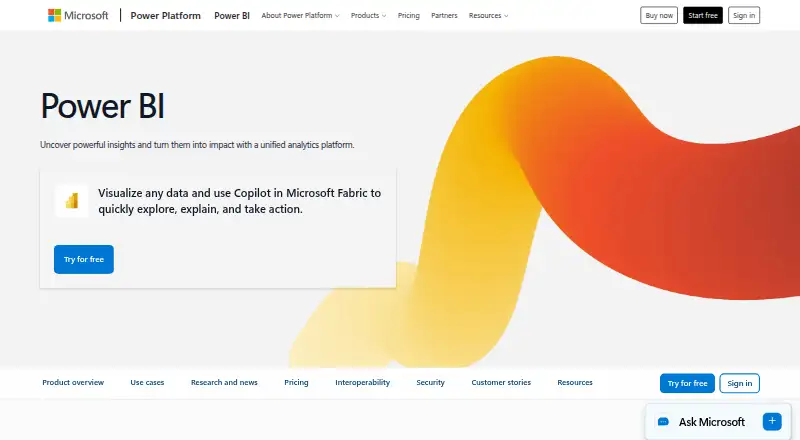
What Microsoft Power BI is
Microsoft Power BI is a business intelligence tool for exploring data and creating interactive reports and dashboards. A free account can create reports for personal use, and Power BI Desktop is available as a free download for data exploration and report authoring. Sharing reports requires an upgrade to Pro or Premium. Native mobile apps are available for Windows, iOS, and Android. Power BI integrates with Microsoft 365, Azure, Purview, Dynamics 365, and Power Platform, and users can ask data questions in natural language, with Copilot generating visuals and reports. Insights can be shared through Microsoft Teams, PowerPoint, SharePoint, and other apps. Developers can embed interactive reports in their own applications. Pro costs $14 a month when paid yearly; Premium Per User costs $24 a month when paid yearly. Power BI Embedded is listed at as little as $1 per hour, while some plans have no listed price. The free account and Fabric free account do not require a credit card.
Good
- Free account supports reports and dashboards for personal use
- Power BI Desktop is a free download
- Supports natural-language data questions and Copilot-generated visuals
- Offers mobile apps for Windows, iOS, and Android
Watch out
- Free account cannot share reports
- Pro requires annual payment
- Some plan prices are not listed
Who it suits
Power BI suits people who need to explore data and build reports or dashboards, as well as developers embedding reports in applications. Its free account is for personal use; report sharing requires Pro or Premium.
Verdict
Power BI offers free report creation for personal use and paid options for sharing. Check the plan's billing terms and sharing requirements against how you intend to distribute reports.
Plans and prices
From Microsoft Power BI's own pricing page, checked 27 Sep 2026.
| Plan | Price | What it gives you |
|---|---|---|
| Free account | Free | No credit card required; upgrade to Pro or Premium to share reports. · Create reports and dashboards for personal use · Power BI Desktop is available as a free download |
| Power BI Pro | $14 a month | Available to buy now with a credit card. · 8 scheduled refreshes per day · 10 GB/license · paid yearly |
| Power BI Premium Per User | $24 a month | Available to buy now with a credit card. · 48 scheduled refreshes per day · 100 TB native storage · paid yearly |
| Power BI Embedded | Priced on request | Contact sales; variable pricing. · Customer-facing reports, dashboards, and analytics in applications |
| Fabric Capacity Pay-As-You-Go | Priced on request | Dynamically scale up or down and pause capacity. |
| Fabric Capacity Reservation | Priced on request | Annual purchase; saving 40.5% over pay-as-you-go prices. |
The facts
Each one read from Microsoft Power BI's own pages, with the date it was checked.
What it does
- Deployment
- hybridchecked 21 Sep 2026
- Embedded analytics
- Yeschecked 21 Sep 2026
- Embedded reports
- Power BI Embedded lets developers place interactive reports into their own applications.checked 27 Sep 2026
- Encrypted storage
- OneLake provides a centralized data foundation with open formats and consistent governance.checked 27 Sep 2026
- Industry recognition
- Microsoft was positioned as a Leader in Gartner's 2026 Magic Quadrant for Analytics and Business Intelligence Platforms.checked 27 Sep 2026
- Microsoft integrations
- Power BI integrates with Microsoft 365, Azure, Purview, Dynamics 365, and Power Platform.checked 27 Sep 2026
- Natural language AI
- Users can describe reports or ask data questions in natural language, with Copilot generating visuals and reports.checked 27 Sep 2026
- Natural-language queries
- Yeschecked 21 Sep 2026
- Paid from
- 14checked 21 Sep 2026
- Refresh frequency
- hourlychecked 21 Sep 2026
- Regional pricing
- Actual prices can vary by currency, country, and regional factors.checked 27 Sep 2026
- Row-level security
- Yeschecked 21 Sep 2026
- Scheduled reports
- Yeschecked 21 Sep 2026
- Security governance
- Power BI provides built-in security and works with security and governance solutions.checked 27 Sep 2026
- Support channels
- Support includes service status, technical support, documentation, training, and community help.checked 27 Sep 2026
Where it runs
- Desktop app
- Power BI Desktop is available as a free download for data exploration and report authoring.checked 27 Sep 2026
- Supported platforms
- Native mobile apps are available for Windows, iOS, and Android.checked 27 Sep 2026
Money
- Embedded starting price
- Power BI Embedded costs as little as $1 per hour for analytics.checked 27 Sep 2026
- Free account
- Create rich, interactive reports with visual analytics at no charge.checked 27 Sep 2026
- Free plan
- Yeschecked 21 Sep 2026
- Free plan limit
- Sharing reports requires upgrading to Pro or Premium.checked 27 Sep 2026
- Premium billing
- Power BI Premium Per User costs $24 per user each month when paid yearly.checked 27 Sep 2026
- Pro billing
- Power BI Pro costs $14 per user each month when paid yearly.checked 27 Sep 2026
The company
- Teams sharing
- Insights can be shared securely across Microsoft Teams, PowerPoint, SharePoint, and other apps.checked 27 Sep 2026
The full review of Microsoft Power BI
Overview
Microsoft Power BI is a business intelligence platform for exploring data and creating interactive reports and dashboards. It suits individuals and organizations that want Microsoft-connected analytics, with a free starting point for personal report creation; sharing is the dividing line that pushes teams to a paid plan.
Key features
Power BI pairs report authoring with distribution across Microsoft Teams, PowerPoint, SharePoint, and other apps. Its integrations with Microsoft 365, Azure, Purview, Dynamics 365, and Power Platform make it a natural fit for organizations already using that ecosystem. Row-level security, built-in security, and compatibility with governance solutions give administrators controls to consider as access expands.
Natural-language questions and report descriptions can prompt Copilot to generate visuals and reports, which may shorten the path from a question to an explorable view. Scheduled reports, hourly refresh frequency, and embedded analytics broaden its use beyond one-off analysis. Developers can place interactive reports in their own applications through Power BI Embedded. OneLake supplies a centralized data foundation with open formats and consistent governance; the unified capacity model is designed to scale access and simplify administration.
Pricing
The Free account costs nothing and requires no credit card. It supports personal report and dashboard creation, including a free Power BI Desktop download for data exploration and authoring. Its central limitation is sharing: reports cannot be shared without upgrading to Pro or Premium.
Power BI Pro costs $14 a month when paid yearly, per user. It adds sharing and includes 8 scheduled refreshes per day and 10 GB/license, making it the straightforward step up for users who need to distribute reports. Power BI Premium Per User costs $24 a month when paid yearly, per user, with 48 scheduled refreshes per day and 100 TB native storage; it fits heavier refresh and storage needs, though the higher per-user charge makes it less attractive for occasional sharing.
Power BI Embedded uses variable pricing, with analytics available as little as $1 per hour; it is aimed at developers embedding customer-facing reports, dashboards, and analytics in applications. Fabric Capacity Reservation is an annual purchase with a stated 40.5% saving over pay-as-you-go prices, while Fabric Capacity Pay-As-You-Go can scale dynamically and pause capacity. Both have custom pricing. Prices can vary by currency, country, and region.
Platforms
Native mobile apps are available for Windows, iOS, and Android. Power BI Desktop is a free download for Windows-based report authoring and data exploration. Hybrid deployment gives organizations a deployment option beyond a purely cloud-hosted setup.
Who it's for
Power BI is strongest for people who want to author reports without an upfront charge and for organizations that need governed sharing across Microsoft apps. Pro is the practical choice when a user needs to share reports; Premium Per User is better suited to users whose refresh and storage allowances justify the added cost. Developers building analytics into their own applications should consider Embedded. It is a weaker fit for someone who only needs personal analysis but expects to share freely on the free account.
Pros and cons
- Pros: Free personal report creation and a free desktop authoring app provide a substantial route into analytics without a credit card.
- Pros: Microsoft integrations and secure sharing across familiar apps help teams distribute insights within that ecosystem.
- Pros: Pro and Premium Per User clearly increase refresh allowances, with Premium also raising native storage capacity.
- Cons: Free reports cannot be shared, so collaboration requires a paid upgrade.
- Cons: Per-user annual billing makes the paid sharing path a recurring commitment, and regional pricing can vary.
Alternatives
Business Intelligence Tools is a broader category to compare if Power BI does not match your requirements.
Choose Tableau instead if its freemium offering or self-hosted platform is a better match; its Creator plan is $75 a month billed annually and requires one Creator license for every new deployment.
ManageEngine Analytics Plus is another freemium option, with web, desktop, and mobile platform support; its Personal plan is described for one user, 10,000 rows, and five workspaces.
Consider Zoho Analytics if its always-free tier better fits a small team: it covers two users, 10,000 rows, and five workspaces.
Pyramid Analytics offers a freemium option with editions ranging from a three-user Community Edition to a 30-user Standard Edition.
Data Studio is an alternative with a no-cost self-service visualization and reporting offering for creators and viewers.
Pick Metabase if self-hosted open-source software is the priority; its Open Source edition is AGPL-licensed and allows unlimited transform runs.
ClicData is another freemium alternative.
Apache Superset is a free, self-hosted alternative.
Verdict
Power BI is a strong choice for Microsoft-oriented teams and individual analysts who value free report authoring, then need a clear paid path to governed sharing or embedded analytics. Choose it for that combination of desktop creation, Microsoft integrations, and scalable distribution. Look elsewhere if your priority is sharing reports without paying per user or if its Microsoft-centered workflow does not suit your organization.
Getting started
- Open the Power BI website.
- Create a free account to make reports and dashboards for personal use.
- Download Power BI Desktop for data exploration and report authoring.
- Use the native app for Windows, iOS, or Android.
- Upgrade to Pro or Premium to share reports.
Limits worth knowing
The free account supports reports and dashboards for personal use, but sharing reports requires Pro or Premium. Pro includes 8 scheduled refreshes per day and 10 GB per license; Premium Per User includes 48 scheduled refreshes per day and 100 TB native storage.
Questions
Is Power BI free?
Yes. The Free account costs nothing and does not require a credit card. It supports reports and dashboards for personal use.
How much do the paid plans cost?
Power BI Pro costs $14 per user each month when paid yearly. Power BI Premium Per User costs $24 per user each month when paid yearly.
Can I share reports on the free account?
No. Sharing reports requires upgrading to Pro or Premium.
Which platforms does Power BI support?
Native mobile apps are available for Windows, iOS, and Android. Power BI Desktop is available as a free download.
Can developers embed Power BI reports?
Yes. Power BI Embedded lets developers place interactive reports in their own applications.
What services does Power BI integrate with?
It integrates with Microsoft 365, Azure, Purview, Dynamics 365, and Power Platform.
Alternatives to Microsoft Power BI
- 1

Databox
Free planAndroidiOSWebAPI8.7From $71 a month - 2
Databricks Notebooks
Free planAndroidWebAPILinux8.5$0.07 usage-based - 3

Amazon Q
Free planAndroidiOSWebAPI8.5Free plan - 4
SAP Analytics Cloud
AndroidiOSWebAPI8.4From $36 a month - 5

Qlik Sense
AndroidiOSWebAPI8.3From $300 a month - 6

Klipfolio
AndroidiOSWebAPI8.3From $120 a month