Mesh2Rig
Mesh2Rig is a Blender add-on that bakes animated or deforming meshes into standard skeletal rigs.
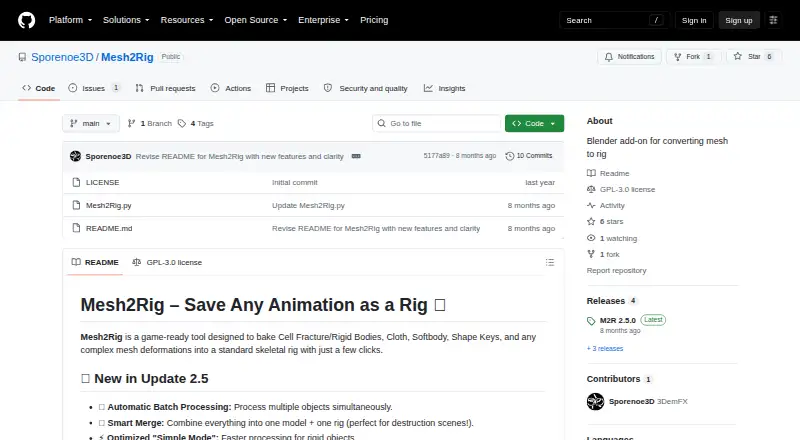
What Mesh2Rig is
Mesh2Rig is a Blender add-on that bakes animated or deforming meshes into standard skeletal rigs. Its supported inputs include Cell Fracture and rigid bodies, cloth and soft-body simulations, shape keys, and other complex mesh deformations. Automated bone generation uses KDTree proximity to place bones inside a mesh, while Simple Mode assigns one bone per object for rigid debris. For deformation workflows, the add-on sets up Surface Deform modifiers without manual weight painting, and one-click baking converts mesh animation into skeletal animation Actions. Batch Processing can rig, bind, and bake objects from Blender collections in sequence. Smart Merging combines generated rigs and meshes into a Master Rig and Master Mesh while preserving animation. Users can adjust maximum bone count, proximity, length, and optional bone merging in the single-object workflow. The maker describes uses including game-development optimization, baking simulations to bones, and managing destruction scenes. Mesh2Rig is free and open source under GPL-3.0, and supports Blender 4.2 LTS and newer on Linux, macOS, and Windows. The maker recommends leaving rotation constraints off on automated rigs with high bone counts to avoid rotation artifacts.
Good
- Supports cloth, soft bodies, shape keys, and rigid bodies.
- Automates Surface Deform setup without manual weight painting.
- One-click baking converts animation into skeletal Actions.
- Batch Processing handles Blender collections.
- Smart Merging preserves animation.
Watch out
- High-bone-count rigs may show rotation artifacts with constraints.
- Original simulation sources should be removed after finalizing a rig.
Who it suits
It suits Blender users who want to convert mesh simulations or deformations into skeletal animation, including for game development optimization or destruction scenes. It supports Blender 4.2 LTS and newer.
Verdict
Mesh2Rig is aimed at converting varied mesh animation workflows into skeletal rigs, with batch tools for larger collections. Its documented rotation-constraint caution and post-finalization cleanup step are worth noting before adopting it.
Plans and prices
From Mesh2Rig's own pricing page, checked 9 Oct 2026.
| Plan | Price | What it gives you |
|---|---|---|
| Mesh2Rig | Free | Blender add-on · Blender 4.2 LTS and newer |
The facts
Each one read from Mesh2Rig's own pages, with the date it was checked.
What it does
- Adjustable controls
- The single-object workflow exposes maximum bone count, proximity, bone length, and optional bone-merging controls.checked 9 Oct 2026
- Animation baking
- One-click baking transfers mesh animation to standard skeletal animation Actions.checked 9 Oct 2026
- Batch processing
- Batch Processing handles Blender collections and can rig, bind, and bake hundreds of objects sequence by sequence.checked 9 Oct 2026
- Bone generation
- Automated bone generation uses KDTree proximity, with a Simple Mode that creates one bone per object for rigid debris.checked 9 Oct 2026
- Cleanup
- The release notes say its Clear Cleanup operator removes keyframes, rigid body settings, shape keys, and simulation modifiers including cloth, soft body, and particle systems.checked 9 Oct 2026
- Cleanup step
- After finalizing a rig, the maker says to remove the original animation sources, such as cloth simulation, cache modifiers, or shape keys.checked 4 Oct 2026
- Compatibility
- The Blender Extensions listing states compatibility with Blender 4.2 LTS and newer.checked 9 Oct 2026
- Deformation setup
- The add-on automatically sets up Surface Deform modifiers without requiring manual weight painting.checked 9 Oct 2026
- Deformation workflow
- It automatically sets up Surface Deform modifiers for deformation without manual weight painting.checked 4 Oct 2026
- Intended users
- The maker describes it as useful for game development optimization, baking cloth or soft-body simulations to bones, and managing destruction scenes.checked 4 Oct 2026
- License
- The GitHub repository identifies the project license as GPL-3.0.checked 9 Oct 2026
- Notable limitation
- The README recommends leaving rotation constraints off for automated rigs with high bone counts to avoid rotation artifacts.checked 4 Oct 2026
- Permissions
- The Blender Extensions listing says the add-on does not require special permissions.checked 9 Oct 2026
- Purpose
- Mesh2Rig bakes mesh animation and complex deformations into a standard skeletal rig.checked 9 Oct 2026
- Rig merging
- Smart Merging combines generated rigs and meshes into a Master Rig and Master Mesh while preserving animation.checked 9 Oct 2026
- Smart merging
- Smart Merging combines generated rigs and meshes into a single Master Rig and Mesh while preserving animations.checked 4 Oct 2026
- Support and feedback
- The maker asks users to share feedback in reviews, and the Blender Extensions listing provides user reviews and an issue reporting option.checked 9 Oct 2026
- Supported animation
- The maker lists Cell Fracture and rigid bodies, cloth, soft bodies, shape keys, and other complex mesh deformations as supported inputs.checked 9 Oct 2026
- Supported inputs
- It is designed for Cell Fracture and rigid bodies, cloth, soft bodies, shape keys, and other complex mesh deformations.checked 4 Oct 2026
- Target users
- The maker describes it as suitable for game development optimization, baking cloth or soft-body simulations to bones, and managing complex destruction scenes.checked 9 Oct 2026
- Tutorials
- The project README links an official tutorial and a video overview of update 2.5.checked 4 Oct 2026
The company
- Maker profile
- The GitHub profile describes Sporenoe3D as a Blender add-ons creator.checked 4 Oct 2026
The full review of Mesh2Rig
Mesh2Rig is a Blender add-on for turning mesh-based motion into standard skeletal animation. It is best suited to artists handling simulations, destruction, or large collections of animated objects who need a repeatable baking workflow. The main attraction is automation from bone generation through batch baking, while the generated rigs still require sensible control choices and cleanup.
Overview
Mesh2Rig accepts Cell Fracture and rigid-body animation, cloth, soft bodies, shape keys, and other complex mesh deformations. It uses KDTree proximity to place bones inside the mesh, configures Surface Deform modifiers automatically, and bakes the result into standard Blender Actions. That removes the manual weight-painting stage and provides a direct path from mesh-driven motion to a skeletal rig.
This is a conversion tool rather than a general character-rigging package. It makes particular sense when simulation or deformation already produces the motion you need, especially for game-development optimization and destruction scenes. The project provides an official tutorial and a video overview of update 2.5, useful for learning its workflow. Once a rig is finalized, the maker recommends removing the original animation sources, including cloth or other simulation modifiers, caches, and shape keys; the Clear Cleanup operator can remove related keyframes, rigid-body settings, shape keys, and simulation modifiers.
Key features
Automated rig generation
Single-object controls include maximum bone count, bone proximity, bone length, and optional bone merging. These settings give artists some influence over the result without turning the process into manual rig construction. Simple Mode assigns one bone per object, making it the sensible choice for rigid debris where a detailed internal skeleton would add needless complexity.
Surface binding and baking
Automatic Surface Deform setup avoids manual weight painting, and one-click baking converts the mesh animation into skeletal Actions. That is valuable when the goal is a portable, standard animation representation rather than continued dependence on simulation playback. It does not remove the need to plan the source-animation cleanup after finalization.
Batch processing and merging
Batch Processing works on Blender collections and can rig, bind, and bake hundreds of objects sequence by sequence. This is the feature that most clearly separates Mesh2Rig from a single-object utility: destruction shots and other collection-scale jobs can follow one repeatable pipeline. Smart Merging then combines generated rigs and meshes into a Master Rig and Master Mesh while preserving animation, helping consolidate the resulting scene.
Important rig constraint
The README advises leaving rotation constraints disabled for automated rigs with high bone counts to avoid rotation artifacts. That caveat matters in production: Mesh2Rig can automate a large conversion, but users should not assume every generated rig is safe to constrain aggressively without review.
Pricing
Mesh2Rig is open source and free. Its Mesh2Rig plan costs nothing and is a Blender add-on for Blender 4.2 LTS and newer. There is no free trial because the software is already free, and no paid tier or seat charge is stated. The repository identifies the GPL-3.0 license, so it is particularly attractive to users who want an open-source tool rather than a subscription product.
Platforms
The add-on supports Linux, macOS, and Windows through Blender. The Blender Extensions listing states compatibility with Blender 4.2 LTS and newer and says no special permissions are required. Its deployment is a host plugin for Blender, with objects as the rig targets.
Who it's for
Choose Mesh2Rig if you work in Blender and need to bake cloth, soft-body, rigid-body, Cell Fracture, shape-key, or similarly complex mesh animation into skeletal Actions. It is especially well matched to game-asset optimization, simulation-heavy shots, and destruction scenes containing many objects. It is less appropriate when you need a purpose-built biped character rig, hand-authored deformation controls, or a workflow independent of Blender.
Pros and cons
Pros
- Broad deformation coverage: It handles simulations, shape keys, rigid bodies, and fractured meshes in one conversion workflow.
- Less manual binding work: Surface Deform setup and automated bone placement avoid manual weight painting.
- Scales to collections: Batch processing can rig, bind, and bake hundreds of objects sequence by sequence.
- Useful consolidation: Smart Merging creates a Master Rig and Master Mesh while preserving animations.
- Free and open source: There is no purchase price or trial limit, and the GPL-3.0 license is explicit.
Cons
- Constraint caution: High-bone-count automated rigs may show rotation artifacts when rotation constraints are enabled.
- Requires final cleanup: Original simulations, caches, shape keys, and related sources should be removed after finalization.
- Blender-dependent: It is a host add-on, not a standalone rigging application.
- Automation has limits: Bone-count, proximity, and length controls guide generation but do not replace detailed manual rig design.
Alternatives
For a wider category view, see 3D Rigging Software.
Houdini is the alternative to choose when you need a broader procedural 3D environment and accept freemium licensing and substantially different pricing, including a Houdini Core workstation perpetual plan priced at $1,995 a month.
Mixos Mold is a better fit for sculpting and mold-focused work across mobile, desktop, web, and Windows platforms rather than Blender mesh-to-skeleton baking.
Contour Rig Tools suits users seeking Contour-based animation and rigging modes, with a free Animator Mode and a paid Rigger Mode.
Mesh2Motion is another free option for mesh-motion workflows across Linux, macOS, web, and Windows, with no subscription and personal or commercial use.
MakeHuman is preferable for free human-model creation rather than simulation baking.
mGear Framework is a free, MIT-licensed framework for users who want an open-source rigging framework instead of Mesh2Rig's automated conversion focus.
Rigify is the natural Blender alternative when you want a built-in add-on workflow and are prepared to work with its rig-generation approach.
BlenRig is aimed at biped characters only, so it is narrower than Mesh2Rig's simulation and destruction coverage.
Verdict
Mesh2Rig is a strong choice for Blender users converting simulation-driven or fractured mesh animation into skeletal Actions, particularly when batch processing and rig merging can save substantial scene work. Choose it for its free, open-source automation and broad deformation support. Look elsewhere if you need a general character-rigging system, detailed hand-authored controls, or a workflow outside Blender.
Alternatives to Mesh2Rig
- 1

Houdini
Free planWindowsmacOSLinux7.6From $95 a year - 2

Mixos Mold
Free planAndroidiOSWebLinux7.5From $8.99 a month - 3
Contour Rig Tools
Free planAPILinuxmacOSWindows7.4From $40 a month - 4

Rigify
Free planOpen sourceAPILinuxmacOSWindows7.2Free plan - 5
Reallusion Character Creator
Windows7.0From $399 a year - 6
Autodesk Maya
macOSLinux6.9