MC Schematics Image to Schematic
MC Schematics Image to Schematic is a web tool that turns an image into Minecraft pixel art, matching each pixel to a nearby block.
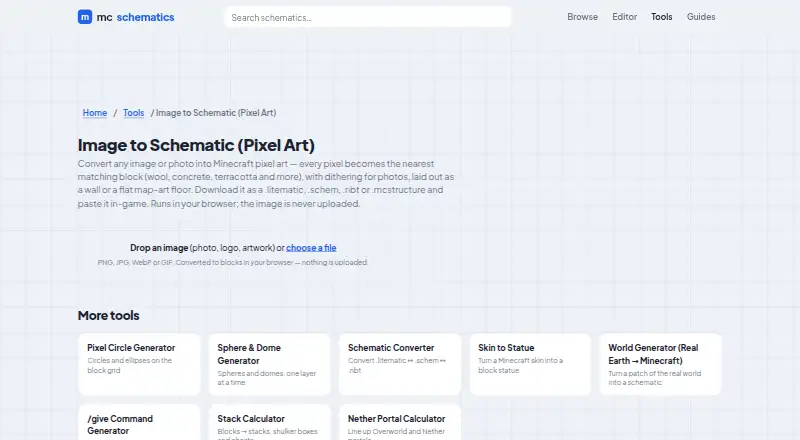
What MC Schematics Image to Schematic is
MC Schematics Image to Schematic is a web tool that turns an image into Minecraft pixel art, matching each pixel to a nearby block. It accepts PNG, JPG, WebP, and GIF files, then lets you arrange the result as a wall or a flat map-art floor. For photos, it offers dithering; you can switch this off for logos or other flat artwork. Downloads are available as .litematic, .schem, .nbt, or .mcstructure files. Conversion happens in the browser, and the site says the image is not uploaded. The maker describes its browser tools as free and requiring no sign-up; the Free plan is free, and there is no free trial. The site says it does not require an account or sell personal data. It describes mc-schematics as fan-run and unaffiliated with Mojang Studios or Microsoft. Downloads come without warranty, and the maker advises backing up a world before pasting in a build.
Good
- Accepts PNG, JPG, WebP, and GIF images.
- Offers wall and flat map-art layouts.
- Exports four schematic formats.
- Image conversion runs in the browser.
- Free plan requires no sign-up.
Watch out
- Downloads are provided without warranty.
- The maker advises backing up a world before pasting a build.
Who it suits
It suits Minecraft players who want to turn an image or photo into a block-based build, including wall or map-art layouts. The browser-based conversion may also suit people who prefer not to upload their image.
Verdict
MC Schematics Image to Schematic covers image conversion, layout choices, and several schematic download formats in a free web tool. Keep its no-warranty notice in mind and back up a world before adding a build.
Plans and prices
From MC Schematics Image to Schematic's own pricing page, checked 8 Oct 2026.
| Plan | Price | What it gives you |
|---|---|---|
| Free | Free | Image conversion runs in browser · PNG, JPG, WebP or GIF inputs · .litematic, .schem, .nbt or .mcstructure output |
The facts
Each one read from MC Schematics Image to Schematic's own pages, with the date it was checked.
What it does
- Dithering
- The tool offers dithering for photos, which can be turned off for logos or flat art.checked 8 Oct 2026
- Input formats
- The page accepts PNG, JPG, WebP, or GIF images.checked 8 Oct 2026
- Layouts
- The generated pixel art can be laid out as a wall or a flat map-art floor.checked 8 Oct 2026
- Output formats
- The page lists .litematic, .schem, .nbt, and .mcstructure as download formats.checked 8 Oct 2026
- Privacy
- Image conversion runs in the browser and the page states that the image is never uploaded.checked 8 Oct 2026
- Privacy policy
- The site says it does not require an account and does not sell personal data.checked 8 Oct 2026
- Support
- The About page provides [email protected] for questions and feedback.checked 8 Oct 2026
- Warranty
- The maker says downloads are provided as-is without warranty and advises backing up a world before pasting a build into it.checked 8 Oct 2026
- What it does
- Converts an image or photo into Minecraft pixel art, mapping each pixel to the nearest matching block.checked 8 Oct 2026
Money
- Free access
- The maker describes its browser tools as free and requiring no sign-up.checked 8 Oct 2026
The company
- Maker status
- The maker describes mc-schematics as fan-run and not affiliated with Mojang Studios or Microsoft.checked 8 Oct 2026
Alternatives to MC Schematics Image to Schematic
- 1

BlockArtLab Minecraft Image Converter
Free planWeb7.3$1.99 one-time - 2
Pixvael Minecraft Pixel Art Generator
Free planWebExtension6.6Free plan - 3

Coffee & Fun Minecraft Pixel Art Generator
Free planWeb6.0Free plan - 4

Image2Pixel Minecraft Converter
Free planWeb6.0Free plan - 5
Minecraft Image Converter
Free planWeb6.0Free plan - 6

Minecraft Pixel Art Generator
Free planWeb6.0Free plan