
ManageEngine NetFlow Analyzer
ManageEngine NetFlow Analyzer monitors network bandwidth and traffic, with visibility into applications and analysis of conversations between network endpoin…
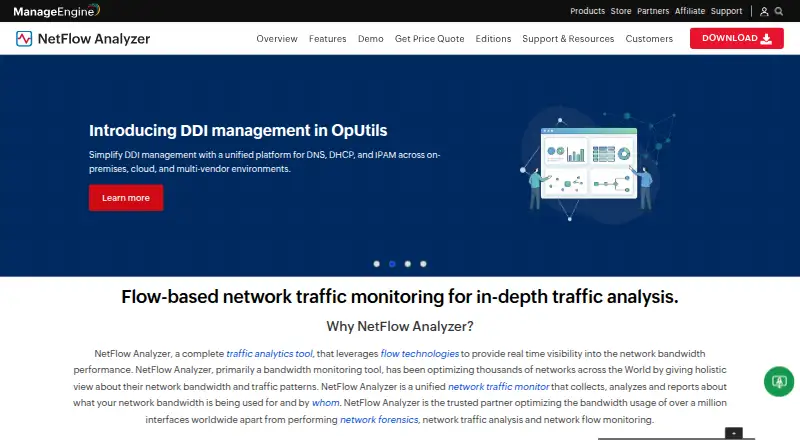
What ManageEngine NetFlow Analyzer is
ManageEngine NetFlow Analyzer monitors network bandwidth and traffic, with visibility into applications and analysis of conversations between network endpoints. It supports seven flow protocols: NetFlow, sFlow, IPFIX, J-Flow, NetStream, cflowd, and AppFlow. The software is deployed on premises and lists Android, iOS, Linux, web, and Windows platforms. Its free edition covers two interfaces at no cost. Paid options are Standard Edition at $172 a month for 10 interfaces, Professional Edition at $245 a month for 10 interfaces, and Enterprise Edition at $3,795 a month for 100 interfaces. The pricing model is freemium, and a 30-day trial is available. ManageEngine was founded in 1996 and is headquartered in Pleasanton, California, United States. The listed interface capacity differs by edition, so the number of interfaces you need to monitor is central to choosing a plan.
Good
- Supports seven flow protocols, including NetFlow and IPFIX.
- Provides application visibility and conversation analysis.
- Offers a free edition covering two interfaces.
- Lists Android, iOS, Linux, web, and Windows platforms.
Watch out
- The free edition covers only two interfaces.
- Standard and Professional each cover 10 interfaces.
- Enterprise costs $3,795 a month.
Who it suits
NetFlow Analyzer suits teams that need bandwidth monitoring, application visibility, and conversation analysis across network traffic. It may fit organizations selecting a plan according to the number of interfaces they need to monitor.
Verdict
Choose ManageEngine NetFlow Analyzer if you need flow-based bandwidth monitoring with application visibility and conversation analysis, and its interface capacities suit your network. Look elsewhere if the two-interface free edition or the listed paid-plan capacities and prices do not fit your needs.
Plans and prices
From ManageEngine NetFlow Analyzer's own pricing page, checked 20 Sep 2026.
| Plan | Price | What it gives you |
|---|---|---|
| Free Edition | Free | 2 interfaces |
| Standard Edition | $172 a month | 10 interfaces |
| Professional Edition | $245 a month | 10 interfaces |
| Enterprise Edition | $3,795 a month | 100 interfaces |
The facts
Each one read from ManageEngine NetFlow Analyzer's own pages, with the date it was checked.
The company
- Founded
- 1996checked 23 Sep 2026
- Headquarters
- Pleasanton, California, United Stateschecked 23 Sep 2026
The full review of ManageEngine NetFlow Analyzer
ManageEngine NetFlow Analyzer is an on-premises network traffic and bandwidth monitor for teams that need to understand applications and conversations, not just total usage. It is best suited to networks exporting one or more supported flow formats and to organizations comfortable running monitoring software in their own environment. The decisive buying question is whether your interface count and monthly budget match its edition structure.
Overview
NetFlow Analyzer combines bandwidth monitoring with application visibility and conversation analysis. It accepts NetFlow, sFlow, IPFIX, J-Flow, NetStream, cflowd and AppFlow, giving mixed-exporter networks a practical way to consolidate flow data. On-premises deployment is a strength for organizations that require local operation and control, but it excludes teams specifically seeking a cloud-hosted analyzer.
The product comes from ManageEngine, founded in 1996 and headquartered in Pleasanton, California. It is offered across Android, iOS, Linux, the web and Windows, so its stated platform range covers both mobile access and desktop or server environments.
Key features
- Broad protocol coverage: Support for seven flow protocols makes the analyzer relevant when routers, switches or other exporters do not all speak the same format. That breadth reduces the need to select a tool around one protocol alone.
- Bandwidth monitoring: Usage data helps teams identify where capacity is being consumed. The feature is most useful when paired with the product's application and conversation views, because volume alone does not explain which traffic is responsible.
- Application visibility: Application-level context helps distinguish the kinds of traffic behind bandwidth figures, supporting more focused investigation than aggregate interface totals.
- Conversation analysis: Examining traffic conversations adds another level of detail for understanding communicating endpoints and the traffic relationships that drive network use.
Pricing
The Free Edition costs nothing and covers 2 interfaces. It is a sensible entry point for a very small network or a focused pilot, but the two-interface ceiling makes it unsuitable as a general monitor for a larger environment.
Standard Edition is $172 a month for 10 interfaces. It is the lower-cost paid route for a small deployment, though its allowance remains limited to ten interfaces. Professional Edition costs $245 a month and also covers 10 interfaces. Because the interface count is identical, the choice between these paid editions depends on the additional edition-level requirements your organization has, rather than on gaining more monitored interfaces.
Enterprise Edition costs $3,795 a month for 100 interfaces. That price is aimed at substantially broader monitoring and is the only listed tier with a triple-digit interface allowance. The 30-day trial gives prospective buyers a defined evaluation period before committing to a paid edition. The freemium structure is therefore attractive for tiny deployments, while larger networks need to budget for a significant recurring charge.
Platforms
NetFlow Analyzer supports Android, iOS, Linux, web and Windows, while its deployment model is on-premises. The platform spread suits teams that need to reach the system from different device types, but the deployment requirement still places installation and operation inside the organization's environment.
Who it's for
Choose it for a network team that needs flow-based bandwidth monitoring with application and conversation context, especially when infrastructure exports NetFlow, sFlow, IPFIX, J-Flow, NetStream, cflowd or AppFlow. The Free Edition can fit a two-interface footprint, and Standard or Professional can suit a small ten-interface deployment. Enterprise is the relevant tier when monitoring must extend to 100 interfaces and the monthly cost is acceptable.
Look elsewhere if two interfaces are not enough for a no-cost deployment, if the paid tiers' interface allowances or prices do not fit, or if you require a cloud-first service rather than on-premises software.
Pros and cons
Pros
- Seven flow protocols: Broad exporter compatibility is useful for networks built from different vendors or technologies.
- Traffic context beyond totals: Application visibility and conversation analysis make bandwidth data more actionable.
- Free starting tier: Two interfaces can be monitored at no software cost, providing a practical small-scale entry point.
- Wide client platform coverage: Android, iOS, Linux, web and Windows support accommodates varied access needs.
Cons
- Very small free allowance: Two interfaces limits the free edition to a narrow monitoring scope.
- Paid pricing rises quickly: Standard and Professional charge monthly for only 10 interfaces, while Enterprise costs $3,795 a month.
- On-premises only: Organizations wanting a cloud-hosted deployment will need another product.
Alternatives
ntopng is a better fit when an open-source community edition for small networks, with Linux, macOS, web and Windows access, is the priority.
FlowViewer suits readers seeking free Unix-server software and who can work within its Linux and web platform scope.
Nagios XI is the alternative when broader infrastructure monitoring is preferred, with a free tier capped at 7 nodes or 100 services and a paid Standard plan.
Caligare Flow Inspector fits non-commercial users who can work with a two-device limit, 24-hour history and 250 flows per second in its free edition.
ElastiFlow is worth choosing when its free Basic plan's 4,000 records per second, 25 SNMP devices, dashboards and ML detections match the requirement.
Riverbed Aternity is an enterprise digital-experience option with custom pricing.
nfdump is the straightforward choice for free BSD-licensed software on Linux or self-hosted systems.
Akvorado is another free, self-hosted flow-analysis option.
For category browsing, see Network Traffic Analysis Software, Anomaly Detection Software and Bandwidth Monitoring Software.
Verdict
ManageEngine NetFlow Analyzer is a strong choice for teams that need multi-protocol flow collection plus application and conversation insight in an on-premises deployment. Its free two-interface edition lowers the entry barrier, but larger networks must accept recurring costs that reach $3,795 a month for 100 interfaces. Choose it when that capacity and deployment model fit; look elsewhere when you need cloud hosting, a larger free footprint or a different cost structure.
Getting started
- Visit https://www.manageengine.com/products/netflow/.
- Choose the free edition, a paid edition, or the 30-day trial.
- Select the edition based on its listed interface capacity.
- Deploy the software on premises.
Limits worth knowing
The free edition covers two interfaces. Standard and Professional cover 10 interfaces each, while Enterprise covers 100 interfaces.
Questions
Is there a free plan?
Yes. The Free Edition costs nothing and covers two interfaces.
What do the paid editions cost?
Standard Edition is $172 a month for 10 interfaces. Professional Edition is $245 a month for 10 interfaces, and Enterprise Edition is $3,795 a month for 100 interfaces.
Is a trial available?
Yes, a 30-day trial is listed.
Which flow protocols does it support?
NetFlow, sFlow, IPFIX, J-Flow, NetStream, cflowd, and AppFlow.
Which platforms are listed?
Android, iOS, Linux, web, and Windows.
Who makes NetFlow Analyzer?
ManageEngine was founded in 1996 and is headquartered in Pleasanton, California, United States.
Alternatives to ManageEngine NetFlow Analyzer
- 1

ntopng
Free planOpen sourceWebAPILinuxmacOS8.3€299.95 one-time - 2

ElastiFlow
Free planWebAPILinuxSelf-hosted6.9Free plan - 3
FlowViewer
Free planWebLinux6.8$500 one-time - 4
SparrowIQ
AndroidiOSWebWindows6.6 - 5
Plixer Scrutinizer
WebAPISelf-hosted6.5From $12,996 a year - 6

Noction Flow Analyzer
WebAPILinuxSelf-hosted6.4From $2,990 a year