
Mahara
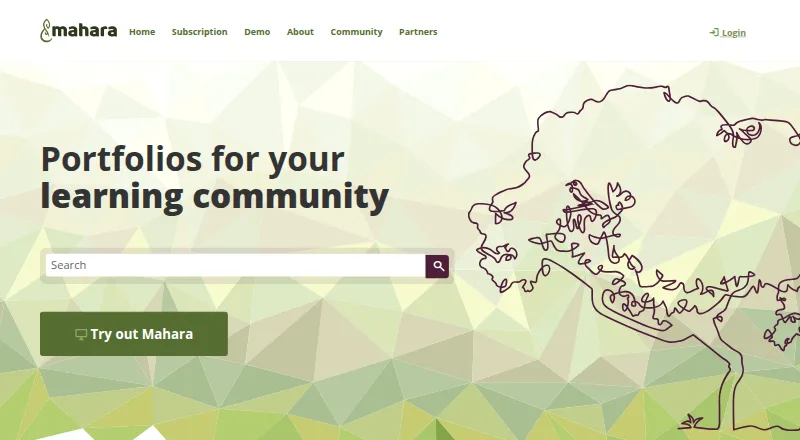
Mahara is a free ePortfolio system for learning communities.
What Mahara is
Mahara is a free ePortfolio system for learning communities. Students and staff can collect evidence, reflect on experiences, and connect work with competencies or registration requirements. Its listed portfolio uses include study, professional development, work-integrated learning, assessment, presentation, and employability. Portfolios can be shared with an individual, group, or the public, with access limited by time frame or assessment task. Users can comment, give feedback, build portfolios together in groups, and join group forums. Portfolios can also be submitted to learning management systems through LTI for marking. Mahara is open source, with conditions that include distributing source code with copies and applying the same license to derivative works. It can be installed on a Linux server; the manual also gives Docker setup instructions for development and testing and advises securing that environment before live use. LTI 1.3 Advantage is experimental and has not been tested with LMS platforms other than Brightspace.
Good
- Free and open source under stated license conditions.
- Portfolios can be shared with individual, group, or public access.
- LTI supports portfolio submission to learning management systems.
- Includes feedback and collaborative group portfolios.
Watch out
- LTI 1.3 Advantage is experimental.
- LTI 1.3 Advantage has only been tested with Brightspace.
- Docker setup should be secured before live use.
Who it suits
Mahara suits students and staff in learning communities, as well as organisations using portfolios for learning and assessment. It may suit groups that need shared portfolio work and feedback.
Verdict
Mahara brings portfolio creation, sharing, feedback, and assessment submission together for learning communities. Check the LTI limitation and deployment guidance if either is central to your setup.
The facts
Each one read from Mahara's own pages, with the date it was checked.
What it does
- Audience
- The site presents Mahara for students and staff in learning communities and for organisations using portfolios in learning and assessment.checked 29 Sep 2026
- Collaboration
- Mahara groups support collaborative portfolio creation and forum discussions.checked 30 Sep 2026
- Demo
- Mahara offers a demo site that resets once a day, erasing user-created content unless portfolios are exported beforehand.checked 29 Sep 2026
- Deployment note
- The manual says Docker images can serve as a basis for Kubernetes deployments and recommends securing the environment before using its Docker setup for a live site.checked 29 Sep 2026
- Feedback
- Users can comment on portfolios and give feedback.checked 30 Sep 2026
- Integrations
- The manual says Mahara supports LTI for connecting to LMS platforms and provides a wider web services suite for deeper integrations.checked 29 Sep 2026
- Intended users
- The site describes Mahara as serving learning communities and names students and staff as portfolio creators.checked 30 Sep 2026
- LMS integration
- Portfolios can be submitted to learning management systems via LTI for marking.checked 30 Sep 2026
- LTI limitation
- The manual describes LTI 1.3 Advantage as experimental and says it has not been tested with LMS platforms other than Brightspace.checked 29 Sep 2026
- Maintainer
- The official site identifies Catalyst as Mahara's maintainer.checked 29 Sep 2026
- Maintainers
- The site identifies Catalyst as Mahara's maintainers.checked 30 Sep 2026
- Open source
- The site says users may copy, use, and modify Mahara subject to license conditions, including sharing source code when distributing it.checked 30 Sep 2026
- Portfolio uses
- The site lists study, professional development, work-integrated learning, assessment, showcase and presentation, and employability as portfolio uses.checked 30 Sep 2026
- Purpose
- Mahara is an ePortfolio system for students and staff to document learning with evidence, reflections, and context.checked 30 Sep 2026
- Self-hosting
- The Mahara 26.04 manual provides traditional installation instructions for a Linux server and Docker setup instructions for development and testing.checked 29 Sep 2026
- Sharing
- Portfolios can be shared with one person, a specific group, or the public, with access restricted by time frame or assessment task.checked 30 Sep 2026
- Sharing controls
- Portfolios can be shared with an individual, a group, or the public, with access restricted by time frame or assessment task.checked 29 Sep 2026
- Support
- The site links to community forums, a manual, a wiki, an issue and enhancement tracker, and extended security support.checked 30 Sep 2026
- Use cases
- The site lists study, professional development, work-integrated learning, assessment, showcase and presentation, and employability as portfolio uses.checked 29 Sep 2026
The company
- Founded
- 2006checked 23 Sep 2026
Money
- Free plan
- Yeschecked 21 Sep 2026
The full review of Mahara
Mahara is an ePortfolio platform for students, staff, and organisations that use portfolios in learning and assessment. It suits communities that need learners to collect evidence, reflect, and receive feedback. Its free, open-source model is compelling, provided the organisation can manage deployment and verify its LMS connection.
Overview
Mahara supports portfolios for study, professional development, work-integrated learning, assessment, showcasing work, and employability. That range makes it useful for ongoing learning and professional evidence as well as course submissions. It is less naturally suited to someone who only wants a standalone portfolio website: its strengths are tied to learning communities and assessment.
Users can share a portfolio with an individual, a group, or the public, and restrict access by time frame or assessment task. That gives learners options for private review, group work, and public presentation without making every portfolio equally visible. Mahara is open source: copies and modifications are permitted under conditions that include distributing source code with copies and applying the same license to derivatives. Catalyst maintains the platform.
Key features
Evidence and assessment
Learners can collect evidence, reflect on experience, and map work to competencies or registration requirements. Portfolios can be submitted to an LMS through LTI for marking, while comments and feedback support review. These functions make Mahara a credible choice for structured assessment, though the LTI caveat matters: LTI 1.3 Advantage is experimental and has not been tested with LMS platforms other than Brightspace.
Collaboration and integrations
Users can create portfolios collaboratively in groups and take part in group forum discussions. LTI connects Mahara with LMS platforms, and a broader web services suite supports deeper integrations. The range is useful for institutions that want portfolios embedded in learning workflows, but teams should confirm that their specific LMS integration meets their needs before relying on it.
Deployment and support
Mahara can be installed on a Linux server; its manual also describes Docker for development and testing. Docker images can provide a basis for Kubernetes deployments, but the manual recommends securing the environment before using the Docker setup for a live site. Organisations choosing self-hosting should account for that operational responsibility. A demo site is available, but it resets daily, so user-created work must be exported beforehand to keep it.
Support resources include community forums, a manual, a wiki, an issue and enhancement tracker, and extended security support. These give administrators and users routes for documentation and community help, though self-hosting still calls for local deployment expertise.
Pricing
Mahara is free, with no paid plan or seat and storage quotas specified. Its open-source model avoids a software license charge and allows organisations to control deployment, but it does not remove the work involved in securing and operating a live installation. That trade-off makes it most attractive to institutions able to support their own environment.
Platforms
Mahara supports Android, iOS, Linux, web access, API integrations, and self-hosted deployment. The combination covers mobile portfolio access and institution-managed installations; the platform list alone does not establish that every feature or integration works identically across those environments.
Who it's for
Mahara is best for schools, universities, and other learning communities whose students or staff need to gather evidence, share portfolios selectively, collaborate, and submit work for assessment. It is also relevant to professional development and work-integrated learning. Organisations that want a turnkey public portfolio builder or depend on a particular unverified LTI 1.3 setup should consider other options.
Pros and cons
Pros
- Free and open source: organisations can use and modify Mahara without a software license fee, subject to its sharing and licensing conditions.
- Flexible portfolio sharing: individual, group, and public access, including time- and assessment-based restrictions, suits both private evaluation and presentation.
- Learning workflows: evidence collection, feedback, group portfolio creation, and LTI submission support portfolios as part of teaching and assessment.
- Deployment choice: Linux self-hosting and Docker-based development and testing options give institutions control over their environment.
Cons
- LTI 1.3 uncertainty: Advantage is experimental and tested with Brightspace only, so institutions using another LMS should validate the connection before adoption.
- Live deployment has operational demands: the Docker setup needs securing before production use, which may not suit organisations without technical capacity.
- Demo work is temporary: the daily reset erases user-created content unless portfolios are exported in advance.
Alternatives
- SpacesEDU is worth comparing for PK–12 learning environments seeking a freemium option with a free Core plan and Android, iOS, macOS, web, and Windows support.
- Digication ePortfolio may suit buyers who want a paid product with a free trial, multiple platform support, and a Group plan priced at $30 a year; its stated billing options are monthly or annual.
- PebblePad is an institutional alternative with Android, API, iOS, and web support and custom pricing.
- Seesaw Digital Portfolios may fit schools or districts looking for a freemium portfolio product that includes teaching and learning tools and school and district dashboards; it supports Android, iOS, and web.
- Onefile Eportfolio is a paid alternative with yearly billing and a Pro plan offering unlimited admin seats, integrated Onefile applications, API connectors, single sign-on, and unlimited data storage.
- MyProgress ePortfolio is another paid option for readers comparing ePortfolio products.
- Portflow is an institutional product with demo and contact options for prospective buyers.
- bulb may suit individuals or educators seeking a free plan; its Individual plan includes one shared page and 2GB of storage, while the Educators plan offers unlimited pages and content storage.
Browse Eportfolio Software or Portfolio Website Builders for more options.
Verdict
Choose Mahara if your learning community needs a free, open-source home for evidence-based portfolios, feedback, collaboration, and assessment submission. Its combination of controlled sharing and learning workflows is the central reason to choose it. Look elsewhere if your organisation cannot secure and maintain its deployment or depends on LTI 1.3 with an LMS beyond Brightspace.
Alternatives to Mahara
- 1
Mykademy
AndroidiOSWebAPI7.4From $29 a month - 2
bulb
Free planiOSWeb7.0From $5 a year - 3

Digication ePortfolio
AndroidiOSWebmacOS6.9 - 4

SpacesEDU
Free planAndroidiOSWebmacOS6.8Free plan - 5
Portflow
AndroidiOSWeb6.5 - 6

MyProgress ePortfolio
AndroidiOSWeb6.4