
Onefile Eportfolio
Onefile Eportfolio is part of Onefile’s learner management platform for delivering, managing and tracking learning and apprenticeships from initial assessmen…
What Onefile Eportfolio is
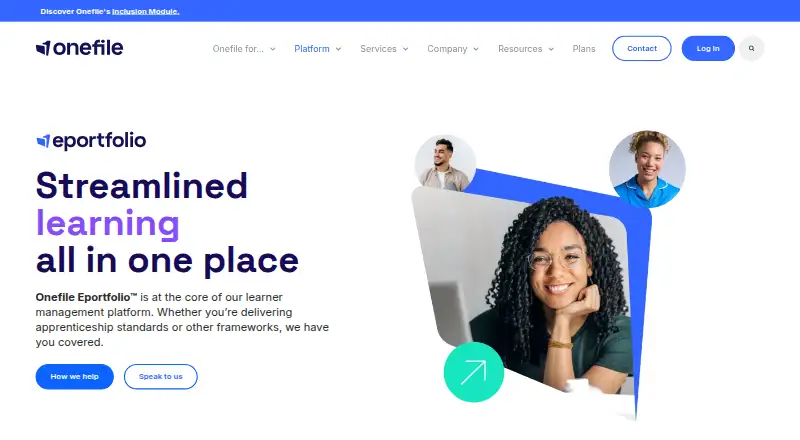
Onefile Eportfolio is part of Onefile’s learner management platform for delivering, managing and tracking learning and apprenticeships from initial assessment to gateway. Staff can collect evidence, map it to competencies, keep feedback and activity records, and manage assessments with reusable templates. Tutors can organise tasks, activities and assessments for learners and employers, then schedule meetings. Reusable review templates and custom forms support data collection, digital signatures and workflows. Learners can record time spent on learning, including off-the-job apprenticeship training. Learners and assessors can upload and tag documents, videos and images as evidence of competency. The mobile app supports offline learning and syncs progress when the user is back online. The product is listed for Android, iOS, web and Windows. Onefile describes its use for apprenticeship standards and other learning frameworks, and says it supports education and training providers. Pricing is on request. Standard plan support lists onboarding, technical setup, a 24/7 help centre, an onboarding manager, support tickets, training, events, webinars and an annual review.
Good
- Maps evidence to competencies.
- Supports reusable assessment and review templates.
- Learners can record off-the-job training time.
- Mobile app supports offline learning and later sync.
- Supports digital signatures and custom workflows.
Watch out
- Pricing is on request.
- Standard plan support includes an annual review.
- Offline learning is described for the mobile app.
Who it suits
It suits education and training providers managing apprenticeship standards or other learning frameworks. Tutors, assessors and learners can use it to organise activities, capture evidence and track progress.
Verdict
Onefile Eportfolio combines evidence collection, assessment workflows and learning activity tracking, including offline mobile access. Providers should request pricing and check which plan features match their needs.
Plans and prices
From Onefile Eportfolio's own pricing page, checked 3 Oct 2026.
| Plan | Price | What it gives you |
|---|---|---|
| Enterprise | Priced on request | Built just for you · Bespoke solution |
| Pro | Priced on request | Unlimited Admin Seats · Integrated Onefile applications · API Connectors · Single sign on · Unlimited data storage · Yearly billing |
| Standard | Priced on request | Unlimited Admin Seats · Reassign seats anytime · Desktop web + mobile app · Powered by Fusion · Yearly billing |
The facts
Each one read from Onefile Eportfolio's own pages, with the date it was checked.
What it does
- Assessments
- It lets staff capture evidence, map it to competencies, keep feedback and activity records, and manage assessments with reusable templates.checked 3 Oct 2026
- Evidence capture
- Learners and assessors can upload and tag documents, videos and images from any device as evidence of competency.checked 3 Oct 2026
- Integrations
- The site describes Power BI reporting within Onefile and lists Cognassist, Turnitin, functional skills assessment and Association of Apprentices integrations.checked 3 Oct 2026
- Intended users
- The Eportfolio page describes use for apprenticeship standards and other learning frameworks; Onefile says it supports education and training providers.checked 3 Oct 2026
- Mobile availability
- The Onefile Eportfolio app is available through the iOS App Store and Google Play Store for smartphones or tablets.checked 3 Oct 2026
- Offline access
- The product’s mobile app supports offline learning, and progress syncs when the user is back online.checked 3 Oct 2026
- Product purpose
- Onefile Eportfolio is part of Onefile’s learner management platform for delivering, managing and tracking learning and apprenticeships from initial assessment to gateway.checked 3 Oct 2026
- Reviews and forms
- The product supports reusable review templates and custom forms for data collection, digital signatures and workflows.checked 3 Oct 2026
- Security
- Onefile’s awards page lists ISO/IEC 27001 information security management certification for 2016–2026 and Cyber Essentials Plus.checked 3 Oct 2026
- Support
- Standard plan support lists platform onboarding, technical setup, a 24/7 help centre, an onboarding manager, support tickets, events and webinars, training and an annual review.checked 3 Oct 2026
- Time tracking
- Learners can record time spent on learning activities, including off-the-job apprenticeship training.checked 3 Oct 2026
The company
- Company background
- Onefile says it created the first Eportfolio and has supported learning journeys for over 20 years.checked 3 Oct 2026
- Founded
- 2005checked 28 Sep 2026
- Headquarters
- Manchester, England, United Kingdomchecked 28 Sep 2026
Money
- Learning plans
- Tutors can organise tasks, activities and assessments for learners and employers, and schedule learner meetings.checked 3 Oct 2026
The full review of Onefile Eportfolio
Onefile Eportfolio is a learner-management and apprenticeship portfolio system for providers running structured programmes from initial assessment through gateway. It is strongest when evidence, competency decisions, feedback and logged learning time must stay connected. Organisations wanting a public-facing showcase portfolio or transparent self-serve pricing should look elsewhere.
Overview
Onefile Eportfolio sits within Onefile’s wider platform for delivering, managing and tracking learning and apprenticeships. Education and training providers can use it with apprenticeship standards and other learning frameworks, rather than treating portfolios as isolated collections of work. Onefile was founded in 2005 and is headquartered in Manchester; the company says it has supported learning journeys for more than 20 years.
Key features
Learners and assessors can upload documents, videos and images from any device, then tag those items as evidence of competency. Staff can map evidence to competencies, retain feedback and activity records, and manage assessments with reusable templates. That structure is valuable where tutors must show how work satisfies formal standards, though it is more administrative than a simple personal showcase.
Tutors can organise tasks, activities and assessments for learners and employers, and schedule learner meetings. Reusable review templates and custom forms handle data collection, digital signatures and workflow steps, helping providers standardise recurring reviews across cohorts. Learners can record time spent on learning activities, including off-the-job apprenticeship training, which supports programmes with explicit time-accounting requirements.
The mobile app supports evidence capture and offline learning on smartphones and tablets. Progress synchronises when the device reconnects, making field-based or intermittently connected study more practical than an online-only workflow. Power BI reporting is described within Onefile, while listed integrations include Cognassist, Turnitin, functional skills assessment and Association of Apprentices. Single sign-on is included in Pro rather than every plan.
Pricing
Onefile uses custom pricing, so providers need a quote before comparing total cost. All three published plans use yearly billing.
Standard
Standard includes unlimited admin seats, the ability to reassign seats at any time, desktop web access and the mobile app, and is powered by Fusion. It is the sensible starting point for providers needing core web-and-mobile delivery without the integration and identity features reserved for Pro.
Pro
Pro adds unlimited admin seats, integrated Onefile applications, API connectors, single sign-on and unlimited data storage. It suits organisations connecting Onefile to other systems or requiring central identity management. Buyers should confirm which integrated applications and connector work are covered by their quotation.
Enterprise
Enterprise is a bespoke solution built for the organisation. It is aimed at providers whose operational requirements do not fit the standard feature packages, but the trade-off is a less predictable purchasing process and custom scope.
Standard support includes platform onboarding, technical setup, an onboarding manager, a 24/7 help centre, support tickets, events and webinars, training and an annual review. The published support terms are attached to Standard; confirm coverage and service arrangements for other plans during procurement.
Platforms
Onefile Eportfolio runs on the web, Windows, Android and iOS. The dedicated app is available for iOS and Android smartphones and tablets, with offline progress synchronisation after reconnection.
Who it's for
This is a strong fit for education and training providers delivering apprenticeships or other framework-based learning, especially where assessors need auditable competency evidence, repeatable reviews and logged off-the-job activity. It is less suitable for an individual who only wants a low-cost portfolio website or for a buyer who requires published prices and a free tier.
Pros and cons
Pros
- Connected assessment workflow: evidence, competency mapping, feedback and assessment templates stay in one programme process.
- Practical mobile capture: documents, videos and images can be collected on phones or tablets, including offline.
- Apprenticeship administration: learning-time records and scheduled reviews address operational needs beyond portfolio presentation.
- Higher-tier connectivity: Pro provides API connectors, integrated Onefile applications, single sign-on and unlimited storage.
- Security credentials: Onefile’s awards page lists ISO/IEC 27001 certification for 2016–2026 and Cyber Essentials Plus.
Cons
- No published prices: every plan requires a quote, making budget comparison slower.
- Feature separation by plan: integrations, API connectors, single sign-on and unlimited storage are Pro features, not Standard benefits.
- Enterprise is bespoke: organisations needing a tailored deployment must agree scope and pricing individually.
Alternatives
Choose SpacesEDU when a freemium product with Android, iOS, macOS, web and Windows coverage is preferable.
bulb is a freemium, web-and-iOS option with free individual and educator plans for simpler portfolio publishing.
Digication ePortfolio is worth considering if a free tier, free trial and a published Group price of $30 a year are important.
Mahara is the free, open-source alternative for organisations prepared to use a self-hosted or API-capable platform.
Portflow is another paid institutional product with Android, iOS and web access.
AcadFolio offers a free-forever web plan with no credit card required.
MyProgress ePortfolio is a paid alternative available on Android, iOS and the web.
PebblePad is a paid institutional platform with Android, iOS, web and API support.
For a broader category comparison, see Eportfolio Software.
Verdict
Choose Onefile Eportfolio if you are an education or training provider that needs apprenticeship evidence, assessment workflows and logged learning activity in a single system, with offline mobile capture as a practical advantage. Look elsewhere if transparent pricing, a free plan or a portfolio primarily designed for personal showcase matters more than structured programme administration.