
SpacesEDU
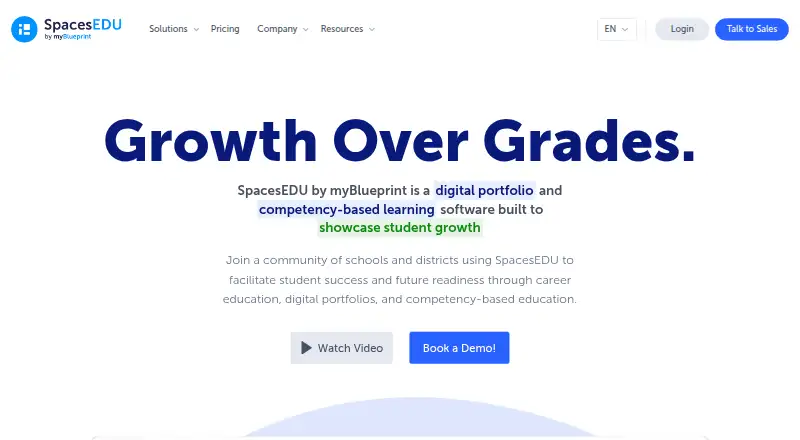
SpacesEDU is a digital portfolio and competency-based learning platform for K–12 education, built to make student growth visible.
What SpacesEDU is
SpacesEDU is a digital portfolio and competency-based learning platform for K–12 education, built to make student growth visible. Teachers can create class, group, and individual Spaces, organize assessment activities, connect submissions to curriculum outcomes, and leave comments in real time. Students use portfolios to collect work, reflect on learning, and share it; districts can provide templates for Portrait of a Graduate initiatives. Family accounts support one- and two-way messages, reactions, comments, and read receipts. A post can include up to 10 media attachments, such as camera or audio content, files, Google Drive or OneDrive items, or a URL.
The free SpacesEDU Core plan costs nothing and includes multimedia learning capture, formative feedback, submission status, tags, and student reflections. Pro adds SIS/LMS syncing, rostering, single sign-on, QR code login, family accounts, and school and district engagement data. Enterprise adds customized standards and proficiency scales, summative reports, and customized portfolio templates. Google and Microsoft integration is listed, while Pro and Enterprise include SSO and OneRoster syncing. SpacesEDU is presented as a myBlueprint product; myBlueprint was formed in 2005. Access is available through web browsers and iOS and Android apps, with Windows and macOS also listed as platforms.
Good
- Free Core plan includes multimedia learning capture and formative feedback.
- Teachers can organize class, group, and individual Spaces.
- Students can reflect on and share portfolio work.
- Family accounts support messaging, comments, reactions, and read receipts.
- Posts support up to 10 media attachments.
- Web app lists screen reader, speech-to-text, alt text, and keyboard navigation.
Watch out
- Proficiency reports are limited to Pro users on the web.
- SSO and OneRoster syncing are reserved for Pro and Enterprise.
Who it suits
SpacesEDU suits K–12 teachers, schools, and districts that want students to document and reflect on learning through portfolios tied to curriculum outcomes. Its family accounts and messaging tools also suit programs that want families involved in student work.
Verdict
Choose SpacesEDU if K–12 learners and educators need portfolios, assessment activities, and family engagement in one platform, with a free Core option. Look elsewhere if Proficiency Reports or the Activity Proficiency Table must be available through mobile apps; those tools are limited to Pro users on the web.
Plans and prices
From SpacesEDU's own pricing page, checked 2 Oct 2026.
| Plan | Price | What it gives you |
|---|---|---|
| SpacesEDU Core | Free | PK-12 learning environments · multimedia learning capture and formative feedback · activity submission status, tags, and student reflections |
| SpacesEDU Enterprise | Priced on request | Includes Pro · customized standards and proficiency scale · summative reports · customized portfolio templates |
| SpacesEDU Pro | Priced on request | Includes Core · SIS/LMS sync, rostering, SSO, QR code login · school and district engagement data · family accounts |
The facts
Each one read from SpacesEDU's own pages, with the date it was checked.
What it does
- Accessibility
- The company says it strives for substantial WCAG 2.1 AA compliance and lists screen reader support, speech-to-text, alt text, and keyboard navigation for its web app.checked 2 Oct 2026
- Audience
- The product is designed for K–12 learners and is offered to individual teachers, schools, and districts.checked 2 Oct 2026
- Classroom tools
- Teachers can create class, group, and individual Spaces, manage assessment activities, connect work to curriculum outcomes, and comment on student work in real time.checked 2 Oct 2026
- Family engagement
- The platform supports family accounts, one- and two-way messaging, reactions, comments, and read receipts.checked 2 Oct 2026
- Integrations
- The pricing page lists Google and Microsoft integration, and says Pro and Enterprise offer SSO and OneRoster syncing with SIS and LMS systems.checked 2 Oct 2026
- Media attachments
- Posts can include up to 10 media attachments, including camera, audio, files, Google Drive, OneDrive, or a URL.checked 2 Oct 2026
- Notable limits
- The Proficiency Report and Activity Proficiency Table are only available on the web version for Pro users.checked 2 Oct 2026
- Privacy
- SpacesEDU says protecting student privacy is foundational to how it built the company and informs its decisions.checked 2 Oct 2026
- Purpose
- SpacesEDU is a digital portfolio and competency-based learning platform built to showcase student growth.checked 2 Oct 2026
- Support
- The pricing page lists email and chat support, webinars, asynchronous training, a knowledge base, and a dedicated Partner Success Specialist among its support options.checked 2 Oct 2026
The company
- Founded
- 2005checked 28 Sep 2026
- Maker
- SpacesEDU is presented as a product by myBlueprint, which the company says was formed in 2005.checked 2 Oct 2026
Where it runs
- Platform access
- SpacesEDU is available through web browsers on computers and Chromebooks and as iOS and Android apps.checked 2 Oct 2026
- Portfolios
- Students can document, reflect on, and share learning through digital portfolios, including district portfolio templates for Portrait of a Graduate initiatives.checked 2 Oct 2026
The full review of SpacesEDU
Overview
SpacesEDU brings K–12 student portfolios, classroom assessment, and family communication into one platform. It suits teachers and schools that want to connect student work with learning outcomes and keep families involved; its strongest reporting and administrative features require paid plans.
Students can capture and reflect on learning while teachers manage activities and respond to work. That combination makes SpacesEDU a better fit for ongoing evidence of growth than for teams seeking only a place to store finished projects. It is a product of myBlueprint, formed in 2005.
For category comparisons, see Eportfolio Software.
Key features
Classroom activities and feedback
Teachers can create class, group, and individual Spaces, manage assessment activities, link work to curriculum outcomes, and comment in real time. Core adds multimedia learning capture, formative feedback, submission status, tags, and student reflections. These tools support a continuing classroom feedback loop, though customized standards and summative reports are reserved for Enterprise.
Portfolios and media
Students can document, reflect on, and share their learning in digital portfolios. District templates for Portrait of a Graduate initiatives can give that evidence a shared structure. Each post can include up to 10 media attachments, such as camera captures, audio, files, Google Drive or OneDrive content, and URLs. The range accommodates varied student work, while the per-post limit is worth keeping in mind for media-heavy submissions.
Family communication and integrations
Family accounts support one- and two-way messaging, reactions, comments, and read receipts, giving educators several ways to involve families in student work. Google and Microsoft integration is listed; Pro and Enterprise add SSO and OneRoster syncing with SIS and LMS systems. That makes the upper tiers more relevant to school and district deployments that need rostering and centralized access.
Privacy and accessibility
SpacesEDU says student privacy is foundational to its decisions and that it strives for substantial WCAG 2.1 AA compliance. Its web app lists screen reader support, speech-to-text, alt text, and keyboard navigation. These are meaningful accessibility provisions, though the stated compliance goal is not a guarantee of full conformance.
Pricing
SpacesEDU Core
Core is free: free. It covers PK–12 learning environments, multimedia learning capture, formative feedback, activity submission status, tags, and student reflections. It is the practical starting point for teachers who need portfolio and formative-assessment workflows without paid-plan reporting or administrative features.
SpacesEDU Pro
Pro has custom pricing and includes Core, SIS/LMS sync, rostering, SSO, school and district engagement data, and family accounts. It fits institutions that need coordinated account management and engagement information. Proficiency Reports and the Activity Proficiency Table are available only to Pro users on the web, so mobile access does not include those tools.
SpacesEDU Enterprise
Enterprise has custom pricing and includes Pro, customized standards and proficiency scales, summative reports, and customized portfolio templates. It is aimed at districts needing reporting and portfolio structures tailored to their programs. Those requirements make Core a poor substitute for Enterprise.
The pricing page lists email and chat support, webinars, asynchronous training, a knowledge base, and a dedicated Partner Success Specialist among its support options. The support menu is useful for institutional adoption, although it does not change which plan includes the features a school needs.
Platforms
SpacesEDU is available on web, iOS, and Android, and is also listed for macOS and Windows. Browser access works on computers and Chromebooks. The main limitation is specific: Proficiency Reports and the Activity Proficiency Table are web-only, even for Pro users.
Who it's for
SpacesEDU is a strong fit for K–12 teachers, schools, and districts that want portfolios, assessment activities, and family engagement tied together. Core is suited to individual classroom use and formative workflows; Pro is the better match when rostering, SSO, family accounts, and engagement data matter; Enterprise fits districts that need custom standards, summative reporting, or tailored portfolio templates.
Look elsewhere if mobile access to Proficiency Reports or the Activity Proficiency Table is essential, or if the need is limited to a simple portfolio without classroom assessment and family communication.
Pros and cons
Pros
- Connected classroom workflow: Spaces, assessment activities, curriculum outcomes, reflections, and real-time comments support evidence and feedback in the same environment.
- Free Core tier: Teachers can use multimedia capture and formative feedback without a subscription price.
- Family participation: Accounts, messaging, reactions, comments, and read receipts give families several ways to engage.
- Institutional options: Pro and Enterprise add rostering, SSO, engagement data, and higher-tier reporting and templates.
Cons
- Key reporting is web-only: Proficiency Reports and the Activity Proficiency Table cannot be used through mobile apps.
- Advanced capabilities require higher tiers: Core lacks the listed Pro administration features and Enterprise's customized standards and summative reports.
- Media cap per post: Up to 10 attachments may constrain submissions that rely on many separate media items.
Alternatives
For a free alternative focused on individual portfolios, bulb offers a free Individual plan with one page, 2GB of storage, resume sharing, and templates; its free Educators plan offers unlimited pages and content storage. Choose it when those portfolio limits and options suit better than SpacesEDU's classroom-and-family workflow.
Digication ePortfolio is worth comparing for readers who want a free option and a paid Group plan listed at $30 a year, with up to 130 students and unlimited faculty accounts. Its LMS and SSO integration requires setup.
Mahara is a free, open-source alternative for readers who want software they can copy, use, and modify under its license conditions, including sharing source code with copies under the same license.
Onefile Eportfolio is an institutional alternative with a Pro plan that includes unlimited admin seats, integrated Onefile applications, API connectors, SSO, and unlimited data storage.
Portflow is an institutional product with demo and contact options for readers considering that route.
AcadFolio offers a free-forever web plan for readers seeking a free portfolio tool.
MyProgress ePortfolio is another paid option for readers comparing portfolio products.
PebblePad is an institutional alternative with pricing arranged by contact.
Verdict
Choose SpacesEDU if K–12 learners and educators need portfolios, formative assessment, and family engagement in one platform, with Core available free. Its connected classroom workflow is the main reason to choose it; look elsewhere if mobile reporting is essential or if the school needs Enterprise-level customized standards and summative reports without moving beyond Core.
Getting started
- Visit https://spacesedu.com/en/.
- Choose the free SpacesEDU Core plan or review Pro and Enterprise plan features.
- Use SpacesEDU through a web browser or its iOS or Android app.
- Create class, group, or individual Spaces and add assessment activities.
- Connect student work to curriculum outcomes and invite family participation through family accounts.
Limits worth knowing
Core includes multimedia learning capture, formative feedback, activity submission status, tags, and student reflections. SIS/LMS sync, rostering, SSO, QR code login, family accounts, and school and district engagement data are in Pro; customized standards and proficiency scales, summative reports, and customized portfolio templates are in Enterprise. Proficiency Reports and the Activity Proficiency Table are available only to Pro users on the web.
Questions
Is SpacesEDU free?
Yes. SpacesEDU Core is free at no cost.
Which platforms can I use?
SpacesEDU is available in web browsers and as iOS and Android apps. Windows and macOS are also listed as platforms.
What do the paid plans add?
Pro adds SIS/LMS syncing, rostering, SSO, QR code login, school and district engagement data, and family accounts. Enterprise adds customized standards and proficiency scales, summative reports, and customized portfolio templates.
Does SpacesEDU integrate with Google or Microsoft?
Yes. Google and Microsoft integration is listed. Pro and Enterprise offer SSO and OneRoster syncing with SIS and LMS systems.
Who makes SpacesEDU?
SpacesEDU is presented as a product by myBlueprint, which was formed in 2005.
What support options are listed?
Options include email and chat support, webinars, asynchronous training, a knowledge base, and a dedicated Partner Success Specialist.
Alternatives to SpacesEDU
- 1
Mykademy
AndroidiOSWebAPI7.4From $29 a month - 2
bulb
Free planiOSWeb7.0From $5 a year - 3

Digication ePortfolio
AndroidiOSWebmacOS6.9 - 4

Portflow
AndroidiOSWeb6.5 - 5

Mahara
AndroidiOSWebAPI6.4 - 6

MyProgress ePortfolio
AndroidiOSWeb6.4