Magic DosBox
Magic DosBox emulates MS-DOS so people can play their own classic DOS games on Android phones and tablets; games are not included.
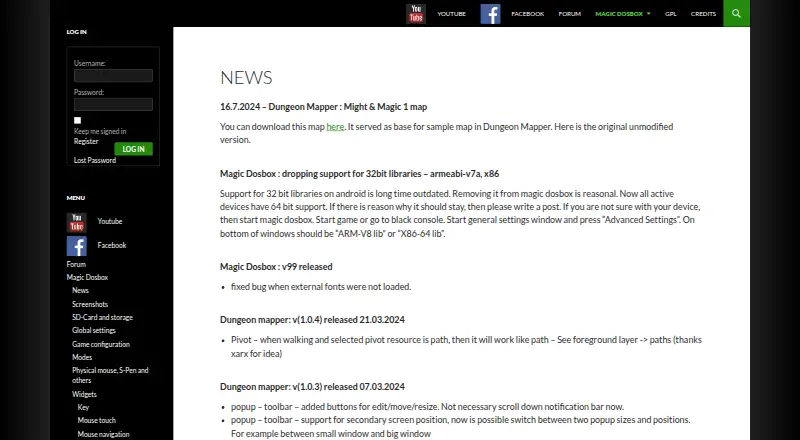
What Magic DosBox is
Magic DosBox emulates MS-DOS so people can play their own classic DOS games on Android phones and tablets; games are not included. Players can build on-screen controls for keys, mouse actions, pausing, and other tasks, and customize widget appearance, size, and placement. Profiles and layouts can be exported, imported, or duplicated for sharing. The app also supports physical mice, Samsung styluses, external gamepads, keyboards, sound, IPX networking, and serial modem connections. Games can be configured through a simplified interface or Expert settings based on a modified DOSBox configuration. Listed file support includes ISO, GOG, INST, and CUE. Magic DosBox Lite is free, with three widgets and a limited game collection. The 3.99 USD once plan includes all widgets and removes the collection limit. The maker says Google Play's required storage access can be slower than direct access, and Android 11-based changes prevent mounting the storage root and Downloads folder.
Good
- Supports physical mice, gamepads, keyboards, and Samsung styluses.
- Customizable on-screen widgets and game layouts.
- Supports IPX networking and serial modem connections.
- Lite plan is free.
- Paid version removes the game collection limit.
Watch out
- Games are not included.
- Lite allows only three widgets.
- Lite limits the number of games in the collection.
- Google Play storage access may be slower than direct access.
Who it suits
Magic DosBox suits Android users who already have DOS games and want customizable touch controls or external input devices. It may also suit players who want to share game profiles and layouts.
Verdict
Magic DosBox offers several ways to configure controls and run users’ DOS games on Android. Keep in mind that you must supply the games, and that Lite has widget and collection limits.
Plans and prices
From Magic DosBox's own pricing page, checked 3 Oct 2026.
| Plan | Price | What it gives you |
|---|---|---|
| Magic DosBox Lite | Free | 3 widgets · limited number of games in collection |
| Magic DosBox | $3.99, paid once | All widgets · no limit on number of games in collection · games not included |
The facts
Each one read from Magic DosBox's own pages, with the date it was checked.
Where it runs
- Android storage
- The maker says Android 11-based changes block mounting the storage root and the Downloads folder.checked 2 Oct 2026
- Android storage limits
- The maker says Google Play requires Storage Access Framework access for public storage and notes that this can be slower than direct storage access.checked 3 Oct 2026
What it does
- Configuration
- Games can be configured through a simplified GUI or through Expert settings based on a modified DOSBox configuration.checked 2 Oct 2026
- Controls
- It supports on-screen widgets, physical mouse, Samsung stylus, external gamepads, keyboard, and sound.checked 3 Oct 2026
- Cookies and embeds
- The privacy policy says embedded third-party content may collect data and use cookies, and that YouTube embeds may set additional YouTube cookies.checked 2 Oct 2026
- Custom controls
- Users can customize game profiles and create on-screen widgets with custom images, text, backgrounds, and positions.checked 3 Oct 2026
- Distribution
- The maker says Magic DosBox is available through Google Play and Huawei AppGallery.checked 2 Oct 2026
- Game layouts
- Users can customize widget appearance, size, and position, then export a layout and game settings to an MGC file for sharing or importing.checked 2 Oct 2026
- Game modes
- The app provides Play, Design, Aspect, and Find point modes.checked 2 Oct 2026
- Games not included
- Magic DosBox is an emulator that runs users’ own DOS games; games are not included.checked 3 Oct 2026
- Input gestures
- The app maps swipe gestures to actions for Key, Target, Bag, and Special widgets.checked 2 Oct 2026
- Networking
- The app supports IPX networking and serial modem connections.checked 3 Oct 2026
- On-screen controls
- Users can place customizable widgets on screen to send keys, emulate a mouse, pause the game, and perform other actions.checked 2 Oct 2026
- Privacy disclosure
- Google Play states that the developer declares no data collected and no data shared with third parties.checked 3 Oct 2026
- Profile sharing
- Users can export, import, or duplicate profiles together with their designed layouts for sharing.checked 3 Oct 2026
- Purpose
- Magic DosBox is an optimized DOSBox port for Android that runs DOS games and applications and is designed for touch devices.checked 3 Oct 2026
- Scripting
- Since version 84, the app supports simple JavaScript for combo or Deadly Strike actions, including keyboard and layer controls.checked 2 Oct 2026
- Storage limits
- The maker says Google Play requires Storage Access Framework access, which is slower than the direct storage access used by the AppGallery version.checked 2 Oct 2026
- Support
- The app listing provides [email protected] as its support email and points users to the maker’s website for documentation.checked 3 Oct 2026
- Supported files
- The listing names support for *.iso, *.gog, *.inst, and cue/ogg files.checked 3 Oct 2026
- Website privacy
- The maker’s privacy policy says forum registration requires a username and email, and that it knowingly shares no visitor or registrant information.checked 3 Oct 2026
The company
- Headquarters
- Sereď, Slovakiachecked 28 Sep 2026
- Maker
- The app listing identifies the developer as Bruenor s. r. o. and gives an address in Sereď, Slovakia.checked 3 Oct 2026
Alternatives to Magic DosBox
- 1

DOSBox-X
Free planOpen sourceLinuxmacOSSelf-hostedWindows7.4Free plan - 2
DOSBox Pure
Free planOpen sourceLinuxmacOSSelf-hostedWindows7.2Free plan - 3
DOSBox Staging
Free planOpen sourceAPILinuxmacOSSelf-hosted7.2Free plan - 4
DOSBox
Free planOpen sourceLinuxmacOSSelf-hostedWindows7.1Free plan - 5
DOS Browser
Free planAndroidWebLinuxmacOS6.7Free plan - 6
DosKit
Free planAndroidiOSWebLinux6.7Free plan