
M-PESA
M-PESA is Safaricom’s mobile money service for sending, receiving, and accessing funds.
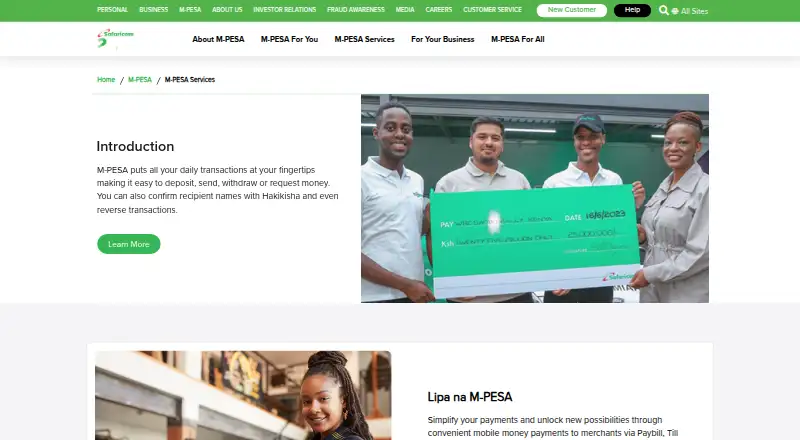
What M-PESA is
M-PESA is Safaricom’s mobile money service for sending, receiving, and accessing funds. Customers can deposit cash through an authorized agent using a phone and original ID, then send money to registered or unregistered mobile numbers through supported channels. Withdrawals can use agents, ATMs, STK, the M-PESA Super App, My Safaricom App, or USSD *334#, with channel availability varying by service. Lipa Na M-PESA enables phone payments for goods and services. M-PESA Global supports international transfers, including bank-account transfers and Western Union cash pickup. Registered mobile-banking customers can move funds between a bank and M-PESA account. Hakikisha helps verify the intended recipient before confirmation. M-PESA GlobalPay is a virtual Visa card linked to the wallet for international online merchants and remains app-only to avert fraud. The service runs on Android and iOS, plus app, USSD, and SIM Toolkit channels.
Good
- Send to registered or unregistered numbers
- Agent and ATM withdrawal options
- International transfers and cash pickup
- Recipient verification through Hakikisha
- Android and iOS availability
Watch out
- Transaction charges vary by service and amount
- Available channels vary by service
- GlobalPay is app-only
Who it suits
It suits Safaricom customers who need mobile deposits, transfers, withdrawals, merchant payments, bank movement, or international money services.
Verdict
M-PESA covers everyday mobile money tasks alongside merchant, bank, and international transfers. Users should check current transaction charges and the channel available for each service.
Plans and prices
From M-PESA's own pricing page, checked 9 Oct 2026.
| Plan | Price | What it gives you |
|---|---|---|
| M-PESA | Priced on request | Transaction charges depend on service and amount; check current rates on Safaricom’s M-PESA Rates page |
The facts
Each one read from M-PESA's own pages, with the date it was checked.
What it does
- Bank transfers
- Customers registered for mobile banking and M-PESA can transfer money between their bank and M-PESA account.checked 9 Oct 2026
- Business integrations
- Safaricom’s Daraja API portal enables businesses and developers to integrate with M-PESA.checked 9 Oct 2026
- Cash deposits
- Customers can deposit cash into an M-PESA account through an authorized agent using a phone and original ID.checked 9 Oct 2026
- Cash withdrawals
- Registered customers can withdraw through an agent, an ATM, STK, the M-PESA Super App, the My Safaricom App or USSD *334#.checked 9 Oct 2026
- Fraud prevention
- Safaricom says M-PESA GlobalPay was removed from USSD and remains available only in the app to avert fraud.checked 9 Oct 2026
- Hakikisha
- Hakikisha lets customers verify the intended recipient before confirming an M-PESA transaction.checked 9 Oct 2026
- International transfers
- M-PESA Global supports sending and receiving money internationally, including transfers to bank accounts and cash pickup at Western Union locations.checked 9 Oct 2026
- Merchant payments
- Lipa Na M-PESA lets customers pay for goods and services using their phone.checked 9 Oct 2026
- Mobile money
- M-PESA lets customers send, receive and access money through Safaricom’s service.checked 9 Oct 2026
- Online payments
- M-PESA GlobalPay is a virtual Visa card linked to the M-PESA wallet for payments to international online merchants.checked 9 Oct 2026
- Scheduled transfers
- Yeschecked 20 Sep 2026
- Security
- The M-PESA statement service requires customers to enter their secret M-PESA PIN to access statements.checked 9 Oct 2026
- Send money
- Customers can send money to registered and unregistered mobile numbers through STK, the M-PESA Super App or the Safaricom App.checked 9 Oct 2026
- Supported channels
- M-PESA services are available through the M-PESA app, My Safaricom app, USSD *334# and SIM Toolkit, with the available channel varying by service.checked 9 Oct 2026
The company
- Founded
- 2007checked 28 Sep 2026
- Headquarters
- Nairobi, Kenyachecked 28 Sep 2026
Where it runs
- Mobile app devices
- The My Safaricom statement feature is available to subscribers using Android and Apple iOS devices who have installed the app.checked 9 Oct 2026
- Mobile platforms
- bothchecked 20 Sep 2026
Alternatives to M-PESA
- 1
Send App
Free planAndroidiOSWebAPI8.5$5 one-time - 2
Satispay
Free planAndroidiOSWebAPI8.5From €39.99 a year - 3

Mercado Pago
Free planAndroidiOSWebAPI8.4$1.49 one-time - 4

Wise
Free planAndroidiOSWeb8.2Free plan - 5

Remitly
Free planAndroidiOS8.2$2.99 one-time - 6
Panda Remit
Free planAndroidiOSWeb8.2Free plan