
Lunar
Lunar is a macOS app for controlling external monitors, including their brightness.
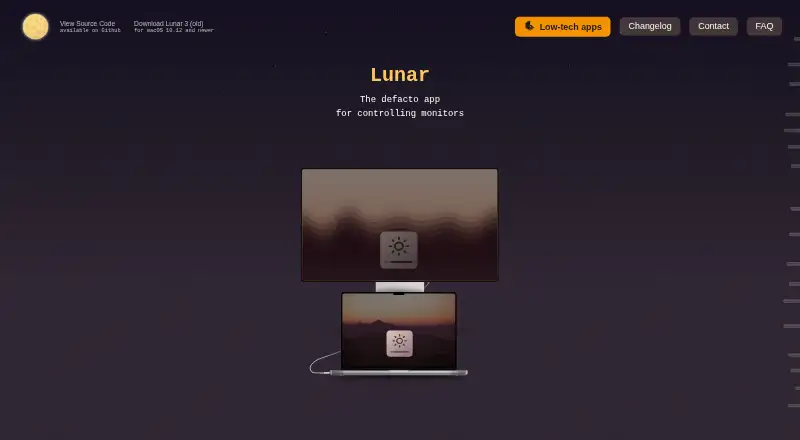
What Lunar is
Lunar is a macOS app for controlling external monitors, including their brightness. On compatible monitors, it uses DDC to send brightness and input commands directly. Manual Mode offers hotkeys for brightness, volume, and input, while Sync Mode copies the MacBook’s adaptive brightness changes to connected displays. Sensor Mode adjusts brightness and contrast using an external ambient light sensor, and Location Mode bases adjustments on the sun’s position. Clock Mode schedules brightness and contrast changes by time or solar events. Pro features include XDR Brightness, sub-zero dimming, Auto BlackOut, BlackOut, and FaceLight. Lunar also integrates with macOS Shortcuts and has a command-line interface for monitor automation. It supports macOS 11 or later and runs natively on Apple Silicon and Intel. If DDC is unavailable, Gamma can dim the display but cannot control monitor volume or input. The free version limits Manual Mode to 100 adjustments per day and Shortcuts to 100 action calls per day. Lunar Pro is a 23.00 USD lifetime license.
Good
- Manual hotkeys cover brightness, volume, and input.
- Clock Mode schedules brightness and contrast changes.
- Integrates with macOS Shortcuts and a command-line interface.
- Runs natively on Apple Silicon and Intel.
Watch out
- Free Manual Mode is limited to 100 adjustments daily.
- Free Shortcuts use is limited to 100 action calls daily.
- Gamma fallback cannot change monitor volume or input.
- Lunar Pro costs 23.00 USD for a lifetime license.
Who it suits
Lunar suits Mac users who want to adjust external monitor settings or automate changes with Shortcuts or the command line. Its modes offer options based on ambient light, location, and schedule.
Verdict
Lunar offers several ways to adjust and automate external monitor settings on macOS. Check whether your monitor supports DDC, since the fallback cannot control volume or input.
Plans and prices
From Lunar's own pricing page, checked 29 Sep 2026.
| Plan | Price | What it gives you |
|---|---|---|
| Free version | Free | Manual Mode: 100 adjustments/day · Shortcuts: 100 action calls/day · listed free features |
| Lunar Pro | $23, paid once | Unlimited adjustments · Unlimited Shortcuts actions · listed Pro features · Lifetime license |
The facts
Each one read from Lunar's own pages, with the date it was checked.
What it does
- Adaptive brightness
- Sync Mode copies the MacBook’s adaptive brightness adjustments to external monitors.checked 29 Sep 2026
- Automation
- Lunar integrates with macOS Shortcuts and includes a command-line interface for controlling and automating monitors.checked 29 Sep 2026
- Compatibility
- The homepage says Lunar is compatible with macOS 11+ and runs natively on Apple Silicon and Intel.checked 29 Sep 2026
- DDC control
- Lunar uses DDC to send brightness and input commands directly to compatible monitors.checked 29 Sep 2026
- DDC limitation
- When DDC is unavailable, Gamma fallback can dim the display but cannot control monitor volume or input.checked 29 Sep 2026
- Display features
- Pro features include XDR Brightness, sub-zero dimming, Auto BlackOut, BlackOut, and FaceLight.checked 29 Sep 2026
- Error reporting details
- Crash reports may include device information and IP address, and may include an email only if the user consented to contact after buying Pro; reports are deleted weekly.checked 29 Sep 2026
- Manual controls
- Manual Mode supports brightness, volume, and input hotkeys for external monitors.checked 29 Sep 2026
- Privacy
- Lunar says it does not collect, store, or sell user identifiable or behavioral data, but it collects anonymous monitor data and uses Sentry for crash reporting.checked 29 Sep 2026
- Scheduling
- Clock Mode can schedule brightness and contrast changes by time, sunrise, noon, or sunset.checked 29 Sep 2026
- Sensor and location modes
- Sensor Mode adjusts brightness and contrast from an external ambient light sensor, while Location Mode adapts monitors based on the sun’s position.checked 29 Sep 2026
- Support
- Users can contact the developer through a web form, and the contact page directs license delivery issues to the Discord server.checked 29 Sep 2026
- What it does
- Lunar is a macOS app for controlling monitors, including external monitor brightness.checked 29 Sep 2026
The company
- Headquarters
- Brașov, Romaniachecked 28 Sep 2026
- Maker
- The maker’s personal site identifies Alin Panaitiu as Lunar’s developer and says he lives in Brașov, Romania.checked 29 Sep 2026
The full review of Lunar
Lunar is a macOS utility for adjusting external monitor settings, with manual controls and multiple ways to automate brightness. It suits Mac users who want external displays to track their MacBook, ambient light, location or schedule. Its lifetime Pro license is appealing if the free daily limits are too restrictive.
Overview
Lunar sends brightness and input commands over DDC to compatible monitors. If DDC is unavailable, Gamma can dim the display, but it cannot change monitor volume or input; users who need those controls should check monitor compatibility before relying on Lunar.
The app supports macOS 11 and later and runs natively on Apple Silicon and Intel. It also supports monitor profiles, input switching, scheduling and automatic brightness, alongside its core display controls.
Key features
Manual controls and adaptive brightness
Manual Mode supplies hotkeys for external monitor brightness, volume and input. Sync Mode copies the MacBook’s adaptive brightness adjustments to external displays, a useful fit for users who want those screens to follow the laptop rather than adjust each one separately.
Light, location and schedule-based adjustment
Sensor Mode adjusts brightness and contrast using an external ambient light sensor, so this option depends on having that sensor. Location Mode adapts monitors to the sun’s position. Clock Mode schedules brightness and contrast changes by time or around sunrise, noon and sunset, offering several ways to fit display changes to a daily routine.
Pro tools and automation
Pro adds XDR Brightness, sub-zero dimming, Auto BlackOut, BlackOut and FaceLight. Lunar also works with macOS Shortcuts and includes a command-line interface for monitor control and automation. That combination will suit users building repeatable workflows; it is less relevant if basic manual adjustments are all they need.
Pricing
The Free version costs nothing. It includes listed free features, with Manual Mode capped at 100 adjustments per day and Shortcuts capped at 100 action calls per day. Those limits may be enough for occasional control, but frequent adjustments or automation can make the free tier restrictive.
Lunar Pro costs $23, paid once for a lifetime license. It removes the adjustment and Shortcuts action limits and includes the listed Pro features. For Mac users who expect to use Lunar regularly, the one-time purchase avoids recurring billing; users who do not need Pro features or exceed the free caps have less reason to pay. A 14-day trial lets prospective buyers evaluate the paid version before purchasing.
Platforms
Lunar is for macOS, supporting macOS 11 and later on Apple Silicon and Intel Macs. DDC support matters: Gamma fallback can dim a non-DDC display, but cannot control its volume or input.
Who it's for
Lunar is a strong fit for Mac users with compatible external monitors who want hotkeys alongside adaptive, sensor-based, location-based or scheduled adjustments. Shortcuts and CLI support also make it relevant to people automating monitor changes. It is a weaker choice when a display lacks DDC and volume or input control is essential, or when the user wants a Windows utility.
Pros and cons
- Several adjustment modes: MacBook sync, external-sensor response, sun-position adaptation and scheduling cover distinct lighting routines.
- Useful workflow options: Shortcuts and a CLI extend monitor control beyond manual hotkeys.
- Lifetime Pro license: One purchase removes the daily adjustment and action-call caps and adds the Pro display features.
- DDC dependency: Gamma can dim when DDC is unavailable, but loses volume and input control.
- Free-tier caps: 100 daily adjustments and 100 daily Shortcuts action calls can constrain frequent use.
- Sensor Mode needs hardware: Its ambient-light adjustments depend on an external sensor.
Alternatives
Monitor Control Software is the broader category directory for comparing monitor utilities.
- Twinkle Tray is a free Windows option for Windows 10 and 11 that supports most laptops and DDC/CI-enabled monitors.
- ASUS DisplayWidget Center is a free macOS and Windows download if you use a compatible ASUS monitor.
- ClickMonitorDDC is free for personal use on Windows.
- BetterDisplay is another freemium macOS choice; its Pro perpetual license costs $21.99, paid once for covered versions and includes at least one year of updates.
- ddcutil is a free GPLv2 option for Linux, self-hosted use and API-oriented workflows.
- DisplayBuddy is a paid alternative for macOS and Windows, with a free trial.
- DDC-CI Control Bridge is a free option spanning macOS, Windows, Linux, API and self-hosted platforms.
- MonitorControl is a free macOS alternative for display brightness, volume and contrast.
Verdict
Choose Lunar if you use a Mac with DDC-compatible external monitors and want flexible brightness automation plus a lifetime route to unlimited adjustments. Its main reason to look elsewhere is the DDC gap: without it, Gamma cannot control volume or input, and the free plan’s daily caps may not suit heavy use.
Alternatives to Lunar
- 1
ddcutil
Free planAPILinuxSelf-hosted6.6Free plan - 2
ClickMonitorDDC
Free planWindows6.5Free plan - 3
DisplayBuddy
macOSWindows6.3$24.99 one-time - 4
Monitor Switch
Free planWebAPILinuxSelf-hosted6.3Free plan - 5
AOC G-Menu
Free planWindows6.2Free plan - 6

PowerToys Command Palette
Free planWindows6.2Free plan