
DisplayBuddy
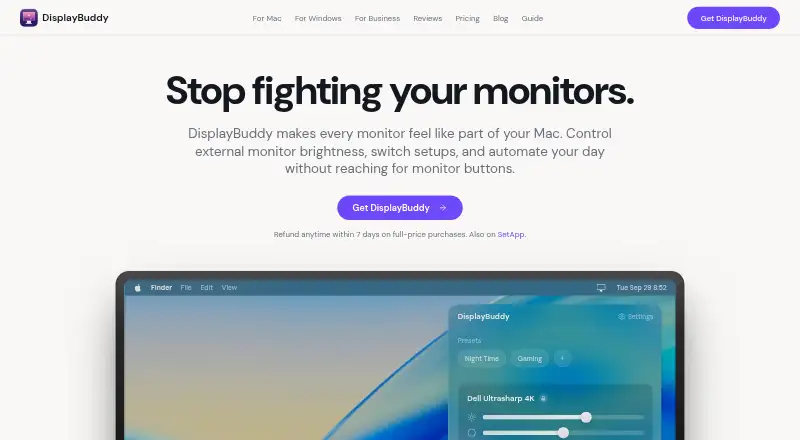
DisplayBuddy controls supported external monitor settings from the Mac menu bar or Windows taskbar.
What DisplayBuddy is
DisplayBuddy controls supported external monitor settings from the Mac menu bar or Windows taskbar. Depending on the display, you can adjust brightness, contrast, built-in speaker volume, input source, resolution, and rotation. The Mac app uses DDC for hardware controls, with gamma dimming as a fallback if a monitor does not respond. The maker says supported LG webOS and Samsung Tizen smart monitors can also be controlled over Wi-Fi. Save settings as presets and synchronize brightness across displays. On Mac, presets can be scheduled around sunrise, sunset, time of day, charger state, or a connected display; Shortcuts, Siri, a CLI, and MCP are also supported. The Windows app supports Windows 10 and 11, monitor presets, hotkeys, input switching, and resolution and refresh-rate controls. There is no free plan, but a 7-day trial is available.
Good
- Controls brightness, contrast, volume, and other display settings.
- Synchronizes brightness across displays.
- Mac presets can be scheduled by several conditions.
- Core display controls work offline after activation.
- A 7-day trial is available.
Watch out
- No free plan.
- Different Mac user accounts require multiple licenses.
- License activation requires internet access.
- Personal covers one Mac.
Who it suits
DisplayBuddy suits Mac and Windows users who want monitor controls outside a display’s own menus. Mac users who want scheduled presets or automation tools may find its additional controls useful.
Verdict
DisplayBuddy brings a broad set of monitor controls and presets to macOS and Windows. Check supported-display compatibility and the license limit that fits your setup before choosing a plan.
Plans and prices
From DisplayBuddy's own pricing page, checked 30 Sep 2026.
| Plan | Price | What it gives you |
|---|---|---|
| Personal | $24.99, paid once | 1 Mac · unlimited presets · lifetime access · $24.99 for 1 Mac |
| Pro | $29.99, paid once | Up to 2 Macs · unlimited presets · lifetime access · $29.99 · $14.99 per Mac |
| Family | $49.99, paid once | Up to 5 Macs · unlimited presets · lifetime access · $49.99 · $9.99 per Mac |
| Enterprise | Priced on request | Intended for organizations with more than 20 users · Priced per user; pricing scoped to team size, platforms, deployment, and support requirements. |
The facts
Each one read from DisplayBuddy's own pages, with the date it was checked.
What it does
- Automation
- The Mac app can schedule presets by sunrise, sunset, time of day, charger state, or connected display, and supports macOS Shortcuts, Siri, a CLI, and MCP.checked 30 Sep 2026
- Business use
- Business licensing supports Mac, Windows, and mixed fleets, with a test version and deployment assistance available by request.checked 30 Sep 2026
- Code signing
- The business page says the Mac app is code-signed and notarized by Apple; Windows distribution is through Microsoft Store or a standalone installer.checked 30 Sep 2026
- DDC and fallback
- The Mac app uses DDC for hardware control and can fall back to gamma dimming when a monitor does not respond to DDC.checked 30 Sep 2026
- Diagnostics and payments
- The privacy policy says the app uses Sentry for crash reporting and that Gumroad or LemonSqueezy handles payments without DisplayBuddy accessing card details.checked 30 Sep 2026
- License limit
- Different user accounts on one Mac require multiple licenses.checked 30 Sep 2026
- Monitor controls
- It can control brightness, contrast, built-in speaker volume, input source, resolution, and rotation on supported displays.checked 30 Sep 2026
- Offline operation
- License activation requires internet access, but core display controls work offline after activation.checked 30 Sep 2026
- Presets and sync
- Users can save display settings in presets and synchronize brightness across displays.checked 30 Sep 2026
- Privacy
- Display controls and settings are processed and stored locally; optional anonymous product analytics can be disabled in the app.checked 30 Sep 2026
- Purpose
- DisplayBuddy controls external monitor brightness, contrast, and volume from a Mac menu bar or Windows taskbar.checked 30 Sep 2026
- Refund
- Full-price purchases have a 7-day money-back guarantee.checked 30 Sep 2026
- Smart monitors
- The maker says the Mac app can control supported LG webOS and Samsung Tizen smart monitors over Wi-Fi.checked 30 Sep 2026
Money
- Trial
- The Windows page says a free trial is available and invites users to try it free on the Microsoft Store.checked 30 Sep 2026
Where it runs
- Windows features
- The Windows app supports Windows 10 and 11, monitor presets, keyboard shortcuts, global hotkeys, input switching, and resolution and refresh-rate controls.checked 30 Sep 2026
Alternatives to DisplayBuddy
- 1
ddcutil
Free planAPILinuxSelf-hosted6.6Free plan - 2

ClickMonitorDDC
Free planWindows6.5Free plan - 3

Lunar
Free planmacOS6.5$23 one-time - 4
Monitor Switch
Free planWebAPILinuxSelf-hosted6.3Free plan - 5
AOC G-Menu
Free planWindows6.2Free plan - 6

PowerToys Command Palette
Free planWindows6.2Free plan