MonitorControl
MonitorControl is a free macOS app for adjusting external display brightness and volume while showing native macOS on-screen displays.
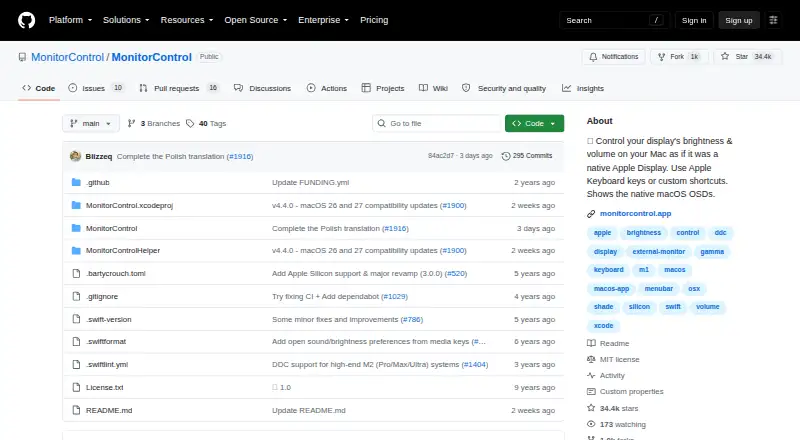
What MonitorControl is
MonitorControl is a free macOS app for adjusting external display brightness and volume while showing native macOS on-screen displays. It supports DDC for external monitors, Apple protocols for Apple and built-in displays, gamma-table software dimming, and shade control for AirPlay, Sidecar, DisplayLink, and other virtual screens. Controls include brightness, volume, and contrast, with smooth transitions and dimming to full black. Users can operate displays with Apple brightness and media keys or custom shortcuts, synchronize screens with one slider or shortcuts, and copy brightness changes from built-in and Apple displays to non-Apple monitors. The app offers dozens of customization options, with more available through “Show advanced settings.” The maker provides a DMG download and documents Homebrew installation. Version 4.0.0 lists Catalina 10.15 as its compatibility baseline, while full functionality is available on macOS 11 Big Sur or newer. Accessibility permission is needed only for native Apple brightness and media keys; users who do not use those keys can skip it. Some Mac built-in HDMI ports do not support DDC, though software dimming remains available.
Good
- Free app for macOS.
- Controls brightness, volume, and contrast.
- Synchronizes multiple displays from one slider or shortcuts.
- Offers gamma-table dimming and shade control.
Watch out
- Full functionality requires macOS 11 Big Sur or newer.
- Some built-in Mac HDMI ports lack DDC control.
- Accessibility permission is required for native Apple brightness and media keys.
Who it suits
It suits Mac users who want to control brightness, volume, or contrast across external and built-in displays. Users with unsupported HDMI DDC can still use software dimming, and those who avoid Apple media keys can skip Accessibility permission.
Verdict
MonitorControl combines several display-control methods and keyboard options in a free macOS app. Check the compatibility notes and connection-specific DDC limitation if direct monitor control is important.
Plans and prices
From MonitorControl's own pricing page, checked 3 Oct 2026.
| Plan | Price | What it gives you |
|---|---|---|
| MonitorControl | Free | Free · controls display brightness, volume and contrast |
The facts
Each one read from MonitorControl's own pages, with the date it was checked.
What it does
- Accessibility permission
- Accessibility permission is required only to use native Apple keyboard brightness and media keys; users who do not use those keys can skip it.checked 3 Oct 2026
- Compatibility
- The README lists Catalina 10.15 as the compatibility baseline for version 4.0.0 and says full functionality is available on macOS 11 Big Sur or newer.checked 3 Oct 2026
- Controls
- The app can control brightness, volume and contrast, and supports smooth brightness transitions and dimming to full black.checked 3 Oct 2026
- Current release
- The releases page lists MonitorControl v4.4.0 as the latest release and describes it as a maintenance update for macOS 26 Tahoe and macOS 27 Golden Gate compatibility.checked 3 Oct 2026
- Customization
- The app offers dozens of customization options, with additional options available by enabling “Show advanced settings.”checked 3 Oct 2026
- Display limitations
- The README says some Mac built-in HDMI ports do not support DDC control, while software dimming remains available for those connections.checked 3 Oct 2026
- Display protocols
- It supports DDC for external displays, native Apple protocols for Apple and built-in displays, gamma-table software dimming, and shade control for AirPlay, Sidecar, DisplayLink and other virtual screens.checked 3 Oct 2026
- Installation
- The maker provides a downloadable DMG and documents installation through Homebrew with `brew install --cask monitorcontrol`.checked 3 Oct 2026
- Keyboard
- Users can control displays with standard Apple brightness and media keys or custom keyboard shortcuts.checked 3 Oct 2026
- Purpose
- MonitorControl controls external display brightness and volume on a Mac and shows native macOS on-screen displays.checked 3 Oct 2026
- Support
- The maker directs users with questions to the project’s GitHub Discussions.checked 3 Oct 2026
- Synchronization
- Users can synchronize displays with one slider or keyboard shortcuts and replicate brightness changes from built-in and Apple displays to non-Apple external displays.checked 3 Oct 2026
Alternatives to MonitorControl
- 1
ddcutil
Free planAPILinuxSelf-hosted6.6Free plan - 2

ClickMonitorDDC
Free planWindows6.5Free plan - 3

Lunar
Free planmacOS6.5$23 one-time - 4

DisplayBuddy
macOSWindows6.3$24.99 one-time - 5
Monitor Switch
Free planWebAPILinuxSelf-hosted6.3Free plan - 6
AOC G-Menu
Free planWindows6.2Free plan