Lopay
Lopay gives businesses tools to accept payments in person and remotely, with point-of-sale features, payment links and recurring payments.
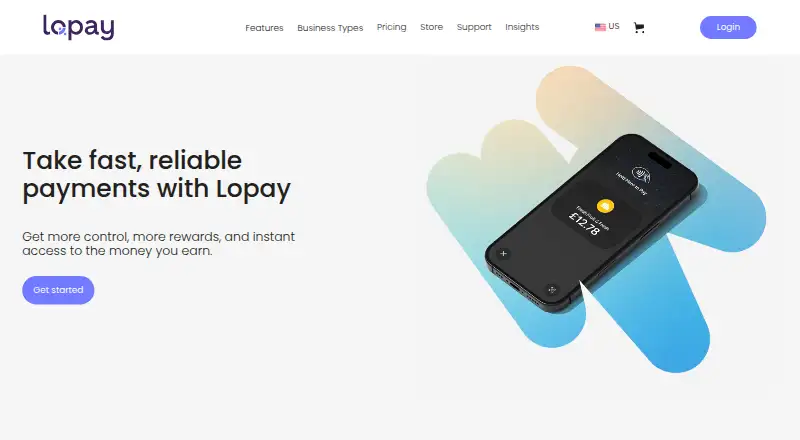
What Lopay is
Lopay gives businesses tools to accept payments in person and remotely, with point-of-sale features, payment links and recurring payments. Its listed options include chip and PIN, contactless and wallet payments, Tap to Pay, QR codes, subscriptions, donations, invoicing and refunds. In the point-of-sale feature, merchants can arrange products, track stock and check out on a smartphone or tablet. Links can collect deposits or payment for remote services, either once or on a recurring basis. Lopay documents connections with Xero and QuickBooks, and says links can be added to Intuit invoices. Xero syncing is limited to one organization per Lopay account; daily syncing requires a supported Xero plan, excluding Ignite and lower or free plans. Tap to Pay requires an iPhone XS or later with iOS 16.4 or later, or an Android device with Android 10 or later and NFC enabled. The plans listed have no monthly fee. The US site lists a card reader for $35 upfront plus shipping and a business terminal for $299 plus shipping.
Good
- No monthly fee on the listed plans
- Payment links can be recurring
- POS tools run on a smartphone or tablet
- In-app, email and phone support are listed
Watch out
- Xero daily syncing excludes Ignite and lower or free plans
- Tap to Pay has device and OS requirements
- US card reader costs $35 plus shipping
Who it suits
Lopay suits business owners, sole traders and other operators who need in-person or remote payment options, including businesses such as taxi drivers, barbers and market traders. It is available on Android, iOS and web.
Verdict
Lopay combines in-person payments, remote payment links and mobile point-of-sale tools, with several no-monthly-fee plans listed. Check device requirements and Xero plan compatibility if those features matter to your setup.
Plans and prices
From Lopay's own pricing page, checked 4 Oct 2026.
| Plan | Price | What it gives you |
|---|---|---|
| Essential | Free | No monthly fee · unlimited team members · Thursday payouts to bank · $10 in processing fees waived per $100 spent on card |
| Instant to bank | Free | No monthly fee · unlimited team members · instant bank payouts 24/7 · weekend and bank holiday payouts · 2x rewards |
| Standard | Free | No monthly fee · unlimited team members · next-day, weekly or monthly payouts · $50 in processing fees waived per $100 spent on card · 2x rewards |
The facts
Each one read from Lopay's own pages, with the date it was checked.
The company
- Company launch
- Lopay says it launched in January 2022.checked 4 Oct 2026
- Founded
- 2022checked 28 Sep 2026
What it does
- Hardware fees
- The US site lists a $35 upfront price plus shipping for a card reader and $299 plus shipping for a business terminal.checked 4 Oct 2026
- Integrations
- Lopay’s help center documents integrations with Xero and QuickBooks; its payment page also describes adding Lopay payment links to Intuit invoices.checked 4 Oct 2026
- Payment links
- Lopay payment links can be sent to customers for deposits or remote services, and may be one-time or recurring.checked 4 Oct 2026
- Payment methods
- Its pricing page lists chip and PIN, contactless and wallet payments, NFC and wearables, Tap to Pay, payment links, subscriptions, donations, QR codes, invoicing, and refunds.checked 4 Oct 2026
- Product
- Lopay provides payment tools for businesses, including in-person payments, payment links, and point-of-sale features.checked 4 Oct 2026
- Security
- Lopay states that it is PCI DSS compliant and that payment data is encrypted and tokenized, with compliance independently verified by an accredited third-party assessor.checked 4 Oct 2026
- Support
- Lopay lists in-app, email, and phone support, guided in-app onboarding, and access to more than 60 help articles.checked 4 Oct 2026
- Tap to Pay requirements
- Tap to Pay requires an iPhone XS or later running iOS 16.4 or later, or an Android device running Android 10 or later with NFC enabled.checked 4 Oct 2026
- Target customers
- Lopay says it serves business owners, sole traders, entrepreneurs, side hustlers, and businesses including taxi drivers, barbers, pet groomers, builders, market traders, and dry cleaners.checked 4 Oct 2026
- Xero limitation
- Lopay’s Xero integration supports one Xero organization per Lopay account, and its daily sync requires a supported Xero plan; Ignite and lower or free plans are not supported for daily syncing.checked 4 Oct 2026
Where it runs
- POS
- The point-of-sale feature lets merchants organize products, manage stock, and check out using a smartphone or tablet.checked 4 Oct 2026
The full review of Lopay
Lopay is a payment platform for small businesses that combines card acceptance, payment links and a phone- or tablet-based point of sale. It is a strong fit for sole traders and growing operators who need both face-to-face and remote payments without a monthly software charge. The best choice depends on how quickly you need payouts, which phone you use and whether your accounting setup meets its integration requirements.
Overview
Lopay serves a broad group of owner-operated businesses, including taxi drivers, barbers, pet groomers, builders, market traders and dry cleaners. Its three named plans have no monthly fee and allow unlimited team members, so adding staff does not create a seat-cost penalty. The trade-off is that payout timing and rewards differ by plan, and buying dedicated hardware adds an upfront expense.
Businesses can accept payments in person or remotely, then use the same service for basic sales and stock workflows. That combination is practical for a small operation that sells at a counter, on site or at events and also needs to take deposits or remote-service payments.
Key features
Supported payment methods include chip and PIN, contactless and wallet payments, NFC and wearables, Tap to Pay, QR codes, invoicing, refunds, subscriptions and donations. Payment links can be sent for deposits or remote work as either one-off or recurring charges. This is particularly useful when a customer is not physically present, although a link-based workflow is not a substitute for a full online-store platform.
The point-of-sale feature lets merchants organize products, manage stock and complete checkout on a smartphone or tablet. It gives a small seller a useful product-and-stock layer without requiring a separate till, but the stated features do not establish the depth of inventory controls found in specialist systems.
Lopay documents integrations with Xero and QuickBooks, and links can be added to Intuit invoices. Xero users need to check the accounting plan carefully: one Lopay account supports one Xero organization, and daily syncing requires a supported Xero plan. Ignite and lower or free Xero plans do not support that daily sync, which makes Lopay less suitable for businesses relying on automated bookkeeping at those tiers.
Tap to Pay removes the need for a separate reader when the device qualifies. It requires an iPhone XS or later with iOS 16.4 or later, or an Android device running Android 10 or later with NFC enabled. Lopay states that it is PCI DSS compliant, with encrypted and tokenized payment data independently verified by an accredited third-party assessor. In-app, email and phone support, guided onboarding and more than 60 help articles provide several routes to assistance.
Pricing
| Plan | Price | What you get |
|---|---|---|
| Essential | free | No monthly fee, unlimited team members, Thursday payouts to your bank, and $10 in processing fees waived per $100 spent on card. |
| Standard | free | No monthly fee, unlimited team members, next-day, weekly or monthly payouts, $50 in processing fees waived per $100 spent on card, and 2x rewards. |
| Instant to bank | free | No monthly fee, unlimited team members, instant bank payouts 24/7, weekend and bank-holiday payouts, and 2x rewards. |
Essential suits businesses that can wait for a Thursday payout and want the simplest no-fee entry point. Standard is more flexible for cash-flow planning because it offers several payout schedules and a larger stated processing-fee waiver. Instant to bank is the clearest choice when access to funds outside banking days matters, but the published plan information does not quantify any difference in transaction pricing between plans.
Tap to Pay is supported without a reader. If you want dedicated hardware, the US site lists a card reader at $35 upfront plus shipping and a business terminal at $299 plus shipping. Those costs matter for occasional sellers deciding whether phone-only acceptance is enough.
Platforms
Lopay is available on Android, iOS and the web. Tap to Pay has the device and operating-system limits above; a reader is not required for that feature, while a dedicated reader or terminal remains an option.
Who it's for
Lopay is well matched to sole traders, side hustlers and small teams that need card acceptance, occasional remote billing and straightforward product checkout in one service. It is especially useful for mobile businesses such as tradespeople, market sellers and service providers collecting deposits. Consider another system if your operation needs multiple Xero organizations, daily Xero syncing on an Ignite or free plan, or a more specialized inventory environment.
Pros and cons
Pros
- No monthly fee on all three named plans and unlimited team members, keeping the software cost predictable for small teams.
- Broad acceptance options, including wallets, wearables, QR codes, subscriptions, donations and recurring payment links.
- Instant-to-bank plan includes 24/7, weekend and bank-holiday payouts, which can improve cash access.
- Tap to Pay can avoid buying a reader when the phone meets the requirements.
- PCI DSS compliance, encryption and tokenization provide a defined security foundation.
Cons
- Essential restricts bank payouts to Thursdays, so it is a poor fit for businesses needing frequent access to revenue.
- Xero daily syncing excludes Ignite and lower or free plans, and each Lopay account supports only one Xero organization.
- Tap to Pay is limited to relatively recent operating systems and NFC-capable devices.
- Dedicated hardware costs extra, with a much higher upfront price for the business terminal.
Alternatives
PayPal Invoicing is a better fit when creating and sending invoices without setup or subscription fees is the priority; transaction fees still apply when customers pay.
Helcim suits businesses wanting no account monthly fees with interchange-plus processing rates that vary by volume.
PayAnywhere is worth considering if you prefer a pay-as-you-go model with stated swipe, dip, tap and keyed transaction rates.
Zeller is an alternative for merchants using its terminal-based POS with no monthly subscription or software licence fee, plus transaction fees.
SwipeSimple may suit eligible businesses that can use its zero-processing option while card-paying customers cover a 3.5% fee.
Paid for Stripe is a mobile option with no monthly or setup fees and a 0.99% fee added to Stripe's standard transaction fees.
QuickBooks GoPayment is the natural alternative when you already use QuickBooks Payments and meet its eligibility and approval requirements.
SumUp Invoices is preferable when unlimited invoices and quotes, recurring invoices and related document tools are the main requirement.
For a wider comparison, see the Mobile Payment Processing Software list.
Verdict
Choose Lopay if you are a small business or solo operator that needs in-person acceptance, remote payment links and basic POS in one no-monthly-fee service, especially when flexible or instant payouts matter. Look elsewhere if your accounting depends on unsupported Xero plans, you need more than one Xero organization, or your device cannot meet Tap to Pay requirements.
Alternatives to Lopay
- 1
Helcim
Free planAndroidiOSWebAPI8.2From $0.40 a month - 2

Zeller
Free planAndroidiOSWebAPI8.2From £1.30 a month - 3
Viva.com
Free planAndroidiOSWebAPI8.1From £3.99 a month - 4

SwipeSimple
Free planAndroidiOSWeb8.0From $19.95 a month - 5
Square Online
Free planWeb7.1From $49 a month - 6
PayAnywhere
Free planAndroidiOSWeb6.9Free plan