Litematica
Litematica is a client-side Minecraft mod for working with schematic builds and adding creative-mode tools.
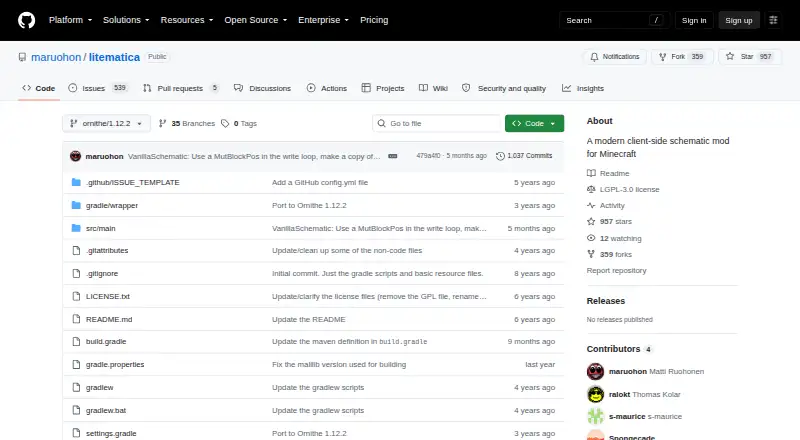
What Litematica is
Litematica is a client-side Minecraft mod for working with schematic builds and adding creative-mode tools. You can load schematic files, set up placements, and save selected areas as schematics. Placements can be moved or rotated, and a render-layer view can show a selected block layer. In Edit Schematic mode, you can replace, add, or remove blocks in a loaded schematic. Other tools include cloning, filling, and deleting areas. Supported formats include Litematica .litematic, Sponge .schem, vanilla structure .nbt, and MCEdit/Schematica .schematic. Litematica requires the malilib library mod; the project says Fabric API is not required. The project describes builds for LiteLoader on Minecraft 1.12.2, an earlier Rift port for 1.13.2, Fabric for 1.14 and later, and Forge for 1.12.2. Schematic pasting is a creative-mode operation that uses commands, so server use requires sufficient permission. Schematics captured on typical multiplayer servers may be missing inventory and other NBT data. The project wiki covers basic operations and usage tips. Litematica is free for Linux, macOS, and Windows.
Good
- Loads and saves schematic areas.
- Supports four listed schematic file formats.
- Placements can be moved or rotated.
- Edit Schematic mode changes blocks.
- Free on Linux, macOS, and Windows.
Watch out
- Requires the malilib library mod.
- Pasting needs sufficient server command permission.
- Multiplayer schematics may lack inventory and NBT data.
Who it suits
It suits Minecraft players who want to save, inspect, edit, or position builds using schematic files. Server users should check their permissions before relying on schematic pasting.
Verdict
Litematica brings schematic handling and creative build tools into Minecraft. Its server permission requirement and possible gaps in multiplayer schematic data are worth considering.
The facts
Each one read from Litematica's own pages, with the date it was checked.
What it does
- Create schematics
- Users can create a schematic by making an area selection and saving it.checked 3 Oct 2026
- Creative tools
- The project describes schematic pasting, area cloning, moving, filling, and deletion as examples of its extra functionality.checked 2 Oct 2026
- Dependency
- Litematica requires the malilib library mod; the README says Fabric API is not required.checked 3 Oct 2026
- Downloads
- The README links to CurseForge for compiled builds and to the maintainer's site for more up-to-date development builds.checked 3 Oct 2026
- Easy Place
- Easy Place can select and place the matching schematic block while the user holds the use key over the schematic placement.checked 3 Oct 2026
- Editing
- Edit Schematic mode supports replacing, adding, and removing blocks in a loaded schematic.checked 2 Oct 2026
- Keybinds
- Litematica uses malilib's custom keybind system, and its hotkeys are configured in Litematica or malilib's menus rather than Minecraft's vanilla Controls menu.checked 3 Oct 2026
- License
- The GitHub repository identifies its license as LGPL-3.0.checked 3 Oct 2026
- Loaders
- The repository describes a LiteLoader version for Minecraft 1.12.2, an earlier Rift port for 1.13.2, Fabric versions for 1.14 and later, and Forge versions for 1.12.2.checked 2 Oct 2026
- Load schematics
- The wiki says to put schematic files in `.minecraft/schematics/` and load them through the Load Schematics menu.checked 3 Oct 2026
- Multiplayer limit
- Schematics saved from a typical multiplayer server may lack inventory and other NBT data because the client does not receive all server data.checked 2 Oct 2026
- Multiplayer requirement
- For Easy Place to orient blocks on a Fabric server, the wiki describes using Carpet Extra with its accurateBlockPlacement rule enabled or installing Litemoretica on both server and client.checked 3 Oct 2026
- Pasting limit
- Schematic pasting is a creative-mode operation and requires the necessary permissions when used on a server.checked 2 Oct 2026
- Pasting limits
- The schematic pasting wiki says pasting uses commands and requires sufficient permission to run them; the feature can also export commands to `.mcfunction` files.checked 3 Oct 2026
- Placement controls
- Loaded schematic placements can be moved or rotated through the placement configuration menu or with the tool item and hotkeys.checked 3 Oct 2026
- Product
- Litematica is a client-side schematic mod for Minecraft with extra creative-mode functions.checked 2 Oct 2026
- Render layers
- The wiki describes a Render Layers menu and related hotkeys for displaying a selected block layer.checked 3 Oct 2026
- Required companion
- Litematica requires the malilib library mod; the repository says Fabric API is not needed.checked 2 Oct 2026
- Schematic workflow
- Users can load schematic files, create placements, and save selected areas as schematics.checked 2 Oct 2026
- Security
- GitHub reports that the project has no security policy detected and no published security advisories.checked 2 Oct 2026
- Support and documentation
- The project wiki provides documentation and usage tips, including frequently asked questions and basic operations.checked 2 Oct 2026
- Supported versions
- The README describes LiteLoader development for Minecraft 1.12.2, a Rift port for 1.13.2, Fabric ports for 1.14 and later, and Forge versions for 1.12.2.checked 3 Oct 2026
- What it does
- Litematica is a client-side schematic mod for Minecraft with extra creative-mode functions such as schematic pasting, area cloning, moving, filling, and deletion.checked 3 Oct 2026
Where it runs
- Platforms
- The project describes Litematica as a client-side Minecraft mod, with versions for LiteLoader, Rift, Fabric, and Forge on specified Minecraft versions.checked 3 Oct 2026
The full review of Litematica
Litematica is a client-side Minecraft mod for loading, editing, and placing schematics, with extra creative-mode tools for manipulating areas. It suits builders who want to plan and work from schematics in-game; server permissions and incomplete data from multiplayer builds are the main caveats.
Overview
The workflow spans saving selected areas as schematics, loading files into placements, and adjusting those placements in the world. Litematica supports .litematic, Sponge .schem, vanilla structure .nbt, and MCEdit/Schematica .schematic files, making it useful across several common schematic formats.
Its scope goes beyond viewing a blueprint: users can clone, move, fill, or delete areas, and edit a loaded schematic by replacing, adding, or removing blocks. Those tools are valuable for creative construction, but schematic pasting is a permission-dependent operation rather than a way to bypass server rules.
Key features
In-game placement and editing
Load files through the Load Schematics menu after placing them in .minecraft/schematics/, then create and configure placements in-game. Placements can be moved or rotated through their configuration menu or with the tool item and hotkeys. Render Layers can isolate a selected block layer, which helps builders focus on a portion of a larger design.
Edit Schematic mode changes the loaded design itself by replacing, adding, or removing blocks. Easy Place can choose and place the matching schematic block while the player holds the use key over the placement. On a Fabric server, orienting blocks with Easy Place requires Carpet Extra with its accurateBlockPlacement rule enabled, or Litemoretica installed on both server and client.
Controls and pasting
Litematica uses malilib’s custom keybind system, so its shortcuts are configured in Litematica or malilib menus, not Minecraft’s vanilla Controls menu. Pasting uses commands and requires sufficient permission to run them; the commands can also be exported to .mcfunction files. That makes pasting practical in an authorized creative environment, but not a general-purpose multiplayer placement method.
Pricing
Litematica is free, with no free trial. It requires the separate malilib library mod; Fabric API is not required. The project is licensed under LGPL-3.0.
Platforms
Litematica is a desktop Minecraft mod for Linux, macOS, and Windows, with an in-game 3D schematic preview. The project describes LiteLoader development for Minecraft 1.12.2, a Rift port for 1.13.2, Fabric versions for 1.14 and later, and Forge versions for 1.12.2. Check that the loader and Minecraft version match the build you intend to use. Compiled and development builds are distributed through CurseForge and the developer’s site.
Who it's for
Choose Litematica if you build in Minecraft and want schematic loading, placement control, layer-by-layer viewing, and creative editing in the game itself. It is less suitable when you need server-independent pasting or complete schematics captured from a typical multiplayer server: the client may not receive inventory and other NBT data, so saved files can omit it.
The project wiki offers usage tips, FAQs, and basic-operation documentation. GitHub reports no detected security policy and no published security advisories.
Pros and cons
- Pros: Broad format support and in-game placement controls make it useful for working with existing designs without leaving Minecraft.
- Pros: Area cloning, movement, filling, deletion, and schematic editing offer more than passive preview.
- Cons: Pasting requires sufficient command permissions, limiting its usefulness on servers that do not grant them.
- Cons: Multiplayer captures may lack inventory and other NBT data, so they can be incomplete.
- Cons: The required malilib dependency and custom keybind menus add setup and configuration steps.
Alternatives
For a broader comparison, see Minecraft Schematic Tools. Choose Bloxelizer instead if you want a cross-platform voxelizer, pixelizer, converter, and build guides on Android, iOS, or the web; its free plan includes the core toolkit and multi-format import/export. Schematica is another free desktop option for Linux, macOS, and Windows.
Pick Schemalook for a free web viewer and browser tools, with uploads capped at 7 MB. BuildSchematics Converter is a free, browser-based option that requires no account. Structurize is another free choice for Windows, macOS, and Linux, while Minecraft Structure Forge is free for Windows.
MineSchematic offers a free web plan with no account required. Craftmatic is a free option for web or self-hosted use.
Verdict
Litematica is a strong fit for Minecraft builders who want to manage and modify schematics directly in-game, with format breadth and creative tools as its clearest advantages. Choose it when your workflow can accommodate malilib and server permissions; look elsewhere if complete multiplayer captures or permission-free pasting are essential.
Alternatives to Litematica
- 1

Bloxelizer
Free planAndroidiOSWebAPI7.9From $29.99 a year - 2
SchemConvert
Free planOpen sourceLinuxmacOSWindows7.7$4.99 one-time - 3
CurseForge
Free planWeb7.2Free plan - 4
Litematic Converter
Free planOpen sourceLinuxmacOSWindows7.1Free plan - 5

AutoBuild
Free planWebLinuxmacOSWindows6.9Free plan - 6
SchemViewer
Free planWebLinuxmacOSWindows6.6Free plan