Linked Helper
Linked Helper is a LinkedIn automation platform for independent professionals, teams, and outreach agencies.
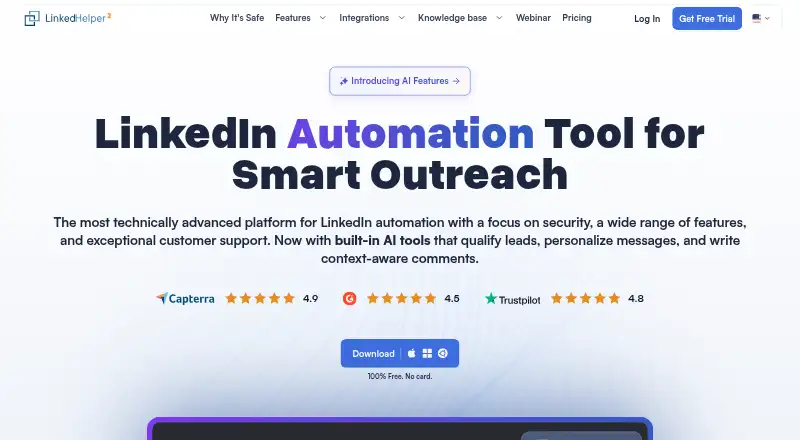
What Linked Helper is
Linked Helper is a LinkedIn automation platform for independent professionals, teams, and outreach agencies. Its standalone desktop app supports automated invitations, follow-up message sequences, reply detection, profile visits, follows, likes, comments, and invitations to events or groups. Standard and Pro include AI tools for personalizing messages, identifying ideal customer profiles, drafting comments and replies, generating messages, and editing text. Native CRM integrations include HubSpot, Salesforce, Pipedrive, Zoho CRM, ActiveCampaign, and Google Sheets; webhooks connect with Zapier, Make, and n8n. Local storage keeps workspace data on the user's device, while Cloud storage places it on Linked Helper's US servers with automatic backups. The LinkedIn session remains on the computer or user-controlled VPS running the app. One license covers one LinkedIn account, though it can be switched between accounts at different times. Supported systems include macOS 12 or later, Windows 10 or later, and Ubuntu 18.04 or later with a GUI. Linked Helper says it is not an official LinkedIn product or affiliated with LinkedIn Corporation.
Good
- Supports follow-up sequences and reply detection.
- AI messaging tools are included in Standard and Pro.
- Offers local and cloud workspace storage.
- Supports Zapier, Make, and n8n webhooks.
- Includes a 14-day Pro trial.
Watch out
- No free plan after the 14-day trial.
- Each license covers one LinkedIn account.
- Cloud workspace data is stored on US servers.
Who it suits
Linked Helper may suit independent professionals, growing teams, and outreach agencies that want to automate LinkedIn workflows. It is designed for use with one LinkedIn account per license at a time.
Verdict
Linked Helper covers a broad set of outreach actions and includes AI writing tools, CRM connections, and webhook integrations. Consider its per-account license scope and storage options when selecting a plan.
Plans and prices
From Linked Helper's own pricing page, checked 30 Sep 2026.
| Plan | Price | What it gives you |
|---|---|---|
| Trial | Free | full Pro access · every feature · no daily caps · no credit card · campaigns pause when trial ends · 14 days |
| Local Standard | $15 a month | core lead generation tools unlimited · unlimited campaigns · advanced actions 20/day · webhook integrations 20 profiles/day · 620 Data credits/month · 250 AI credits included · 24/7 support · per license / month |
| Cloud Standard | $29.90 a month | core lead generation tools unlimited · unlimited campaigns · advanced actions 20/day · webhook integrations 20 profiles/day · 620 Data credits/month · 250 AI credits included · 24/7 support · per license / month |
| Local Pro | $45 a month | all Standard features · unlimited daily actions · advanced data export · unlimited webhook integrations · 3,100 Data credits/month · 500 AI credits included · 24/7 support · per license / month |
| Cloud Pro | $59.90 a month | all Standard features · unlimited daily actions · advanced data export · unlimited webhook integrations · 3,100 Data credits/month · 500 AI credits included · 24/7 support · per license / month |
The facts
Each one read from Linked Helper's own pages, with the date it was checked.
What it does
- Account isolation
- Linked Helper gives each LinkedIn account a separate environment with separate cookies and randomized device fingerprints, and supports a dedicated proxy per profile.checked 30 Sep 2026
- AI features
- Both Standard and Pro include AI Personalized Messages, AI ICP Detection, AI Commenter, AI Reply Assistant, AI Message Generator, and AI Text Editor.checked 30 Sep 2026
- CRM integrations
- Native integrations listed include HubSpot, Salesforce, Pipedrive, Zoho CRM, Zoho Recruit, ActiveCampaign, Close, Capsule, Streak, HighLevel, Instantly, and Google Sheets.checked 30 Sep 2026
- Data storage
- Local storage keeps workspace data on the user's device, while Cloud storage keeps workspace data on Linked Helper servers in the United States with automatic backups.checked 30 Sep 2026
- License scope
- One license equals one LinkedIn account, although the license can be switched between accounts at different times.checked 30 Sep 2026
- LinkedIn session security
- The LinkedIn session remains on the computer or user-controlled VPS running Linked Helper and does not reach Linked Helper servers.checked 30 Sep 2026
- Outreach workflows
- The product supports automated invitations, follow-up message sequences, reply detection, profile visits, follows, likes, comments, event invitations, and group invitations.checked 30 Sep 2026
- Product purpose
- Linked Helper is a LinkedIn automation platform for independent professionals, growing teams, and outreach agencies.checked 30 Sep 2026
- Support
- Support includes built-in chat, WhatsApp, Facebook Messenger, email, help-center articles, video tutorials, a weekly Friday group demo, and remote assistance.checked 30 Sep 2026
- Supported LinkedIn editions
- Standard and Pro support Free LinkedIn, Premium LinkedIn, Sales Navigator, and LinkedIn Recruiter Lite and Pro.checked 30 Sep 2026
- Supported operating systems
- The downloads page supports macOS 12 or later, Windows 10 or later, Windows Server 2016 or later, and Ubuntu 18.04 or later with a GUI.checked 30 Sep 2026
- Webhook integrations
- Linked Helper supports Zapier, Make, and n8n through webhooks, with outgoing webhooks on Local storage and incoming and outgoing webhooks on Cloud storage.checked 30 Sep 2026
The company
- Company relationship
- Linked Helper states that it is neither an official LinkedIn product nor affiliated with LinkedIn Corporation.checked 30 Sep 2026
- Founded
- 2016checked 23 Sep 2026
- Headquarters
- Wilmington, Delaware, USAchecked 23 Sep 2026
Where it runs
- Desktop application
- Linked Helper 2 is a standalone desktop application rebuilt from the earlier browser extension for deeper automation and user control.checked 30 Sep 2026
The full review of Linked Helper
Linked Helper is a desktop platform for automating LinkedIn outreach, from invitations and follow-ups to engagement and reply detection. It is best suited to independent professionals, growing teams, and agencies that want broad campaign controls alongside CRM and webhook connections. Its main trade-off is that each license covers one LinkedIn account, while the choice between local and cloud storage affects where workspace data resides.
Overview
Linked Helper 2 is a standalone desktop application built for deeper automation and user control. Campaigns can automate invitations, follow-up sequences, profile visits, follows, likes, comments, event invitations, and group invitations, and detect replies. A LinkedIn session stays on the computer or user-controlled VPS running the software rather than reaching Linked Helper's servers.
Each LinkedIn account receives a separate environment with separate cookies and randomized device fingerprints; users can also assign a dedicated proxy to each profile. Linked Helper says it is not an official LinkedIn product and is not affiliated with LinkedIn Corporation.
Key features
Outreach automation covers both direct contact and ongoing engagement. Unlimited campaigns are included across paid plans, but Standard limits advanced actions to 20 per day and webhook integrations to 20 profiles per day. Pro removes the daily action and webhook limits, a meaningful distinction for higher-volume workflows.
Both Standard and Pro include AI Personalized Messages, AI ICP Detection, AI Commenter, AI Reply Assistant, AI Message Generator, and AI Text Editor. Monthly AI credits differ by plan: Standard includes 250, while Pro includes 500. CRM connections include HubSpot, Salesforce, Pipedrive, Zoho CRM, Zoho Recruit, ActiveCampaign, Close, Capsule, Streak, HighLevel, Instantly, and Google Sheets.
Webhooks connect to Zapier, Make, and n8n. Local storage supports outgoing webhooks; Cloud storage supports both incoming and outgoing webhooks. Local keeps workspace data on the user's device, while Cloud stores it on Linked Helper servers in the United States and includes automatic backups. Local is the better fit for keeping workspace data on-device; Cloud is the option for server-side storage and backups.
Pricing
The 14-day Trial costs nothing for 14 days and provides full Pro access, every feature, and no daily caps, without a credit card. Campaigns pause when the trial ends, so it is a temporary evaluation rather than a continuing free tier.
Local Standard costs $15 a month per license; Cloud Standard costs $29.90 a month per license. Both provide unlimited core lead-generation tools and campaigns, 20 advanced actions per day, webhook integrations for 20 profiles per day, 620 Data credits per month, 250 AI credits, and 24/7 support. Standard suits users whose daily workflow fits those ceilings. Cloud costs more but adds incoming webhooks and automatic backups, with workspace data stored on Linked Helper servers in the United States.
Local Pro costs $45 a month per license; Cloud Pro costs $59.90 a month per license. Both include Standard features, unlimited daily actions, advanced data export, unlimited webhook integrations, 3,100 Data credits per month, 500 AI credits, and 24/7 support. Pro is the stronger fit for heavier outreach and data-export needs; choose Local or Cloud according to whether on-device storage or server-side storage with backups matters more.
Every license covers one LinkedIn account, though it can be switched between accounts at different times. That makes the per-license cost important for anyone managing several accounts concurrently. Linked Helper has no free plan. Its starting-price note is From $8.25/user/mo (annual), while the plan prices above are billed per license monthly.
Platforms
Linked Helper supports Linux, macOS, Windows, and self-hosted setups. The supported downloads run on macOS 12 or later, Windows 10 or later, Windows Server 2016 or later, and Ubuntu 18.04 or later with a graphical interface. Standard and Pro work with Free LinkedIn, Premium LinkedIn, Sales Navigator, and LinkedIn Recruiter Lite and Pro.
Who it's for
Independent professionals can use it to coordinate invitations, follow-ups, and engagement in one campaign tool. Growing teams and agencies may value the CRM links and webhook options, but should account for one LinkedIn account per license and the Standard plan's daily limits. Users who need greater action volume, advanced exports, or unrestricted webhook integrations have a clear reason to consider Pro.
Support includes built-in chat, WhatsApp, Facebook Messenger, email, help-center articles, video tutorials, a weekly Friday group demo, and remote assistance. That breadth is useful when configuring a desktop workflow, although it does not change the plan's license or usage limits.
Pros and cons
- Pros: Broad outreach automation combines invitations, sequences, reply detection, and engagement actions.
- Pros: Both paid tiers include six AI writing and assistance tools, plus a substantial set of named CRM connections.
- Pros: Local and Cloud storage offer distinct data-handling choices, and Pro removes daily action and webhook caps.
- Cons: One license covers only one LinkedIn account at a time, which can raise the cost for multi-account operations.
- Cons: Standard caps advanced actions and webhook profile activity at 20 per day, so higher-volume users need Pro.
- Cons: There is no continuing free plan; trial campaigns pause after 14 days.
Alternatives
LeadConnect is worth considering for readers who want a free tier: its Free Forever plan allows up to two invites and six message credits per day, with five templates. Its platforms are extension and web, unlike Linked Helper's desktop and self-hosted options.
CloseChimp offers a paid web option with a Solo plan covering one LinkedIn account and all features, plus a seven-day refund. Choose it if that plan's stated scope better fits than Linked Helper's monthly per-license tiers.
Outroh has a free web plan with no credit card and cancellation at any time, making it a candidate for readers prioritizing a free starting point.
Expandi may suit small sales teams looking for unlimited campaigns: its Business plan costs $99 a month, while image and GIF personalization costs extra.
Salesflow is aimed at enterprise-scale buying: its stated Enterprise plan starts at $24.99 per seat per month, requires a 100-seat minimum and annual commitment, and bills monthly.
Waalaxy is another paid, web-based option for readers comparing LinkedIn outreach tools.
Dripify is a paid web-based alternative.
Meet Alfred is a paid web-based alternative.
For broader comparisons, see LinkedIn Automation Software and Social Selling Software.
Verdict
Linked Helper is a strong choice for professionals and outreach teams who want extensive LinkedIn campaign automation, AI tools, and CRM or webhook connections in a desktop app. Its local-storage option and session handling will appeal to users who want the session kept on their device or VPS. Look elsewhere if you need a continuing free plan, or weigh the per-account license and Pro price carefully if you manage multiple accounts or need higher-volume activity.
Alternatives to Linked Helper
- 1
LeadsRocket
Free planAPIExtensionLinuxmacOS7.5From $8 a month - 2
LeadConnect
Free planWebExtension7.3From $25.95 a month - 3

HeyReach
WebAPIExtension7.1From $79 a month - 4

Waalaxy
Web6.6From €19 a month - 5
Linki
WebAPILinuxmacOS6.5From €20 a month - 6

Meet Alfred
Web6.5