
LibreRemotePlay
LibreRemotePlay lets friends play local co-op games online while connecting as though they were sharing one computer.
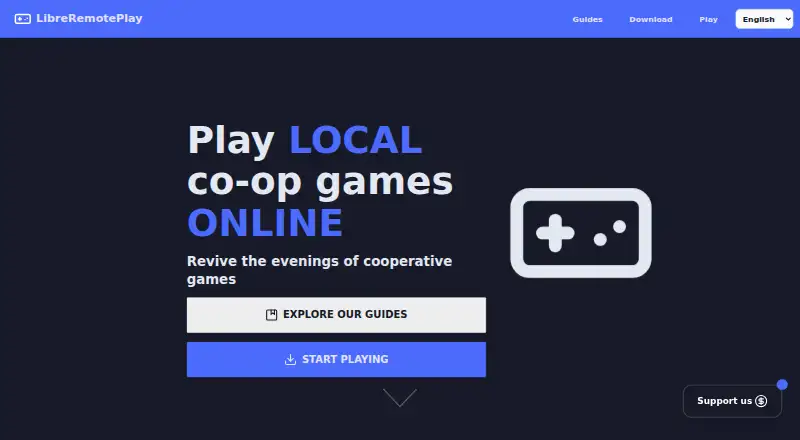
What LibreRemotePlay is
LibreRemotePlay lets friends play local co-op games online while connecting as though they were sharing one computer. The maker says it works with controller-compatible games, including DRM-free titles. Connections use peer-to-peer WebRTC, and LAN mode allows play without an internet connection. It can stream video with configurable codecs, frame rate, and resolution, and supports WHIP for tools such as GStreamer and OBS. Gamepads are supported, while keyboard and mouse input remains experimental. Windows and Linux are listed for hosting; clients can use Windows, Linux, or a web browser. The homepage says an account is not required. The maker says the app and client website collect no data, while the main website uses analytics without cookies or cross-site tracking. The project is described as very experimental and may not work on every system. Safari has known issues in the browser client, and macOS is unsupported. The app has no backend to self-host, though users can configure TURN/STUN servers or EasyConnectServer. It is free forever, with no account or credit card required.
Good
- LAN mode works without internet access.
- Peer-to-peer WebRTC connections are supported.
- Video settings include codec, frame rate, and resolution.
- No account is required.
- Free forever with no credit card.
Watch out
- Keyboard and mouse support is experimental.
- Safari has known browser-client issues.
- macOS is unsupported.
- The maker describes the project as very experimental.
Who it suits
It suits friends who want to play controller-based local co-op games remotely, including through a browser client. Windows and Linux are the listed host platforms; macOS users should note that it is unsupported.
Verdict
LibreRemotePlay offers online and LAN options for sharing local co-op play, with browser clients and configurable video streaming. Its experimental status, Safari issues, and lack of macOS support are important limitations.
Plans and prices
From LibreRemotePlay's own pricing page, checked 8 Oct 2026.
| Plan | Price | What it gives you |
|---|---|---|
| Free | Free | Free forever · no account · no credit card |
The facts
Each one read from LibreRemotePlay's own pages, with the date it was checked.
What it does
- Account requirement
- The homepage says no account is required to use the app or browser client.checked 8 Oct 2026
- Connection
- It uses peer-to-peer WebRTC connections and offers a LAN mode that does not require the internet.checked 8 Oct 2026
- Game compatibility
- The maker says it works with any game that supports controllers, including DRM-free games.checked 8 Oct 2026
- Input support
- Gamepads are supported; keyboard and mouse support are experimental, and PlayStation controllers are not listed as supported.checked 8 Oct 2026
- Privacy
- The maker says the app and client website collect no data; the homepage says only the main website uses open-source, GDPR-compliant analytics without cookies or tracking across the internet.checked 8 Oct 2026
- Project maturity
- The maker describes the software as very experimental and warns that it may not work on all systems.checked 8 Oct 2026
- Purpose
- LibreRemotePlay lets friends play local co-op games online as if they were playing on the same computer.checked 8 Oct 2026
- Self-hosting
- The app has no backend infrastructure to self-host, but users can host TURN/STUN servers or an EasyConnectServer and configure them.checked 8 Oct 2026
- Streaming
- It supports remote video streaming with configurable codecs, frame rate, and resolution, plus WHIP compatibility for tools such as GStreamer and OBS.checked 8 Oct 2026
- Support
- The maker directs users to report bugs through GitHub Issues or Discord and invites project feedback in the Discord community.checked 8 Oct 2026
Where it runs
- Browser client
- The browser version works as a client, and the README notes known issues with Safari.checked 8 Oct 2026
- Desktop platforms
- The README lists Windows and Linux support and says macOS is unsupported because the maker has no Mac to test or develop on.checked 8 Oct 2026
The company
- Maker
- The project is mainly developed by PiterWeb from Spain.checked 8 Oct 2026
Alternatives to LibreRemotePlay
- 1

Parsec
Free planAndroidWebAPILinux8.2From $8.33 a month - 2
PXPlay
Free planAndroidiOSLinuxmacOS8.0Free plan - 3

Moonlight Game Streaming
Free planOpen sourceAndroidiOSLinuxmacOS7.8Free plan - 4

Steam
Free planAndroidiOSWebAPI7.7Free plan - 5

Moonlight Web
Free planAndroidiOSWebLinux7.0Free plan - 6
PeaSyo
Free planAndroidiOSLinuxmacOS6.7Free plan