lftp
lftp is a free Linux command-line program for transferring files across FTP, HTTP, FISH, SFTP, HTTPS, FTPS and BitTorrent.
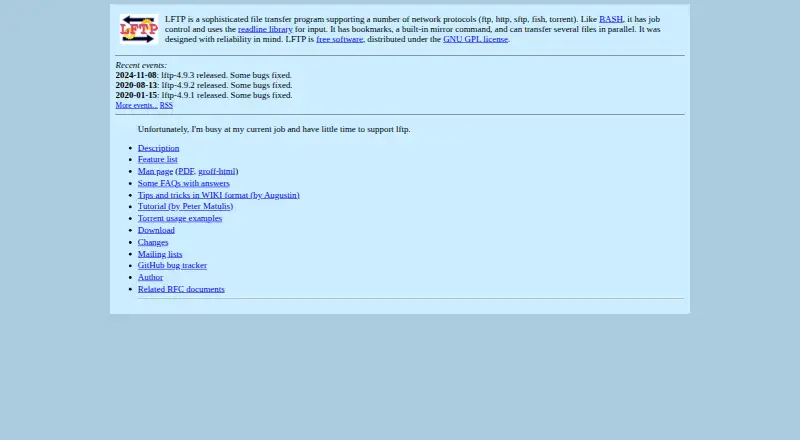
What lftp is
lftp is a free Linux command-line program for transferring files across FTP, HTTP, FISH, SFTP, HTTPS, FTPS and BitTorrent. It can synchronize files, automate transfers and schedule jobs. Its mirror command downloads or updates directory trees, while reverse mirroring uploads or updates a tree on a server. Multiple files can transfer in parallel, and pget can use several connections for one download. After non-fatal errors, lftp retries operations; downloads can resume from where they stopped. Jobs left unfinished can continue in the background after exiting lftp or closing an xterm. The program also supports queues and timed runs. FTPS and HTTPS use GNU TLS or OpenSSL, depending on how it is built. Downloads include source archives and Fedora RPM binaries. The homepage lists release 4.9.3, while the download page identifies 4.9.2 as the latest stable version. The author says they have little time to support the project; two mailing lists cover general discussion and announcements, and development updates.
Good
- Supports FTP, SFTP, HTTPS, FTPS and BitTorrent.
- Mirror commands handle directory trees in both directions.
- Retries after non-fatal errors and resumes downloads.
- Queues and scheduled jobs are supported.
- Free under the GNU GPL license.
Watch out
- Linux is the only listed platform.
- The author says there is little time for support.
- Homepage and download page list different versions.
Who it suits
lftp suits Linux users comfortable with command-line file transfer who need synchronization, queued or scheduled jobs, or automated transfers.
Verdict
lftp offers a broad protocol set alongside mirroring, automation and recovery features for command-line transfers. Its listed version information differs between pages, and the author reports limited time for support.
Plans and prices
From lftp's own pricing page, checked 4 Oct 2026.
| Plan | Price | What it gives you |
|---|---|---|
| Free software | Free | Distributed under the GNU GPL license |
The facts
Each one read from lftp's own pages, with the date it was checked.
What it does
- Author
- The author page names Alexander V. Lukyanov and credits contributors for bug reports, patches, documentation, discussions and translations.checked 4 Oct 2026
- Background jobs
- Unfinished jobs continue in the background if you exit lftp or close an xterm.checked 4 Oct 2026
- Community support
- The project lists two mailing lists for general discussion and major announcements, and for development and snapshot announcements.checked 4 Oct 2026
- Current release listed
- The homepage lists lftp 4.9.3, released on 2024-11-08, while the download page labels 4.9.2 the latest stable version.checked 4 Oct 2026
- Download availability
- The download page offers source archives and Fedora RPM binaries; it also lists read-only Git access for development source.checked 4 Oct 2026
- File synchronization
- Yeschecked 20 Sep 2026
- Mirroring
- Its built-in mirror command can download or update a directory tree, and reverse mirror can upload or update one on a server.checked 4 Oct 2026
- Parallel transfers
- LFTP can transfer multiple files in parallel, and pget can download a single file using multiple connections.checked 4 Oct 2026
- Protocol coverage
- Features include SFTP versions 3 through 6, partial WebDAV, SOCKS, proxies and FTP FXP transfers.checked 4 Oct 2026
- Purpose
- LFTP is a command-line file transfer program supporting FTP, HTTP, FISH, SFTP, HTTPS, FTPS and BitTorrent.checked 4 Oct 2026
- Reliable transfers
- It automatically retries operations after non-fatal errors and can resume a download from where it stopped.checked 4 Oct 2026
- Scheduled transfers
- Yeschecked 20 Sep 2026
- Scheduling and queues
- It supports job queueing and running jobs at a specified time.checked 4 Oct 2026
- Security
- FTPS and HTTPS support uses GNU TLS or OpenSSL, depending on how lftp is built.checked 4 Oct 2026
- Support status
- The homepage says the author is busy at their current job and has little time to support lftp.checked 4 Oct 2026
- Transfer automation
- Yeschecked 20 Sep 2026
Money
- Free plan
- Yeschecked 20 Sep 2026
Where it runs
- Supported platforms
- linuxchecked 20 Sep 2026
The full review of lftp
lftp is a free, Linux-only command-line transfer program for users who prefer repeatable terminal workflows over a graphical client. It is particularly well suited to administrators and experienced users moving large or recurring batches, while its limited author support and command-line focus make it a poor fit for people seeking guided desktop software.
Overview
lftp brings FTP, HTTP, FISH, SFTP, HTTPS, FTPS and BitTorrent transfers into one tool. Its GNU GPL license permits free use, and its combination of synchronization, queues and recovery features is designed for work that must continue reliably rather than for occasional drag-and-drop copying.
The project presents an unusual version picture: the homepage lists 4.9.3, released on 2024-11-08, while the download page identifies 4.9.2 as the latest stable version. The author reports having little time for support because of other work. Two mailing lists provide channels for general and development announcements, but users should expect to solve many issues independently.
Key features
Broad protocols and resilient transfers
FTP, HTTP, FISH, SFTP, HTTPS, FTPS and BitTorrent coverage can replace several protocol-specific utilities in a Linux workflow. FTPS and HTTPS use GNU TLS or OpenSSL according to the build, giving encrypted transfer options without changing tools. Automatic retries after non-fatal errors and download resumption from the interruption point are valuable when connections are unreliable or files are too large to restart casually.
Mirroring and synchronization
The mirror command downloads or updates an entire directory tree, while reverse mirror uploads or updates a tree on a server. That makes lftp a strong choice for repeatable site, backup or publication workflows where keeping directory structures aligned matters more than a visual interface. File synchronization is built into the workflow rather than treated as a separate application.
Queues, scheduling and parallelism
Transfers can run as queued jobs or be scheduled for a specified time, supporting unattended batches and maintenance windows. Multiple files can transfer in parallel, and pget can split one file across multiple connections. These controls can shorten batch work and make better use of available connections, although they reward users who are comfortable expressing jobs in commands.
Background operation
Unfinished jobs continue in the background after you exit lftp or close an xterm. This is practical for long transfers on remote systems and reduces the risk that closing a terminal abandons work.
Pricing
Free software — free. The program is distributed under the GNU GPL, with no trial requirement or paid tier. It suits individuals, administrators and organizations that need the full transfer feature set without per-seat charges. The trade-off is that the project does not pair its zero price with a dedicated support commitment; the author says support time is limited.
Platforms
lftp supports Linux. Source archives and Fedora RPM binaries are offered for download, and read-only Git access is provided for development source. Linux users who want a terminal-native workflow are covered well; macOS and Windows users need another client.
Who it's for
Choose lftp for Linux servers, scheduled transfer jobs, directory mirroring, queued batches and connections that may fail or be interrupted. It is also a good fit when one command-line program must cover both conventional file-transfer protocols and BitTorrent. Look elsewhere if you require a graphical interface, cross-platform deployment or dependable author-led support.
Pros and cons
Pros
- Wide protocol set: FTP, HTTP, FISH, SFTP, HTTPS, FTPS and BitTorrent reduce the need for separate tools.
- Strong recovery: retries and resumable downloads protect long transfers from non-fatal failures and interruptions.
- Automation depth: mirroring, reverse mirroring, queues, scheduling and background jobs support unattended operations.
- Parallel transfers: concurrent files and multi-connection single-file downloads can accelerate suitable workloads.
- No license cost: the complete GNU GPL software is free to use.
Cons
- Linux only: it cannot serve users who need the same client on macOS or Windows.
- Command-line learning curve: terminal operation is less approachable than a graphical client for occasional users.
- Limited support availability: the author has little time for support, placing more responsibility on users and mailing lists.
- Version-label mismatch: the homepage and download page identify different releases, which can complicate decisions about the preferred build.
Alternatives
FileZilla Client is the better choice for a free client across Linux, macOS and Windows, with FTP, FTPS and SFTP support.
WinSCP suits Windows users who need SFTP, FTP, FTPS, SCP, WebDAV and S3 in an open-source free client.
Cyberduck is a macOS or Windows option with a free plan and a 10.00 USD-per-month registration-key contribution plan.
FTP Rush is a free alternative available on Android, iOS, Linux, macOS and Windows.
CrossFTP offers a free client plus trial-based Pro and Enterprise editions for one computer, with paid prices not listed.
gFTP is another free Linux file-transfer client.
NcFTP provides free FTP client programs for Linux, macOS and Windows, with donations appreciated.
SmartFTP is a Windows-only paid client with a free trial and a stated focus on customer support.
For broader comparisons, see the FTP and SFTP clients and SFTP Client Software lists.
Verdict
lftp is a strong recommendation for Linux users who need protocol breadth, resilient unattended transfers and precise mirroring or scheduling from the command line. Choose it for capable automation at no cost; choose another client when graphical operation, non-Linux support or more responsive project support is the priority.
Alternatives to lftp
- 1

WinSCP
Free planOpen sourceWindows7.9Free plan - 2
Cyberduck
Free planmacOSWindows7.9Free plan - 3
Serv-U FTP Server
AndroidiOSWebAPI7.8 - 4

FileZilla Client
Free planLinuxmacOSWindows7.7Free plan - 5
FTP Commander
Free planAndroidWindows7.6$49.95 one-time - 6

FTP Rush
Free planAndroidiOSLinuxmacOS7.5Free plan