
FTP Rush
FTP Rush is a free file transfer and cloud storage client for moving data among servers and online storage services.
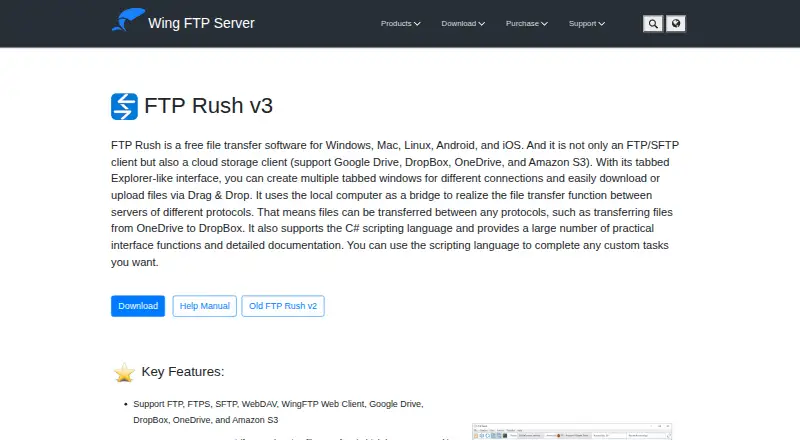
What FTP Rush is
FTP Rush is a free file transfer and cloud storage client for moving data among servers and online storage services. It works with FTP, FTPS, SFTP, WebDAV, Wing FTP Web Client, Google Drive, Dropbox, OneDrive, and Amazon S3. Files can move between servers that use different protocols, with the local computer serving as the bridge. The client supports scheduled transfers, synchronization, and transfer automation, while C# scripting and documented interface functions let you create custom tasks. Its tabbed interface keeps active connections available together and supports drag-and-drop transfers. HTTP and SOCKS5 proxy support includes tools for creating and switching proxies. Bookmarks, file filters, skip and allow lists, and FTP folder caching provide additional transfer controls. FastUDP is designed for high-bandwidth, high-latency networks; the maker says it accelerated HTTPS transfers by up to 30 times in its transoceanic test cases. FTP Rush is freeware that can be unzipped and run without installation. Versions are listed for Windows, portable Windows, Linux, and Mac OS, with Android and iOS also listed among supported platforms. The standard Windows download requires .NET Framework 4.6.2 or later.
Good
- Supports FTP, FTPS, SFTP, WebDAV, and major cloud services
- Transfers files between servers using different protocols
- Includes scheduling, synchronization, and transfer automation
- Offers C# scripting with documented interface functions
- Runs as portable freeware without installation
- Provides tabs, proxies, filters, bookmarks, and caching
Watch out
- Standard Windows build requires .NET Framework 4.6.2 or later
- Server-to-server transfers use the local computer as a bridge
- FastUDP acceleration is described for specific high-latency HTTPS cases
Who it suits
FTP Rush suits people moving files across several transfer protocols, cloud services, or remote servers. It also fits users who need scheduled, synchronized, automated, scripted, or portable transfers across supported desktop and mobile platforms.
Verdict
Pick FTP Rush if you need a free, multi-protocol client with cloud connections, automation, scripting, and portable operation. Its bridge-based server transfers and Windows framework requirement may matter when choosing how to deploy it.
Plans and prices
From FTP Rush's own pricing page, checked 4 Oct 2026.
| Plan | Price | What it gives you |
|---|---|---|
| FTP Rush | Free | Freeware; no paid limits stated |
The facts
Each one read from FTP Rush's own pages, with the date it was checked.
What it does
- Download versions
- The download page lists FTP Rush v3.6.7 freeware for Windows, portable Windows, Linux, and Mac OS.checked 4 Oct 2026
- File synchronization
- Yeschecked 20 Sep 2026
- File transfer client
- FTP Rush is a free file transfer client and cloud storage client.checked 4 Oct 2026
- Installation
- The maker describes FTP Rush as freeware that can be unzipped and run without installation.checked 4 Oct 2026
- Interface
- Its interface supports multiple tabs for active connections and drag-and-drop file transfers.checked 4 Oct 2026
- Portable version
- Yeschecked 20 Sep 2026
- Privacy policy
- The maker says information collected for orders is used to send the license key or software updates and will not be sold or given to others.checked 4 Oct 2026
- Protocol coverage
- multi-protocolchecked 20 Sep 2026
- Protocols and services
- It supports FTP, FTPS, SFTP, WebDAV, Wing FTP Web Client, Google Drive, Dropbox, OneDrive, and Amazon S3.checked 4 Oct 2026
- Proxy support
- It supports HTTP and SOCKS5 proxies, with the ability to create and switch between proxies.checked 4 Oct 2026
- Scheduled transfers
- Yeschecked 20 Sep 2026
- Scripting
- FTP Rush supports C# scripting and provides interface functions and documentation for custom tasks.checked 4 Oct 2026
- Server-to-server transfers
- It can transfer files between servers using different protocols, with the local computer acting as a bridge.checked 4 Oct 2026
- Support materials
- The maker provides an FTP Rush help manual and release notes; the listed release is v3.6.7, dated 29 June 2026.checked 4 Oct 2026
- Transfer acceleration
- FastUDP is designed to accelerate transfers on high bandwidth, high latency networks; the maker says it can speed HTTPS transfers up to 30 times in its transoceanic test cases.checked 4 Oct 2026
- Transfer automation
- Yeschecked 20 Sep 2026
- Transfer controls
- Skip and allow lists, bookmarks, file filters, and FTP folder caching are included.checked 4 Oct 2026
Money
- Free plan
- Yeschecked 20 Sep 2026
Where it runs
- Platforms
- The maker lists Windows, Mac, Linux, Android, and iOS support.checked 4 Oct 2026
- Supported platforms
- cross-platformchecked 20 Sep 2026
- Windows requirement
- The standard Windows download requires .NET Framework 4.6.2 or later.checked 4 Oct 2026
The full review of FTP Rush
FTP Rush is a freeware client for moving files among traditional servers and cloud storage. It is best suited to people who manage several protocols or need repeatable transfers rather than occasional one-off uploads. Its unusually broad endpoint support and automation make it a strong no-cost choice, while the bridge-based server workflow and Windows runtime requirement deserve attention before deployment.
Overview
FTP Rush combines file-transfer and cloud-storage access in one application. It handles FTP, FTPS, SFTP, WebDAV, Wing FTP Web Client, Google Drive, Dropbox, OneDrive, and Amazon S3, so a mixed infrastructure does not require a separate client for every destination. That breadth is particularly useful for administrators, developers, and power users who routinely move data between hosted servers and online storage.
The client can transfer files from one server to another even when the protocols differ, using the local computer as a bridge. This is practical when the endpoints cannot communicate directly, but it means the computer must stay involved and can become the operational dependency in a large transfer.
Key features
Scheduled transfers, file synchronization, and transfer automation give recurring jobs a clearer path than a manual-only client. C# scripting, documented interface functions, and support for custom tasks make FTP Rush a better fit for repeatable processes that need logic or customization. Users who only copy files occasionally may find that capability unnecessary, but teams with routine publishing, backup, or exchange jobs can use it to reduce repetitive work.
Multiple tabs keep active connections together, and drag-and-drop handles ordinary file movement. Bookmarks, file filters, skip and allow lists, and FTP folder caching add useful control over locations and selection, especially when a connection contains many directories. HTTP and SOCKS5 proxy support includes creating and switching between proxy configurations, which suits environments with different network routes.
FastUDP is aimed at high-bandwidth, high-latency connections. The maker says it reached up to 30-times faster HTTPS transfers in transoceanic test cases; that is a stated target rather than a guarantee for every network. The portable edition can be unzipped and run without installation, a meaningful advantage for removable deployments or machines where installing software is undesirable.
Pricing
FTP Rush costs nothing as freeware. There is no free trial because the product itself is free, and no paid limits are stated. That makes it suitable for individuals and organizations seeking a capable client without subscription commitments or per-seat charges. The trade-off is that the published offer does not provide a paid tier with additional service terms or commercial support benefits.
Platforms
FTP Rush is cross-platform, with downloads for Windows, portable Windows, Linux, and Mac OS; the listed platform coverage also includes Android and iOS. The standard Windows package requires .NET Framework 4.6.2 or later, so the portable build or another platform may be preferable on systems where that framework cannot be added. The listed release is version 3.6.7, dated 29 June 2026, and the maker supplies a help manual and release notes.
Who it's for
Choose FTP Rush for multi-endpoint administration, cloud-and-server workflows, scheduled synchronization, or C#-driven automation. It is also a sensible pick when portable operation matters or when proxy switching is part of the network setup. A simpler client is a better match if you need only basic FTP access and do not want a feature set built around scripting and recurring jobs.
Pros and cons
- Pro: Broad protocol and cloud coverage keeps FTP, SFTP, WebDAV, major storage services, and Wing FTP access in one tool.
- Pro: Server-to-server transfers and automation support workflows beyond ordinary drag-and-drop copying.
- Pro: Freeware pricing, portable operation, proxies, filters, and caching add practical flexibility without a stated paid cap.
- Con: Bridged server transfers keep the local computer in the data path, which may complicate unattended or high-volume arrangements.
- Con: The standard Windows download depends on .NET Framework 4.6.2 or newer.
- Con: FastUDP's advertised acceleration is tied to the maker's transoceanic test cases, so results will vary by network.
Alternatives
For a focused comparison of tools, see FTP and SFTP clients. FileZilla Client is a free Linux, macOS, and Windows option centered on FTP, FTPS, and SFTP. WinSCP is the free, open-source Windows choice when SCP and a Windows-only client matter. Cyberduck suits macOS and Windows users who prefer a freemium, GPL-licensed client, with a registration key shown at $10 a month as a minimum contribution.
lftp is free GNU GPL software for Linux. CrossFTP offers free Linux, macOS, and Windows editions plus paid Pro and Enterprise plans with one-computer terms. gFTP is a free Linux file-transfer client, while NcFTP provides free FTP client programs for Linux, macOS, and Windows with donations appreciated. SmartFTP is a Windows-only paid product with a free trial, worth considering when that commercial model fits better.
Verdict
FTP Rush is an excellent fit for users who need a free client spanning servers and cloud services, with scheduling, synchronization, scripting, and portable use in the same package. Pick it when protocol breadth and automation outweigh simplicity. Look elsewhere if keeping the local machine out of server-to-server transfers or avoiding the Windows .NET dependency is more important than the extensive feature set.
Getting started
- Open the FTP Rush website
- Choose a download for Windows, portable Windows, Linux, or Mac OS
- Unzip the freeware package to run it without installation
- Install .NET Framework 4.6.2 or later for the standard Windows version
- Create connections for supported servers, protocols, or cloud services
- Use tabs and drag-and-drop to begin transfers
Questions
Is FTP Rush free?
Yes. FTP Rush is freeware with a listed price of no cost, and a free plan is available.
Which protocols and services does it support?
It supports FTP, FTPS, SFTP, WebDAV, Wing FTP Web Client, Google Drive, Dropbox, OneDrive, and Amazon S3.
Which platforms have versions listed?
The download page lists Windows, portable Windows, Linux, and Mac OS. Supported platforms also include Android and iOS.
Can it automate transfers?
Yes. FTP Rush provides scheduled transfers, file synchronization, transfer automation, and C# scripting for custom tasks.
Does it require installation?
The maker describes it as freeware that can be unzipped and run without installation. The standard Windows download requires .NET Framework 4.6.2 or later.
Can it use proxies?
Yes. It supports HTTP and SOCKS5 proxies, including options to create and switch between proxies.
Alternatives to FTP Rush
- 1

WinSCP
Free planOpen sourceWindows7.9Free plan - 2
Cyberduck
Free planmacOSWindows7.9Free plan - 3
Serv-U FTP Server
AndroidiOSWebAPI7.8 - 4

FileZilla Client
Free planLinuxmacOSWindows7.7Free plan - 5
FTP Commander
Free planAndroidWindows7.6$49.95 one-time - 6
CrossFTP
Free planLinuxmacOSWindows7.5$24.99 one-time