
LetsView
LetsView is a screen mirroring app for sharing screens between phones, computers, and TVs over Wi-Fi.
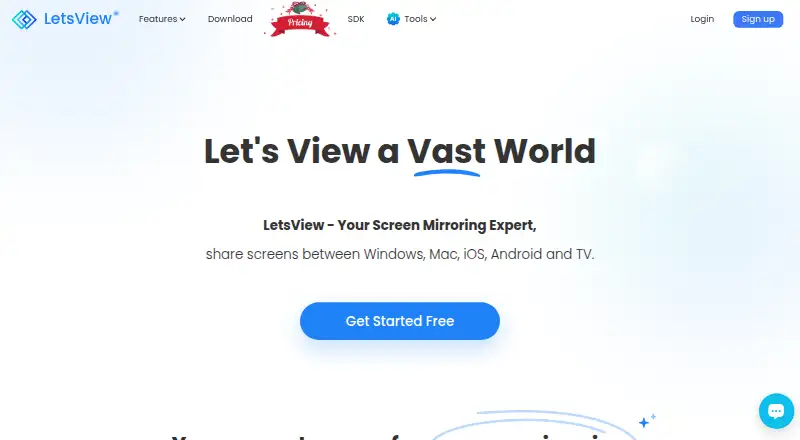
What LetsView is
LetsView is a screen mirroring app for sharing screens between phones, computers, and TVs over Wi-Fi. Its platform list includes Android, iOS, macOS, and Windows. The product guide says devices need to be on the same Wi-Fi network for wireless TV mirroring. The Basic plan offers free mirroring, SD resolution, HD recording, and one connection. Membership features include controlling a PC by phone and controlling Android from a PC; the comparison lists up to five connections for Pro and Business, versus one for Basic. Those two paid plans also list FHD resolution and recording, higher bitrate and frame rate limits, and priority support. LetsView offers a screen-sharing SDK with AirPlay, DLNA, and its AMCast protocol, with use cases including audio and video streaming, remote control, and multi-device casting. It also describes mirroring content from DLNA-compatible apps and casting PowerPoint, Excel, and Word. Screen mirroring time is listed as unlimited across Basic, Pro, and Business.
Good
- Basic plan includes free screen mirroring.
- Mirroring time is unlimited across listed plans.
- Supports Android, iOS, macOS, and Windows.
- SDK supports AirPlay, DLNA, and AMCast.
Watch out
- Basic plan is limited to one connection.
- Basic plan lists SD resolution.
- Wireless TV mirroring requires the same Wi-Fi network.
Who it suits
LetsView suits people who want to share screens among phones, computers, and TVs over Wi-Fi. The membership features may also suit users who want remote control or more than one connection.
Verdict
LetsView covers everyday wireless screen sharing, with a free Basic tier and higher-resolution membership options. Check the one-connection Basic limit and same-network requirement against how you plan to use it.
Plans and prices
From LetsView's own pricing page, checked 30 Sep 2026.
| Plan | Price | What it gives you |
|---|---|---|
| Basic | Free | Free screen mirroring · SD resolution · 4M max bitrate · 30fps max framerate · HD recording · 1 connection |
| Business | — | FHD resolution · 8M max bitrate · 60fps max framerate · FHD recording · Up to 5 connections · Commercial use · Team discount · Priority support · Billed annually, cancel anytime. |
| Pro | — | Buy 2 get 1 free · 3 years; non-subscription |
| Pro | — | FHD resolution · 8M max bitrate · 60fps max framerate · FHD recording · Up to 5 connections · Watermark-free · Priority support · Billed annually, cancel anytime. |
The facts
Each one read from LetsView's own pages, with the date it was checked.
What it does
- Integrations
- LetsView describes mirroring content from DLNA-compatible apps and casting office software such as PowerPoint, Excel, and Word.checked 30 Sep 2026
- Mirroring
- The membership page says screen mirroring time is unlimited across Basic, Pro, and Business plans.checked 30 Sep 2026
- Network requirement
- The product guide instructs users to connect devices to the same Wi-Fi network for wireless TV mirroring.checked 30 Sep 2026
- Privacy
- LetsView's privacy policy says it processes personal data under GDPR principles and will not share, provide, transfer, or obtain personal information from third parties without consent.checked 30 Sep 2026
- Purpose
- LetsView is a screen mirroring app for sharing screens between phones, computers, and TVs over Wi-Fi.checked 30 Sep 2026
- Remote control
- The pricing comparison lists controlling a PC by phone and controlling Android from a PC among its membership features.checked 30 Sep 2026
- SDK
- LetsView offers a screen sharing SDK supporting AirPlay, DLNA, and its AMCast protocol.checked 30 Sep 2026
- SDK use cases
- The SDK page describes screen mirroring, audio and video streaming, remote control, and multi-device casting.checked 30 Sep 2026
- Security
- The privacy policy says the company uses technical and organizational measures to help prevent unauthorized access and requires appropriate security measures from third parties receiving personal data.checked 30 Sep 2026
- Support
- The pricing page lists self-service support for Basic and priority support for Pro and Business.checked 30 Sep 2026
Where it runs
- Multi-device limit
- The pricing comparison lists a maximum of one connection for Basic and five for Pro and Business.checked 30 Sep 2026
- Platforms
- LetsView lists Windows, Mac, iOS, Android, and TV app versions.checked 30 Sep 2026
The full review of LetsView
LetsView is a Wi-Fi screen-sharing app for moving phone, computer, and TV displays between devices. It is best for households, presenters, office users, and developers who need cross-platform mirroring or an embeddable casting SDK. The free tier handles straightforward one-device sharing, while demanding users will need the higher-quality, multi-connection membership plans.
Overview
LetsView combines mobile and desktop screen sharing with recording and annotation tools. Wireless TV mirroring requires the devices to use the same Wi-Fi network, so it works well in a home or office with a shared network but is less suitable when viewers are spread across separate networks.
The product also reaches beyond basic mirroring. Its SDK supports AirPlay, DLNA, and LetsView’s AMCast protocol for screen mirroring, audio and video streaming, remote control, and multi-device casting. DLNA-compatible apps can provide content for mirroring, and office software including PowerPoint, Excel, and Word can be cast. That breadth gives developers and presentation-heavy users more scope than a simple phone-to-TV utility.
Key features
- Unlimited sessions: Basic, Pro, and Business all allow unlimited screen-mirroring time. The meaningful restrictions are connection count and output quality rather than a session timer.
- Image and recording quality: Basic provides SD mirroring, a 4M maximum bitrate, 30fps maximum frame rate, and HD recording. Pro and Business move to FHD mirroring and recording, 8M bitrate, and 60fps. Basic is adequate for casual sharing, but the paid tiers are the sensible choice for detailed documents, smoother motion, or larger displays.
- Connections: Basic supports one connection, while Pro and Business support up to five. The free plan therefore suits one-to-one use, not simultaneous multi-device presentations.
- Remote control: Membership features include controlling a PC from a phone and controlling Android from a PC. These controls make the paid tiers more useful for demonstrations and remote operation than a receive-only mirror.
- Recording and annotation: Screen recording and annotation tools support demonstrations, lessons, and presentation markup, although Basic’s recording quality remains capped at HD.
- SDK and casting: The SDK’s AirPlay, DLNA, and AMCast support covers mirroring, media streaming, remote control, and multi-device casting. This is the feature that most clearly separates LetsView from a narrowly focused consumer mirror app.
- Privacy and security: LetsView says it processes personal data under GDPR principles and does not share, transfer, provide, or obtain personal information from third parties without consent. It describes technical and organizational safeguards against unauthorized access and expects appropriate security measures from third parties that receive personal data.
Pricing
LetsView uses a freemium model. Basic costs free and includes free screen mirroring, SD resolution, a 4M maximum bitrate, 30fps maximum frame rate, HD recording, and one connection. Support is self-service. It is the right starting point for occasional one-to-one sharing, but the single connection and SD output limit collaborative and high-detail use.
Pro has custom pricing and is billed annually, with cancellation allowed anytime. It adds FHD resolution and recording, an 8M maximum bitrate, 60fps maximum frame rate, up to five connections, watermark-free output, and priority support. Choose it when presentation quality, smoother video, or simultaneous viewers matter.
Business also has custom pricing and annual billing, cancellable anytime. It matches Pro’s FHD, 8M, 60fps, five-connection, watermark-free specification and priority support, while adding commercial use and a team discount. It is the appropriate tier for organizational deployment rather than personal sharing.
Platforms
LetsView supports Android, iOS, macOS, and Windows. Its wireless TV workflow depends on the participating devices being on the same Wi-Fi network.
Who it's for
Choose LetsView for household or office sharing when everyone can join one network, especially if you need phone-to-computer control, annotations, recordings, or casting from common office applications. Developers can also consider it when an SDK with AirPlay, DLNA, AMCast, streaming, remote control, and multi-device casting is useful. Look elsewhere if you need network-independent sharing or more than one connection without paying.
Pros and cons
Pros
- Unlimited mirroring time on every tier: Long presentations and extended viewing do not face a session-time quota.
- Broad SDK scope: AirPlay, DLNA, and AMCast support covers mirroring, media, remote control, and multi-device scenarios.
- Useful office support: PowerPoint, Excel, Word, and DLNA-compatible apps broaden its practical casting uses.
- Clear upgrade path: Pro and Business provide five connections, FHD output, 60fps, and watermark-free sharing.
Cons
- Basic is limited to one connection: It cannot serve a multi-device presentation without upgrading.
- Free quality is modest: SD mirroring, 4M bitrate, 30fps, and HD recording restrict detail and smoothness.
- Same-network dependency: Wireless TV mirroring requires one shared Wi-Fi network.
- Paid pricing is custom: Buyers cannot assess an exact Pro or Business cost from the plan listing.
Alternatives
CrankWheel is the better fit for browser-oriented meetings, with a free plan allowing one user, 15 meetings per month, three viewers per meeting, one-week recording retention, and no branding, plus a free trial.
AirDroid Cast suits users who want same-WLAN or remote casting, with a free plan limited to one simultaneous login.
Screenleap is preferable for scheduled online meetings when a free plan’s 40 minutes per day and up to eight viewers are sufficient.
Deskreen is the option for an open-source setup: its Community plan is free, AGPLv3, and limited to one connected device.
Extron ShareLink Pro is for users who already have an Extron ShareLink Pro presentation system.
ViewSonic AirSync, Crestron AirMedia, and Kramer VIA are paid alternatives for other hardware or deployment requirements.
Verdict
LetsView is a strong choice for cross-platform, same-network mirroring with unlimited session time, recording, annotations, and a capable SDK. Pick Basic for occasional one-to-one sharing; choose Pro or Business when you need FHD quality, five connections, smoother output, or commercial use. Look elsewhere if a single-network requirement, one-connection free tier, or custom-priced subscriptions do not fit your setup.
Alternatives to LetsView
- 1

AirDroid Cast
Free planAndroidiOSWebLinux8.0From $1.67 a month - 2

Demodesk Scheduling
AndroidiOSWebAPI7.7 - 3

CrankWheel
Free planAndroidiOSWebAPI7.5From $29 a month - 4

Screenleap
Free planAndroidiOSWebAPI7.4From $15 a month - 5

Barco ClickShare
AndroidiOSmacOSWindows7.2$3,725 one-time - 6

Deskreen
Free planWebLinuxmacOSWindows7.1From $24.99 a year