Leadde Motion
Leadde Motion turns lesson materials into animated teaching videos organized around learning objectives.
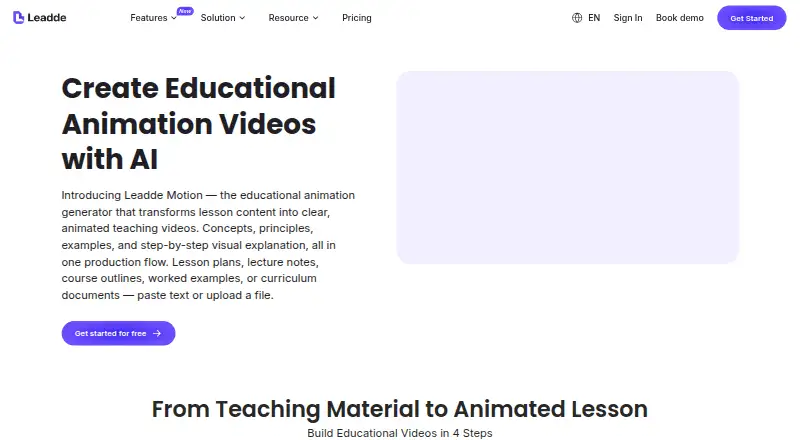
What Leadde Motion is
Leadde Motion turns lesson materials into animated teaching videos organized around learning objectives. It accepts PDF, Word, PowerPoint, and plain text, then guides users through generating a teaching script, selecting an avatar and teaching style, and rendering and sharing the lesson. Animation options include science diagrams, mathematical builds, labeled diagrams, timelines, and illustrated examples. The product is intended for teachers, trainers, course creators, and instructional designers, with educational use described from elementary through postgraduate levels. Video outlines can be adjusted for depth, tone, and pacing. Educational videos can be published in 170+ languages, while the listed voiceover language count is 88. Videos export in standard formats for learning platforms, with Moodle, Canvas, Teachable, and Thinkific named as examples. Leadde Motion runs on the web and includes AI presenters, script-to-video, AI scene generation, and subtitle generation. The Free plan costs nothing and allows one video at a time, up to 10 minutes. Starter is billed $228 yearly and Creator $708 yearly; both offer regular support.
Good
- Accepts PDF, Word, PowerPoint, and plain text
- Offers multiple diagram and illustration styles
- Exports videos for named learning platforms
- Supports publication in 170+ languages
Watch out
- Free plan allows one video at a time
- Free plan limits videos to 10 minutes
- Slide presenter imports are limited to 50 slides and 200 MB
Who it suits
Leadde Motion suits teachers, trainers, course creators, and instructional designers who want to turn lesson materials into animated videos. Its formats and outline adjustments address use across education levels.
Verdict
Leadde Motion combines lesson scripting, animated visuals, and exports for learning platforms in a web-based workflow. The free plan has video limits, while Starter and Creator are billed yearly at $228 and $708 respectively.
Plans and prices
From Leadde Motion's own pricing page, checked 5 Oct 2026.
| Plan | Price | What it gives you |
|---|---|---|
| Free | Free | 1 video at a time · 10-minute max video · 500 MB knowledge base · 16 public avatars · 80+ languages |
| Creator | — | Unlimited projects · videos up to 30 minutes · up to 6 videos in queue · 20 GB knowledge base · 4K export · regular support · $708 billed yearly |
| Starter | — | Unlimited projects · videos up to 20 minutes · up to 3 videos in queue · 5 GB knowledge base · 1080P export · regular support · $228 billed yearly |
The facts
Each one read from Leadde Motion's own pages, with the date it was checked.
What it does
- Animation options
- Listed options include science diagrams, mathematical builds, labeled diagrams, timelines, and illustrated examples.checked 5 Oct 2026
- Audience
- The product page identifies teachers, trainers, course creators, and instructional designers as intended users.checked 5 Oct 2026
- Creation flow
- The workflow covers uploading lesson content, generating a teaching script, choosing an avatar and teaching style, then rendering and sharing the animated lesson.checked 5 Oct 2026
- Editing limits
- The pricing comparison lists slide presenter imports as up to 50 slides and a maximum file size of 200 MB.checked 5 Oct 2026
- Education levels
- The FAQ says it is suitable from elementary through postgraduate education, with outline adjustments for depth, tone, and pacing.checked 5 Oct 2026
- Export and LMS
- Videos export in standard formats for LMS or e-learning platforms, with Moodle, Canvas, Teachable, and Thinkific named as examples.checked 5 Oct 2026
- Input formats
- The education page says it accepts PDF, Word, PowerPoint, and plain text inputs.checked 5 Oct 2026
- Language support
- The education page says users can publish educational videos in 170+ languages.checked 5 Oct 2026
- Privacy roles
- The privacy policy says Leadde acts as data controller generally and may act as data processor for certain enterprise account activities.checked 5 Oct 2026
- Security claims
- Leadde's About page displays SOC 2, GDPR, and ISO under its enterprise security section.checked 5 Oct 2026
- Support
- Leadde lists regular support for Starter and Creator and provides [email protected] for product help and feedback.checked 5 Oct 2026
- What it does
- Leadde Motion turns lesson content into animated teaching videos, structuring explanations around learning objectives.checked 5 Oct 2026
The full review of Leadde Motion
Leadde Motion is a web-based lesson-to-video tool for educators and learning teams. It suits teachers, trainers, course creators, and instructional designers who already have source materials and want structured animated explanations. Its strongest case is education-specific production with LMS-ready exports; short-video limits and queue caps make the lower tiers less suitable for sustained, high-volume publishing.
Overview
The workflow begins with a PDF, Word file, PowerPoint presentation, or plain-text lesson. Leadde then generates a teaching script, lets the creator choose an avatar and teaching style, and renders an animated lesson for sharing. This guided sequence is useful when the challenge is converting curriculum material into a coherent presentation rather than inventing a video concept from scratch.
The product is aimed at elementary through postgraduate education, with outlines adjusted for depth, tone, and pacing. That breadth makes it plausible for both classroom explainers and more advanced training content, although the generated structure still needs to match the subject and teaching approach.
Key features
AI presenters, script-to-video, AI scene generation, and subtitle generation cover the main production stages. Scene options include science diagrams, mathematical builds, labeled diagrams, timelines, and illustrated examples. Those choices are particularly valuable for concepts that benefit from visual sequencing or annotation, not just a talking presenter.
Leadde says educational videos can be published in 170+ languages, while voiceover support covers 88 languages. The wider publishing count should not be read as voiceover coverage for every language. Standard-format exports are intended for learning-management and e-learning platforms, with Moodle, Canvas, Teachable, and Thinkific named as examples.
Slide presenter imports support up to 50 slides, with a 200 MB maximum file size. That accommodates many ordinary lesson decks but can force a large course presentation to be split before upload. There is no brand kit, so teams that require centrally managed visual identity may need extra work outside the app.
Leadde displays SOC 2, GDPR, and ISO under its enterprise security section. Its privacy policy describes Leadde as a data controller generally and, for certain enterprise account activities, a data processor. Starter and Creator include regular support, with [email protected] provided for product help and feedback.
Pricing
Leadde Motion uses a freemium model. The Free plan costs nothing account and permits one video at a time, a 10-minute maximum video, a 500 MB knowledge base, 16 public avatars, and 80+ languages. It is a sensible way to assess the workflow or produce occasional short lessons, but the single active video and duration ceiling will slow anyone working through a course library.
Starter is billed $228 yearly. It adds unlimited projects, videos up to 20 minutes, queues of up to three videos, a 5 GB knowledge base, 1080P export, and regular support. This is the practical entry tier for individual educators or small course teams that need repeat production and higher output quality.
Creator is billed $708 yearly. It raises the video limit to 30 minutes, allows up to six videos in the queue, expands the knowledge base to 20 GB, and adds 4K export, alongside unlimited projects and regular support. It fits teams producing longer lessons or requiring 4K delivery; the annual commitment is harder to justify for occasional creators.
Platforms
Leadde Motion runs on the web. Its standard exports are designed for LMS and e-learning workflows, including Moodle, Canvas, Teachable, and Thinkific.
Who it's for
Teachers can turn existing lesson files into guided animated explanations, while trainers and course creators gain a repeatable route from source material to publishable video. Instructional designers may value the adjustable depth, tone, and pacing across education levels. It is less compelling for teams that need a brand-kit system, desktop-native production, or video lengths beyond the plan ceilings.
Pros and cons
Pros
- Education-focused scripting and visual scenes help translate curriculum content into structured explanations.
- PDF, Word, PowerPoint, and plain-text input reduces preparation when materials already exist.
- LMS-oriented exports and broad language publishing support distribution across varied learning audiences.
- Creator's 4K export, 30-minute videos, and six-video queue support heavier production.
Cons
- The Free plan permits only one video at a time and 10 minutes per video, limiting regular course production.
- Starter and Creator require yearly billing, which raises the commitment for occasional users.
- There is no brand kit, and slide imports stop at 50 slides and 200 MB.
- Voiceover covers 88 languages, fewer than the 170+ languages cited for publishing.
Alternatives
For a broader list, see AI Explainer Video Makers.
- Powtoon is the better pick when Android, iOS, browser-extension access, or a free 720p plan with screen recording matters; its free exports carry a watermark and stop at three minutes.
- HeyGen suits users prioritizing stock-based presenter video across web, mobile, and API, though its free plan allows up to three one-minute videos monthly.
- Reelipal is preferable for creators focused on text-to-image and image-to-video generation with a credit-based starter plan.
- Steve AI is an alternative for iOS and web users seeking monthly AI-video credits rather than Leadde's education workflow.
- Vmaker is the stronger choice for screen recording and subtitle allowances on desktop platforms.
- mySimpleshow fits users who want a free plan centered on a small number of renderings, avatars, and illustration styles.
- ngram is suited to short, credit-based AI footage with 720p exports.
- DistilBook is an option for brief PDF-derived videos when a paid web plan is acceptable.
Verdict
Choose Leadde Motion if you are an educator or learning-content team turning existing lessons into animated, LMS-ready videos and need structured scripting, subject-specific visuals, and multilingual publishing. Look elsewhere if you need a brand kit, desktop production, flexible monthly billing, or longer and more concurrent videos than its plan limits allow.
Alternatives to Leadde Motion
- 1

HeyGen
Free planAndroidiOSWebAPI8.3From $24 a month - 2

Vmaker
Free planiOSWebExtensionmacOS8.2From $18 a month - 3

mySimpleshow
Free planAndroidiOSWebAPI8.1From $5.99 a month - 4

Powtoon
Free planAndroidiOSWebExtension7.9From $8 a month - 5

Steve AI
Free planiOSWebAPI7.8From $10 a month - 6

AI Studios
Free planWebAPI7.6From $24 a month