Labfolder
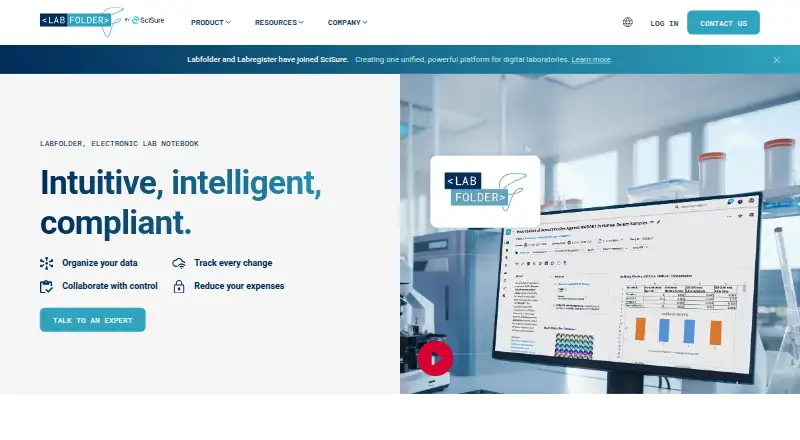
Labfolder is a browser-based electronic lab notebook for documenting, organizing, and managing experiments.
What Labfolder is
Labfolder is a browser-based electronic lab notebook for documenting, organizing, and managing experiments. Researchers can work with different data types, track changes, and export research data. Teams can share projects with custom access settings, message one another, assign tasks, and use electronic signatures. Labregister links inventory records with Labfolder notes and is included at no extra cost. The product provides a REST API for creating, updating, deleting, querying, and exchanging data with other applications, and lists Dropbox, Figshare, and Labregister among its in-ELN apps. The company says data is processed and stored in Germany, protected with 256-bit SSL encryption, and backed up daily. Labfolder runs in modern browsers on Windows, Mac, and Linux, as well as on desktops, tablets, and smartphones; it requires no installation, and on-premise deployment is available. The company says it supports GLP and FDA 21 CFR Part 11 through record history, electronic signatures, secure storage, and role-based access controls. A free plan and 14-day trial are listed, but paid pricing depends on user count and requires a quote.
Good
- Tracks changes and exports research data.
- Supports shared projects, tasks, and signatures.
- Labregister inventory integration has no extra cost.
- Offers a REST API and on-premise deployment.
- Works in browsers across desktop and mobile devices.
Watch out
- No mobile app is available.
- Offline editing is not supported.
- Paid pricing requires a quote.
Who it suits
Labfolder is presented for individual researchers and teams in academia, industry, startups, and public-sector research. It may suit groups needing shared experiment records and linked inventory.
Verdict
Labfolder provides browser-based experiment documentation with team collaboration, inventory linking, and data exchange options. Consider its lack of offline editing and mobile app if those capabilities are essential.
Plans and prices
From Labfolder's own pricing page, checked 29 Sep 2026.
| Plan | Price | What it gives you |
|---|---|---|
| Labfolder | Priced on request | Pricing depends on number of users · Request a quote |
The facts
Each one read from Labfolder's own pages, with the date it was checked.
What it does
- API
- Labfolder provides an HTTP-based REST API for creating, updating, deleting, querying, and exchanging data with third-party applications.checked 29 Sep 2026
- Audience
- Labfolder is presented for individual researchers and teams across academia, industry, startups, and public-sector research.checked 29 Sep 2026
- Compliance
- Labfolder describes support for GLP and FDA 21 CFR Part 11 through record history, electronic signatures, secure storage, and role-based access control.checked 29 Sep 2026
- Deployment
- The product is browser-based with no installation required, and the site says on-premise deployment is available.checked 29 Sep 2026
- Integrations
- Labfolder lists Dropbox, Figshare, and Labregister among its in-ELN apps; all listed apps are free except Signature Workflows.checked 29 Sep 2026
- Inventory
- Labregister connects inventory records to Labfolder notes and is included with Labfolder at no extra cost.checked 29 Sep 2026
- Mobile and offline limits
- Labfolder has no mobile app and does not support offline editing; its browser-based ELN can be used on mobile devices.checked 29 Sep 2026
- Product
- Labfolder is a browser-based electronic lab notebook for documenting, organizing, and managing experiments.checked 29 Sep 2026
- Research data
- Users can work with different data types, track changes, and export research data.checked 29 Sep 2026
- Security
- Labfolder says data is processed and stored in Germany, protected with 256-bit SSL encryption, and backed up daily.checked 29 Sep 2026
- Supported systems
- The site says Labfolder works in modern browsers on Windows, Mac, and Linux, and on desktops, tablets, and smartphones.checked 29 Sep 2026
The company
- Company history
- Labfolder says it was founded in 2013 and joined SciSure in 2025.checked 29 Sep 2026
- Founded
- 2013checked 28 Sep 2026
- Headquarters
- Berlin, Germanychecked 28 Sep 2026
- Teamwork
- Teams can share projects with custom access settings, send messages, assign tasks, and use electronic signatures.checked 29 Sep 2026
Money
- Support and trial
- The company invites prospective users to contact its team for a demo or free trial, but does not state a trial duration.checked 29 Sep 2026
The full review of Labfolder
Labfolder is a browser-based electronic lab notebook for researchers and research teams that need structured experiment records, collaboration controls, and inventory connections. It is strongest for connected organisations with formal documentation requirements; the absence of offline editing and a dedicated mobile app narrows its fit for field work.
Overview
Labfolder combines experiment documentation, project organisation, and research-data management in one web workspace. It handles different data types, records changes, and exports data in PDF or XHTML. Teams can share projects with customised access settings, message colleagues, assign tasks, and apply electronic signatures, so it supports coordinated work rather than merely storing personal notes.
Labregister links inventory records directly to Labfolder notes and is included at no extra cost. Dropbox and Figshare are among the listed in-ELN apps, and the listed integrations are free except Signature Workflows. An HTTP-based REST API can create, update, delete, query, and exchange data with third-party applications, which is useful when the notebook must connect to other research systems.
Labfolder is browser-based and needs no installation. It works in modern browsers on Windows, Mac, and Linux, and can be opened on desktops, tablets, and smartphones. Mobile use is browser-based: there is no mobile app, and editing is not available offline.
Key features
Records, search, and governance
Full-text search, an audit trail, electronic signatures, and approval workflows make records easier to review and trace. Labfolder describes support for GLP and FDA 21 CFR Part 11 through record history, signatures, secure storage, and role-based access control. Those controls suit laboratories that need accountable, reviewable documentation; they add less value for an individual seeking only an informal digital notebook.
Teamwork and inventory
Custom project permissions let teams control who can access shared work. Messaging and task assignment keep coordination inside the workspace, while electronic signatures support sign-off processes. The no-cost Labregister connection is a practical advantage when experiment notes must reference stock, samples, or other inventory records.
Data exchange and protection
The REST API gives technical teams a defined way to exchange notebook data with other applications. PDF and XHTML exports provide portable copies for reporting or archiving. Labfolder says data is processed and stored in Germany, protected by 256-bit SSL encryption, and backed up daily. On-premise deployment is also available for organisations that require that operating model.
Pricing
Labfolder uses a freemium model and offers a free plan, with a 14-day trial noted. The paid plan, “Labfolder,” has custom pricing based on the number of users and requires a quote. That makes it suitable for teams that need a tailored seat arrangement, but the published information does not provide a fixed budget benchmark.
The free option lowers the barrier for trying the notebook, while the paid arrangement is the route for organisations purchasing a defined multi-user deployment. Prospective customers can contact Labfolder for a demo or free trial; the company does not publish a separate trial duration beyond the 14-day pricing note.
Platforms
Labfolder supports Android, iOS, Linux, macOS, Windows, web access, an API, and self-hosted deployment. In practice, the application is delivered through a modern browser across desktop and mobile hardware. The lack of offline editing means an internet connection is required for changes, and browser access does not replace a native mobile application.
Who it's for
Labfolder is aimed at individual researchers and teams in academia, industry, startups, and public-sector research. It is a particularly good match for groups that share projects, need role-based access and approval trails, or want inventory tied to experimental notes. It is less suitable for researchers who routinely work without dependable connectivity or who require native mobile workflows.
Pros and cons
Pros
- Controlled records: audit trails, signatures, approval workflows, and role-based access support formal review and compliance-oriented processes.
- Connected inventory: Labregister links inventory to notes without an extra charge.
- Useful integration path: the REST API and PDF/XHTML exports support exchange and archiving beyond the notebook.
- Flexible deployment: browser access avoids installation, while on-premise deployment is available.
- Security commitments: German processing and storage, 256-bit SSL encryption, and daily backups address common organisational concerns.
Cons
- No offline editing: users cannot continue entering or changing records when disconnected.
- No native mobile app: smartphone and tablet access relies on a browser.
- Custom pricing: the paid Labfolder plan requires a quote, making costs harder to compare before contacting the company.
Alternatives
LabArchives is worth choosing when a free plan with two owned notebooks, 1GB per user, a 25MB file limit, and SnapGene and GraphPad Prism integrations matches your needs.
LabCollector ELN suits users who want a lifetime free Startup Pack for three users and 1,000 data records, with one recipe/SOP and optional ELN.
eLabFTW is the better choice for teams comfortable running and administering self-hosted AGPLv3 software with no paid feature lock-in.
SciNote fits a solo user who can work within its free dedicated workspace and does not require guaranteed support.
RSpace offers an open-source self-install option for organisations prepared to use their own engineers, with migration limits affecting Global IDs, signatures, and full audit history.
Benchling Notebook is an alternative for academic researchers seeking a free plan that includes Notebook and Molecular Biology.
Chemotion ELN is a free ELN option with desktop, browser, and self-hosted platform support.
LabID is a free, open-source, self-hosted alternative for organisations running software on their own infrastructure.
For a broader category comparison, see Electronic Lab Notebook Software.
Verdict
Choose Labfolder if your research group needs shared experiment records, inventory links, traceable approvals, and an API in a browser-based system. Look elsewhere if offline work or a native mobile app is essential, or if you need transparent fixed pricing before engaging a sales team.
Alternatives to Labfolder
- 1

SciNote
Free planOpen sourceAndroidiOSWebAPI8.5From $0.01 a year - 2

eLabFTW
Free planOpen sourceWebAPILinuxmacOS8.2From €3,000 a year - 3

LabArchives
Free planAndroidiOSWebAPI8.2From $99 a year - 4
RSpace
Free planOpen sourceWebAPILinuxmacOS8.2From $6,000 a year - 5
LabCollector ELN
Free planAndroidiOSWebAPI8.0Free plan - 6
Sapio ELN
Free planWebAPISelf-hosted6.7Free plan