Koding
Koding lets organizations create and share automated development environments on infrastructure they control.
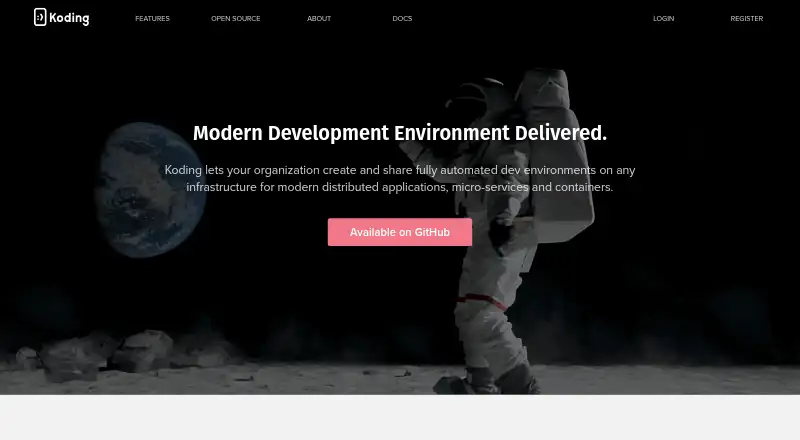
What Koding is
Koding lets organizations create and share automated development environments on infrastructure they control. Teams can host environments in the cloud or on premises, including on private cloud infrastructure. They define environments with stack scripts that describe infrastructure and can be shared and version controlled; only administrators have write access to those scripts. A setup can pull code from repositories such as GitHub or GitLab. Developers can continue using their own IDE, code editor, and terminal, with Koding’s CLI for volume mounting and SSH access to virtual machines. Teams can share environments in real time or leave them available for asynchronous access. Koding also provides analytics intended to help identify workflow inefficiencies and bottlenecks. Listed infrastructure options include AWS, DigitalOcean, OpenStack, Vagrant, Microsoft Azure, Google Cloud Platform, Docker, SoftLayer, and Mesosphere. The product is described as free and open source, with Linux, macOS, web, and self-hosted availability. Its GitHub repository is archived and read-only.
Good
- Supports cloud-hosted and on-premises environments
- Stack scripts can be shared and version controlled
- Works with developers’ own IDEs and terminals
- Environments can be shared in real time
- Described as free and open source
Watch out
- GitHub repository is archived and read-only
- Only administrators can edit stack scripts
- Stack launches can fail when cloud VM quota is reached
Who it suits
Koding may suit organizations that want shared development environments on their own infrastructure and developers who prefer their existing local tools. The archived, read-only repository is important for teams considering its open-source status.
Verdict
Koding offers infrastructure-based shared environments with familiar local development tools and several listed provider options. Its archived repository and documented VM quota constraint are worth weighing before adoption.
The facts
Each one read from Koding's own pages, with the date it was checked.
What it does
- Access control
- The features page says only administrators get write access to stack scripts.checked 9 Oct 2026
- Analytics
- Koding provides analytics intended to help teams identify workflow inefficiencies and bottlenecks.checked 4 Oct 2026
- Cloud providers
- The features page lists AWS, DigitalOcean, OpenStack, Vagrant, Microsoft Azure, Google Cloud Platform, Docker, SoftLayer, and Mesosphere.checked 4 Oct 2026
- Collaboration
- Teams can share development environments in real time or leave them open for teammates to use asynchronously.checked 4 Oct 2026
- Configuration
- Teams define environments with shareable stack scripts that describe infrastructure and can be version controlled.checked 4 Oct 2026
- Developer workflow
- Koding supports using a developer’s own IDE, code editor, and terminal, with a CLI for mounting volumes and SSH access to VMs.checked 9 Oct 2026
- Hosting
- Koding’s site says it offers cloud-hosted or on-premises versions and can provision environments on private cloud infrastructure.checked 4 Oct 2026
- Infrastructure as code
- A shareable stack script describes an application’s infrastructure, and stack scripts can be versioned.checked 9 Oct 2026
- License
- The repository states that it is licensed under GNU AGPL V3 and that Koding Community Edition is licensed under Apache 2.0.checked 9 Oct 2026
- Local tools
- Developers can use their own IDE, code editor, and terminal, with Koding’s CLI for volume mounting and SSH access to VMs.checked 4 Oct 2026
- Open source
- The product site describes Koding as free and open source, and its GitHub repository is archived and read-only.checked 9 Oct 2026
- Open source status
- Koding’s GitHub repository is archived and read-only, and its page states that the repository was archived on August 15, 2022.checked 4 Oct 2026
- Operational limit
- Koding’s FAQ notes that launching a stack can fail when the user’s cloud account has reached its VM quota.checked 9 Oct 2026
- Permissions
- The features page says only administrators get write access to stack scripts.checked 4 Oct 2026
- Product
- Koding lets organizations create and share automated development environments on their own infrastructure.checked 4 Oct 2026
- Provider integrations
- The site lists AWS, DigitalOcean, OpenStack, Vagrant, Microsoft Azure, Google Cloud Platform, Docker, SoftLayer, and Mesosphere.checked 9 Oct 2026
- Purpose
- Koding lets organizations create and share automated development environments on their infrastructure.checked 9 Oct 2026
- Repository integrations
- The documentation says stacks can pull code from providers such as GitHub or GitLab.checked 9 Oct 2026
- Repository license
- The repository README says the main repository is licensed under GNU AGPL V3 and Koding Community Edition under Apache 2.0.checked 4 Oct 2026
- Slack
- Koding documentation includes a guide to inviting a team with Slack.checked 4 Oct 2026
The company
- Company history
- The About page says Koding grew from a partnership between two brothers into an international team between 2011 and 2018.checked 9 Oct 2026
- Headquarters
- Koding’s about page lists its headquarters as San Francisco, California 94107.checked 4 Oct 2026
- Team collaboration
- Teams can share development environments in real time or leave them open for teammates to access.checked 9 Oct 2026
Where it runs
- Machine support
- Koding can connect an Ubuntu Linux machine with a public IP address to an account.checked 9 Oct 2026
Alternatives to Koding
- 1

Replit
Free planAndroidiOSWebLinux8.4From $18 a month - 2

StackBlitz
Free planAndroidiOSWebAPI8.2Free plan - 3

Kloudlite
Free planOpen sourceWebAPIExtensionLinux8.1From $29 a month - 4

DevZero
Free planAndroidiOSWebAPI8.0From $5 a month - 5

Daytona
Free planWebAPILinuxmacOS7.9Free plan - 6
GitHub Codespaces
Free planAndroidiOSWebAPI7.9Free plan