KingswaySoft SSIS Integration Toolkit
KingswaySoft SSIS Integration Toolkit adds more than 300 components and tasks to Microsoft SSIS for connectivity, productivity, and ETL workflows, reducing t…
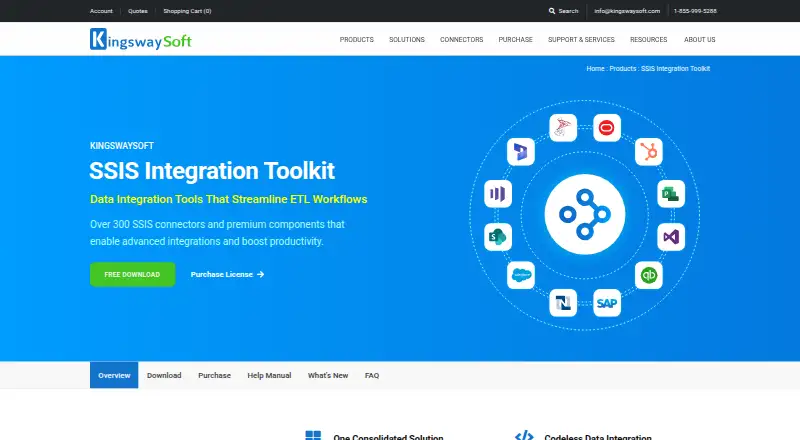
What KingswaySoft SSIS Integration Toolkit is
KingswaySoft SSIS Integration Toolkit adds more than 300 components and tasks to Microsoft SSIS for connectivity, productivity, and ETL workflows, reducing the need for custom scripting. Teams build workflows through a drag-and-drop interface in Visual Studio or SSDT. Connectors cover business applications including Salesforce, HubSpot, Shopify, and Dynamics 365, alongside JSON and XML, REST and SOAP APIs, cloud storage, and NoSQL databases. Additional tools include anonymization, address verification, duplicate detection, data profiling, PGP encryption, and compression. The toolkit supports Azure-SSIS Integration Runtime and SQL Server 2014, 2016, 2017, 2019, 2022, and 2025. It runs on self-hosted Windows environments, with .NET Framework 4.7.2 or later and SQL Server Integration Services listed as prerequisites. A free Developer License is limited to workstation development and attended, non-production execution.
Good
- More than 300 SSIS components and tasks
- Drag-and-drop workflow building in Visual Studio or SSDT
- Connectors cover apps, APIs, storage, and NoSQL
- Includes data quality and security utilities
- Supports Azure-SSIS IR and several SQL Server versions
Watch out
- Requires .NET Framework 4.7.2 or later
- Requires SQL Server Integration Services
- Free license excludes server OS and production
Who it suits
It suits SSIS teams that need visual integration workflows across business apps, APIs, databases, and cloud storage. The free license is for development and attended non-production use; server and production deployments require a commercial license.
Verdict
KingswaySoft SSIS Integration Toolkit brings broad connectors and data utilities into SSIS workflows without custom scripting. Check the license scope and connection allowance against your deployment before choosing a paid plan.
Plans and prices
From KingswaySoft SSIS Integration Toolkit's own pricing page, checked 21 Oct 2026.
| Plan | Price | What it gives you |
|---|---|---|
| Developer License | Free | Development and testing in Visual Studio or SSDT on a workstation operating system · no unattended or production execution · free developer license |
| Single Server License — Three-Months | $699 a month | one on-premises or full-SQL-Server VM server · up to 8 distinct connections per connection type · commercial subscription · $699 USD |
| Single Server — Three-Months | $699 a month | 1 server · 8 distinct connections per connection type · subscription period |
| Azure-SSIS IR License — Three-Months | $699 a month | one Azure-SSIS IR instance · up to 8 distinct connections per connection type · supports up to one Instance Unit (2 nodes) · $699 USD |
| Azure-SSIS IR — Three-Months | $699 a month | 1 Azure-SSIS IR instance · 8 distinct connections per connection type · 1 instance unit or 2 nodes · subscription period |
| Azure-SSIS IR — Six-Months | $1,099 a month | 1 Azure-SSIS IR instance · 8 distinct connections per connection type · 1 instance unit or 2 nodes · subscription period |
| Single Server License — Six-Months | $1,099 a month | one on-premises or full-SQL-Server VM server · up to 8 distinct connections per connection type · commercial subscription · $1,099 USD |
| Single Server — Six-Months | $1,099 a month | 1 server · 8 distinct connections per connection type · subscription period |
| Azure-SSIS IR License — Six-Months | $1,099 a month | one Azure-SSIS IR instance · up to 8 distinct connections per connection type · supports up to one Instance Unit (2 nodes) · $1,099 USD |
| Azure-SSIS IR License — One-Year | $1,995 a year | one Azure-SSIS IR instance · up to 8 distinct connections per connection type · supports up to one Instance Unit (2 nodes) · $1,995 USD |
| Azure-SSIS IR — One-Year | $1,995 a year | 1 Azure-SSIS IR instance · 8 distinct connections per connection type · 1 instance unit or 2 nodes · subscription period |
| Single Server License — One-Year | $1,995 a year | one on-premises or full-SQL-Server VM server · up to 8 distinct connections per connection type · commercial subscription · $1,995 USD |
| Single Server — One-Year | $1,995 a year | 1 server · 8 distinct connections per connection type · subscription period |
| Single Server — Two-Years | $3,990 a year | 1 server · 8 distinct connections per connection type · subscription period |
| Azure-SSIS IR — Two-Years | $3,990 a year | 1 Azure-SSIS IR instance · 8 distinct connections per connection type · 1 instance unit or 2 nodes · subscription period |
| Azure-SSIS IR License — Two-Years | $3,990 a year | one Azure-SSIS IR instance · up to 8 distinct connections per connection type · supports up to one Instance Unit (2 nodes) · $3,990 USD |
| Single Server License — Two-Years | $3,990 a year | one on-premises or full-SQL-Server VM server · up to 8 distinct connections per connection type · commercial subscription · $3,990 USD |
The facts
Each one read from KingswaySoft SSIS Integration Toolkit's own pages, with the date it was checked.
What it does
- Azure license limit
- The Azure-SSIS IR license is tied to the activated IR instance, is for Azure package executions, and supports up to one Instance Unit or two instance nodes.checked 30 Sep 2026
- Codeless workflow
- KingswaySoft describes drag-and-drop, no-custom-scripting construction for advanced ETL integrations.checked 21 Oct 2026
- Community complaint
- A Reddit discussion reports that some users needed custom C# Script Tasks for gaps in their integrations, while also crediting KingswaySoft with broad NoSQL, messaging and web-service coverage.checked 21 Oct 2026
- Component library
- The toolkit contains more than 300 premium SSIS components and tasks.checked 21 Oct 2026
- Connection managers
- It includes more than 100 connection managers and prebuilt support for over 100 applications.checked 21 Oct 2026
- Current release
- The download page identifies version 26.2, released July 3, 2026.checked 21 Oct 2026
- Data productivity tools
- Listed components include data anonymization, address verification, duplicate detection, data profiling, PGP encryption, and compression.checked 30 Sep 2026
- Data quality tools
- Included groups contain address parsing and verification, data profiling, duplicate detection, diff detection, anonymization and data generation components.checked 21 Oct 2026
- Deployment environments
- Supported execution targets include on-premises SQL Server Integration Services and Azure-SSIS Integration Runtime.checked 21 Oct 2026
- Documentation
- The help manual provides installation guidance and component documentation spanning enterprise applications, REST, JSON/XML, cloud storage, big data, security and testing.checked 21 Oct 2026
- Integration coverage
- The product lists connectors for business apps such as Salesforce, HubSpot, Shopify, and Dynamics 365, as well as JSON/XML, REST and SOAP APIs, cloud storage, and NoSQL databases.checked 30 Sep 2026
- Integration formats
- Official materials list REST and SOAP APIs, JSON and XML, cloud storage, NoSQL databases, and business applications such as Salesforce, HubSpot and Dynamics 365.checked 21 Oct 2026
- Licence model
- The EULA and purchase page describe commercial subscription licences for a server or Azure-SSIS IR rather than an open-source licence.checked 21 Oct 2026
- License limits
- A single-server commercial license allows attended or unattended job executions and has no additional restrictions on features, users, or processors; it supports up to 8 distinct connections per connection type, reset every 24 hours.checked 30 Sep 2026
- Limit: documentation and setup
- Capterra reviewers say beginner documentation can be difficult and initial data-source setup can require effort.checked 21 Oct 2026
- Limit: errors and clunkiness
- Software Advice reviewers report freezes or errors caused by source-data changes, clunky workflows and occasional outdated adapters.checked 21 Oct 2026
- Limit: performance and debugging
- G2 reviewers report slowdowns with larger data volumes or multiple sources, difficult debugging and unclear errors.checked 21 Oct 2026
The company
- Company ownership and founder
- Crunchbase describes KingswaySoft as a private Oakville company and identifies Daniel Cai as founder and managing director; no funding total is shown there.checked 21 Oct 2026
- Company reach
- KingswaySoft says thousands of enterprise clients across more than 110 countries and regions use its solutions.checked 30 Sep 2026
- Company size and status
- LinkedIn lists KingswaySoft as privately held with 11–50 employees, headquartered in Oakville, Ontario, and founded in 2011.checked 21 Oct 2026
- Headquarters
- Oakville, Ontario, Canadachecked 28 Sep 2026
- Notable news: headquarters move
- KingswaySoft announced on August 29, 2024 that it would move its headquarters to 233 Speers Road, Suite 12, Oakville, Ontario.checked 21 Oct 2026
Money
- Free-license restriction
- The developer license is free for interactive development and debugging in Visual Studio or SSDT on a workstation, but server installations, unattended jobs and production execution require a commercial license.checked 21 Oct 2026
Where it runs
- Limit: underlying SSIS platform
- TrustRadius reviewers of SSIS cite slow real-time response, generic error messages, a dated or buggy Visual Studio experience, limited cloud/API functionality and weaker support for huge or nonrelational workloads.checked 21 Oct 2026
Alternatives to KingswaySoft SSIS Integration Toolkit
- 1

Freshsales
Free planAndroidiOSWebAPI8.3From $108 a year - 2
Workato Agent Studio
Free planiOSWebAPILinux8.3Free plan - 3

Zoho CRM
Free planAndroidiOSWebAPI8.3From $14 a month - 4

Hightouch
Free planAndroidiOSWebAPI8.2From $350 a month - 5

Skyvia
Free planWebAPIWindows7.7From $7 a month - 6

Boomi
WebAPILinuxSelf-hosted7.6$99 usage-based