JOPDF
The facts below are what the maker publishes about JOPDF, checked and dated. Our editors have not written about it yet.
Plans and prices
From JOPDF's own pricing page, checked 20 Sep 2026.
| Plan | Price | What it gives you |
|---|---|---|
| Free | Free | PDF editing · PDF conversion · Annotation tools · Page management · Password protection · 100% free; no trial restrictions or subscriptions |
| JOPDF | Free | All features free · No trial periods or subscriptions · No watermarks |
The facts
Each one read from JOPDF's own pages, with the date it was checked.
What it does
- Annotations
- Annotation tools include highlighting, strikethrough, underlining, sticky notes, drawing tools, and stamps.checked 11 Oct 2026
- Annotation tools
- Yeschecked 20 Sep 2026
- Conversion
- It converts PDFs and other file formats, and supports batch conversion.checked 11 Oct 2026
- Document privacy
- JOPDF says files are processed locally and are not uploaded to a server without the user's permission.checked 11 Oct 2026
- Integrations
- The privacy policy says services may include third-party features or integrations and may share information such as text or images when needed for them to function.checked 11 Oct 2026
- OCR
- Yeschecked 20 Sep 2026
- Offline use
- Editing, annotating, organizing, protecting, and converting work offline after the converter plugin is initially downloaded; live updates require internet access.checked 11 Oct 2026
- PDF conversion
- Yeschecked 20 Sep 2026
- PDF editing
- It can edit PDF text, images, and links, including adding content and modifying existing content.checked 11 Oct 2026
- Privacy policy
- The privacy policy says the website and services may collect usage, device, and network data, including browsing or editing activity and IP address.checked 11 Oct 2026
- Product
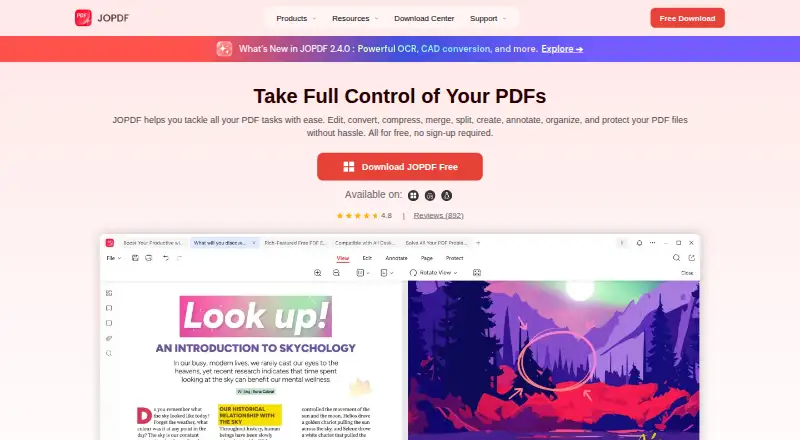
- JOPDF is a free PDF editor and converter for editing, annotating, converting, compressing, merging, splitting, protecting, and managing PDFs on your device.checked 11 Oct 2026
- Support
- Users can contact the support team through an online form or by email, and the contact page says it will respond after receiving a message.checked 11 Oct 2026
- Text editing
- Yeschecked 20 Sep 2026
- Watermarks
- JOPDF says it does not add watermarks to edited, converted, merged, or compressed PDFs.checked 11 Oct 2026
Money
- Free plan
- Yeschecked 20 Sep 2026
Where it runs
- Linux limit
- The Linux FAQ says the supported architecture is AMD64 across major distributions, and Linux updates require manually uninstalling the old version first.checked 11 Oct 2026
- macOS compatibility
- JOPDF for Mac supports macOS 10.13 or later and Apple M-series and Intel-based Macs.checked 11 Oct 2026
- Platforms
- JOPDF is available for Windows, macOS, and Linux.checked 11 Oct 2026
- Supported platforms
- Windows,macOS,Linuxchecked 20 Sep 2026
Alternatives to JOPDF
- 1

Smallpdf
Free planAndroidiOSWebWindows8.9From $10 a month - 2

LightPDF
Free planAndroidiOSWebAPI8.8From $15.99 a year - 3
PDF2Go
Free planAndroidiOSWebAPI8.7$6.42 usage-based - 4
Foxit PDF Editor
AndroidiOSWebmacOS8.6 - 5
WPS PDF Editor
Free planAndroidiOSWebExtension8.5From $3 a year - 6

PDF Candy
Free planAndroidiOSWebLinux8.5From $4 a year