JACK Audio Connection Kit
JACK Audio Connection Kit is a free sound server for connecting audio and MIDI applications with real-time, low-latency operation.
What JACK Audio Connection Kit is
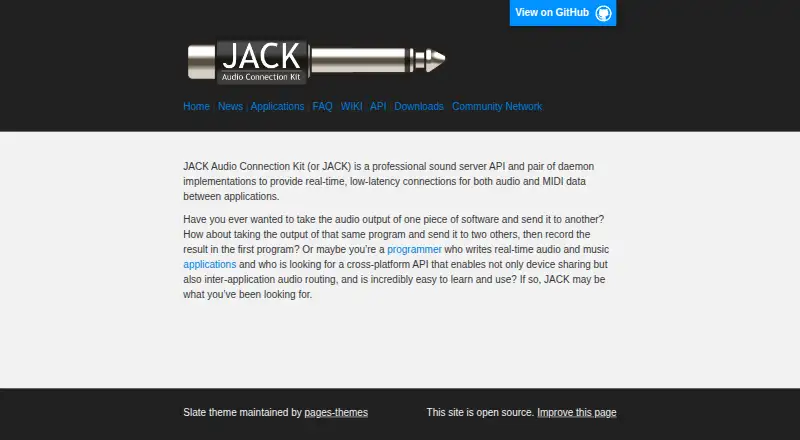
JACK Audio Connection Kit is a free sound server for connecting audio and MIDI applications with real-time, low-latency operation. Client applications can connect to an audio device and exchange audio with one another. JACK is designed for synchronous client execution, and applications communicate through callbacks and registered ports that send and receive data. It handles both audio and MIDI connections, with audio represented internally as 32-bit floating-point values. The applications directory lists compatible tools such as Audacity, Ardour, Blender, Mixxx, QjackCtl, and VLC. JACK is available on Linux, macOS, and Windows. Linux users are directed to their distribution’s package manager for binaries; listed macOS installers support macOS 10.12 or higher, and Windows installers support Windows 7 or higher. JACK1 and JACK2 source repositories are hosted on GitHub. The server uses the GPL, while the library uses the LGPL, allowing proprietary programs to link with it. Community help is available through mailing lists, IRC channels, and forums.
Good
- Connects audio and MIDI applications.
- Designed for synchronous, low-latency operation.
- Works with Audacity, Ardour, Mixxx, and others.
- Free software with GPL server and LGPL library.
Watch out
- Listed Windows installers require Windows 7 or higher.
- Listed macOS installers require macOS 10.12 or higher.
- Distributed without warranty.
Who it suits
JACK suits people connecting audio or MIDI applications, including users of compatible tools such as Ardour, Audacity, and Mixxx. It is available for Linux, macOS, and Windows.
Verdict
JACK provides a shared, low-latency connection layer for audio and MIDI applications. Its platform-specific installer requirements and lack of warranty are worth noting before installation.
Plans and prices
From JACK Audio Connection Kit's own pricing page, checked 7 Oct 2026.
| Plan | Price | What it gives you |
|---|---|---|
| JACK Audio Connection Kit | Free | Free software; GPL server and LGPL library |
The facts
Each one read from JACK Audio Connection Kit's own pages, with the date it was checked.
What it does
- Audio format
- JACK represents audio data internally as 32-bit floating-point values.checked 7 Oct 2026
- Audio routing
- JACK lets client applications connect to an audio device and share audio with each other.checked 7 Oct 2026
- Design focus
- JACK’s design focuses on synchronous execution of clients and low-latency operation.checked 7 Oct 2026
- Developer API
- Applications use a callback model and register ports to send and receive data through JACK.checked 7 Oct 2026
- Integrations
- The applications directory lists compatible tools including Audacity, Ardour, Blender, Mixxx, QjackCtl, and VLC.checked 7 Oct 2026
- Licensing
- JACK is free software; the server uses the GPL and the library uses the LGPL, which permits proprietary programs to link with it.checked 7 Oct 2026
- MIDI support
- The official site describes JACK connections for both audio and MIDI data.checked 7 Oct 2026
- Purpose
- JACK is a professional sound server API and daemon implementations for real-time, low-latency connections between audio and MIDI applications.checked 7 Oct 2026
- Source code
- The maker hosts JACK1 and JACK2 source repositories on GitHub and provides clone instructions.checked 7 Oct 2026
- Support
- The maker points users to JACK and Linux audio mailing lists, IRC channels, and community forums for discussion and help.checked 7 Oct 2026
- Warranty
- The software is distributed without warranty, including implied warranties of merchantability or fitness for a particular purpose.checked 7 Oct 2026
Where it runs
- Linux installation
- For Linux binaries, the downloads page directs users to their distribution’s package manager.checked 7 Oct 2026
- Platform requirements
- The listed macOS installers are for macOS 10.12 or higher, and the listed Windows installers are for Windows 7 or higher.checked 7 Oct 2026
- Platforms
- The downloads page provides Linux packages or source, macOS installers or source, and Windows installers or source.checked 7 Oct 2026
The full review of JACK Audio Connection Kit
JACK Audio Connection Kit is a sound server for connecting compatible audio and MIDI software. It is best for musicians, producers, and developers building real-time workflows across applications. Its low-latency routing is the draw; it is not an audio-effects package.
Overview
JACK lets applications connect to an audio device and exchange audio with one another, with connections for MIDI as well. Its emphasis on synchronous client execution makes it a specialized layer for coordinating software in real time, rather than a tool for enhancing sound on its own.
That distinction matters when choosing it: JACK can link compatible applications, but it does not provide noise reduction, equalization, or virtual surround. If the goal is to process or improve audio directly, this is the wrong category of tool.
Key features
- Audio and MIDI routing: Compatible clients can share audio and MIDI through JACK. The applications directory includes Audacity, Ardour, Blender, Mixxx, QjackCtl, and VLC, giving users several kinds of software to connect; compatibility is still the deciding factor for any particular workflow.
- Low-latency coordination: Synchronous client execution is central to JACK’s design. That makes it a strong fit when timing between applications matters, but less compelling for users who only need ordinary playback.
- Developer interface: Applications use callbacks and register ports to send and receive data through JACK. This gives software developers a defined way to integrate with the server, while end users benefit only when their chosen applications support it.
- Audio representation: JACK handles audio internally as 32-bit floating-point values. This is a technical part of its application-facing design, not a standalone audio-quality feature or an effect users can apply.
Pricing
JACK is free software: its JACK Audio Connection Kit plan costs nothing, with no free trial. The server uses the GPL and the library uses the LGPL; the latter permits proprietary programs to link with it. That combination makes JACK accessible without a purchase while giving developers distinct licensing terms to consider depending on how they use each component.
There are no paid tiers or seat-based plans to weigh. Users should still account for setup and compatibility: JACK’s value depends on having applications that can connect to it, rather than on a bundled set of audio-processing tools.
Platforms
JACK supports Linux, macOS, and Windows, but installation differs by platform. Linux users are directed to their distribution’s package manager for binaries. The listed macOS installers require macOS 10.12 or higher, and Windows installers require Windows 7 or higher, so check the operating system before choosing an installer.
JACK1 and JACK2 source repositories are hosted on GitHub, with clone instructions provided. The maker also points users to JACK and Linux audio mailing lists, IRC channels, and community forums for discussion and help. JACK is distributed without warranty, including implied warranties of merchantability or fitness for a particular purpose.
Who it's for
JACK is a sensible choice for people who need compatible audio or MIDI applications to exchange data through a shared, low-latency connection layer, and for developers integrating software with its callback-and-port API. Linux users have a package-manager installation path; macOS and Windows users should confirm their systems meet the installer requirements.
It is not the right pick for someone seeking built-in equalization, noise reduction, or surround processing, or for a workflow whose applications do not support JACK. Its free price removes a licensing purchase, but does not remove the need to assess software compatibility and licensing terms.
Pros and cons
- Pro — Real-time audio and MIDI sharing: Compatible clients can exchange both kinds of data, which suits workflows assembled from separate applications.
- Pro — Cross-platform availability: Linux, macOS, and Windows support gives users on those systems a common routing option, subject to platform-specific installation requirements.
- Pro — Free software with a developer API: The GPL server and LGPL library support different use cases, including proprietary programs linking to the library.
- Con — Compatibility is essential: JACK only helps when the applications in a workflow can connect to it.
- Con — No built-in enhancement effects: There is no noise reduction, equalizer, or virtual surround for users who want direct audio processing.
- Con — No warranty: The software is supplied without express or implied warranty, so users must accept that limitation.
Alternatives
Audio Enhancement Software is a useful category to browse if the need is sound enhancement rather than application-to-application routing.
- JamesDSP is a free alternative for Linux and Android; its Flathub offering is free, and its PipeWire package supports Linux.
- Elgato Wave Link is free on macOS and Windows, works with any microphone or audio interface, and has no subscription or feature gates.
- eqMac is a macOS freemium option with a free tier that excludes Pro features.
- Patchd is a Windows freemium option whose free tier includes selectable inputs, hardware outputs, buses, VST3 hosting, DSP nodes, and rotating Persona voices.
- Splitwave is a free, open-source option under the MIT license for Linux, macOS, and Windows.
- RØDE UNIFY is free streaming software for macOS and Windows that is compatible with RØDE X microphones.
- NVIDIA ShadowPlay is a free Windows option requiring Windows 10 or 11, GeForce driver 551.52 or later, and a supported GPU.
- Buddi is a free budgeting application for Linux, macOS, and Windows.
Verdict
Choose JACK if you need compatible audio and MIDI applications to work together with low latency, or if you are developing software for its API. Its free, cross-platform routing layer is the main reason to pick it; look elsewhere for built-in sound effects, and confirm application support and platform requirements before committing.
Getting started
- Visit https://jackaudio.org/ for JACK downloads and information.
- On Linux, use your distribution’s package manager to obtain binaries.
- For macOS, use a listed installer on macOS 10.12 or higher.
- For Windows, use a listed installer on Windows 7 or higher.
- Consult the JACK1 or JACK2 GitHub repository for source code and clone instructions.
Questions
How much does JACK cost?
JACK is free software. Its listed plan is free.
Which operating systems does JACK support?
JACK is available for Linux, macOS, and Windows. The listed installers require macOS 10.12 or higher and Windows 7 or higher.
Is JACK open source?
Yes. The server uses the GPL, and the library uses the LGPL, which permits proprietary programs to link with it. JACK1 and JACK2 source repositories are hosted on GitHub.
What applications work with JACK?
Its application directory lists Audacity, Ardour, Blender, Mixxx, QjackCtl, and VLC among compatible tools.
Where can users get help?
The maker points users to JACK and Linux audio mailing lists, IRC channels, and community forums.
Alternatives to JACK Audio Connection Kit
- 1

Krisp AI Meeting Assistant
AndroidiOSExtensionmacOS7.8From $8 a month - 2

RØDE UNIFY
Free planmacOSWindows7.4From $45.31 a year - 3
DTS Sound Unbound
Free planWindows7.1$19.99 one-time - 4
FxSound
Free planOpen sourceWindows7.1Free plan - 5
MicMixer
Free planOpen sourceWindows7.0Free plan - 6
VB-CABLE
Free planmacOSWindows6.6$5 one-time