MicMixer
MicMixer combines a microphone, music, and an optional voice changer into one virtual microphone for games, Discord, and other voice chat apps.
What MicMixer is
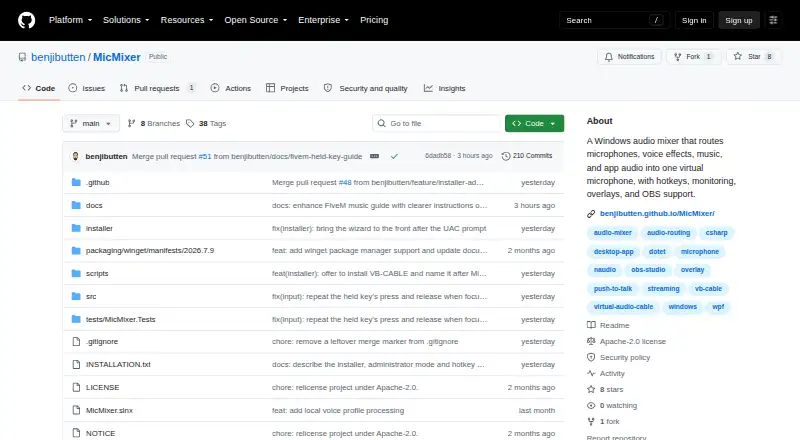
MicMixer combines a microphone, music, and an optional voice changer into one virtual microphone for games, Discord, and other voice chat apps. Push-to-talk can gate the outgoing mix, with an option to keep music playing while the microphone is gated. A configurable hotkey switches between normal and modified microphone audio, and users can set a release delay. Music sources include local MP3 files, YouTube links downloaded as MP3, and audio captured from a running application such as Spotify. For streaming, a secondary output sends the full mix to a device OBS Studio or Streamlabs Desktop can capture. MicMixer also provides a click-through status overlay and a local web page for use as a browser source. It requires a virtual audio cable; the installer can offer to install the maker-recommended VB-CABLE. The app runs on Windows 10 or 11 on x64 and is self-contained. It is free and distributed under the Apache-2.0 license. Audio is processed locally, with no account, advertising, analytics, telemetry, or crash-report uploads.
Good
- Combines microphone, music, and optional voice changing
- Supports push-to-talk and configurable hotkey switching
- Accepts local, YouTube, and application audio
- Provides a secondary output for streaming software
- Processes audio locally without telemetry
Watch out
- Requires a virtual audio cable
- Runs only on Windows 10 or 11 x64
- Current releases are unsigned
Who it suits
MicMixer suits Windows voice-chat users, including players and people streaming or recording with OBS Studio or Streamlabs Desktop. It is also a fit for users who want to combine music and microphone audio with an optional voice changer.
Verdict
MicMixer offers a focused way to combine voice and music for chat or streaming, with useful controls and a streaming output. Keep in mind the virtual audio cable requirement and unsigned releases.
Plans and prices
From MicMixer's own pricing page, checked 15 Oct 2026.
| Plan | Price | What it gives you |
|---|---|---|
| Free | Free | Windows 10/11 x64 · Requires microphone and virtual audio cable · No paid tier stated · Free of charge |
| MicMixer | Free | Free, open-source Windows app · Windows 10/11 x64 |
The facts
Each one read from MicMixer's own pages, with the date it was checked.
Where it runs
- Application capture
- MicMixer can capture audio from a running application such as Spotify through Windows process-loopback APIs.checked 15 Oct 2026
- Limit: Windows only
- The published product targets Windows 10/11 x64 and lists no macOS, Linux, iOS or Android version.checked 15 Oct 2026
What it does
- Contributor
- Project documentation credits Pixlexi with use cases, testing and feedback.checked 15 Oct 2026
- Distribution
- The maker offers a Windows installer, a ZIP version, and installation through Windows Package Manager (winget).checked 9 Oct 2026
- Independent catalog entry
- Wingetly lists BenjiButten.MicMixer version 2026.8.3 as an x64 ZIP package and records no known CVEs in its best-effort check.checked 15 Oct 2026
- Installation choices
- The maker provides an installer, a ZIP archive and a Windows Package Manager command.checked 15 Oct 2026
- Intended users
- The maker describes use cases including FiveM players, voice chat users, and people streaming or recording with OBS or Streamlabs.checked 9 Oct 2026
- License
- Current source is Apache License 2.0; releases through v2026.7.3 remain under the earlier MIT terms.checked 15 Oct 2026
- Limit: external capture
- Application capture depends on Windows process-loopback support and the selected application actively producing audio.checked 15 Oct 2026
- Limit: overlay fullscreen
- Exclusive-fullscreen applications may prevent the desktop overlay from appearing.checked 15 Oct 2026
- Limit: unsigned releases
- The current Windows executable releases are unsigned, so Windows SmartScreen may warn or Smart App Control may block them.checked 15 Oct 2026
- Limit: virtual audio setup
- Users must configure a virtual audio cable and select its output in the receiving game or chat application.checked 15 Oct 2026
- Local monitoring
- Music can be monitored through a separate physical playback device with independent volume control.checked 15 Oct 2026
- Local web endpoint
- The stream overlay binds to 127.0.0.1 and exposes status and level data to local clients.checked 15 Oct 2026
- Maintainer
- The project identifies BenjiButten as its maintainer and author.checked 15 Oct 2026
- Music ducking
- An option lowers music while the microphone is active and restores it when speech stops.checked 15 Oct 2026
- Music library
- The built-in player supports MP3 files, multiple folders, search, queues and transport controls.checked 15 Oct 2026
- Music sources
- Music can come from local MP3 files, a YouTube link downloaded to MP3, or audio captured from a running application such as Spotify.checked 9 Oct 2026
- Network behavior
- Release builds check GitHub for updates at most every 12 hours, while media downloads contact the service named by the submitted URL.checked 15 Oct 2026
- Network use
- Release builds check GitHub for updates at most once every 12 hours while the main window is open, and media downloads contact the URL's service.checked 9 Oct 2026
- Noise gate
- The optional gate mutes microphone audio below a threshold to produce digital silence between phrases.checked 15 Oct 2026
- Overlay
- A click-through desktop overlay shows microphone and music states, and the same status is available as a local browser-source page.checked 15 Oct 2026
- Package mirror presence
- The NJU winget-source mirror lists BenjiButten.MicMixer with a 2026-10-06 index timestamp.checked 15 Oct 2026
Money
- Praise: free distribution
- The independent Wingetly listing describes MicMixer as Apache-2.0 software with no installation charge.checked 15 Oct 2026
Alternatives to MicMixer
- 1

Krisp AI Meeting Assistant
AndroidiOSExtensionmacOS7.8From $8 a month - 2

RØDE UNIFY
Free planmacOSWindows7.4From $45.31 a year - 3
DTS Sound Unbound
Free planWindows7.1$19.99 one-time - 4
FxSound
Free planOpen sourceWindows7.1Free plan - 5
VB-CABLE
Free planmacOSWindows6.6$5 one-time - 6

Patchd
Free planWindows6.5From $39.99 a year