
ITRS Capacity Planner
ITRS Capacity Planner is a SaaS tool for planning IT infrastructure capacity using machine learning and predictive analytics.
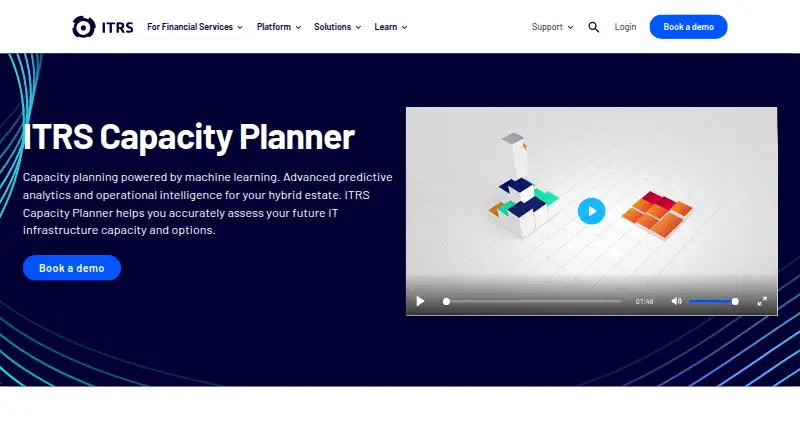
What ITRS Capacity Planner is
ITRS Capacity Planner is a SaaS tool for planning IT infrastructure capacity using machine learning and predictive analytics. It presents resources across physical servers, virtual workloads and cloud workloads, and can identify application tiers that are constrained by capacity. Baseline View summarizes utilization, while Forward Thinking lets users simulate changes and plan stages over time. Reports can cover utilization over a selected period, metric relationships, server activity and storage. Cloud cost features compare Azure and AWS and provide right-size, right-buy and optimization capabilities. The product gathers and normalizes data from multiple sources, including Geneos; documented collection types also include AWS CloudWatch, Gateway Hub, vCenter and file uploads. For AWS collection, ITRS describes customer/project data segregation and AES encryption. Capacity Planner is chargeable, but no price is stated; a 30-day trial is listed. An account representative creates and configures projects during implementation, and users must contact that representative for project-setting changes.
Good
- Shows physical, virtual and cloud resources together.
- Supports scenario planning over time.
- Reports on utilization, server activity and storage.
- Compares Azure and AWS cloud costs.
- AWS collection data is described as AES-encrypted.
Watch out
- No price is stated; the software is chargeable.
- A 30-day trial is listed, not a free plan.
- Project settings require contact with an account representative.
- Weekend and holiday phone support is limited to Premium Service subscribers.
Who it suits
Capacity Planner suits organizations planning capacity across physical, virtual and cloud infrastructure, especially those needing scenario modelling or cloud-cost insight. Its quickstart material is intended for users whose organization already has a project set up.
Verdict
ITRS Capacity Planner combines infrastructure visibility, scenario planning and cloud-cost analysis. The chargeable product has no stated price, and project setup and changes involve an ITRS account representative.
The facts
Each one read from ITRS Capacity Planner's own pages, with the date it was checked.
What it does
- Audience
- The quickstart guide is intended for users whose organisation already has a Capacity Planner project set up.checked 2 Oct 2026
- Authentication
- The March 2026 release added Microsoft SSO using SAML 2.0 while retaining username-and-password sign-in.checked 3 Oct 2026
- Availability and pricing
- The ITRS downloads site says its software and components are chargeable and directs customers to their account manager or sales to check contracted entitlements; it does not state a price for Capacity Planner.checked 2 Oct 2026
- AWS data
- AWS collection can retrieve RDS and EC2 instance properties, disk images, metrics, costs, reserved instances, and savings plans.checked 3 Oct 2026
- Cloud data access
- For AWS collection, the documentation describes customer-provided secure read-only credentials and recommends IAM roles with only the required read permissions.checked 2 Oct 2026
- Collection sources
- Documented collection task types include AWS CloudWatch, Geneos, Gateway Hub, vCenter, and file uploads from third-party applications and scripts.checked 3 Oct 2026
- Data integration
- Capacity Planner collects, integrates, and normalizes data from multiple tools and technologies, and uses ITRS Geneos attributes for configurable host and virtual-machine groupings.checked 3 Oct 2026
- Data protection
- For AWS collection, ITRS says collected data is segregated by customer and project, encrypted with AES, and uploaded to a database dedicated to that customer's data.checked 3 Oct 2026
- Deployment
- ITRS describes Capacity Planner as a SaaS platform for planning and managing capacity.checked 3 Oct 2026
- Estate visibility
- The product shows infrastructure resources across physical servers, virtual workloads, and cloud workloads, and identifies application tiers that are capacity-constrained.checked 3 Oct 2026
- Hybrid estate visibility
- It shows infrastructure resources across physical servers, virtual workloads and cloud workloads.checked 2 Oct 2026
- Implementation limit
- Projects are created and configured during implementation by an account representative, and users must contact that representative to change project settings.checked 3 Oct 2026
- Purpose
- ITRS Capacity Planner provides predictive and prescriptive analytics to assess future IT infrastructure capacity and model the impact of business or infrastructure changes on application performance.checked 3 Oct 2026
- Reporting
- Advanced reports can summarize utilization over a selected period, analyze relationships between metrics, identify high or low server activity, and report on storage.checked 3 Oct 2026
- Reporting and recommendations
- It reports resource allocation, usage and cost, and identifies imbalances in resource allocation and usage.checked 2 Oct 2026
- Scenario modelling
- Forward-thinking scenario modelling estimates how business or infrastructure changes could affect application performance and capacity requirements.checked 2 Oct 2026
- Security
- ITRS says Capacity Planner is covered by its ISO 27001 accreditation, annual external audits, access restrictions, and regular independent penetration tests.checked 3 Oct 2026
- Support
- ITRS support is available to clients with an active maintenance or subscription agreement, and weekend and public-holiday phone support is limited to Premium Service subscribers.checked 3 Oct 2026
- Support and setup
- Projects are created and configured during implementation by an ITRS account representative, whom customers should contact for project setting changes.checked 2 Oct 2026
Money
- Cloud cost optimisation
- Its cloud cost optimisation features provide insight into cloud use and costs and recommend where savings can be made, including across Azure and AWS.checked 2 Oct 2026
- Cloud costs
- Cloud cost optimization features compare Azure and AWS and provide right-size, right-buy, and optimization capabilities.checked 3 Oct 2026
- Planning features
- Baseline View summarizes infrastructure resource utilization, while Forward Thinking lets users simulate changes and plan scenario stages over time.checked 3 Oct 2026
The company
- Headquarters
- London, England, United Kingdomchecked 28 Sep 2026
The full review of ITRS Capacity Planner
ITRS Capacity Planner is a SaaS tool for forecasting and managing IT infrastructure capacity across hybrid estates. It best suits organisations that need to connect resource planning with application performance and cloud spending. Its modelling and visibility are compelling, but project setup and changes depend on an ITRS representative.
Overview
The planner brings physical servers, virtual workloads and cloud resources into a shared view, helping teams spot constrained application tiers and imbalances in how resources are allocated or used. Machine learning and predictive analytics support forward-looking capacity decisions rather than leaving teams to rely on current utilization alone.
Its value is strongest where infrastructure spans multiple environments and planning must account for both capacity and cost. The trade-off is a managed implementation: an ITRS representative creates and configures projects, and customers must go through that representative to change project settings.
Key features
Baseline View summarizes infrastructure utilization, while Forward Thinking lets teams model changes and stage scenarios over time. That makes it possible to consider how business or infrastructure changes may affect application performance and capacity needs before committing resources.
Advanced reports can summarize utilization over a chosen period, analyze relationships between metrics, flag unusually high or low server activity and report on storage. These reports, alongside resource-allocation and usage recommendations, help expose problems that a single utilization snapshot can miss.
Cloud-cost tools compare Azure and AWS and support right-sizing, right-buying and other optimization decisions. Collection options include AWS CloudWatch, Geneos, Gateway Hub, vCenter, and file uploads from third-party tools and scripts. AWS collection can include EC2 and RDS properties, disk images, metrics, costs, reserved instances and savings plans, giving cost and capacity views a broader input base.
For AWS access, ITRS recommends customer-provided secure read-only credentials, ideally IAM roles restricted to required read permissions. It says collected data is segregated by customer and project, encrypted with AES and stored in a database dedicated to that customer's data. ITRS also says it is ISO 27001 accredited, undergoes annual external audits and conducts regular independent penetration testing.
Microsoft SSO using SAML 2.0 was added in the March 2026 release; username-and-password sign-in remains supported. Projects are configured during implementation, so this is less suited to teams expecting to adjust project settings independently.
Pricing
Capacity Planner is paid software with custom pricing; ITRS directs customers to an account manager or sales to confirm contracted entitlements. There is no free plan, and a 30-day trial is offered. No seat count, usage quota or renewal term is stated, so organisations should confirm those commercial terms with ITRS before committing.
Support is available to clients with an active maintenance or subscription agreement. Weekend and public-holiday phone support is limited to Premium Service subscribers, a distinction that matters for teams needing out-of-hours assistance.
Platforms
ITRS describes Capacity Planner as a cloud SaaS platform. It is available on web, Windows, Linux, Android and iOS. Its planning spans physical servers, virtual machines, cloud workloads, storage and containers, with demand forecasting, what-if scenarios, synthetic checks and topology maps among its capabilities.
Who it's for
Capacity Planner fits infrastructure and operations teams managing hybrid estates who need to forecast demand, assess application constraints and weigh cloud costs alongside resource requirements. Its scenario stages over time are useful when teams need to compare possible changes rather than just report current conditions.
It is a weaker fit for teams that want self-service project configuration or support outside the coverage of their agreement. The quickstart guide is intended for users whose organisation already has a project set up, reinforcing that implementation is an organisational prerequisite rather than an individual sign-up workflow.
Pros and cons
- Pros: A unified view across physical, virtual and cloud resources helps teams plan hybrid capacity in one place.
- Pros: Scenario modelling, utilization reporting and cloud-cost recommendations connect future capacity choices with performance and spending.
- Pros: Multiple collection routes, including Geneos, vCenter, AWS and file uploads, can bring data from different tools into planning.
- Cons: An ITRS representative controls initial project configuration and subsequent project setting changes, limiting customer autonomy.
- Cons: Custom pricing and the absence of a free plan make cost evaluation dependent on a sales conversation.
- Cons: Weekend and public-holiday phone support requires Premium Service, which may not suit teams needing that coverage under a standard agreement.
Alternatives
For a broader comparison, see IT Capacity Management Software.
- IBM Capacity Management Analytics is another paid option, with Linux, macOS, self-hosted, web and Windows platforms and a z/OS edition that includes IBM Tivoli Decision Support for z/OS.
- Syncsort Capacity Management is a paid option for web and Windows.
- Algomox ITMox is a paid, API, self-hosted and web option with custom enterprise pricing.
- Virtana VirtualWisdom is a paid web option.
- BMC Helix Continuous Optimization is a paid web option with no free plan.
- Kentik Network Capacity Planning has a 30-day free trial and a Pro plan at $2,000 a year for 50 users, billed annually.
- Sunbird dcTrack suits buyers seeking DCIM operations, with unlimited users, sites and assets at $19.50 a month, billed annually.
- FNT Command offers an Asset Inventory plan at €99 a month, billed annually, with per-user licensing and location, lifecycle, reporting, role and permission capabilities.
Verdict
Choose ITRS Capacity Planner if your organisation needs hybrid infrastructure forecasting that ties scenario planning to application constraints and cloud costs. Its main advantage is the breadth of visibility and planning in one SaaS platform; its main drawback is dependence on an ITRS representative for project setup and changes, alongside custom pricing. Teams that require independent configuration or a transparent published price should compare alternatives first.
Getting started
- Open the ITRS Capacity Planner website
- Contact ITRS sales or an account manager about contracted entitlements
- Have an ITRS account representative create and configure the project during implementation
- Connect documented sources such as AWS CloudWatch, Geneos, Gateway Hub, vCenter or uploaded files
- Use the provided web service or supported platform access
- Sign in with Microsoft SSO using SAML 2.0 or with a username and password
Limits worth knowing
Capacity Planner is chargeable and has no free plan; a 30-day trial is listed. Project settings must be changed through the ITRS account representative.
Questions
Is ITRS Capacity Planner free?
No. It is paid software, and ITRS lists a 30-day trial rather than a free plan.
Which platforms are supported?
Listed platforms are Android, iOS, Linux, web and Windows.
What data sources can it collect?
Documented sources include AWS CloudWatch, Geneos, Gateway Hub, vCenter and file uploads from third-party applications and scripts.
Does it support AWS and Azure cost analysis?
Yes. Cloud cost features compare Azure and AWS and provide right-size, right-buy and optimization capabilities.
How is AWS data protected?
ITRS says collected AWS data is segregated by customer and project, encrypted with AES and uploaded to a database dedicated to that customer.
How are projects configured?
Projects are created and configured during implementation by an ITRS account representative, who must handle project-setting changes.
Alternatives to ITRS Capacity Planner
- 1
Hyperview
AndroidiOSWebAPI7.8From $3 a year - 2
FNT Command
AndroidiOSWebAPI7.1From €99 a month - 3

Sunbird dcTrack
AndroidiOSWebAPI6.9From $19.50 a month - 4
BMC Helix Continuous Optimization
WebAPILinuxSelf-hosted6.6 - 5

Device42
WebAPILinuxmacOS6.5 - 6
Infovista VistaPlan
AndroidiOSWebAPI6.5