IMUNES
IMUNES is a multiprotocol emulator and simulator for general-purpose IP networks on FreeBSD and Linux.
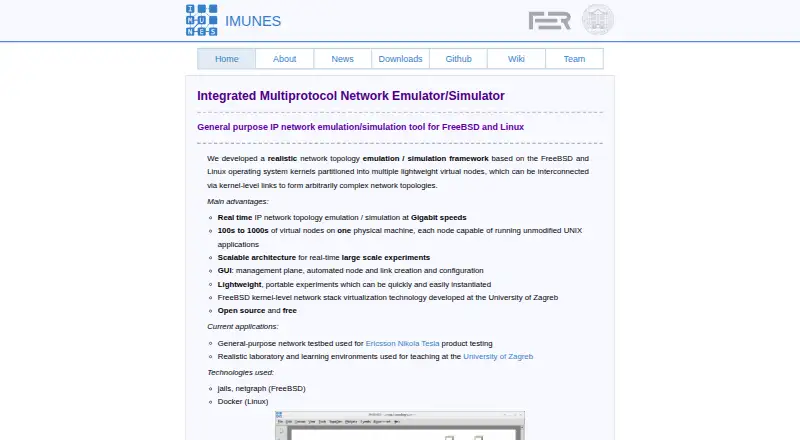
What IMUNES is
IMUNES is a multiprotocol emulator and simulator for general-purpose IP networks on FreeBSD and Linux. The project says a single physical machine can run hundreds or thousands of virtual nodes. Its GUI helps manage experiments and create and configure nodes and links. Each virtual node has its own IPv4, IPv6, IPsec, socket, and firewall configuration, plus a separate address space. Links can be configured to introduce delay, bit errors, duplication, or bandwidth limits. IMUNES preserves standard UNIX APIs, so BSD and Linux binaries can run without modification. Linux virtual nodes use Docker; FreeBSD uses jails and netgraph. The project says experiments can be instantiated in seconds and use hardware resources efficiently. Downloads include source repositories, examples, security scenarios, manuals, and VMware or VirtualBox images. Linux requires kernel version 3.10 or newer and the Docker daemon, and the README instructs users to run experiments as root. The listed latest image is IMUNES-FreeBSD-14.3-RELEASE (BETA), supplied as a 4GB amd64 OVA. The project also describes JSON configuration and live changes to nodes, interfaces, and links during an experiment.
Good
- Supports IPv4, IPv6, IPsec, sockets, and firewalls per node.
- Links can simulate delay, bit errors, duplication, and bandwidth.
- Preserves standard UNIX APIs for BSD and Linux binaries.
- Available free with public examples and manuals.
Watch out
- Linux use requires kernel 3.10 or newer.
- Linux experiments require the Docker daemon.
- The README instructs users to run experiments as root.
- The listed latest image is marked BETA.
Who it suits
IMUNES suits people who need to emulate IP networks on FreeBSD or Linux, including product-testing and teaching-lab settings described by the project. Linux users need Docker and root privileges to run experiments.
Verdict
IMUNES provides configurable network emulation across FreeBSD and Linux, with per-node settings and traffic controls. Linux setup has specific dependencies and requires root access.
Plans and prices
From IMUNES's own pricing page, checked 1 Oct 2026.
| Plan | Price | What it gives you |
|---|---|---|
| Open source and free | Free | — |
The facts
Each one read from IMUNES's own pages, with the date it was checked.
Where it runs
- Application compatibility
- Standard UNIX APIs are preserved, allowing BSD and Linux binaries to run unmodified.checked 1 Oct 2026
- Linux dependency
- Running IMUNES experiments on Linux requires the Docker daemon.checked 1 Oct 2026
- Linux requirement
- The GitHub README states that Linux 3.10 is the minimum kernel requirement.checked 1 Oct 2026
- Linux technology
- On Linux, IMUNES uses Docker for virtual nodes.checked 1 Oct 2026
What it does
- Downloads
- The download page provides public source repositories, examples, security examples, manuals, and VMware/VirtualBox images.checked 1 Oct 2026
- Execution privilege
- The README instructs users to run experiments as root.checked 1 Oct 2026
- GUI
- Its GUI provides management, automated node and link creation, and configuration.checked 1 Oct 2026
- Latest image
- The listed latest release is IMUNES-FreeBSD-14.3-RELEASE (BETA), distributed as a 4GB amd64 OVA.checked 1 Oct 2026
- Performance
- Experiments are instantiated in seconds and use hardware resources efficiently.checked 1 Oct 2026
- Purpose
- IMUNES is an integrated multiprotocol network emulator/simulator for general-purpose IP network emulation on FreeBSD and Linux.checked 1 Oct 2026
- Recent features
- The IMUNES blog describes JSON configuration and live mode for modifying nodes, interfaces, and links while an experiment runs.checked 1 Oct 2026
- Security material
- The project publishes a public repository containing examples of security scenarios in IMUNES.checked 1 Oct 2026
- Topology scale
- The project states that 100s to 1000s of virtual nodes can run on one physical machine.checked 1 Oct 2026
- Traffic controls
- Links support traffic manipulation including delay, bit-error rate, duplication, and bandwidth.checked 1 Oct 2026
- Use cases
- The project describes use in Ericsson Nikola Tesla product testing and University of Zagreb teaching laboratories.checked 1 Oct 2026
- Virtual nodes
- Each virtual node has its own IPv4, IPv6, IPsec, socket, firewall configuration, and address space.checked 1 Oct 2026
The company
- Founded
- 2004checked 28 Sep 2026
Money
- FreeBSD technology
- On FreeBSD, IMUNES uses jails and netgraph.checked 1 Oct 2026
The full review of IMUNES
IMUNES is a network emulator for building IP experiments with virtual nodes and controlled links. It suits engineers, researchers and educators who need to run realistic network scenarios on a FreeBSD or Linux host. Its flexibility comes with a real setup constraint: Linux experiments require Docker and root access.
Overview
IMUNES brings topology creation, node configuration and emulation into a GUI. It is designed to run hundreds or thousands of virtual nodes on one physical machine, with experiments instantiated in seconds and efficient use of host resources. That scale makes it a strong fit for lab work that would otherwise require many separate devices, though the host still needs to support the project’s execution model.
Each virtual node has its own IPv4 and IPv6 configuration, IPsec, sockets, firewall settings and address space. Preserving standard UNIX APIs means BSD and Linux binaries can run unmodified, which is useful when experiments need to reflect normal system behavior rather than an abstract network model.
Key features
Topology and traffic control
The GUI manages experiments and supports automated creation and configuration of nodes and links. Links can impose delay, bit-error rate, duplication and bandwidth conditions, giving users control over network behavior without relying on physical equipment to reproduce those conditions.
Live changes and automation
JSON configuration and live mode allow nodes, interfaces and links to be modified while an experiment is running. An automation API also supports programmatic workflows, a useful combination for repeatable scenarios and experiments that need to change without being restarted.
Emulation model
IMUNES provides real-time emulation and hardware-in-the-loop support. Its model is emulation rather than simulation, making it the more relevant choice when users want to run ordinary BSD or Linux binaries within an experiment.
Pricing
IMUNES is free and open source, with the listed plan listed as free. There are no paid tiers to trade features against, and the project provides public source repositories, examples, security examples, manuals and virtual-machine images. The free model makes it accessible for teaching and research as well as product testing, but users must supply and administer a compatible environment.
Platforms
The project’s emulation targets are FreeBSD and Linux. On FreeBSD it uses jails and netgraph; on Linux it uses Docker, requires a Docker daemon and a minimum Linux kernel version of 3.10, and experiments must be run as root. Those Linux requirements can rule it out on managed or restricted machines. The directory platform labels also include macOS, Windows, self-hosted and web, but those labels do not change the stated FreeBSD and Linux emulation targets.
The latest listed image is IMUNES-FreeBSD-14.3-RELEASE (BETA), a 4GB amd64 OVA for VMware or VirtualBox. Users who prefer an appliance-style start can use that image, while Linux users need to meet the Docker and privilege requirements directly.
Who it's for
IMUNES is suited to network engineers developing or testing IP scenarios, researchers who need configurable node and link behavior, and instructors building network teaching labs. Its use in Ericsson Nikola Tesla product testing and University of Zagreb teaching laboratories illustrates those settings. It is less suitable where root access is unavailable or where an organization cannot run Docker on its Linux hosts.
Pros and cons
- Per-node network configuration: Separate address spaces and IPv4, IPv6, IPsec, socket and firewall settings support varied, realistic topologies.
- Controllable links: Delay, bit-error rate, duplication and bandwidth controls help reproduce network conditions within an experiment.
- Scales on one machine: The project targets hundreds to thousands of virtual nodes, reducing the need for one physical system per node.
- Linux setup is privileged: Docker, Linux 3.10 or newer, and root execution make deployment difficult on locked-down hosts.
- FreeBSD image is a beta: The latest listed 4GB OVA is marked beta, so users seeking a non-beta appliance should not treat it as one.
Alternatives
Compare network simulation software if you want to survey the category before choosing an emulator.
- EVE-NG is worth considering for a freemium option with a defined free allowance of seven nodes per instance and 63 per lab; its paid Base plan is from €150 (priced on request) and remains limited to the Admin role.
- GNS3 is another free, open-source choice if you want software that can be downloaded and used without monthly or yearly licensing.
- OMNeT++ fits academic users who need a free noncommercial license for teaching or research, with commercial use requiring a separate license.
- Containerlab may suit users seeking a free Linux server or VM workflow; it requires Docker and sudo privileges for some operations.
- Kathará is a free open-source alternative with no paid plans or usage limits stated.
- ns-3 is a free GNU GPLv2 option for research, development and use.
- QuNetSim is a free MIT-licensed alternative installable via pip.
- NetSim by Tetcos is the Windows-only alternative, with a free Lite plan for individual use and academic pricing for a 100-node plan with 35-plus inbuilt lab experiments.
Verdict
Choose IMUNES if you need configurable, real-time IP emulation with per-node settings, traffic controls and room to scale on a single host. Its free model and support for ordinary BSD and Linux binaries are strong reasons to adopt it for labs and product scenarios. Look elsewhere if your Linux environment cannot grant root access or run Docker, or if you need an officially non-beta FreeBSD appliance.
Getting started
- Visit https://imunes.net/ and choose the download or repository route.
- Select Linux or FreeBSD for the environment.
- On Linux, use kernel 3.10 or later and have the Docker daemon available.
- Follow the README instruction to run experiments as root.
- Use the GUI to create and configure nodes and links.
Questions
How much does IMUNES cost?
It is free; the listed plan is free.
Which platforms does it support?
The listed platforms are Linux, macOS, self-hosted, web, and Windows. Its stated emulation purpose specifically names FreeBSD and Linux.
What does Linux require?
Linux use requires kernel 3.10 or later and the Docker daemon. The README instructs users to run experiments as root.
Is IMUNES open source?
The download page provides public source repositories.
Does it support live changes during an experiment?
The project describes live mode for modifying nodes, interfaces, and links while an experiment runs.
Alternatives to IMUNES
- 1

Containerlab
Free planOpen sourceWebAPIExtensionLinux7.6Free plan - 2
Avidemux
Free planOpen sourceWebLinuxmacOSWindows7.3Free plan - 3
Marionnet
Free planOpen sourceLinuxmacOSSelf-hostedWindows7.2Free plan - 4

EVE-NG
Free planWebLinuxmacOSSelf-hosted7.0Free plan - 5
Mininet
Free planAPILinuxmacOSSelf-hosted6.6Free plan - 6
NetSim
Free planWeb6.6From $15 a month