
Ilograph
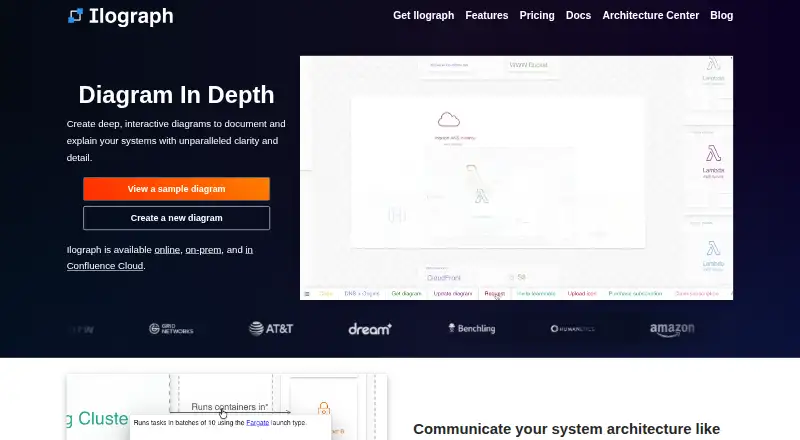
Ilograph creates interactive visual documentation for systems and the relationships and flows between their components.
What Ilograph is
Ilograph creates interactive visual documentation for systems and the relationships and flows between their components. Users can zoom between detailed views and broader system perspectives, while sequence perspectives present data, business, and security flows. Its model-based diagrams-as-code approach is designed to bring structure and reusability to diagrams. Diagrams support keyboard navigation and screen readers, and environments include AWS, Azure, GCP, and networking icons. Ilograph Desktop runs on Mac, Windows, and Linux, and can edit local files without an internet connection for offline or high-security work. The Export API runs in an on-premises Docker container without external internet access and produces standalone HTML files. A Confluence Cloud app keeps diagrams in the Confluence instance and does not require an Ilograph account. The Free plan includes unlimited public and private diagrams, unlimited diagram size, and 14 days of history. Listed options include Pro at $18.00 per month billed yearly, Team at $30.00 per month billed monthly, and Desktop at $14.99 per month billed monthly.
Good
- Diagrams support keyboard and screen-reader navigation.
- Desktop supports offline editing with local files.
- Includes AWS, Azure, GCP, and networking icons.
- Free plan allows unlimited diagram size.
- Export API produces standalone HTML.
Watch out
- Free plan keeps diagram history for 14 days.
- Team Workspace API cannot create or delete diagrams.
- Team Workspace API requires access keys and allow-listed IPs.
Who it suits
Ilograph suits people documenting system components and flows who need multiple perspectives or diagrams-as-code. Its Desktop edition is described for individuals and organizations that need local storage or offline use.
Verdict
Ilograph combines interactive system diagrams with desktop offline editing and an on-premises export option. The free plan includes broad diagram allowances, while API access is limited to existing diagrams and controlled by keys and IP allow-lists.
Plans and prices
From Ilograph's own pricing page, checked 28 Sep 2026.
| Plan | Price | What it gives you |
|---|---|---|
| Ilograph Free | Free | unlimited public diagrams · unlimited private diagrams · unlimited diagram size · built-in AWS, Azure, GCP and networking icons · 14 days of diagram history · per month |
| Ilograph Team | $30 a month | team collaboration · workspace dashboard · unlimited viewers · $30 per editor / month billed monthly |
| Ilograph Desktop | $14.99 a month | local files · custom icons · HTML export · no internet access required · $14.99 / month billed monthly |
| Ilograph Pro | $22 a month | custom icons · unlimited diagram history · 20 private viewers per diagram · private links · HTML export · $22 / month billed monthly |
| Ilograph for Confluence Cloud | Priced on request | standalone Confluence Cloud app · diagrams stored entirely within Confluence Cloud · no Ilograph account required · Price varies by team size |
| Ilograph Team+ | Priced on request | SAML 2.0 single sign-on · API access · Contact us for more information |
The facts
Each one read from Ilograph's own pages, with the date it was checked.
What it does
- Accessibility
- Ilograph diagrams are screen-reader friendly and can be navigated by keyboard.checked 28 Sep 2026
- API limitation
- The Team Workspace API supports GET, PUT and HEAD for existing diagrams; diagrams cannot be created or deleted through the API.checked 28 Sep 2026
- API security controls
- Team Workspace API access requires valid access keys and requests from allow-listed IP addresses.checked 28 Sep 2026
- Audience
- Ilograph Desktop is described as suitable for organizations and individuals who want local diagram storage or offline use.checked 28 Sep 2026
- Built-in icons
- All environments include built-in AWS, Azure, GCP and Networking icons.checked 28 Sep 2026
- CI/CD export
- The Ilograph Export API runs as an on-premises Docker container, does not require external internet access, and exports standalone HTML files.checked 28 Sep 2026
- Confluence integration
- The Confluence Cloud app is standalone, stores diagrams entirely within the Confluence Cloud instance, and does not require an Ilograph account.checked 28 Sep 2026
- Diagrams as code
- Ilograph uses a lightweight model-based diagrams-as-code approach that adds structure, consistency and reusability.checked 28 Sep 2026
- Diagram types
- relation,sequencechecked 20 Sep 2026
- Import/export formats
- YAML,HTMLchecked 20 Sep 2026
- Offline and high-security use
- Ilograph Desktop works with local files without internet access and is intended for behind-firewall, air-gapped or other high-security environments.checked 28 Sep 2026
- Offline editing
- Yeschecked 20 Sep 2026
- Paid from
- 11.99checked 20 Sep 2026
- Sequence flows
- Sequence perspectives showcase critical data, business, and security flows.checked 28 Sep 2026
- Support
- Ilograph asks users to contact [email protected] with questions and bug reports.checked 28 Sep 2026
- What it does
- Ilograph creates detailed interactive visual documentation for systems and their component interactions.checked 28 Sep 2026
- Zoom and perspectives
- Users can zoom from fine-grain details to the big picture and change perspectives to view systems from different points of view.checked 28 Sep 2026
Where it runs
- Desktop apps
- Yeschecked 20 Sep 2026
- Desktop platforms
- Ilograph Desktop is available for Mac, Windows and Linux, including Mac M Series, Mac Intel, Linux x86-64 and Linux arm64 downloads.checked 28 Sep 2026
The company
- Founded
- 2016checked 28 Sep 2026
- Headquarters
- Richmond, Virginia, United Stateschecked 28 Sep 2026
Money
- Free plan
- Yeschecked 20 Sep 2026
The full review of Ilograph
Overview
Ilograph is a system-documentation tool for turning components and their interactions into interactive diagrams. It is best for technical teams that need reusable architecture views or offline, local-file editing. Choose it for structured system documentation, not as a general-purpose drawing app.
Key features
Ilograph’s model-based diagrams-as-code approach gives system diagrams structure and reusability, which is useful when related views need to stay consistent. Readers can zoom from component-level detail to the broader system and switch perspectives; sequence views emphasize data, business, and security flows. That combination helps explain both what a system contains and how it behaves.
Diagrams support screen readers and keyboard navigation. Built-in AWS, Azure, GCP, and networking icons cover common infrastructure contexts, and YAML and HTML are supported for import and export. The Team Workspace API is deliberately limited: it can GET, PUT, and HEAD existing diagrams, but cannot create or delete them. Access requires valid keys and requests from allow-listed IP addresses, making it a controlled integration point rather than a complete diagram-management API.
Ilograph Desktop runs on Mac, Windows, and Linux and works with local files without internet access, including in behind-firewall and air-gapped environments. The Export API runs in an on-premises Docker container and exports standalone HTML without external internet access. These options are meaningful advantages for restricted environments; they do not remove the Team Workspace API’s limits.
The standalone Confluence Cloud app stores diagrams within the Confluence instance and requires no Ilograph account. That is a useful route for organizations already using Confluence, though it is a separate deployment choice from Ilograph’s other workspaces.
Pricing
The Ilograph Free plan costs nothing, billed per month. It allows unlimited public and private diagrams and unlimited diagram size, includes the built-in icon sets, and retains 14 days of diagram history. That is a generous starting point for individuals or teams evaluating diagramming needs, but the short history window may not suit teams that need to revisit older revisions.
Ilograph Pro costs $18 a month, billed yearly, and allows 20 viewers per diagram. It fits a project where a bounded audience needs to read diagrams; teams needing broader access should compare the Team plan rather than assume Pro offers unlimited viewers.
Ilograph Team costs $30 a month, billed $30 per editor / month billed monthly. It adds team collaboration and a workspace dashboard, with unlimited viewers. The per-editor charge matters for authoring teams, while unlimited viewers can make it more suitable when many people need to read the work.
Ilograph Team+ has custom pricing and includes single sign-on using SAML 2.0 and API access. It is the relevant tier for organizations requiring those controls, though API access remains subject to the stated API limits.
Ilograph Desktop costs $14.99 a month, billed $14.99 / month billed monthly. It includes local files, custom icons, HTML export, and offline use. This is the clearest fit for individual or organizational users who prioritize local editing; its terms differ from the collaboration-oriented Team plans.
Ilograph for Confluence Cloud has custom pricing and requires no additional Ilograph account or subscription. Ilograph also offers a 14-day trial. The freemium model gives users a no-cost way to keep diagrams, while paid plans separate viewer allowances, collaboration, API access, and desktop capabilities rather than packaging them all together.
Platforms
Ilograph is available on the web, Windows, macOS, Linux, through an API, and as a self-hosted option. Desktop downloads cover Mac M Series and Intel, Linux x86-64 and arm64, and Windows. Offline editing is specifically supported by Ilograph Desktop.
Who it's for
Ilograph is a strong fit for architecture and systems teams documenting component relationships and important flows, especially when they value structured diagrams, accessible navigation, or controlled offline deployment. The free plan can suit broad diagram creation with modest history needs; Pro suits a defined viewer group, while Team suits collaborative authoring with larger readership. It is less compelling for users seeking unrestricted programmatic diagram creation and deletion or a broad, general-purpose canvas.
Pros and cons
- Pro: Unlimited diagrams and diagram size on the free plan lower the barrier to documenting multiple systems.
- Pro: Multiple perspectives and sequence flows make it possible to communicate both system structure and key interactions.
- Pro: Local offline editing and on-premises HTML export support high-security and internet-restricted environments.
- Pro: Screen-reader and keyboard support improve access to diagrams.
- Con: Free-plan history lasts only 14 days, limiting how far back users can revisit diagram changes.
- Con: The Team Workspace API cannot create or delete diagrams, and its access is gated by keys and IP allow-lists.
- Con: Pro caps viewers at 20 per diagram; unlimited viewers are reserved for Team.
Alternatives
Compare diagramming software if you want to consider a wider range of tools. Choose draw.io instead for a free, open-source option with no sign-up requirement and support across web, desktop, and mobile platforms. EdrawMax is another freemium option with a free plan, trial, and broad platform support.
Consider Creately if unlimited collaborators and canvases on its free plan matter more than Ilograph’s system-focused views. Lucidchart is a web and mobile option with free basic diagramming access. Pick Preceden for timelines rather than system architecture diagrams. Software Ideas Modeler is a desktop alternative with UML and basic diagrams, including a free non-commercial Standard plan. UMLet is a free, open-source UML tool offered as desktop apps, an Eclipse plugin, a web app, and a VS Code extension. Cacoo may suit teams seeking real-time editing and in-app video chat on its free plan.
Verdict
Ilograph is a good choice for teams that need reusable system diagrams and value offline desktop editing or on-premises export. Its free plan is unusually open on diagram count and size, while paid tiers address collaboration and viewer scale. Look elsewhere if your workflow depends on an API that can create and delete diagrams, or if you need a general-purpose diagramming canvas rather than system documentation.
Alternatives to Ilograph
- 1

Structurizr
Free planOpen sourceWebAPILinuxmacOS8.3From £300 a month - 2

Creately
Free planWebAPILinuxmacOS8.1Free plan - 3

SmartDraw
AndroidiOSWebAPI7.9From $8.95 a month - 4

Sparx Enterprise Architect
Free planWebAPILinuxmacOS7.9$245 one-time - 5

EdrawMax
Free planAndroidiOSWebLinux7.7From $5.90 a month - 6
Gluu
AndroidiOSWebAPI7.7From €2 a month