IceWM
IceWM is a free, open-source window manager for the X Window System, built to keep operation simple and desktop interference low.
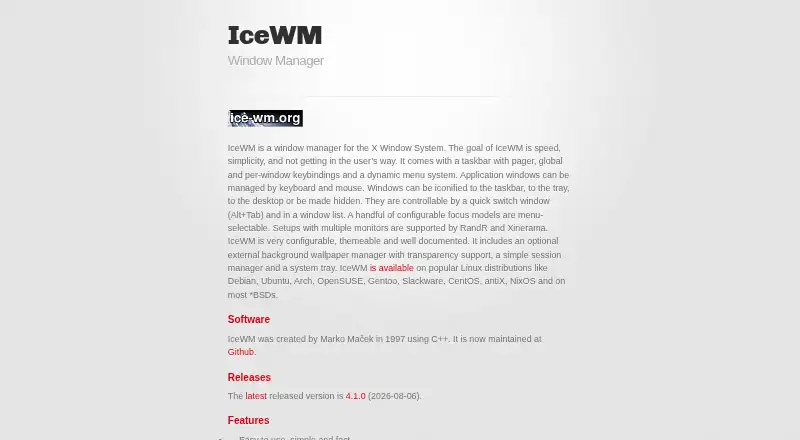
What IceWM is
IceWM is a free, open-source window manager for the X Window System, built to keep operation simple and desktop interference low. It supports keyboard and mouse controls, Alt+Tab switching, a window list, configurable focus models, and a taskbar. Windows can be iconified to the taskbar, tray, or desktop, or hidden. Other features include configurable keybindings, dynamic menus, tabbed windows, and optional sound effects. IceWM supports multiple workspaces and multi-monitor setups through RandR and Xinerama. It is configurable and themeable, with more than 450 themes available to download, and can run alone or alongside GNOME and KDE environments. It is available on popular Linux distributions and most BSD systems, under the GNU Library General Public License. The website lists version 4.1.0, released on 2026-08-06, as the latest release. Installation instructions cover downloading, configuring, building, and installing the source archive.
Good
- Supports multiple workspaces and multi-monitor setups.
- Offers more than 450 downloadable themes.
- Includes configurable keybindings and dynamic menus.
- Can run alone or with GNOME and KDE.
Watch out
- It is a window manager for the X Window System.
- Source installation requires configuring and building the archive.
Who it suits
IceWM suits Linux or BSD users who want a configurable X11 window manager with keyboard and mouse controls. It can also fit desktops that use GNOME or KDE.
Verdict
IceWM offers configurable window handling, workspaces, and multi-monitor support in a free, open-source package. It is a fit for users comfortable with X11 and, when needed, source-based installation.
Plans and prices
From IceWM's own pricing page, checked 11 Oct 2026.
| Plan | Price | What it gives you |
|---|---|---|
| IceWM | Free | GNU LGPL license · X11 window manager |
The facts
Each one read from IceWM's own pages, with the date it was checked.
What it does
- Accessibility of controls
- The manual says IceWM generally tries to make all functions available by keyboard and mouse, with an exception for mouse focus.checked 11 Oct 2026
- Availability
- The site lists IceWM as available on popular Linux distributions and most BSD systems.checked 11 Oct 2026
- Customization
- IceWM is configurable and themeable, and the site says more than 450 themes are available to download.checked 11 Oct 2026
- Desktop compatibility
- IceWM is usable with GNOME and KDE environments.checked 11 Oct 2026
- Desktop environments
- The site says IceWM can be used with GNOME and KDE environments.checked 11 Oct 2026
- Installation
- The site provides instructions to download the source archive, configure it, build it, and install it.checked 11 Oct 2026
- Integration
- The manual says IceWM can run alone or with desktop environments such as GNOME, and its session program can launch the window manager, background changer, and tray.checked 11 Oct 2026
- Latest release
- The website lists version 4.1.0, released on 2026-08-06, as the latest release.checked 11 Oct 2026
- License
- IceWM is released under the GNU Library General Public License.checked 11 Oct 2026
- Origin
- IceWM was created by Marko Maček in 1997 using C++.checked 11 Oct 2026
- Other features
- Features include a taskbar, configurable keybindings, dynamic menus, tabbed windows, and optional sound effects.checked 11 Oct 2026
- Product
- IceWM is a window manager for the X Window System, designed for speed, simplicity, and minimal interference.checked 11 Oct 2026
- Purpose
- IceWM is a window manager for the X Window System designed for speed, simplicity, and not getting in the user’s way.checked 11 Oct 2026
- Standards
- The manual says IceWM is compatible with the EWMH and ICCCM window manager protocols.checked 11 Oct 2026
- Support
- The site directs users to report bugs on GitHub and links to manual pages, a manual, and an FAQ.checked 11 Oct 2026
- Taskbar and menus
- It includes a taskbar with pager, global and per-window keybindings, and a dynamic menu system.checked 11 Oct 2026
- Window controls
- Windows can be managed by keyboard and mouse, iconified to the taskbar, tray, or desktop, or hidden.checked 11 Oct 2026
- Window management
- It supports keyboard and mouse controls, Alt+Tab switching, a window list, and several configurable focus models.checked 11 Oct 2026
- Workspaces and displays
- It supports multiple workspaces and multi-monitor setups through RandR and Xinerama.checked 11 Oct 2026
The company
- Founded
- 1997checked 28 Sep 2026
- Maker and origin
- The site says IceWM was created by Marko Maček in 1997 using C++.checked 11 Oct 2026
Where it runs
- Platforms
- The site says IceWM is available for popular Linux distributions and most BSD systems.checked 11 Oct 2026
The full review of IceWM
IceWM is a lightweight X Window System manager for Linux and BSD desktops, aimed at users who want direct control over windows rather than a large desktop shell. It is particularly well suited to technically confident users who value configurable behavior and low overhead. Its main compromise is that the documented installation route centers on building from source, which is less convenient than a bundled graphical installer.
Overview
Created by Marko Maček in 1997 and written in C++, IceWM is designed to be fast, simple, and unobtrusive. It can run on its own or alongside GNOME and KDE, allowing users to change window handling without abandoning their preferred desktop applications. Compatibility with the EWMH and ICCCM protocols also gives it a standards-based foundation for integration with X11 software.
IceWM is a sensible choice for Linux users who want a small, controllable layer between applications and the desktop. Its availability on popular Linux distributions and most BSD systems broadens its reach, but it remains an X Window System tool rather than a general solution for every desktop architecture.
Key features
Window control and navigation
Keyboard and mouse controls cover everyday work, including Alt+Tab switching and a window list. Windows can be iconified to the taskbar, tray, or desktop, or hidden entirely. Several configurable focus models let users decide how windows receive attention, while global and per-window keybindings support repeatable workflows.
The manual generally aims to expose functions through both keyboard and mouse, which helps users mix input styles. Mouse focus is an exception, so people requiring keyboard access to every aspect of focus behavior should treat that limitation as significant.
Workspaces, displays, and desktop controls
A taskbar with a pager, virtual desktop controls, and multiple workspaces make it practical to separate activities. Support for multi-monitor arrangements through RandR and Xinerama is valuable for users spreading applications across displays. These capabilities are useful without requiring a full desktop-environment switch.
Dynamic menus and configurable application rules add control over how programs are launched and handled. Window grouping, tabbed windows, and optional sound effects provide additional flexibility, although users seeking an intentionally minimal setup can leave those choices unused.
Themes and integration
IceWM is configurable and themeable, with more than 450 downloadable themes. That gives users considerable scope to alter appearance without changing the underlying window-management model. Its session program can launch the window manager, background changer, and tray, supporting a coherent standalone session or integration with GNOME and KDE.
Pricing
IceWM is free and open source under the GNU Library General Public License. The IceWM plan costs nothing and includes the X11 window manager, application rules, window grouping, and virtual desktop controls. There are no paid tiers, seat charges, usage quotas, or renewal terms, and no free trial is offered because the software is permanently free.
The trade-off is not a pricing restriction but setup responsibility. The project provides instructions to download a source archive, configure it, build it, and install it.
Platforms
IceWM targets Linux and self-hosted deployments and is available on popular Linux distributions and most BSD systems. It runs within the X Window System and supports RandR and Xinerama for multi-monitor setups. This makes it a strong fit for traditional Unix desktops, but not for readers seeking a Windows or macOS window manager.
Who it's for
Choose IceWM if you are comfortable with X11 concepts, configurable desktop sessions, and—when necessary—source compilation. It suits people who want keyboard-driven and mouse-driven window control, multiple workspaces, multi-monitor support, and extensive theming without replacing GNOME or KDE applications.
Look elsewhere if you need a turnkey graphical installation, a platform outside Linux or BSD, or a window manager designed for a non-X desktop. Its breadth of configuration rewards users willing to shape their environment rather than those seeking a fixed, guided experience.
Pros and cons
- Pros: Free GNU LGPL software with no paid limits; multiple workspaces and RandR/Xinerama multi-monitor support; keyboard, mouse, global, and per-window controls; more than 450 downloadable themes; can run alone or with GNOME and KDE.
- Cons: The documented installation path requires configuring and building source; mouse focus is not fully covered by the keyboard-and-mouse accessibility approach; it is tied to the X Window System and therefore has a narrower platform scope than cross-platform desktop utilities.
Alternatives
herbstluftwm is worth choosing instead if you want a free manual tiling window manager available on Linux and macOS. spectrwm is another free X11 window-manager option with Linux, macOS, and Windows availability.
For Windows multi-monitor and desktop utilities, DisplayFusion offers a free version after a trial and paid lifetime licensing, while Dexpot provides a free private-use plan. macOS users wanting tiling layouts and configurable shortcuts should consider Amethyst. AquaSnap is a Windows alternative with a personal freeware tier and paid lifetime licenses. 4t Tray Minimizer is another Windows-focused option. Launchpad is a free, self-hosted and web-oriented platform rather than a direct window-manager replacement.
Verdict
IceWM is a strong recommendation for Linux and BSD users who want a fast, restrained X11 window manager they can configure deeply, theme extensively, and operate across workspaces and monitors. Its free LGPL license removes financial barriers, and GNOME/KDE compatibility eases adoption. Look elsewhere if source-oriented installation, X11 dependence, or the absence of Windows and macOS support conflicts with your setup.
Alternatives to IceWM
- 1

DisplayFusion
Free planAndroidiOSAPIWindows7.9$34 one-time - 2
Avidemux
Free planOpen sourceWebLinuxmacOSWindows7.3Free plan - 3

Dexpot
Free planAPIWindows7.2€24.90 one-time - 4
spectrwm
Free planOpen sourceLinuxmacOSWindows7.1Free plan - 5

Launchpad
Free planWebAPILinuxSelf-hosted7.0Free plan - 6

Reloop
Free planSelf-hosted7.0From $10 a month