
Hyvector
Hyvector is a free, browser-based SVG editor that runs without installation or an account.
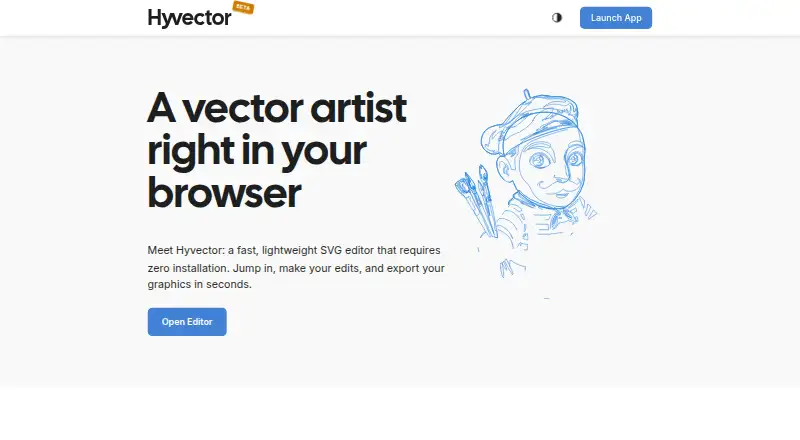
What Hyvector is
Hyvector is a free, browser-based SVG editor that runs without installation or an account. It is intended for tasks such as adjusting icons, drafting logos, and cleaning SVG paths. Drawing tools include selection and node editing, a Bézier pen, paint brush, pencil, and parametric shapes. Paths can be scaled, rotated, and skewed, while a drag-and-drop element tree organizes document structure. The editor handles complex shaping and bidirectional text, including Nastaliq, Adlam, and Devanagari, and can convert text to outlines while preserving shaping. The maker says processing occurs locally and files never leave the device. Hyvector is described as light on memory and suitable for modest hardware. Graphics can be exported in SVG format. Planned additions include bitmap vectorization, SVG filter support, and dynamic stroke widths. Jan Bösenberg started the project as a solo developer; the footer identifies INCORS GmbH with him as copyright holder.
Good
- Runs in a browser without installation
- Local processing keeps files on the device
- Supports complex and bidirectional text shaping
- Includes Bézier, node, brush, pencil, and shape tools
- SVG export without an account
Watch out
- Planned features are not yet available
- Browser-based editor only
- Focused on SVG graphics
Who it suits
Hyvector suits people who need quick SVG edits in a browser, including icon, logo, path, and multilingual typography work. It also fits users who prefer local processing and no account requirement.
Verdict
Hyvector provides a lightweight browser workspace for editing and exporting SVG graphics. Local processing, multilingual text shaping, and no-account access make it practical for quick vector adjustments on modest hardware.
Plans and prices
From Hyvector's own pricing page, checked 11 Oct 2026.
| Plan | Price | What it gives you |
|---|---|---|
| Hyvector | Free | Free browser-based SVG editor; no account required |
The facts
Each one read from Hyvector's own pages, with the date it was checked.
What it does
- Account requirement
- The maker says users can start editing without creating an account.checked 11 Oct 2026
- Developer
- Jan Bösenberg says he started Hyvector as a browser-based SVG editor and describes himself as a solo developer.checked 11 Oct 2026
- Drawing tools
- Its listed tools include selection and node editing, a Bézier pen, paint brush, pencil, and parametric shapes.checked 11 Oct 2026
- Export
- The maker says users can export graphics in seconds.checked 11 Oct 2026
- Hardware
- The maker says Hyvector runs well even on modest hardware and stays light on memory.checked 11 Oct 2026
- Local processing
- The maker says all processing happens locally and files never leave the user's device.checked 11 Oct 2026
- Path editing
- Paths can be scaled, rotated, and skewed, and a drag-and-drop element tree organizes document structure.checked 11 Oct 2026
- Product
- Hyvector is a lightweight SVG editor that runs in a browser without installation.checked 11 Oct 2026
- Typical tasks
- The maker describes using Hyvector to tweak icons, draft logos, and clean up SVG paths.checked 11 Oct 2026
- Typography
- Hyvector supports complex shaping and bidirectional text, including Nastaliq, Adlam, and Devanagari, and can convert text to outlines while preserving shaping.checked 11 Oct 2026
- Upcoming features
- The maker says planned additions include bitmap vectorization, SVG filter support, and dynamic stroke widths.checked 11 Oct 2026
The company
- Company
- The homepage footer identifies INCORS GmbH alongside Jan Bösenberg as copyright holder.checked 11 Oct 2026