Hygen
Hygen is a free, open-source code generator that creates project files from templates.
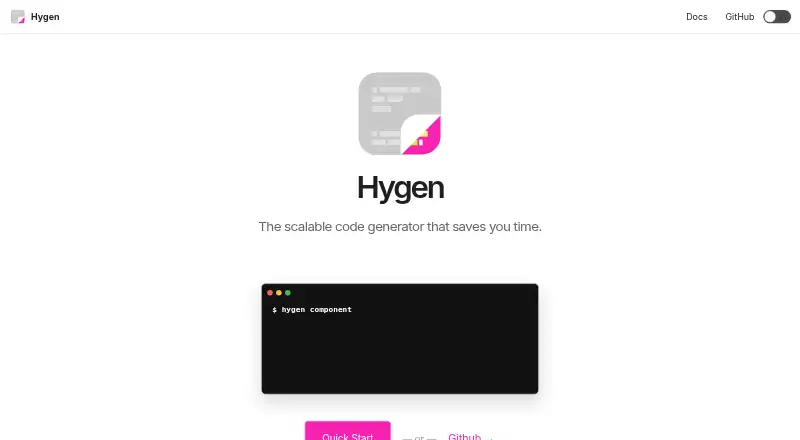
What Hygen is
Hygen is a free, open-source code generator that creates project files from templates. Its generators are self-contained, and their folder structure determines the commands available. Hygen looks for a local `_templates` folder, letting a team keep templates beside its project code. Built-in scaffolds help users create generators, including through a prompt-driven option. Templates use EJS and frontmatter, which can specify where a generated file should go. Generators can take command-line arguments, prompt users in one or several steps, add files, inject content into existing files and run shell commands. Actions can select matching files with a string or regular-expression subaction, and a `--dry` option is documented for test-running generators. Hygen was built to help with boilerplate for React, Redux and Node.js, but can be used with any technology. The maker links examples for Redux, Express.js and React Native. Installation options include Homebrew, npm, Yarn, npx and standalone binaries. Hygen runs on Linux, macOS and Windows and is MIT licensed.
Good
- Templates can live alongside project code.
- Generators support prompts and command-line arguments.
- Can add files and inject existing-file content.
- Shell commands can run from templates.
- Available for Linux, macOS and Windows.
Watch out
- Templates are not discovered down folder trees by default.
- It is a command-line tool.
- The maker points users to Stack Overflow for community support.
Who it suits
Hygen suits developers and teams that want project-local templates for generating or updating code. It can serve projects using React, Redux or Node.js, as well as other technologies.
Verdict
Hygen offers a project-local way to generate files and modify existing code from customizable templates. Its folder-based generator organization may suit teams keeping template changes alongside project code, though templates below folder trees require extra handling.
Plans and prices
From Hygen's own pricing page, checked 5 Oct 2026.
| Plan | Price | What it gives you |
|---|---|---|
| Open source | Free | Code generator distributed through npm, Homebrew, npx, and standalone binaries |
The facts
Each one read from Hygen's own pages, with the date it was checked.
What it does
- Custom operations
- Hygen templates can run shell commands.checked 4 Oct 2026
- Dry run
- The quick start documents a --dry option for test-running generators.checked 5 Oct 2026
- Features
- Hygen supports prompts, automatic CLI arguments, adding files, injecting into existing files, and running shell commands.checked 5 Oct 2026
- File operations
- Hygen can add new files and inject template content into existing files.checked 4 Oct 2026
- Generator creation
- Built-in scaffolds help users create generators, including a prompt-driven option.checked 4 Oct 2026
- Generator selection
- Users can select matching files within an action using a string or regular-expression subaction.checked 5 Oct 2026
- Generator structure
- Generators are self-contained, and their folder structure determines the command structure.checked 4 Oct 2026
- Installation
- The maker documents installation through Homebrew on macOS, global npm or Yarn installation, and `npx` use.checked 4 Oct 2026
- Install options
- The maker documents installation through Homebrew, npm or Yarn, npx, and standalone binaries.checked 5 Oct 2026
- Integrations
- The site presents Redux, Express.js, and React Native as Hygen use cases.checked 5 Oct 2026
- Integrations and use cases
- The maker’s site links examples for Redux, Express.js, and React Native.checked 4 Oct 2026
- License
- The GitHub repository identifies the project as MIT licensed.checked 4 Oct 2026
- Notable limit
- Hygen does not discover templates down folder trees out of the box, which the FAQ says preserves its startup performance.checked 5 Oct 2026
- Other frameworks
- The quick start says Hygen was built to ease boilerplate work for React, Redux, and Node.js, and can be used for any technology.checked 5 Oct 2026
- Product
- Hygen describes itself as a scalable code generator that lives in your project.checked 4 Oct 2026
- Project-local templates
- Hygen looks for a local `_templates` folder, allowing templates to live alongside project code.checked 4 Oct 2026
- Prompts and arguments
- Generators can accept command-line arguments and use interactive prompts or multi-step prompt flows.checked 4 Oct 2026
- Security
- The opened maker pages do not state security or compliance certifications.checked 5 Oct 2026
- Support
- The maker site links users to Stack Overflow as its community resource.checked 5 Oct 2026
The company
- Founded
- 2018checked 28 Sep 2026
- Maker attribution
- The site copyright names Dotan J. Nahum.checked 4 Oct 2026
- Team workflow
- The maker says teams can keep templates in a shared project repository so changes can be reviewed with code in the same pull request.checked 5 Oct 2026
Where it runs
- Platform availability
- The maker says standalone binaries are available for every major platform, without listing the platforms on that page.checked 5 Oct 2026
- Platform binaries
- The Quick Start says binary releases are available for every major platform.checked 4 Oct 2026
The full review of Hygen
Hygen is a command-line code generator for building repeatable project scaffolds and editing files from templates. It is best suited to developers and teams who want generator logic versioned alongside the code it serves. Its flexible prompts and file operations make it useful for general boilerplate, but it is not designed for schema-to-code generation.
Overview
Hygen keeps generators within the project they support: self-contained generator folders map to commands, and templates can live in a local _templates directory. That arrangement makes shared scaffolding easier to maintain alongside application code, including reviewing template changes in the same pull request as code changes.
The trade-off is that Hygen does not discover templates nested down folder trees by default. That keeps startup performance in view, but teams with deeply nested template collections will need to handle that structure themselves. Hygen began as a way to reduce boilerplate in React, Redux, and Node.js work; it can be used with other technologies too.
Key features
- Generators that map to commands: Each generator is self-contained, and its folder structure determines how users invoke it. Built-in scaffolds, including a prompt-driven option, help create generators rather than requiring every one to be built from scratch.
- Template-driven file changes: EJS template bodies and frontmatter can specify destinations with a to field. Hygen can create files or inject content into existing ones; string or regular-expression subactions can select matching files within an action. This supports routine edits as well as new-file scaffolding.
- Interactive and repeatable inputs: Generators accept command-line arguments, interactive prompts, and multi-step prompt flows. That lets teams use the same generator for both scripted work and choices that depend on a developer's answers.
- Custom operations and dry runs: Templates can run shell commands, extending a generator beyond file output. The documented --dry option provides a way to test-run generators; shell execution also makes reviewing template changes important.
- Framework examples: The maker's site presents Redux, Express.js, and React Native use cases, while the Quick Start cites React, Redux, and Node.js as original boilerplate targets. These examples show its intended range without limiting it to those stacks.
Pricing
Hygen is open source under the MIT license and costs nothing. The free offering is the code generator distributed through npm, Homebrew, npx, and standalone binaries; there is no paid tier or free trial to weigh against a usage cap. That makes it a straightforward fit for individual developers and teams comfortable adopting an open-source CLI, rather than buyers seeking a commercial support plan.
Platforms
Hygen is available for Linux, macOS, and Windows. Installation options include Homebrew on macOS, global npm or Yarn installation, npx, and standalone binaries. The maker also points users to Stack Overflow for community help.
Who it's for
Hygen fits developers who repeatedly create similar files or make predictable edits across a project, and teams that want template changes to be reviewed with the code they affect. Its command-line arguments and prompts accommodate both automation and guided generation. It is a weaker fit for teams that depend on automatic discovery of templates in deep folder trees, or need a schema-to-code generator.
Pros and cons
- Pro — Templates stay close to project code: A local template folder lets teams keep shared generator changes in the project repository and review them alongside code.
- Pro — More than file scaffolding: EJS templates, destination frontmatter, prompts, file injection, and shell commands support varied generation and editing workflows.
- Pro — No cost or platform lock-in across the listed systems: The MIT-licensed tool is free and supports Linux, macOS, and Windows.
- Con — Nested template discovery needs extra handling: Hygen does not find templates down folder trees out of the box, which can complicate deeply nested generator layouts.
- Con — CLI-oriented workflow: Hygen offers a CLI, but no IDE plugin; it is not the best match for readers who want generation managed through an editor integration.
- Con — Not for schema-to-code generation: Its template-driven approach does not include schema-to-code generation.
Alternatives
Choose quicktype instead when the task is generating code from data structures: its free offering includes a web app and CLI, and it is open source under Apache-2.0. For Kotlin SQL code generation, SQLDelight is the more focused option; it is an open-source library with no paid tiers stated.
Angular CLI is a better fit when the work is centered on Angular project workflows, while Fern suits readers looking for a free API documentation platform with team, page, AI-credit, page-generation, and site limits. Consider Nx instead for a project tooling and CI workflow with a free Hobby tier capped at 50,000 monthly-reset credits, five contributors, and 10 concurrent CI connections.
Spring Initializr is the alternative to consider for bootstrapping Spring projects. Choose Swagger Codegen when you need API clients, server stubs, or documentation generated from OpenAPI specifications. TypeSpec is another open-source option, with a CLI and online playground.
Browse more options in Code Generators.
Verdict
Choose Hygen if you want a free, project-local CLI for reusable templates, guided prompts, and edits to existing files, especially when the generators should be maintained with application code. Look elsewhere if you need schema-driven output, editor plugins, or automatic discovery through deeply nested template folders.
Alternatives to Hygen
- 1
SQLDelight
Free planOpen sourceAndroidiOSWebAPI7.9Free plan - 2
Fern
Free planOpen sourceWebAPILinuxmacOS7.8Free plan - 3
Swagger Codegen
Free planOpen sourceWebAPILinuxmacOS7.6Free plan - 4
APIMatic
Free planWebAPIExtensionLinux7.4From $99 a month - 5
Symfony MakerBundle
Free planOpen sourceAPILinuxmacOSSelf-hosted7.4Free plan - 6

quicktype
Free planWebAPILinuxmacOS7.3From $19 a month