HP Accessory Center
HP Accessory Center is a free utility for configuring supported HP Bluetooth and USB keyboards, mice, and keypads on Windows and macOS.
What HP Accessory Center is
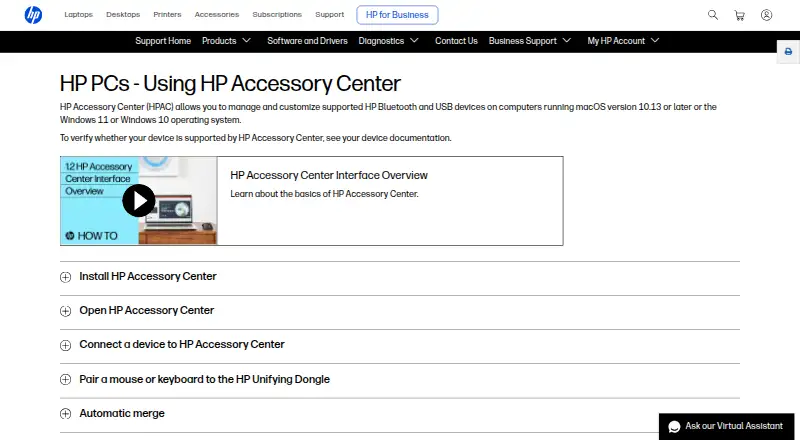
HP Accessory Center is a free utility for configuring supported HP Bluetooth and USB keyboards, mice, and keypads on Windows and macOS. Available controls depend on the device model. Users can assign keystrokes, shortcut combinations, or commands such as opening an application to programmable buttons and keys. Supported mice can expose pointer sensitivity, DPI, scrolling speed, and scroll-direction settings, with some functions assignable to particular applications. The app dashboard manages accessory connections, shows battery status, and supports configurable low-battery alerts. HP also describes switching a monitor, keyboard, and mouse between two or more connected computers, although only one monitor can be switched. Network communication settings support clipboard synchronization and file sharing, while Secure Pairing transfers files and clipboard information to another computer on the same network. HP lists Windows 10, Windows 11, and macOS 10.13 or later; the App Store plan specifies macOS 12.0 or later. Webcam support has moved to Poly Lens.
Good
- Free to use
- Programmable button and key assignments
- Per-application settings supported
- Battery status and alerts
- Available from Microsoft Store and App Store
Watch out
- Only supports listed HP accessories
- Controls vary by device model
- HP webcams are no longer supported
- App Store version requires macOS 12.0 or later
Who it suits
It suits owners of supported HP keyboards, mice, keypads, and other compatible accessories. It is useful for users wanting button assignments, mouse adjustments, battery alerts, or multi-computer switching.
Verdict
HP Accessory Center centralizes customization, connection management, battery alerts, and selected multi-computer features for supported HP accessories. Confirm device documentation and operating-system requirements before installation.
Plans and prices
From HP Accessory Center's own pricing page, checked 11 Oct 2026.
| Plan | Price | What it gives you |
|---|---|---|
| HP Accessory Center | Free | Supported HP accessories only · macOS 12.0 or later on the App Store version |
The facts
Each one read from HP Accessory Center's own pages, with the date it was checked.
Where it runs
- Application settings
- Some mouse settings and button functions can be assigned to specific applications.checked 11 Oct 2026
- Device switching
- HP says users can connect a monitor, keyboard, and mouse to two or more computers and switch between computers using the app.checked 11 Oct 2026
- Per-app profiles
- Yeschecked 22 Sep 2026
- Supported devices
- The app can configure supported keyboards, mice, and keypads; available functions depend on the device model.checked 11 Oct 2026
What it does
- Battery notifications
- Users can enable low-battery notifications and adjust the battery level that triggers them.checked 11 Oct 2026
- Battery status
- The app shows battery status and lets users configure low-battery alerts for supported accessories.checked 11 Oct 2026
- Button assignments
- Users can assign keystrokes or commands, such as opening an application, to programmable buttons or keys.checked 11 Oct 2026
- Button customization
- Users can assign supported accessory buttons to open favorite applications or run shortcut key combinations.checked 11 Oct 2026
- Compatibility limit
- HP lists Windows 10, Windows 11, and macOS 10.13 or later, and says device support should be checked in that device's documentation.checked 11 Oct 2026
- Connections
- The app provides a dashboard to view and manage supported HP accessory connections.checked 11 Oct 2026
- Downloads
- HP says HP Accessory Center is available from Microsoft Store and the App Store.checked 11 Oct 2026
- Mouse settings
- For supported mice, users can adjust pointer sensitivity and DPI, scrolling speed, and scroll direction.checked 11 Oct 2026
- Multi-computer use
- HP Accessory Center can switch a monitor, keyboard, and mouse between two or more computers when the devices are connected to both computers; only one monitor can be switched.checked 11 Oct 2026
- Network sharing
- The settings include network communication for clipboard sync and file sharing with other devices connected to HP Accessory Center.checked 11 Oct 2026
- Operating systems
- HP says the app manages supported HP Bluetooth and USB devices on Windows 10, Windows 11, or macOS 10.13 or later.checked 11 Oct 2026
- Pairing limit
- HP says a pairing sequence must be entered within 30 seconds or the pairing process must be repeated.checked 11 Oct 2026
- Privacy disclosure
- HP Inc. indicates on the App Store listing that the app does not collect data; Apple says this developer-provided privacy information has not been verified by Apple.checked 11 Oct 2026
- Purpose
- HP Accessory Center lets users tailor settings for supported HP accessories.checked 11 Oct 2026
- Secure pairing
- HP describes Secure Pairing as a way to transfer files and clipboard information to another computer on the same network.checked 11 Oct 2026
- Sensitivity controls
- Yeschecked 22 Sep 2026
- Support
- The app includes a Manual link, and HP directs users to its support website when a device is not listed.checked 11 Oct 2026
- Supported operating systems
- cross-platformchecked 22 Sep 2026
- Tutorials
- The app provides product tutorials that highlight supported accessory features and how to use them.checked 11 Oct 2026
Money
- Free plan
- Yeschecked 22 Sep 2026
Alternatives to HP Accessory Center
- 1
SteelSeries GG
Free planAndroidiOSWebAPI8.3Free plan - 2
be quiet! IO Center
Free planWebLinuxmacOSWindows7.9Free plan - 3
Rebind
Free planLinuxmacOSWindows7.8$199 one-time - 4

Akko Cloud Driver
Free planWebmacOSWindows7.8Free plan - 5
MonsGeek Driver
Free planWebLinuxmacOSWindows7.8Free plan - 6
ROCCAT Swarm II
Free planAndroidiOSWindows7.8Free plan