
Hippo Video
Hippo Video provides personalized video tools for businesses engaging and collaborating with customers, employees, and stakeholders.
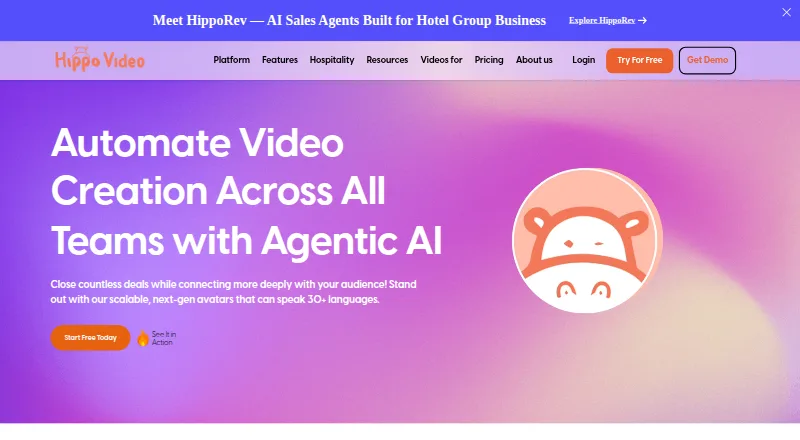
What Hippo Video is
Hippo Video provides personalized video tools for businesses engaging and collaborating with customers, employees, and stakeholders. Its text-to-video feature can turn text, presentations, PDFs, or blogs into videos. Users can create interactive avatars with multilingual voiceovers in more than 30 languages, while the AI editor can remove filler words, enhance highlights, and adjust gestures. Videos can include polls, quizzes, calls to action, and forms. Sales features include personalized video campaigns, sales pages, video flows, viewer insights, and team reports. Listed integrations include Gmail, Outlook, LinkedIn, HubSpot, Outreach, Salesloft, Zoom, Zapier, Freshworks CRM, and Salesforce. The pricing comparison describes Mac and Windows desktop apps and iOS and Android mobile apps. Hippo Video identifies its company as Lyceum Technologies, Inc., based in Newark, Delaware, and states that it is a SOC 2 Type II certified service provider. Its pricing FAQ says users will be notified if they exceed the 200 GB monthly bandwidth limit.
Good
- Turns text, presentations, PDFs, or blogs into videos.
- Interactive videos can include polls, quizzes, and forms.
- Avatars support voiceovers in more than 30 languages.
- Listed integrations include Gmail, HubSpot, Zoom, and Salesforce.
- Desktop and mobile applications are described.
Watch out
- The pricing FAQ sets a 200 GB monthly bandwidth limit.
- Enterprise pricing requires a minimum of 10 seats.
- Starter charges $5 for each video creation.
Who it suits
Hippo Video suits businesses making personalized videos for customers, employees, or stakeholders. It may fit sales and communications teams that want interactive campaigns and integrations with listed business tools.
Verdict
Hippo Video combines video creation and editing with interactive campaign and sales features. Review the plan allowances and bandwidth limit to see whether they fit your team’s use.
Plans and prices
From Hippo Video's own pricing page, checked 14 Oct 2026.
| Plan | Price | What it gives you |
|---|---|---|
| Free | Free | 3 video downloads/shares per month · single-user workspace · $5 per video creation · AI trust and safety · No credit card required |
| Pro | $20 a month | 5 Video Flows · 30 minutes closed captions · 10 AI Editor videos · 5 Sales Page templates · 100 personalized videos · unlimited Full HD recordings · Annually; $30/user billed monthly |
| Teams | $60 a month | 15+ Video Flows · 200 minutes closed captions · 50 AI Editor videos · 15 Sales Page templates · 300 personalized videos · sales-platform integrations · team reports · Annually; $75/user billed monthly |
| Enterprise | $80 a month | Generative AI · advanced roles · security and support · Annually; contact sales |
| Starter | $24 a month | 10 video downloads/shares per month · single-user workspace · $5 per video creation · AI trust and safety · Annually; $29/user billed monthly |
| Creator | $69 a month | 30 video downloads/shares per month · multi-user workspace · video translation · Annually; $89/user billed monthly |
| Custom Theme | $1,000, paid once | Brand-tailored custom theme · Contact us |
| Custom Avatar | $1,000, paid once | Customizable avatar; pay once and own forever · Contact us |
The facts
Each one read from Hippo Video's own pages, with the date it was checked.
What it does
- Advanced editing
- Pro Edit adds multiple tracks, music, narration, clip settings, markup and intro/end cards.checked 14 Oct 2026
- AI avatars
- Users can create an avatar based on their appearance and voice for personalized videos.checked 14 Oct 2026
- Analytics
- Real-time engagement graphs show viewing activity and which videos deliver value.checked 14 Oct 2026
- API components
- Developer materials describe Recorder, Import, Reports and Webhook APIs plus event callbacks and a sandbox environment.checked 14 Oct 2026
- Bandwidth
- The pricing FAQ says users will be notified if they exceed the 200 GB per month bandwidth limit.checked 28 Sep 2026
- Campaigns
- Interactive videos can include polls, quizzes, calls to action, and forms.checked 28 Sep 2026
- Deployment model
- TrustRadius lists Hippo Video as SaaS deployment.checked 14 Oct 2026
- Desktop and mobile
- The pricing comparison describes Mac and Windows desktop applications and iOS and Android mobile applications.checked 28 Sep 2026
- Desktop requirements
- The desktop app requires Windows 10 or later or macOS 10.12 or later, with 512 MB RAM minimum and 4 GB recommended.checked 14 Oct 2026
- Documentation depth
- The help center contains API authorization, record, sign-up, import, categories, video library, video details and video reports articles.checked 14 Oct 2026
- Editing
- The AI video editor can remove filler words, enhance highlights, and adjust gestures.checked 28 Sep 2026
- Hosting and privacy
- Videos are cloud-hosted with password protection and expiring share links.checked 14 Oct 2026
- Installation model
- A support article says the product is provided as a Chrome extension for recording.checked 14 Oct 2026
- Integrations
- Official integration materials list HubSpot, Salesforce, Gmail, Outlook, LinkedIn, Slack, Zoom, Zendesk, Freshdesk, Intercom, Outreach, Salesloft, Mailchimp, Zapier, Google Drive, Google Classroom, WordPress and many others.checked 14 Oct 2026
- Interactive video
- Sales pages can include documents, videos, buttons, calls to action, polls, forms and meeting links.checked 14 Oct 2026
- Legal name
- Crunchbase identifies the legal name as Lyceum Technologies Inc.checked 14 Oct 2026
Where it runs
- Browser support
- Windows, Mac, Linux/Unix and Chromebook are listed; Chrome and Edge support screen recording after extension installation, while Firefox and Opera support webcam and microphone capture.checked 14 Oct 2026
- Google Play app
- The Android app advertises one-to-one videos, personalization, in-video CTAs and forms, sales pages, analytics, integrations and a cross-device video library.checked 14 Oct 2026
The company
- Company
- The company identifies itself as Lyceum Technologies, Inc., at an address in Newark, Delaware.checked 28 Sep 2026
- Company size
- LinkedIn lists Hippo Video as a privately held company with 51–200 employees.checked 14 Oct 2026
- Founded
- LinkedIn and G2 list Hippo Video as founded in 2016.checked 14 Oct 2026
- Funding and ownership
- Crunchbase lists six investors, including Exfinity Venture Partners and Dallas Venture Capital, and describes the company as active and for-profit.checked 14 Oct 2026
- Headquarters
- The official site gives Lyceum Technologies, Inc. at 2035 Sunset Lake Road, Suite B-2, Newark, Delaware 19702.checked 14 Oct 2026
Money
- Free plan
- Yeschecked 20 Sep 2026
The full review of Hippo Video
Hippo Video is a business video platform for teams that want video to support customer communication, sales outreach, or internal collaboration. It is most compelling when video creation and campaign follow-up belong in the same workflow; teams seeking a simple recording tool may find its sales-oriented plans and quotas a poor fit.
Overview
The platform spans creation, editing, interactive campaigns, and sales tracking. It can turn text, presentations, PDFs, or blog posts into videos, then add personalized elements and calls to action. That breadth is useful for teams repurposing existing material or coordinating video outreach, but the plan allowances deserve close attention: video flows, caption minutes, and automated personalized videos are capped on several tiers.
Key features
- Text-to-video and avatars: Hippo Video can convert text, PPTs, PDFs, and blogs into videos, and create interactive AI avatars with multilingual voiceovers in more than 30 languages. This suits teams adapting content for different audiences; it does not remove the need to check the relevant plan limits.
- AI editing: Tools can remove filler words, emphasize highlights, and adjust gestures. These are practical refinements for prepared business videos rather than a substitute for a full production workflow.
- Interactive campaigns: Polls, quizzes, calls to action, and forms can be embedded in videos, while sales pages, video flows, viewer insights, and team reports support campaign delivery and follow-up.
- Connected workflows: Integrations include Gmail, Outlook, LinkedIn, HubSpot, Outreach, Salesloft, Zoom, Zapier, Freshworks CRM, and Salesforce. CRM sync, email follow-up, engagement tracking, and follow-up workflows make the product more relevant to teams managing outreach at scale.
- Security and support: Hippo Video states it is SOC 2 Type II certified. It advertises worldwide 24x5 live support, chat and email support, with priority support on higher plans.
Pricing
Hippo Video is freemium, with a 7-day trial and paid plans advertised from $20/user/mo on annual billing. The pricing tiers divide into different quota packages, so compare the included flows and video allowances with your expected use.
- Free: free, billed monthly. It includes 2 Video Flows, 10 minutes of closed captions, and 50 automated personalized videos. This is a useful way to try campaign workflows, but the small flow and caption allowances constrain sustained team use.
- Pro: $20 a month, billed annually, with 5 Video Flows, 30 minutes of closed captions, and 100 automated personalized videos. It raises the free caps without removing them, fitting lighter ongoing use.
- Teams: $60 a month, billed annually, with 15+ Video Flows, 200 minutes of closed captions, and 300 automated personalized videos. The larger allowances suit teams running more campaigns, though these quotas still matter for high-volume programs.
- Enterprise: $80 a month, billed annually, with a minimum of 10 seats, unlimited custom Video Flows, unlimited closed captions, and 500 automated personalized videos. Its flow and caption allowances are broad, but the seat minimum and video cap make it a commitment for established teams rather than small groups.
- Starter: $24 a month, billed annually; $29/user billed monthly. It is per user, with 10 video downloads/shares per month, a single-user workspace, and $5 for each video creation. The single-user setup and per-creation charge make it a narrower choice for individual use.
- Creator: $69 a month, billed annually; $89/month/user billed monthly. It is per user, with 30 video downloads/shares per month, a multi-user workspace, and video translation. Choose it over Starter when shared workspace and translation matter, while accounting for the higher per-user cost.
Custom Avatar and Custom Theme each cost $1,000, paid once, billed as a one-time fee. The first provides customizable avatars; the second provides a brand-tailored theme. The pricing FAQ says users will be notified if they exceed the 200 GB per month bandwidth limit, an important ceiling to consider for frequent sharing. Custom pricing is the sensible description for any arrangement beyond these stated options.
Platforms
Hippo Video is available on web, Android, iOS, macOS, Windows, and as an extension. Its desktop and mobile applications give teams options for working across computers and phones, including mobile recording.
Who it's for
Hippo Video is best suited to businesses using personalized video as part of sales, marketing, or customer communication, particularly where engagement insights, CRM connections, and follow-up workflows matter. Teams wanting interactive campaigns and reusable content have more reason to pay for its broader toolkit. It is less suitable for casual video creation or a small team that needs high volumes without managing seat, bandwidth, and campaign quotas.
Pros and cons
- Pros: Text-to-video accepts several existing content formats, making it useful for repurposing business material.
- Pros: Interactive elements and sales workflows connect video viewing to responses and follow-up.
- Pros: A wide range of email, CRM, sales, and meeting integrations can fit into existing outreach routines.
- Cons: The free and lower paid tiers cap flows, caption minutes, and automated personalized videos, which can restrict expanding campaigns.
- Cons: Enterprise requires at least 10 seats, and the 200 GB monthly bandwidth limit may matter to teams sharing video heavily.
- Cons: Starter charges $5 for each video creation and limits users to a single-user workspace, so repeated production can become costly and isolated.
Alternatives
For a broader set of options, browse Video Prospecting Software, Video Messaging Software, Video Marketing, or AI video generators.
- Dubb is another freemium option, with Pro at $499 a year and unlimited videos with HD video quality; choose it when that stated allowance is a better match than Hippo Video's capped video quotas.
- Bonjoro offers a free plan with up to 50 videos and a Starter plan at $15 a month with annual pricing; it may suit readers comparing a lower-cost entry point for video messaging.
- Vidyard has a free plan that includes limited AI videos, recording, editing, sharing, and integrations. Consider it when those free capabilities align better with your needs.
- Buzz is a freemium alternative with a Core plan at $79 a month per seat, billed monthly, including 500 credits, one seat, and 10,000 records per month export; compare it if those sales-assistant allowances matter more than Hippo Video's video workflow.
- ngram has a free plan with 600 one-time credits, up to 60 seconds of premium AI-generated footage, 720p exports, and a watermark. It is worth considering for a limited trial of AI-generated footage rather than a sales-campaign suite.
- Castify is a freemium web-based alternative.
- vidREACH is a paid alternative with a free trial; its Individual annual plan is $8 a year and includes unlimited video emails. Choose it when that stated video-email allowance is the priority.
- BombBomb is a paid alternative with a free trial; its Core plan costs $36 a month, billed annually, per user, and includes unlimited video messages. Consider it if unlimited messaging is more important than Hippo Video's campaign and editing breadth.
Verdict
Hippo Video is a strong fit for businesses that want video creation, interactive campaigns, and sales follow-up in one platform. Its most persuasive advantage is the combination of personalized video workflows with viewer tracking and integrations. Look elsewhere if your priority is uncomplicated video sharing, or if the plan quotas, minimum enterprise seats, bandwidth ceiling, and add-on creation costs do not match your scale.
Getting started
- Visit https://www.hippovideo.io/.
- Choose the free plan or review the paid plans.
- Use the web version, extension, or an app for Android, iOS, macOS, or Windows.
- Start with text-to-video or create a personalized video campaign.
Limits worth knowing
The Free plan includes 2 Video Flows, 10 minutes of closed captions, and 50 automated personalized videos. The pricing FAQ says users will be notified if monthly bandwidth exceeds 200 GB.
Questions
Is Hippo Video free?
Yes. The Free plan costs nothing and includes 2 Video Flows, 10 minutes of closed captions, and 50 automated personalized videos.
How much do paid plans cost?
The listed Pro plan costs $20 a month billed annually. Other listed options include Teams at $60 a month and Enterprise at $80 a month, both billed annually; Enterprise requires at least 10 seats.
Is there a free trial?
Yes. Hippo Video lists a 7-day trial.
Which platforms does Hippo Video support?
The listed platforms are Android, extension, iOS, macOS, web, and Windows.
Which integrations are listed?
Integrations include Gmail, Outlook, LinkedIn, HubSpot, Outreach, Salesloft, Zoom, Zapier, Freshworks CRM, and Salesforce.
Who makes Hippo Video?
The maker is Hippo Video. The company identifies itself as Lyceum Technologies, Inc., headquartered in Newark, Delaware.
Alternatives to Hippo Video
- 1

Vimeo
Free planAndroidiOSWebAPI8.4From $12 a month - 2

Cinema8
Free planAndroidiOSWebAPI8.1From $12 a month - 3

Opencast
Free planOpen sourceWebAPILinuxmacOS7.6Free plan - 4
VEED
Free planAndroidiOSWebExtension7.5Free plan - 5
MediaZilla
Free planAndroidiOSWebAPI7.4From $21 a month - 6

Mux Video
Free planAndroidiOSWebAPI7.4From $20 a month