Castify
Castify combines browser-based screen recording, video editing, sharing, and AI tools for educators, teams, trainers, and creators.
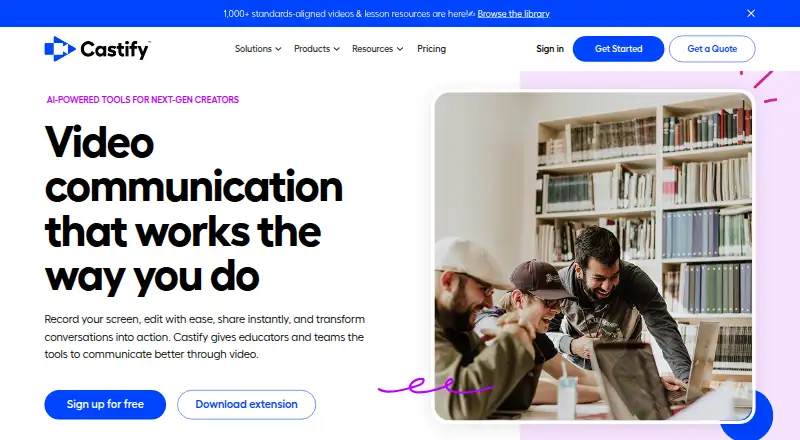
What Castify is
Castify combines browser-based screen recording, video editing, sharing, and AI tools for educators, teams, trainers, and creators. Its Screencastify recorder captures a browser tab, desktop, webcam, voice, or combinations of these. Castify Edit can remove silences, reorder clips, create captions and voiceovers, and enhance video with AI. Submit organizes video assignments around prompts and deadlines, with comments, feedback, and completion tracking; Submit AI can help generate instructions and rubrics, suggest grades, and provide personalized feedback. Transform creates how-to guides, bug reports, study materials, and custom documents from videos, with screenshots and timestamps. Listed integrations include Google Drive, Google Slides, Gmail, Outlook, Google Classroom, Canvas, Schoology, and YouTube for EDU. The extension is available for Chrome and Edge. The company says it is FERPA, COPPA, and CSPC compliant and SOC 2 Type II certified. Its privacy policy says user data is stored in Google Cloud in the United States and personal information is not rented, sold, or licensed.
Good
- Records browser tabs, desktops, webcams, and voice.
- Editing includes captions, voiceovers, and AI enhancement.
- Submit tracks feedback and assignment completion.
- Integrates with listed education and productivity services.
Watch out
- Free plan allows up to 10 videos.
- Free videos are limited to 30 minutes each.
- Starter and Pro annual pricing is per user.
Who it suits
Castify may suit educators and K–12 schools managing video assignments, as well as teams, trainers, and creators who record and share video. Its free plan has limits on video count, duration, and membership.
Verdict
Castify brings recording, editing, assignment workflows, and video-based documentation into one browser-focused offering. Check plan limits and supported browsers against how your group will use it.
Plans and prices
From Castify's own pricing page, checked 15 Oct 2026.
| Plan | Price | What it gives you |
|---|---|---|
| Free | Free | 10 videos · 30 minutes per video · watermark · limited Submit · up to 4 team invites · No credit card required |
| Starter | $7 a month | Unlimited videos · 60-minute recordings · watermark removal · viewer analytics · Submit highlight reels · Per user/month, billed annually; $19 per user/month billed monthly |
| Pro | $10 a month | AI enhancements · 180-minute recordings · captions/transcripts · translations/voiceovers · exports · LMS grade sync · Per user/month, billed annually; $25 per user/month billed monthly |
| Enterprise & EDU | Priced on request | Central administration · LMS integrations · dedicated training · assigned success manager · Google and Microsoft SSO · Custom quote |
The facts
Each one read from Castify's own pages, with the date it was checked.
What it does
- AI assignment support
- The pricing page describes Submit AI as generating assignment instructions and rubrics, suggesting grades, and delivering personalized feedback.checked 4 Oct 2026
- AI assignment tools
- Submit AI generates assignment instructions and rubrics, suggests grades and produces learner feedback; trial users receive 20 credits.checked 15 Oct 2026
- API documentation licence
- The archived API documentation repository is published under the Apache-2.0 licence.checked 15 Oct 2026
- API status
- The public Castify API documentation repository says the API was client-side and was no longer supported after April 1, 2021.checked 15 Oct 2026
- Data location
- Screencastify says user data is stored in Google Cloud in the United States and that it does not sell or rent personal information.checked 15 Oct 2026
- Documentation
- Castify Transform generates how-to guides, bug reports, study materials, and custom documents with screenshots and timestamps from videos.checked 4 Oct 2026
- Documentation and support
- The Help Center provides searchable articles and community support for recording, editing, assessments, accounts, library management, integrations and video features.checked 15 Oct 2026
- Editing
- Castify Edit supports transcript-based editing, trimming, captions, translations, voiceovers, zooms, blur and clip merging.checked 15 Oct 2026
- Integrations
- Listed integrations include Google Drive, Google Slides, Gmail, Outlook, Google Classroom, Canvas, Schoology and YouTube.checked 15 Oct 2026
- Intended users
- The site presents Castify as serving educators, K–12 schools, teams, trainers, and creators.checked 4 Oct 2026
- Interactive video
- The platform supports interactive questions, polls and viewer analytics.checked 15 Oct 2026
- Limit: editing depth
- Reviewers say editing is less straightforward than recording and less robust than tools intended for polished production videos.checked 15 Oct 2026
- Limit: legacy licences
- Trustpilot reviewers complain that one-time purchasers lost previously available features after the product moved to subscriptions and credit-based exports.checked 15 Oct 2026
- Limit: pricing and storage
- Reviewers report that free storage and recording limits are restrictive and that paid plans can feel expensive or confusing.checked 15 Oct 2026
- Limit: technical issues
- Independent reviews mention recording failures, software glitches, technical issues and performance problems on weaker computers.checked 15 Oct 2026
- Outage: Google authorization
- Screencastify reported a September 14–16, 2026 incident in which Google authorization errors blocked access and Drive permissions until users reconnected accounts.checked 15 Oct 2026
Where it runs
- Browser support
- The recording extension is available for Google Chrome and Microsoft Edge, while the platform runs in a browser without desktop software.checked 15 Oct 2026
The company
- Company facts
- LinkedIn describes Screencastify as a privately held Chicago software company with 51–200 employees.checked 15 Oct 2026
- Company history and location
- The about page says Screencastify was founded in 2014 and opened its new Chicago headquarters in 2021.checked 4 Oct 2026
- Founded
- 2014checked 28 Sep 2026
- Founded year (LinkedIn)
- LinkedIn lists Screencastify as founded in 2013.checked 15 Oct 2026
- Founded year (official)
- Screencastify’s official history places its founding in 2014.checked 15 Oct 2026
- Headquarters
- Chicago, Illinois, United Stateschecked 28 Sep 2026
- Legal name and ownership
- Crunchbase lists the legal name as Screencastify, LLC and says it was acquired by LearnCore.checked 15 Oct 2026
The full review of Castify
Castify is a browser-based workspace for recording, editing, collecting video work and turning recordings into documentation. It is best suited to educators, K–12 schools, trainers and teams that need several of those tasks connected. Its broad workflow is a strength, but the cheaper plans impose meaningful limits on video length and membership.
Overview
Castify combines screen, voice and webcam capture with editing, sharing, assignment-style submissions and AI-assisted document creation. A school can record a lesson, collect student responses, comment on them and track completion without moving between separate services. Teams can use the same flow for training or internal documentation. That breadth is less persuasive if you only need a lightweight recorder or a prospecting-focused video tool.
Key features
Recording and editing
The browser recorder captures a browser tab, desktop or webcam, with voice, video or both. Castify Edit can remove silences, rearrange clips, create captions and voiceovers, and apply AI enhancement. Starter provides basic editing, while AI editing is reserved for Pro, so Starter fits routine trimming and sequencing rather than automated refinement.
Submissions and feedback
Castify Submit supports custom prompts, deadlines, organized incoming videos, in-video comments, feedback and completion tracking. Submit AI can produce assignment instructions and rubrics, suggest grades and deliver personalized feedback. Those controls are particularly relevant to classroom assignments and structured training exercises; they are less useful for an individual creator who does not collect responses.
Documentation and integrations
Castify Transform turns videos into how-to guides, bug reports, study materials and other documents with screenshots and timestamps. Integrations include Google Drive, Google Slides, Gmail, Outlook, Google Classroom, Canvas, Schoology and YouTube for EDU, giving schools and teams ways to connect recordings with existing communication and learning systems. Engagement tracking, follow-up workflows, CRM sync and email follow-up also support organized outreach, although the product’s strongest differentiation remains its education and documentation workflow.
Security and privacy
Castify says it is FERPA, COPPA and CSPC compliant and SOC 2 Type II certified. User data is stored in Google Cloud in the United States, and the company says it does not rent, sell or license personal information. Organizations with strict administrative requirements should note that central controls and SSO are provided on Enterprise & EDU.
Pricing
Castify uses a freemium model. The Free plan costs nothing and allows up to 10 videos, 30 minutes per video and up to 5 members. It is suitable for trying the recording and submission workflow or for a very small occasional-use group, but ten videos and a five-member ceiling will constrain an active class or team.
Starter costs $7 a month billed annually, or $19 when billed monthly. It removes the video-count limit, raises the maximum length to 60 minutes, adds basic editing and still supports up to 5 members. This is the practical choice for small groups producing regular, conventional recordings; the monthly price is substantially higher, and there is no AI editing.
Pro costs $10 a month billed annually, or $25 when billed monthly. It keeps unlimited videos and the five-member cap, raises recording length to 180 minutes and adds AI editing. Choose it when long sessions or automated editing justify the increase; it does not solve the small-team membership limit.
Enterprise & EDU has custom pricing and includes unlimited members, custom recording length, central administration, LMS integrations and SSO. It is the appropriate tier for schools or organizations that need centralized governance and scale rather than a fixed small-team allowance.
Platforms
Castify is delivered through the web and a browser extension. The extension is available for Google Chrome and Microsoft Edge. That browser focus keeps deployment straightforward on supported desktops, but users on other browsers should confirm compatibility before committing. Enterprise and EDU customers receive onboarding and support, while other questions are directed to the help center or sales team.
Who it's for
Castify is a strong fit for educators, K–12 schools, trainers and teams that need recording, review, feedback and documentation in one workflow. It is also useful for creators who value browser capture and AI-assisted editing. The Free and Starter plans make the most sense for small groups; larger institutions should budget for Enterprise & EDU because the lower tiers stop at five members. A user seeking only basic screen capture, or a sales organization wanting a narrowly prospecting-oriented product, may find the broader feature set unnecessary.
Pros and cons
- Pro: Recording, editing, submissions and documentation are connected, reducing handoffs between classroom or team workflows.
- Pro: Submit includes prompts, deadlines, in-video feedback and completion tracking, which supports accountable assignments.
- Pro: Transform can produce timestamped guides, bug reports and study materials from a recording.
- Pro: FERPA, COPPA and CSPC compliance claims plus SOC 2 Type II certification address common education procurement concerns.
- Con: Free is capped at 10 videos, 30 minutes each and five members, limiting sustained use.
- Con: Starter and Pro still allow only five members, so growing groups must move to custom-priced Enterprise & EDU.
- Con: AI editing is restricted to Pro, and monthly billing costs more than annual billing on both paid tiers.
Alternatives
For a broader set of Video Prospecting Software, compare these options:
- Hippo Video is a freemium alternative with Android, iOS, desktop and web coverage, plus a free tier with two Video Flows and ten minutes of closed captions.
- Dubb is worth considering if you want annual Pro plans with unlimited videos and HD quality.
- Bonjoro suits users wanting a free-forever tier allowing up to 50 videos.
- Vidyard offers recording, editing, sharing and integrations on a free plan with monthly recording and AI-video limits.
- BHuman is an option for API- or web-based personalized-video production using shared credits.
- ngram focuses on AI-generated explainer footage and offers extension and web access.
- RepliQ provides web and API access with a free allowance of 30 videos.
- Vimotion is a service for produced hero videos and social cuts rather than a classroom submission workspace.
Verdict
Choose Castify when your school or team needs browser recording tied to assignments, feedback and automatically generated documentation. Its main reason to choose it is the connected workflow, supported by education-oriented integrations and security provisions. Look elsewhere if five-member caps, per-video limits or the lack of AI editing on Starter conflict with your scale, or if you need a specialized prospecting product instead.
Alternatives to Castify
- 1

Hippo Video
Free planAndroidiOSWebAPI8.3From $20 a month - 2

Dubb
Free planAndroidiOSWebAPI8.2From $50 a month - 3

Bonjoro
Free planAndroidiOSWebAPI8.1From $15 a month - 4
ngram
Free planWebAPIExtension7.6From $29 a month - 5
RepliQ
Free planAndroidWebAPI7.6From $39 a month - 6
Vimotion
Free planWebAPI7.5From $1,800 a month