
Opencast
Opencast is a free, open-source video management system for academic institutions, focused on recording and distributing video at scale.
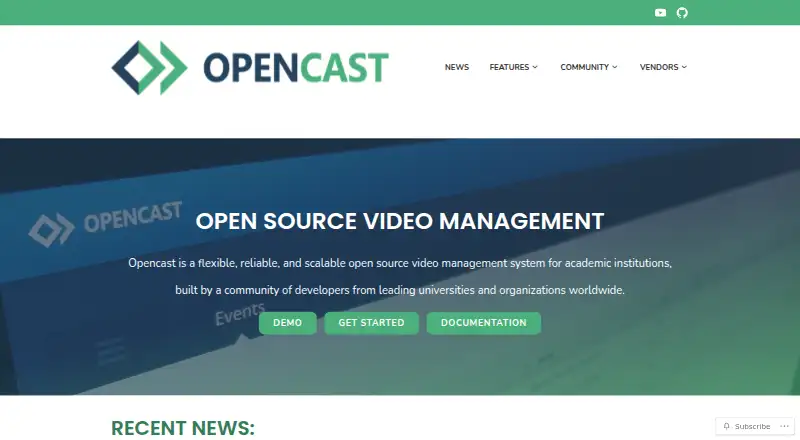
What Opencast is
Opencast is a free, open-source video management system for academic institutions, focused on recording and distributing video at scale. Administrators can schedule recordings and live streams, while classroom capture can also be triggered depending on the hardware. Opencast Studio offers browser-based recording without installing the system. Configurable workflows can generate captions, apply branding and thumbnails, and prepare video at chosen resolutions and bitrates. Its editor supports work across multiple streams, subtitles, and cover images. Built-in permissions govern who can view or edit content, and LMS connections can support single sign-on and delivery. Opencast uses the Paella Player by default; the separate Tobira portal can keep videos accessible during Opencast maintenance. Integrations include learning platforms, BigBlueButton, Zoom recording, analytics, transcription, WordPress, and YouTube distribution. It can run on one Linux server or scale across multiple servers. Demo instances are available to explore the admin interface and portal.
Good
- Free and open-source software.
- Schedules recordings and live streams.
- Automates captions, branding, and video delivery.
- Includes editing and fine-grained access controls.
- Can scale across distributed Linux servers.
Watch out
- Classroom capture depends on hardware.
- Deployment and support depend on adopters and partners.
- The Tobira media portal runs separately.
Who it suits
Opencast suits academic institutions that need scheduled or classroom video capture and managed distribution. It is also a fit for teams using an LMS or self-hosting on Linux.
Verdict
Opencast combines capture, processing, editing, permissions, and LMS delivery in an academic video system. Its free software is paired with deployment and support that adopters arrange themselves or through community partners.
Plans and prices
From Opencast's own pricing page, checked 29 Sep 2026.
| Plan | Price | What it gives you |
|---|---|---|
| Opencast | Free | Free and open source software; deployment and support depend on adopters and community partners |
| Opencast software | Free | self-hosted open-source software · no hosted service price shown |
The facts
Each one read from Opencast's own pages, with the date it was checked.
What it does
- Access controls
- Fine-grained viewing and editing permissions are built in, and LMS integration can provide single sign-on.checked 29 Sep 2026
- API security
- Media URLs can be signed for controlled playback, normally expiring after about one hour and optionally restricted by source IP.checked 14 Oct 2026
- Capture agents
- Duke documents Linux capture agents, community tools such as Galicaster and Pyca, and commercial hardware integrations.checked 14 Oct 2026
- Cologne deployment
- The University of Cologne uses Opencast for automated lecture recording, HLS playback and delivery through ILIAS, web projects and OER.checked 14 Oct 2026
- Commercial support
- Opencast lists community-vetted partner organizations that offer commercial support, development, and integration assistance.checked 29 Sep 2026
- Deployment
- The Opencast 12 Administration Guide says the system can run on one Linux server or scale across multiple distributed Linux servers.checked 29 Sep 2026
- Deployment methods
- Installers support Linux packages, Docker, source builds, Ansible and multi-server deployments; macOS source builds have no official support.checked 14 Oct 2026
- Documentation and support
- Official adopter and developer guides, webinars, GitHub discussions, Matrix chat, sysadmin meetings, test servers and security reporting are provided.checked 14 Oct 2026
- Editing
- The integrated video editor supports editing multiple streams, adding subtitles, and changing cover thumbnails.checked 29 Sep 2026
- EU description
- The EU Interoperable Europe portal describes Opencast as mostly funded and developed by higher-education institutions.checked 14 Oct 2026
- EU extensibility
- The EU portal notes modular OSGi components with REST interfaces and reusable Studio, Editor, Paella and Tobira components.checked 14 Oct 2026
- EU hosting model
- The EU portal says institutions commonly run Opencast on-premises for privacy and data-security reasons without per-license costs.checked 14 Oct 2026
- External API
- The External API supports LMS and mobile integrations, resource management, authentication, authorization and multitenancy.checked 14 Oct 2026
- Göttingen functions
- Göttingen’s Stud.IP integration supports uploads, scheduling, security settings, search, student uploads and online editing.checked 14 Oct 2026
- Göttingen processing time
- Göttingen warns that uploaded media may take minutes to several hours to become available after encoding and processing.checked 14 Oct 2026
- Governance change
- A December 2025 update said Opencast was moving its institutional home from Apereo to Linux Foundation Europe while Apereo retained copyright during migration.checked 14 Oct 2026
- Integrated editor
- The editor handles simultaneous multiple streams, subtitles and cover-thumbnail changes.checked 14 Oct 2026
- License
- The main Opencast repository is released under the Educational Community License 2.0.checked 14 Oct 2026
- Limit: administration UI
- A project issue describes the administration UI as having recurring bugs plus accessibility, usability, design and code-quality problems.checked 14 Oct 2026
- Limit: archiving
- Toronto requires instructors to download and archive Opencast videos separately at the end of term.checked 14 Oct 2026
- Limit: deployment effort
- Duke concluded that deploying and maintaining a custom Opencast system required a team of programmers.checked 14 Oct 2026
Where it runs
- Browser recording
- Opencast Studio records from a browser without installing Opencast.checked 14 Oct 2026
The company
- Founded
- 2007checked 28 Sep 2026
Money
- Free trial
- The maker offers demo instances for trying the administrative interface and video portal without installing Opencast.checked 29 Sep 2026
The full review of Opencast
Opencast is an academic video system for institutions that need to record, process and deliver courses at scale. It suits organizations with Linux deployment capacity and LMS-based teaching workflows. Its broad production pipeline is compelling for campus use, but adopting it means owning deployment and arranging support.
Overview
Founded in 2007, Opencast is free, open-source software built around institutional video rather than casual publishing. It brings scheduled capture, processing, editing, access control and LMS delivery into one system. That breadth can simplify a university’s video workflow; it also makes Opencast a more substantial commitment than a browser recorder or lightweight media tool.
Key features
Administrators can schedule recordings and live streams, while classroom capture can be triggered depending on the hardware. Opencast Studio records in a browser without requiring an Opencast installation, giving instructors a way to create material outside equipped rooms. Automatic captions and searchable transcripts support accessibility and discovery.
Configurable workflows can generate captions, apply branding and thumbnails, and deliver media at selected resolutions and bitrates. The integrated editor handles multiple streams, subtitles and cover images. These tools suit institutions that need repeatable production at scale; organizations needing only straightforward recording may find the broader system more than they need.
Fine-grained viewing and editing permissions help control access, and LMS integration can provide single sign-on. Opencast integrates with Brightspace, Canvas, ILIAS, Moodle, Sakai and Stud.IP, and can connect to any LMS supporting LTI. Other integrations include BigBlueButton and Zoom recording, Matomo analytics, WordPress, Prometheus-compatible metrics, Whisper transcription, Tobira and YouTube distribution.
The default player is Paella. Tobira, the media portal, runs separately, so videos can remain online while Opencast is undergoing maintenance. Signed media URLs expire after a configured period, usually one hour depending on server configuration, adding a time limit to shared access.
Pricing
Opencast — free. The software is free and open source, with no paid tier or seat and storage quotas stated. The trade-off is operational: adopters handle deployment and support themselves or work with community-vetted partners offering commercial support, development and integration help. Demo instances let teams try the administration interface and portal without installing the system.
Platforms
Opencast supports Linux, self-hosted and web environments, as well as an API. The Administration Guide describes deployment on a single Linux server or scaling across multiple distributed Linux servers. This flexibility suits institutions able to manage infrastructure; it is less attractive to teams seeking a fully managed service.
Who it's for
Opencast is best for universities and other academic institutions coordinating lecture capture, live streams, editing, permissions and LMS delivery across a substantial video operation. Smaller teams that need only occasional recordings may be better served by a simpler tool, while organizations without Linux administration capacity should account for the deployment burden before choosing it.
Pros and cons
- Pros: Free, open-source software avoids a licence price for the system itself.
- Pros: Capture, automated processing, multi-stream editing, access controls and LMS delivery cover much of an academic video workflow.
- Pros: Single-server deployment or distributed Linux scaling gives institutions options to match their infrastructure.
- Cons: Deployment and support are the adopter’s responsibility unless arranged with a community partner.
- Cons: Its broad workflow and Linux deployment model may be excessive for teams that only need a simple recorder or hosted video portal.
Alternatives
For a broader comparison, see Lecture Capture Software and Video Podcast Software.
- Presentations2Go is worth considering if you want a freemium option with a free plan and trial, plus Android, iOS, macOS and Windows support.
- Planet eStream suits buyers seeking a paid, modular system; room capture has no per-room licence cost, though pricing depends on required features and, for school groups, the number of schools.
- Impartus Lecture Capture System is a paid alternative for teams that prefer to request a demo.
- Vbrick Enterprise Video Platform is a paid option for use cases priced around audience size, library size and network topology.
- UbiCast Nudgis is a paid alternative with a Starter plan at $4,500 a year, billed per year, excluding VAT; it includes 25 concurrent viewers and 1 TB storage, or approximately 500 hours of Full HD video.
- Lecture2Go is another free option: the University of Hamburg’s media and distribution portal is available as open-source software for other educational institutions.
- Viz CaptureCast is a paid alternative priced at from $7,995 (priced on request) (billed USMSRP; international pricing may vary).
- ShareStream Video Platform is a paid alternative with a free trial.
Verdict
Choose Opencast if your institution needs a free, open-source academic video system with capture, processing, editing, permissions and LMS delivery in one workflow—and has the capacity to deploy and maintain Linux infrastructure. Its breadth and lack of software licence cost are the main draws; the need to own operations and arrange support is the clearest reason to look elsewhere.
Getting started
- Visit the Opencast website and explore its demo instances.
- Try Opencast Studio in a browser without installing Opencast.
- Plan a Linux deployment on one server or across distributed servers.
- Configure integrations with an LMS or other listed services as needed.
- Arrange community or partner support if commercial assistance is required.
Limits worth knowing
Deployment and support depend on adopters and community partners. Classroom recording triggers depend on hardware, and signed media URLs expire after a configured period, usually one hour depending on server configuration.
Questions
How much does Opencast cost?
The listed Opencast plan is free at no cost.
Can I try it without installing it?
Demo instances let users try the administrative interface and video portal. Opencast Studio records video in a browser and can also be tried without installing Opencast.
What platforms does it run on?
The system can run on one Linux server or scale across multiple distributed Linux servers. Its listed platforms also include API, self-hosted, and web.
Which LMS platforms does it integrate with?
Listed integrations include Brightspace, Canvas, ILIAS, Moodle, Sakai, and Stud.IP. Opencast can connect to any LMS that supports LTI.
Is Opencast open source?
Yes. Opencast is open-source software.
Is commercial support available?
Opencast lists community-vetted partner organizations offering commercial support, development, and integration assistance.
Alternatives to Opencast
- 1

Vimeo
Free planAndroidiOSWebAPI8.4From $12 a month - 2

Hippo Video
Free planAndroidiOSWebAPI8.3From $20 a month - 3

Cinema8
Free planAndroidiOSWebAPI8.1From $12 a month - 4

YouTube
AndroidiOSWebAPI7.8From $9.99 a month - 5
VEED
Free planAndroidiOSWebExtension7.5Free plan - 6
MediaZilla
Free planAndroidiOSWebAPI7.4From $21 a month