
HiBit Uninstaller
HiBit Uninstaller is a free Windows utility for removing software, Windows apps and browser extensions, including programs that resist ordinary removal.
What HiBit Uninstaller is
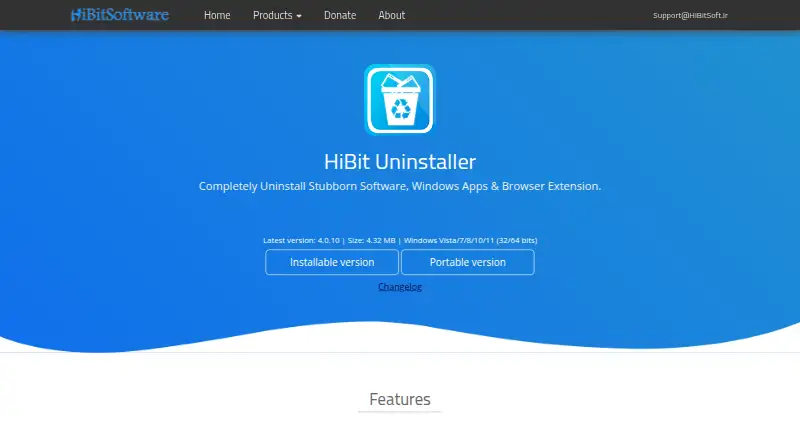
HiBit Uninstaller is a free Windows utility for removing software, Windows apps and browser extensions, including programs that resist ordinary removal. It offers forced uninstall, batch uninstall and a scan for leftover files, along with install monitoring and a portable version. Additional tools can shred sensitive files, address registry problems, remove junk files, delete invalid shortcuts and locate empty folders. It also manages programs and services that start with Windows and Windows system restore points. Automatic updating is listed among its features. The maker provides installable and portable downloads; the page lists version 4.0.10 at 4.32 MB. The listed plan costs nothing and supports Windows Vista, 7, 8, 10 and 11 in 32- and 64-bit versions, with Windows 11 also listed separately. A support email address is provided. The About page identifies Mohammed Raee as the programmer and says he created the site in 2017 to share programs for free.
Good
- Forced uninstall targets stubborn software.
- Can uninstall programs in batches.
- Scans for leftover files.
- Portable version is available.
- Includes startup and system restore management.
Watch out
- Windows platform only.
- Listed version is 4.0.10.
- No price information beyond the free plan.
Who it suits
HiBit Uninstaller suits Windows users who need to remove stubborn applications or clean up leftover files. Its portable download may suit users who prefer not to use the installable version.
Verdict
HiBit Uninstaller pairs removal tools with several Windows cleanup and management functions, and offers both portable and installable downloads. It is listed as free for a range of Windows versions.
Plans and prices
From HiBit Uninstaller's own pricing page, checked 2 Oct 2026.
| Plan | Price | What it gives you |
|---|---|---|
| HiBit Uninstaller | Free | Price not stated · Windows Vista/7/8/10/11 (32/64 bits) · installable and portable versions |
The facts
Each one read from HiBit Uninstaller's own pages, with the date it was checked.
What it does
- Batch uninstall
- It can remove multiple programs at once.checked 2 Oct 2026
- Cleanup tools
- Features include shredding sensitive files, fixing registry problems, removing junk files, deleting invalid shortcuts, and finding empty folders.checked 2 Oct 2026
- Download formats
- The maker offers installable and portable versions.checked 2 Oct 2026
- Forced removal
- Forced Uninstall removes stubborn software.checked 2 Oct 2026
- Forced uninstall
- Yeschecked 23 Sep 2026
- Install monitoring
- It can monitor program installations.checked 2 Oct 2026
- Leftovers
- It can fully uninstall programs without leftovers.checked 2 Oct 2026
- Leftover scan
- Yeschecked 23 Sep 2026
- Portable version
- Yeschecked 23 Sep 2026
- Purpose
- HiBit Uninstaller removes stubborn software, Windows apps, and browser extensions.checked 2 Oct 2026
- Support
- The maker lists [email protected] as a contact address.checked 2 Oct 2026
- Updates
- The listed features include automatic updating to the latest version.checked 2 Oct 2026
- Version and size
- The page lists version 4.0.10 at 4.32 MB.checked 2 Oct 2026
Money
- Free plan
- Yeschecked 23 Sep 2026
The company
- Maker
- The About page identifies Mohammed Raee as the programmer and says he created the site in 2017 to share programs for free.checked 2 Oct 2026
Where it runs
- Windows management
- It can manage programs and services that start with Windows and manage Windows system restore points.checked 2 Oct 2026
Alternatives to HiBit Uninstaller
- 1
IObit Uninstaller
Free planWindows8.2Free plan - 2

Wise Program Uninstaller
Free planWindows8.1From $14.95 a year - 3
Argente Uninstall Manager
Free planWindows7.9From €9 a year - 4

Geek Uninstaller
Free planWindows7.6Free plan - 5

Uninstalr
Free planWindows7.4$39 one-time - 6
Revo Uninstaller
Windows7.3