GreenOnion Video
GreenOnion Video turns written material into animated explainer videos, with AI-generated slides, narration, and MP4 export.
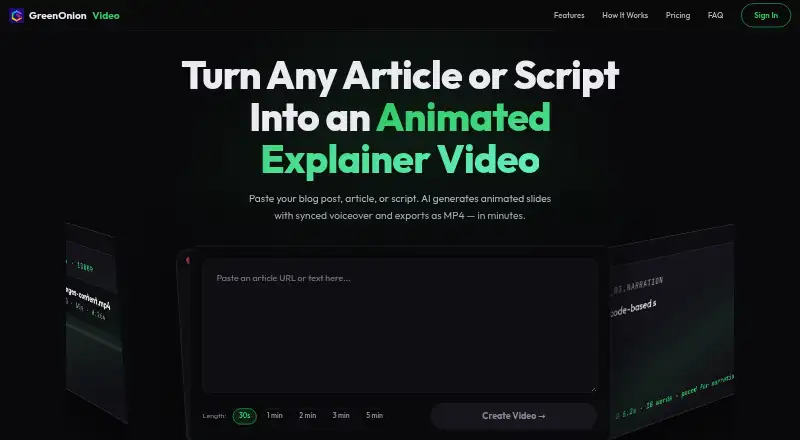
What GreenOnion Video is
GreenOnion Video turns written material into animated explainer videos, with AI-generated slides, narration, and MP4 export. It can start from an article, blog post, or script, then prepare a visual layout and voiceover script for each slide. You can review, edit, and reorder the plan, as well as revise slides individually. Choose from 12 presentation themes or a stickman mode for whiteboard-style videos. Visuals can come from free photo and icon libraries, be generated as custom assets, or be uploaded from your brand materials. AI narration follows the animation beats and supports multiple languages, including English and Chinese. Target lengths run from 30 seconds to five minutes. The web app offers 20 free credits, using one credit per slide generation; previews are free, but export and MP4 downloads require a paid plan.
Good
- Converts articles, blog posts, and scripts into videos
- Offers 12 themes and a stickman animation mode
- Supports uploaded brand visuals and generated assets
- Narration supports multiple languages, including English and Chinese
- Allows slide review, editing, and reordering
Watch out
- MP4 export requires a paid plan
- Free access includes 20 credits
- Maximum target length is five minutes
Who it suits
It suits creators, marketers, educators, small business owners, social media managers, and agencies turning text into explainer videos. The web workflow may also appeal to users who want to edit slides and narration before export.
Verdict
GreenOnion Video combines text-to-slide generation, narration, visual options, and editing controls in a web app. Its free credits allow previews, but exporting an MP4 requires a paid plan starting at $19 a month, billed monthly.
Plans and prices
From GreenOnion Video's own pricing page, checked 8 Oct 2026.
| Plan | Price | What it gives you |
|---|---|---|
| Starter | $19 a month | 100 credits/month · ~10 videos · ~10–15 min of video · Unlimited exports & audio · monthly |
| Pro | $49 a month | 300 credits/month · ~30 videos · ~30–45 min of video · Unlimited exports & audio · monthly |
| Business | $149 a month | 1200 credits/month · ~120 videos · ~2–3 hrs of video · Unlimited exports & audio · monthly |
The facts
Each one read from GreenOnion Video's own pages, with the date it was checked.
What it does
- Assets
- The AI can source photos and icons from free libraries or generate custom assets, and users can upload their own brand visuals.checked 8 Oct 2026
- Editing control
- Users can review, edit, and reorder the generated plan and iterate on individual slides before export.checked 8 Oct 2026
- Export
- The product exports videos as MP4 for destinations including YouTube, LinkedIn, websites, and social media.checked 8 Oct 2026
- Intended users
- The page describes the product as built for creators, marketers, educators, small business owners, social media managers, and agencies.checked 8 Oct 2026
- Slide generation
- Its AI breaks text into animated slides and plans a voiceover script and visual layout for each slide.checked 8 Oct 2026
- Video length
- The page offers target lengths from 30 seconds to 5 minutes.checked 8 Oct 2026
- Visual styles
- The product offers 12 presentation themes and a stickman animation mode for whiteboard-style explainers.checked 8 Oct 2026
- Voiceover
- AI narration syncs to animation beats, and the page says voiceover supports multiple languages including English and Chinese.checked 8 Oct 2026
- What it does
- GreenOnion Video turns articles, blog posts, and scripts into animated explainer videos with AI narration and MP4 export.checked 8 Oct 2026
Money
- Free usage
- The page offers 20 free credits, says one credit is used per slide generation, and says preview is free while export and MP4 downloads require a paid plan.checked 8 Oct 2026